KubeJS Optional for Q Shop qshop-forge-1.20.1-1.3.0
optionalMatching file found Matched file: KubeJS Forge 2001.6.5-build.26
CurseForge · Minecraft mod
A flexible Forge 1.20.1 and NeoForge 1.21.1 server shop with buy, sell, barter and command trades, custom currencies, limits, in-game editing and a Builder-first KubeJS API.
Quick answer
Q Shop qshop-forge-1.20.1-1.3.0 targets 1.20.1 with Forge. The project page does not say whether this file belongs on the client, dedicated server, or both. No extra mods listed for this file.
Where it goes
The project page does not say whether this file belongs on the client, dedicated server, or both.
The source does not explicitly classify this release as client-only or server-only.
qshop-forge-1.20.1-1.3.0. Change the file and its required mods may change too.
This file does not list any required mods. Do not add a library just because a different file uses it.
2 extra mods were pulled in by other dependencies. Indented rows show who needs each one. We only count dependency files that match this setup. A file for another loader does not fill the gap.
Before you install it
Built for Q Shop qshop-forge-1.20.1-1.3.0. Pick another file and the loader, install side or required mods may change.
Use qshop-forge-1.20.1-1.3.0. It targets 1.20.1 with Forge; another release may have different loader, side or dependency requirements.
This file does not list any required mods. Do not add a library just because a different file uses it.
The project page does not say whether this file belongs on the client, dedicated server, or both.
Use the “Get this file” button beside qshop-forge-1.20.1-1.3.0. It opens that exact file at the source.
About this project
QShop is a configurable shop mod for Minecraft Forge 1.20.1 and NeoForge 1.21.1. Choose the loader-specific QShop file for your instance, then create multiple shops and sub-shops, edit them in game, use custom non-item currencies, and let players buy, sell, barter or trigger server commands.
QShop has no mandatory gameplay integration dependencies. KubeJS and FTB Quests are optional and only needed for their respective features. Stage requirements use KubeJS stages when KubeJS is installed.
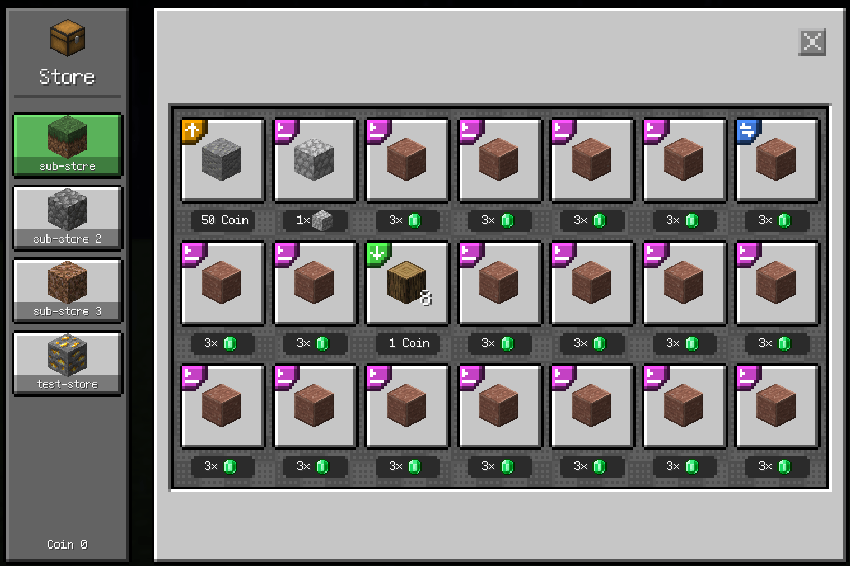
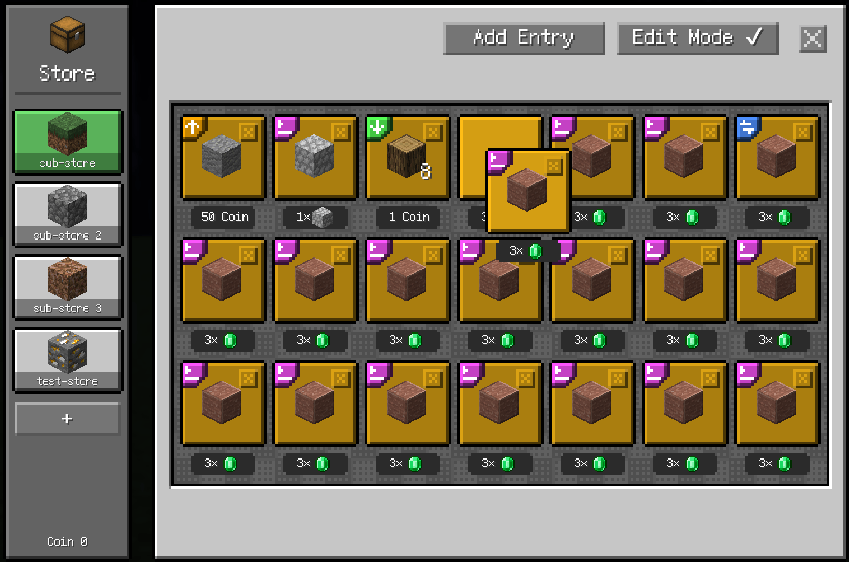
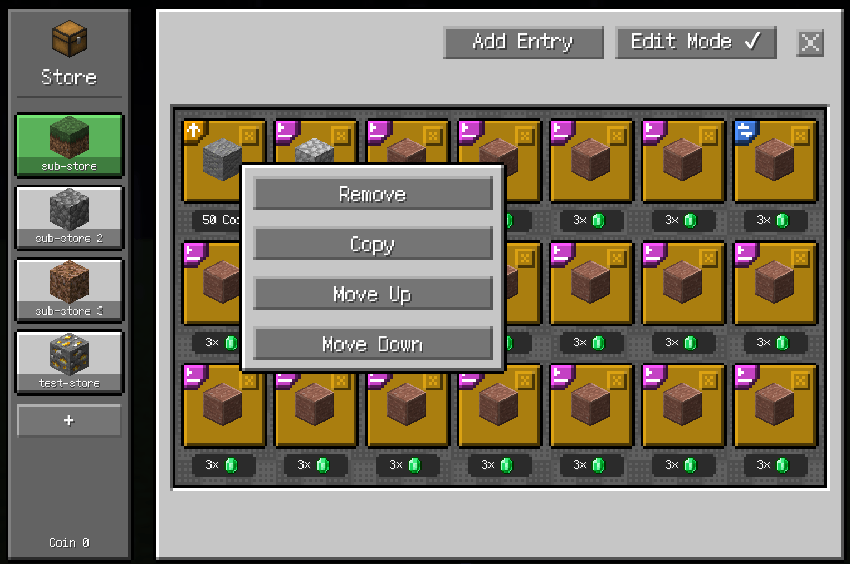
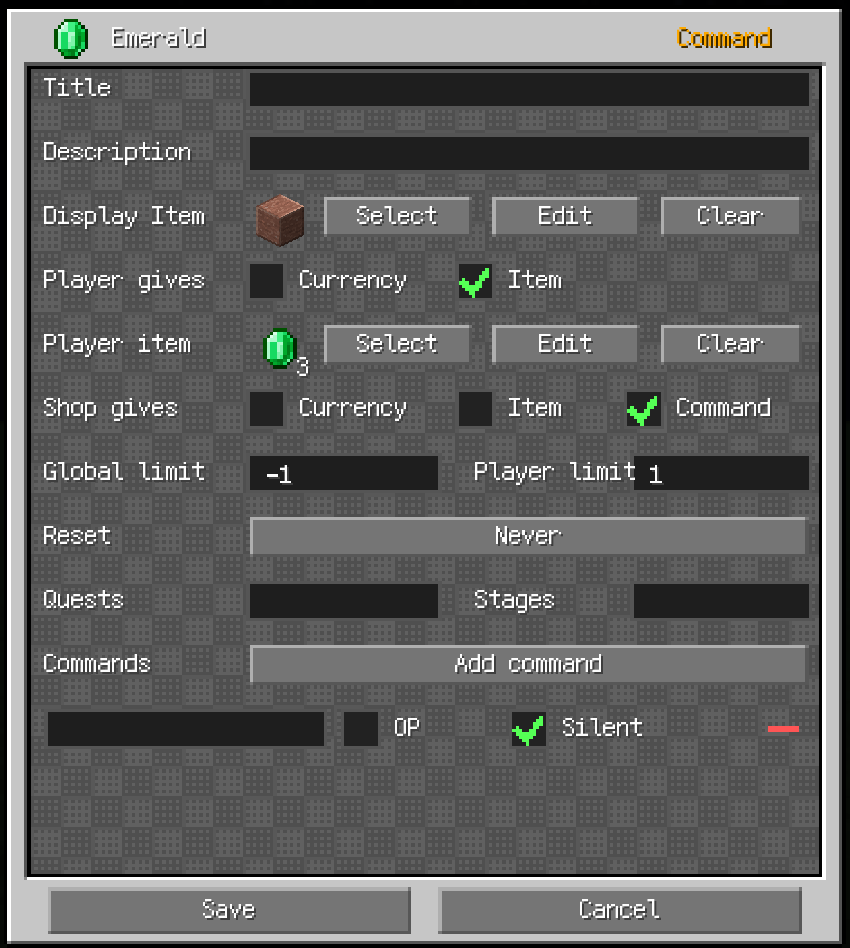
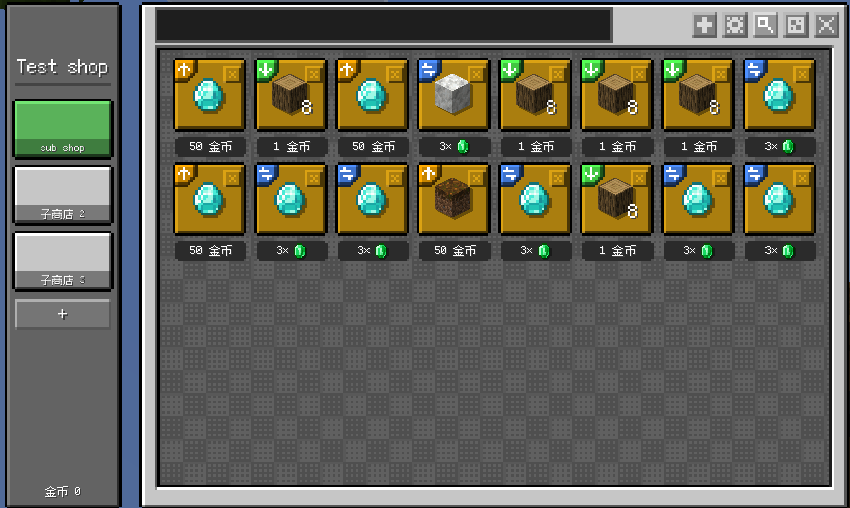
config/qshop_layout.json.requiredStages; blank descriptions fall back to the stage ID.NEVER, DAILY, WEEKLY and MONTHLY.Stage descriptions are configured in the trade entry editor or the entry JSON. Each description matches the stage at the same position in requiredStages; an empty or missing description displays the stage ID instead:
"requiredStages": ["vip", "nether"],
"requiredStageDescriptions": ["VIP access", ""]
/qshop open <shop> [player]
/qshop list
/qshop balance
/qshop reload
/qshop currency list
/qshop currency create <id> <name> [color]
/qshop currency give|take|set <player> <currency> <amount> [true|false]
/qshop shop create <id> [displayName] [currency]
/qshop edit <shop> add <type> [price] [currency]
/qshop edit <shop> remove <index>
/qshop edit <shop> setitem <index>
/qshop edit <shop> set <index> <field> <value>
/qshop item
Shop editing requires permission level 2 and Creative mode. The final sub-shop cannot be removed.
Release files use the format modid-modloader-modloaderVersion-modVersion.jar:
qshop-forge-1.20.1-1.2.4.jarqshop-neoforge-1.21.1-1.2.4.jar<world>/serverconfig/qshop/currencies.json
<world>/serverconfig/qshop/shops/<shop-id>.json
Items accept an ID, an item object with count and nbt, a KubeJS ItemStack, or the Base64 format written by QShop.
Pack authors can place currencies.json and a shops/ directory under the server root at defaultconfigs/qshop/. QShop imports this directory into a new world's serverconfig/qshop/ on first load and never overwrites existing world configuration. If the directory contains any shop JSON other than the example starter.json, QShop skips starter.json so the pack's own shops are imported without the example shop. If starter.json is the only shop, it is imported normally.
The common config config/qshop-common.toml can optionally reduce currencies on death. Set death.loseCurrencyOnDeath=true, then use entries such as currencyRetention=["coins=0.2"] to keep 20% of coins after death.
Install KubeJS on the server to enable the global QShop binding. The public 1.1.0 KubeJS API is Builder-first. JSON CRUD methods and direct JsonIO writes are not part of the public global API.
QShop.createShop('vip', 'VIP Shop', 'coins')

QShop.tab('vip')
  .name('Daily Offers')
  .icon({
    item: 'minecraft:paper',
    count: 1,
    nbt: '{display:{Name:"Daily Card"}}'
  })
  .description('Refreshes every day')
  .uuid('daily-offers')
  .stage('vip_unlocked')
  .add()

QShop.entry('vip', 'daily-offers')
  .buy({ item: 'minecraft:oak_log', count: 8 })
  .price(2, 'coins')
  .playerLimit(20, 'DAILY')
  .uuid('oak-bundle')
  .add()
Calling add() with an existing entry UUID replaces that entry in place. Calling add() with an existing tab UUID updates tab metadata while preserving its entries.
const shop = QShop.getShop('vip')
const tab = QShop.getTab('vip', 'daily-offers')
const entry = QShop.getEntry('vip', 'daily-offers', 'oak-bundle')

console.log(shop.id, tab.uuid, entry.uuid)
console.log(entry.type.name(), entry.count, entry.getCount())
getShop, getTab and getEntry return complete Java objects. Read fields directly from the returned object: entry.type, entry.item, entry.give, entry.receive, entry.price, entry.currencyId, entry.commands, entry.requiredQuests, entry.requiredStages, entry.requiredStageDescriptions and entry.showWhenRequirementsNotMet.
entry.count and entry.getCount() are equivalent. count is the item quantity represented by one entry unit, not the number of clicks. entry.type is an enum; compare it with entry.type.name(), for example entry.type.name() === 'BUY'.
| Reference | Accepted values |
|---|---|
shopRef |
Shop ID or shop UUID |
tabRef |
Zero-based index, tab UUID or null for the first tab |
entryRef |
Zero-based index or entry UUID |
Use UUIDs for long-lived scripts because indexes change when content is reordered or refreshed.
QShop.getEntryCount('vip')       // entries in tab 0
QShop.getEntryCount('vip', 1)    // entries in tab 1
QShop.removeEntry('vip', 'daily-offers', 'oak-bundle')
QShop.removeTab('vip', 'daily-offers')
QShop.createCurrency('tokens', 'Tokens', '#55ff55')
QShop.giveCurrency(player, 'tokens', 100)
QShop.takeCurrency(player, 'tokens', 10)
QShop.setCurrency(player, 'tokens', 50)

QShop.refreshTab('vip', 'daily-offers', 10, [
  { item: 'minecraft:iron_ingot', price: 2, weight: 50 },
  { item: 'minecraft:gold_ingot', price: 5, weight: 10 }
])
The second argument is a zero-based tab index or the tab UUID (daily-offers in this example), not the tab display name. Every generated entry receives a new UUID and starts with empty limit counters. The limit-clearing methods accept tab/entry indexes or UUIDs (not names); the shop reference can be a shop ID or shop UUID. They clear the global counter and personal counters for both online and offline players; offline counters are edited directly in world/playerdata/<uuid>.dat.
QShopEvents.beforeTrade(event => {
  const entry = event.getEntry()
  if (entry && entry.type.name() === 'COMMAND') {
    event.cancel()
    event.player.tell('This entry is temporarily unavailable.')
  }
})

QShopEvents.afterTrade(event => {
  const shop = event.getShop()
  const tab = event.getTab()
  const entry = event.getEntry()

  console.log(`${shop.id}/${tab.uuid}/${entry.uuid}`)
  console.log(`${entry.type.name()} x${event.tradedUnits}`)
  if (event.isPartial()) {
    event.player.tell(`Completed ${event.tradedUnits} unit(s).`)
  }
})

QShopEvents.currencyChanged(event => {
  console.log(`${event.getCurrency()}: ${event.getOldValue()} -> ${event.getNewValue()}`)
})
Read shop, tab and entry fields through getShop(), getTab() and getEntry(). Event-only data includes units for beforeTrade, and tradedUnits, totalItems, paidPrice and partial for afterTrade. currencyChanged provides getPlayer(), getCurrency(), getOldValue(), getNewValue(), getDelta(), getSource() and getSourcePos(). It fires for all effective currency changes, including trades, FTB money rewards/tasks, commands, KubeJS currency methods, configured death retention, and Java addon services. Append false to a command to suppress it.
NeoForge addon mods can use the official com.qshop.api.QShopAddonApi facade. Its currency() service centralizes wallet mutations, and its buy/sell methods accept NeoForge IItemHandler inventories for server-side container integrations. Java addons can listen for com.qshop.api.CurrencyChangedEvent on the NeoForge event bus.
QShop and its assets are All Rights Reserved (ARR). See LICENSE for the full terms.
Project description from CurseForge.
Pick your setup
Choose the version and loader you play, then open the matching release.
Check the dependencies, then try the file in a copied instance before changing a world you care about.
Recent files
qshop-forge-1.20.1-1.3.0.jar
1 Sept 2026
qshop-forge-1.20.1-1.2.4.jar
31 Aug 2026
28 Aug 2026
28 Aug 2026
qshop-1.2.3.jar
28 Aug 2026
26 Aug 2026
26 Aug 2026
25 Aug 2026
24 Aug 2026
23 Aug 2026
22 Aug 2026
20 Aug 2026
Looking for an older file? The official CurseForge project page is in Resources.
 mod
modThe DiumStream mod marks my debut in Minecraft modding using the MCreator software. It adds a Didier entity, a Hoverboard, and a Mangeoire system with custom AI, hunger mechanics, and interactive gameplay.
 mod
modDiscover Plants, Animals and Monsters with a Spyglass. Collect them all and take notes in your personal Field Guide!
 mod
modProvide convenient features to players and dev utilities for Create addon developers.