Minecraft version
Back to mods 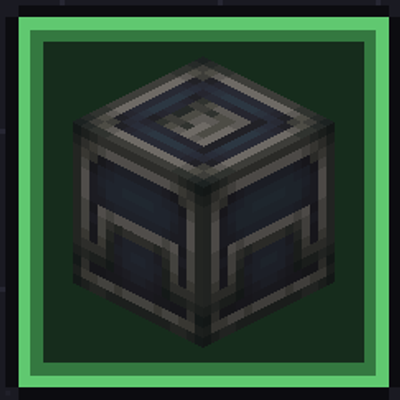
CurseForge · Minecraft mod
Wan's Skill Tree
Skill tree: adds a real way to have progression in the game via skilltree, fully configurable via datapack
Choose a version Pick your version below, then grab the matching file.
Quick answer
Which Wan's Skill Tree release should I use?
Latest stable file rpgskilltree-neoforge_1.21.1_1.0.1.jar
Game version 1.21.1
Loader NeoForge
Wan's Skill Tree rpgskilltree-neoforge_1.21.1_1.0.1.jar targets 1.21.1 with NeoForge. The project page does not say whether this file belongs on the client, dedicated server, or both. No extra mods listed for this file.
Where it goes
Is Wan's Skill Tree required on the client, server, or both?
The project page does not say whether this file belongs on the client, dedicated server, or both.
Client Source doesn’t say
Dedicated server Source doesn’t say
Loader for this release NeoForge
Required install it here Optional supported, not mandatory Not supported do not install here Source doesn’t say do not assume
The source does not explicitly classify this release as client-only or server-only.
What else does Wan's Skill Tree rpgskilltree-neoforge_1.21.1_1.0.1.jar need?
rpgskilltree-neoforge_1.21.1_1.0.1.jar. Change the file and its required mods may change too.
This file does not list any required mods. Do not add a library just because a different file uses it.
This file does not list any required or optional mods.
Before you install it
Add Wan's Skill Tree without breaking your instance.
Built for Wan's Skill Tree rpgskilltree-neoforge_1.21.1_1.0.1.jar. Pick another file and the loader, install side or required mods may change.
- 01
Stick to this file
Use rpgskilltree-neoforge_1.21.1_1.0.1.jar. It targets 1.21.1 with NeoForge; another release may have different loader, side or dependency requirements.
- 02
Bring the mods it needs
This file does not list any required mods. Do not add a library just because a different file uses it.
- 03
Put it on the correct side
The project page does not say whether this file belongs on the client, dedicated server, or both.
- 04
Pick the file you checked
Use the “Get this file” button beside rpgskilltree-neoforge_1.21.1_1.0.1.jar. It opens that exact file at the source.
About this project
What does Wan's Skill Tree add?
🌳 RPG: SkillTree
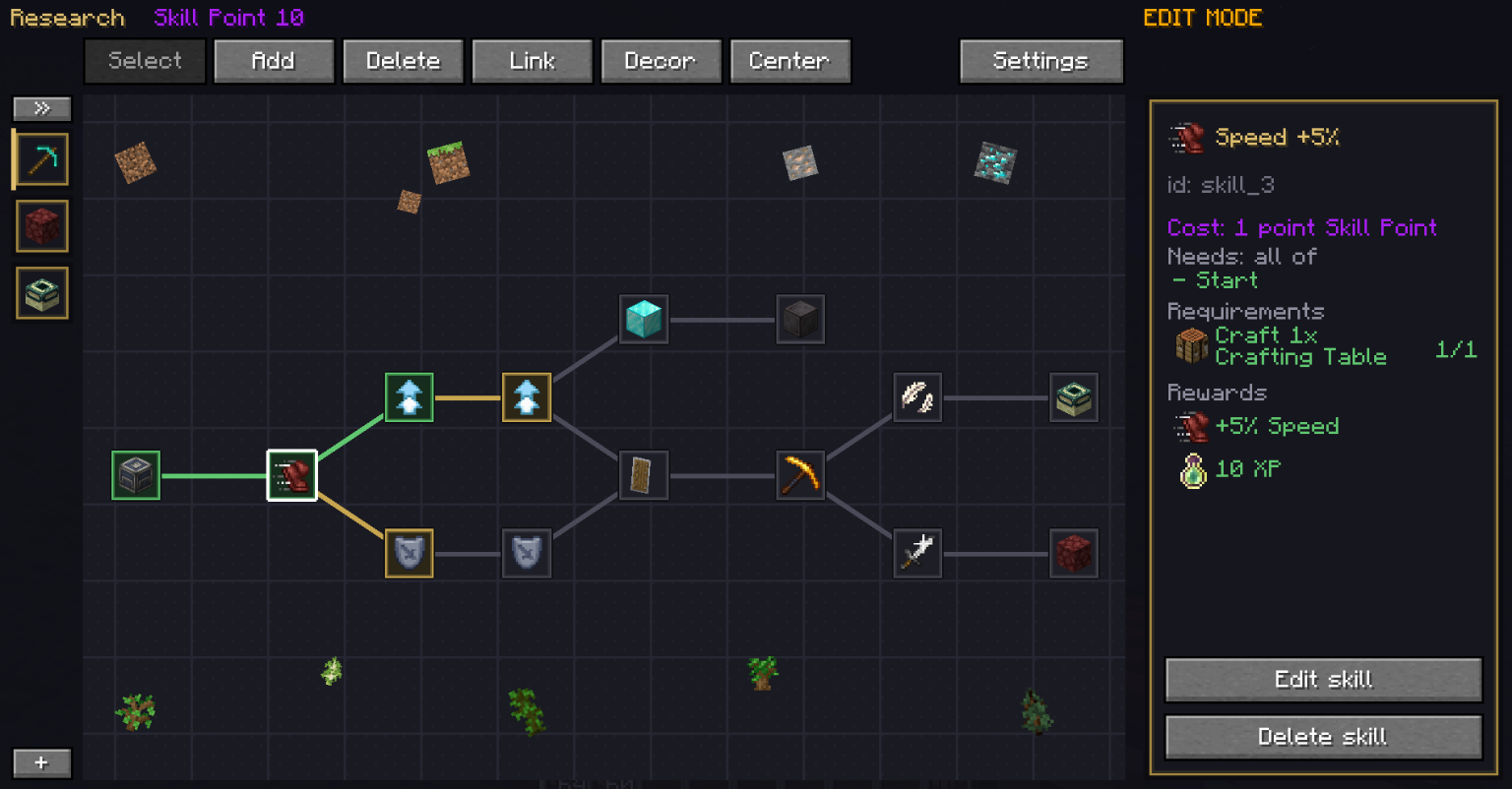
Ever installed a modpack where you can craft the endgame machine on day one? This mod is the fix. It adds a skill tree, locks recipes and dimensions behind it for real, and gives you a block that makes you earn the points to open them. It ships nearly empty on purpose — your modpack decides what the progression is.
💡 What Is This Mod?
It's a skill tree, an in-game editor to build it, and a lock that actually works. Most progression mods decide the progression for you. This one hands you the tools and gets out of the way.
Play it as a player: unlock skills, open recipes, reach new dimensions, get stronger. Use it as a pack maker: draw your whole progression with the mouse, ship it with your pack.
Version 1.0.0 (04/09/2026)
🔒 Locked Means Locked
This is not "hidden from the recipe book but it still works if you know the layout".
- Nothing comes out of the crafting table until a skill opens it.
- It reaches machines too. The lock hangs off the recipe manager, not off one workbench, so it covers the furnace, the stonecutter, the smithing table, Create's crushing, milling, mixing, pressing and cutting, the Mechanical Crafter — and whatever the next mod adds.
- A machine has no player, so the rule is: it's enough that one player has unlocked it. On a server the first person to unlock opens automation for everyone, which is how a shared factory should work.
- Works on any mod's recipes, and on vanilla's.
- Two kinds of reward: "shows" puts a recipe in your book as a hint, "unlocks" actually lets you build it.
- Locking and unlocking are separate. A recipe nobody locked stays free even if a skill hands it out — and a recipe you unlock by hand really does come back.
- A screen that catches your mistakes: it lists everything locked and tells you whether any skill actually opens it. A locked recipe nobody can reach is a dead end — now you see it before your players do.
🌍 Locked Dimensions
Put the Nether, the End or any modded dimension behind a skill.
- The lock sits on the travel event, not on portal blocks, so it covers every way in that any mod invents.
- Nobody gets thrown out of a dimension they're already in. Only entering is checked.
- Handing out the Nether doesn't lock it for anyone else, and taking it off the list opens it again.
🎯 Skills Cost More Than Points
Points are just the start. A skill can also demand:
- Craft it first: "make 8 of them by hand before you're allowed to make them properly".
- An advancement: yours, vanilla's, or another mod's — picked from a list, not typed by hand, including the hidden ones mods use as switches.
- Experience levels: reach level 30.
- An item in your pocket: have 4 diamonds on you.
The last two carry a consume / keep switch, and it changes what the requirement is: keep makes it a test (show me you have it), consume makes it a price (hand it over).
🎁 What A Skill Gives You
- Recipes — shown in the book, or properly unlocked.
- Items — and if your inventory is full they drop at your feet instead of vanishing.
- Experience — as points or as levels, your call.
- Dimensions — opens one of the locked ones.
- Stats — health, speed, dig speed, jump, armour, reach, and any other attribute that exists, other mods' included. It's a running total, not a gift: reset it and it's gone, change the number in your datapack and it changes for everyone who already took it.
📦 Where The Points Come From
The Dispatch Post: a shulker box with a mechanical courier inside that posts orders on a board. Deliver what it asks for, send it off, and it comes back with a research point — teleporting out and back in a puff of end particles.
- The board picks the orders, not you. That's where the game is — an order you can't produce sits there taking up a slot until you discard it.
- Limited discards per slot. Sooner or later you have to build the thing.
- Orders get heavier the more points you've already earned. The same material list carries you from day one to the endgame.
- One courier at a time. While it's out, nothing else ships.
- The point goes to whoever sends the courier, not to whoever placed the block. Anyone can load it — that's how your friends help — but pressing send is what closes the order.
- Automate it: the slots inside are a normal inventory, so hoppers, chutes and Create machines can load it for you.
- It has a recipe: two andesite alloy and a barrel — or two iron ingots if Create isn't installed.
🎨 Make The Post Your Own
Model, texture, sounds and particles are all replaceable from outside, with no code.
- Resource pack: three ordinary block models (
dispatch_post_base,_lid,_head). Replace them and you change the shape, not just the paint — and the lid animation still works on whatever you put there. - Four sound events of its own, so retexturing the post's sounds doesn't retexture every shulker box in the game.
- Sounds and particles from the tree file, under
"dispatch": {"effects": {...}}. An id that doesn't exist falls back instead of breaking the tree.
🎨 Point Types
There isn't just "a point". Make as many kinds as you want, each with its own name, colour, icon, material list and courier time, and each one unlocked by another. Material lists take tags too, so #minecraft:logs means any log.
⛔ A point of one type won't pay for a skill of another type. That's the thing that stops a player farming one material and unlocking the whole tree.
And if you don't want a currency at all: "points": false makes every skill cost zero and the tree becomes a map of what you've achieved.
🛠️ How Do You Build The Tree?
No JSON by hand. No restarts.
- Turn on edit mode with
/skilltree skill enable. - Open the tree and drag skills around with the mouse. Add, connect, delete, hide.
- Sort them into tabs — one per chapter, or one per mod. Drag a tab to reorder it, or drop it onto another to make it a sub-tab. Ten mods don't become three hundred skills in one pile.
- Decorate: give each tab a block-texture background, and lay item and block icons on the canvas — movable, resizable, rotatable, always behind the skills.
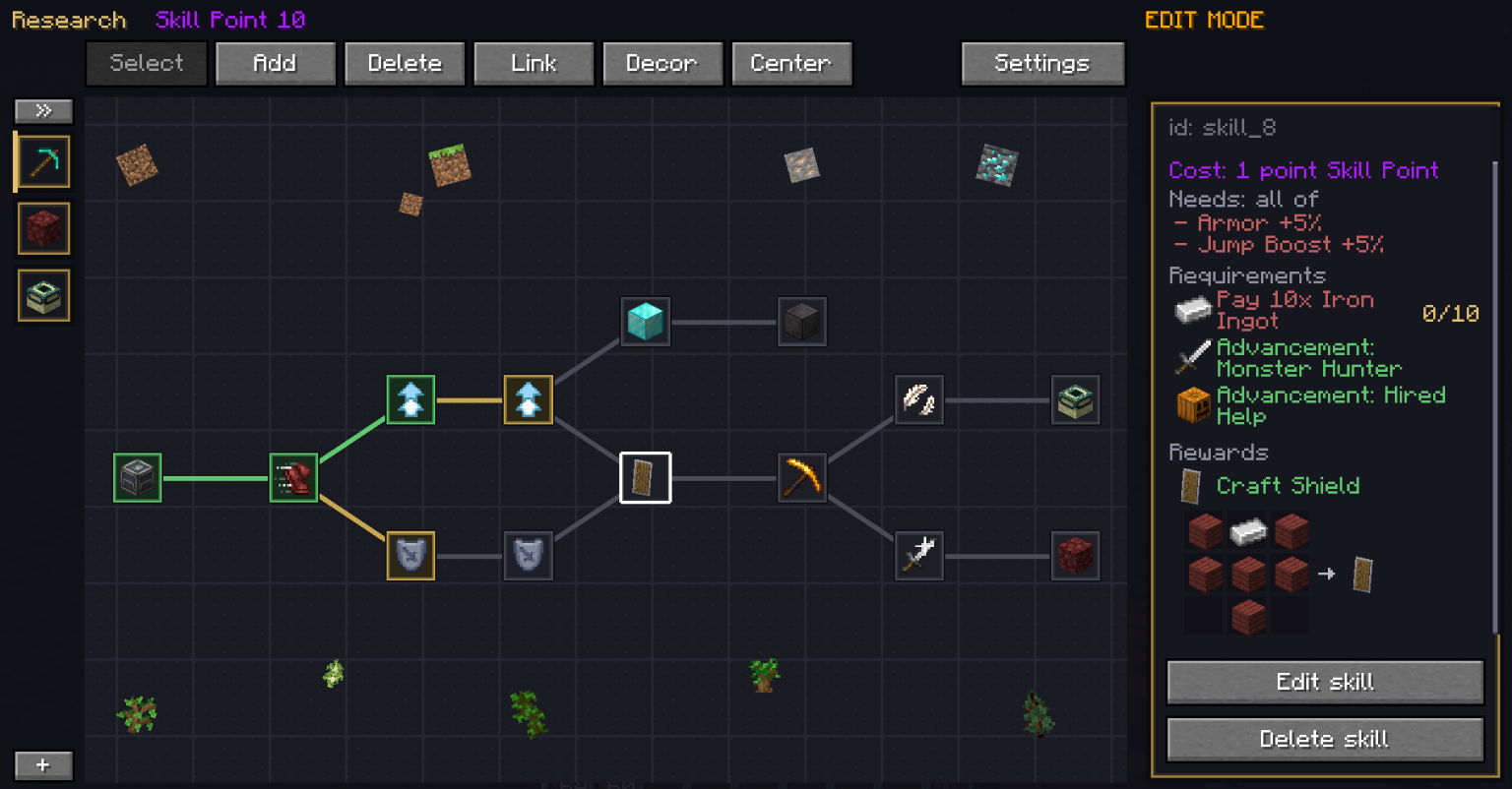
- Set what each skill costs and gives, straight from the panel — which shows recipe grids, advancement icons, potion sprites and dimension names, not raw ids.
- Export it with
/skilltree skill exportand drop the file into your pack.
Icons can be any item or any of Minecraft's potion effect sprites — about a hundred readable little pictures that no item replaces.
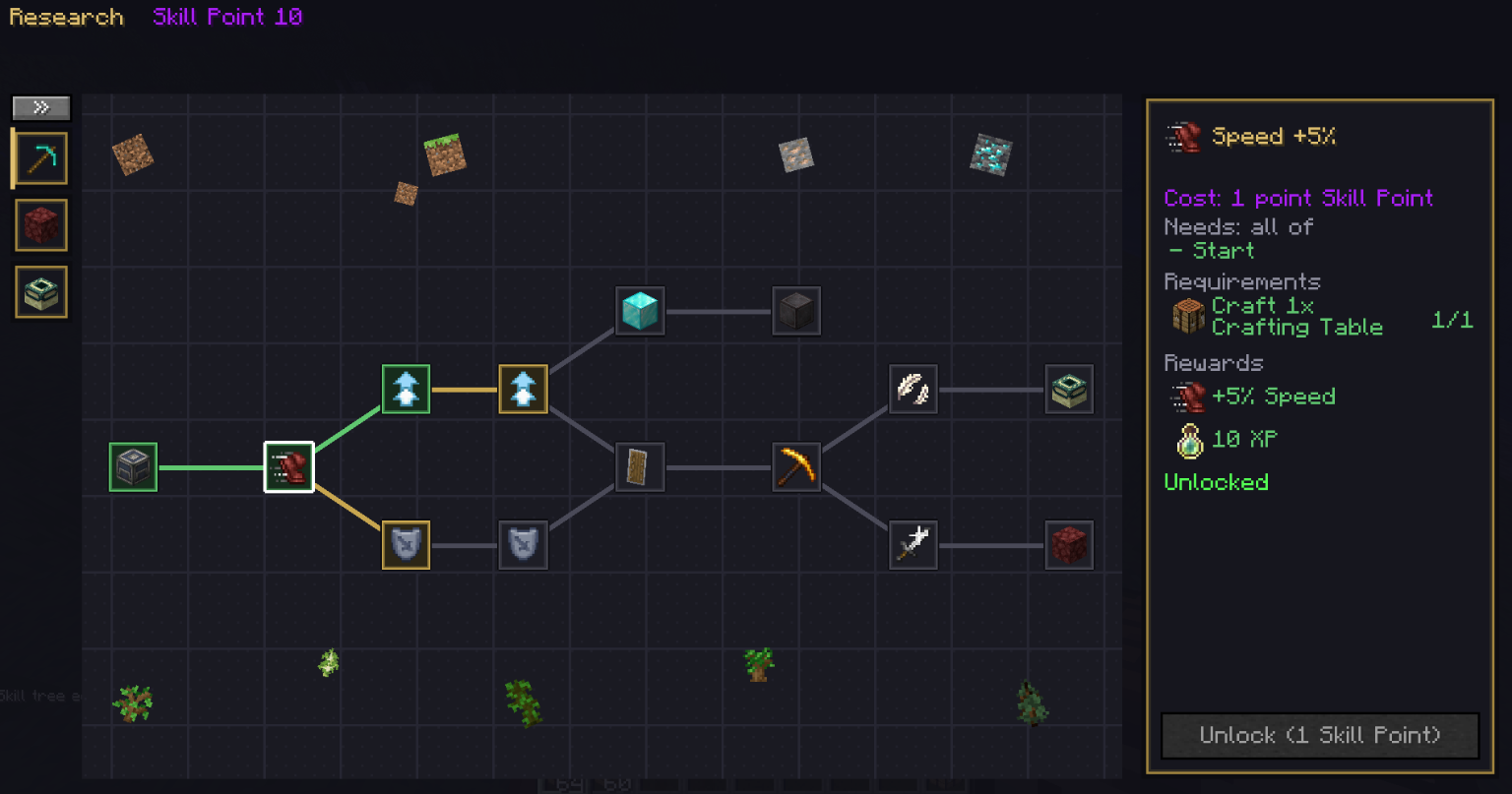
What you see while building is exactly what your players will see. It's the same screen.
👥 Playing With Friends?
By default research points are individual, and you don't lose them when you die. Anyone can load someone else's Dispatch Post, so building factories together works perfectly.
Or turn on team progress in the server config and points and skills belong to your FTB Teams party instead: what one person unlocks, everybody has, updating live. FTB Teams is optional — without it the setting simply does nothing, and /skilltree team tells you exactly how it's set up.
🎥 Video Guides
- How To Earn Skillpoints: https://youtu.be/7pVanlwtx_s
- How To Setup Skillpoints (for mod/modpack makers): https://youtu.be/T6htVxyiyyc
- How To Setup Skilltree (for mod/modpack makers): https://youtu.be/tI2Oa26XxkM
🧩 For Mod & Modpack Makers
- One file, zero Java. Drop
data/<your modid>/rpgskilltree/tree/main.jsoninto your own jar and the tree fills itself in. - No dependency needed. If RPG: SkillTree isn't installed, nobody ever reads that file and nothing breaks. Your mod still works.
- It's a datapack.
/reloadpicks it up, and your pack update reaches players who already started a world. - Ten mods add up into one tree. Same id wins by load order, so a pack can correct a skill a mod shipped with.
- The world file is a difference, not a photocopy. What a world has is: the datapacks, plus what the editor changed, minus what it deliberately removed. A mod installed later still brings its skills into a world that's already been edited — and nobody's editing work gets set aside to make an update arrive.
- One missing mod can't kill someone else's tree. Unknown reward and requirement types are stripped out before parsing, and named in the log, instead of taking the whole file down.
- There's an API for what a file can't say: grant points from your own event, react when someone unlocks a skill, hand out a skill as a quest reward, lock recipes by your own rule, or register your own kinds of reward and requirement — those interfaces live in the
rpgskilltree-apiartifact, so you don't compile against the whole mod. - Wan Packaged Config is supported as an optional dependency: with it installed, the post's behaviour settings switch along with your config package.
🔁 The Game Loop
- Automate what the board asks for
- Deliver it and earn research points
- Spend them on the tree
- Watch locked recipes and dimensions open up
- Build bigger, get asked for more, repeat
ℹ️ Good To Know
- Needed on both client and server: the data lives on the server, the editor is a screen.
- The server decides everything. Nothing can be unlocked from the client.
- The mod ships with a small default tree so it does something out of the box — which also means it locks the shield recipe, the Nether and the End until you replace or extend it. Your pack's tree adds to it.
READ THE FULL CHANGELOG: https://drive.google.com/file/d/1tgpxntBVd2ZtsPlAmFdFXgKaQEzQZRJW/view?usp=sharing
Version 1.0.1 (06/09/2026)
If 2 skilltrees added by 2 different mods used the same id associated with a skill, the 2 skills would merge, added a new id assignment algorithm for this case
Project description from CurseForge.
Pick your setup
Wan's Skill Tree by Minecraft version and loader
Choose the version and loader you play, then open the matching release.
Check the dependencies, then try the file in a copied instance before changing a world you care about.
Recent files
Wan's Skill Tree versions and loaders
rpgskilltree-neoforge_1.21.1_1.0.1.jar
6 Sept 2026
Client Source doesn’t say Server Source doesn’t say Dependencies No extras listed Listed on Release listing
Check the 1.21.1 · NeoForge setup 1.21.1NeoForge release
rpgskilltree-neoforge_1.21.1_1.0.0.jar
4 Sept 2026
Client Source doesn’t say Server Source doesn’t say Dependencies No extras listed Listed on Release listing
Check the 1.21.1 · NeoForge setup 1.21.1NeoForge release
Looking for an older file? The official CurseForge project page is in Resources.
 mod
mod CurseForge + Modrinth · Minecraft
MES - Moog's End Structures
Lots of Vanilla styled structures to fill up the end dimension with life!
 mod
mod CurseForge · Minecraft
Majrusz's Progressive Difficulty Continued
Unofficial port and continuation of the Majrusz's Progressive Difficulty mod!
 mod
mod CurseForge · Minecraft
Ars 'n Spells
Ars ’n Spells is a compatibility mod that bridges Ars Nouveau and Iron’s Spells ’n Spellbooks by integrating all mana-related systems.