Sophisticated Core Optional for Custom Jukebox Discs Neoforge-26.1.2_0.2.8
optionalMatching file found Matched file: sophisticatedcore-26.1.2-1.4.104.2314.jar

CurseForge · Minecraft mod
Put your own MP3 and OGG music on real jukebox discs. Server-side permissions, quotas and moderation included.
Quick answer
Custom Jukebox Discs Neoforge-26.1.2_0.2.8 targets 26.1.2 with NeoForge. The project page does not say whether this file belongs on the client, dedicated server, or both. No extra mods listed for this file.
Where it goes
The project page does not say whether this file belongs on the client, dedicated server, or both.
The source does not explicitly classify this release as client-only or server-only.
Custom Jukebox Discs Neoforge-26.1.2_0.2.8. Change the file and its required mods may change too.
This file does not list any required mods. Do not add a library just because a different file uses it.
We only count dependency files that match this setup. A file for another loader does not fill the gap.
Before you install it
Built for Custom Jukebox Discs Neoforge-26.1.2_0.2.8. Pick another file and the loader, install side or required mods may change.
Use Custom Jukebox Discs Neoforge-26.1.2_0.2.8. It targets 26.1.2 with NeoForge; another release may have different loader, side or dependency requirements.
This file does not list any required mods. Do not add a library just because a different file uses it.
The project page does not say whether this file belongs on the client, dedicated server, or both.
Use the “Get this file” button beside Custom Jukebox Discs Neoforge-26.1.2_0.2.8. It opens that exact file at the source.
About this project
Any MP3 or OGG on your disk becomes a music disc you can put in a jukebox.
Minecraft 1.21.1 · NeoForge · needs to be on the client and the server · MIT licensed
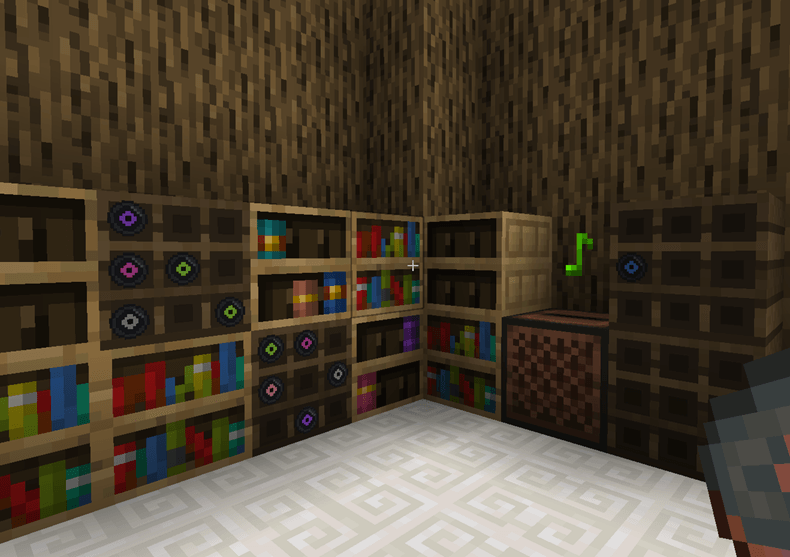
.mp3 or .ogg files into .minecraft/customjukeboxdiscs/uploadsThat is it. The disc is a real music disc from there on: hoppers move it, comparators read it, breaking the jukebox stops the song, walking away makes it quieter.
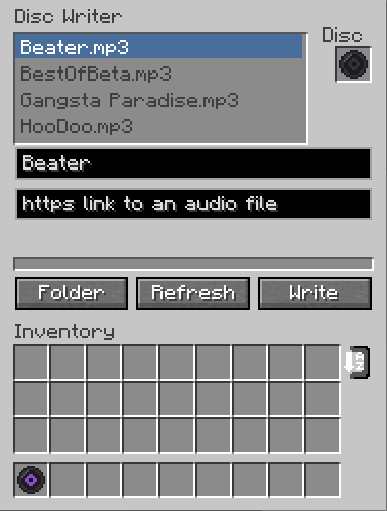
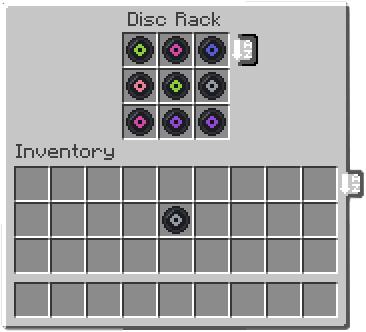
The server decides everything. It re-reads every uploaded file, works out the real length itself, and ignores whatever the client claims about it.
By default only operators can write discs. This trips people up on day one. To open it up:
/customdiscs access mode everyone
/customdiscs access mode allowlist
/customdiscs access allow <player>
/customdiscs access deny <player>
A deny entry beats everything, including operator status.
To see and clean up what people wrote:
/customdiscs tracks list [page]
/customdiscs tracks info <sha256>
/customdiscs tracks delete <sha256>
/customdiscs reload
Default limits, all editable in customjukeboxdiscs-server.toml:
Tracks are stored in the world folder under their content hash, so the same song uploaded by five people takes one slot on disk. A player downloads a track once and caches it for that server; listening to it again is free.
Off by default. Switch on urlUploads.enabled and list the hosts you trust, and players can paste an https link to an audio file instead of using a local file. The server downloads it and puts it through exactly the same checks as an upload.
This is not a streaming mod. It cannot play from YouTube, Spotify or anything like them, and it never will. The link has to point at an actual audio file — your own web space, the Internet Archive, the Free Music Archive, a file you dropped in Discord.
Project description from CurseForge.
Pick your setup
Choose the version and loader you play, then open the matching release.
Check the dependencies, then try the file in a copied instance before changing a world you care about.
Recent files
customjukeboxdiscs-26.1.2-0.2.8.jar
1 Sept 2026
customjukeboxdiscs-1.21.1-0.2.8.jar
31 Aug 2026
customjukeboxdiscs-1.21.1-0.2.5.jar
16 Aug 2026
Looking for an older file? The official CurseForge project page is in Resources.
 mod
modAllows one player to skip the night. Lightweight, server-friendly, and vanilla-compatible
 mod
modExquisite, multi-purpose perfect HUD Mod
 mod
modCraft powerful elemental crystals and throw them into battle.