Cloth Config API (Fabric/Forge/NeoForge) Optional for AuthCmd 1.5.0 (Fabric) for Minecraft 26.1-26.2
optionalMatching file found Matched file: [Fabric 26.2] v26.2.155

CurseForge · Minecraft mod
Multi-functional Minecraft Command Permission Editor
Quick answer
AuthCmd 1.5.0 (Fabric) for Minecraft 26.1-26.2 targets 26.1, 26.1.1, 26.1.2 with Fabric. The project page does not say whether this file belongs on the client, dedicated server, or both. No extra mods listed for this file.
Where it goes
The project page does not say whether this file belongs on the client, dedicated server, or both.
The source does not explicitly classify this release as client-only or server-only.
AuthCmd 1.5.0 (Fabric) for Minecraft 26.1-26.2 on 26.2 Fabric. Every mod below is checked against that same setup.
This file does not list any required mods. Do not add a library just because a different file uses it.
We only count dependency files that match this setup. A file for another loader does not fill the gap.
Before you install it
Built for AuthCmd 1.5.0 (Fabric) for Minecraft 26.1-26.2 on 26.2 Fabric. Pick another file and the loader, install side or required mods may change.
Use AuthCmd 1.5.0 (Fabric) for Minecraft 26.1-26.2. It targets 26.1, 26.1.1, 26.1.2 with Fabric; another release may have different loader, side or dependency requirements.
This file does not list any required mods. Do not add a library just because a different file uses it.
The project page does not say whether this file belongs on the client, dedicated server, or both.
Use the “Get this file” button beside AuthCmd 1.5.0 (Fabric) for Minecraft 26.1-26.2. It opens that exact file at the source.
About this project
English | 中文
A command-permission controller for Minecraft servers: decide exactly which commands each player is allowed to use, without handing out operator rights.
Two independent rule sets plus one shared behaviour:
| Rule set | Applies to | Meaning |
|---|---|---|
| Non-OP whitelist | regular players | Commands in the list become usable by regular players (they are operator-only in vanilla). Everything else keeps its vanilla behaviour. |
| OP blacklist | operators | Commands in the list become blocked for operators. Everything else stays available. |
| Game-mode switching | both | /gamemode, /g and the F3 + F4 switcher follow the gamemode entry of the list that applies to the player: listed = allowed, missing = blocked. |
⭐ Each rule set has its own exemption list — players on it are completely ignored by that rule set.
Four modes: disabled, non-OP whitelist only, OP blacklist only, or both.
mods folder (NeoForge or Fabric).config/authcmd-common.toml and config/authcmd-client.toml are created automatically.All decisions happen on the server. A client without the mod plays normally, it simply cannot open the editor.
Two independent entries:
Editing requires operator permission on the server (the screen is read-only otherwise). If the server owner turns the entry off, the mod-list entry shows an "entry closed" notice and the pause button disappears.
AuthCmd: This command has been disabled!Both files are plain TOML, safe to edit by hand at any time — changes apply without restarting the server.
config/authcmd-common.toml — the rules, decided on the server and sent to clients:
| Key | Meaning |
|---|---|
mode |
disabled / non_op_only / op_only / both |
allow_entity_selectors |
Allow target selectors such as @a |
enable_config_entry |
Allow entering the visual editor (also shows the pause button when AvalonBase is present) |
non_op_whitelist / op_blacklist |
Commands granted / blocked in that domain |
non_op_exempt / op_exempt |
Players immune to that domain |
config/authcmd-client.toml — per-client preferences, never sent anywhere:
| Key | Meaning |
|---|---|
enable_animations |
Interface open/close animations |
show_tips |
1 = show the in-game tip about the editor |
/ is ignored./gamemode and /g are treated as the same command.MIT — Huziyang520
English | 中文
一个 Minecraft 服务端的指令权限控制器:精确决定「哪个玩家能用哪些指令」,而不用把管理员权限发出去。
两套互相独立的规则,外加一个共用行为:
| 规则 | 作用对象 | 含义 |
|---|---|---|
| 非OP 玩家指令白名单 | 普通玩家 | 名单里的指令,普通玩家也能用(这些指令原版只有 OP 能用)。名单外的指令保持原版行为。 |
| OP 玩家指令黑名单 | 管理员(OP) | 名单里的指令,管理员也不能用。名单外的照常可用。 |
| 游戏模式切换 | 两者 | /gamemode、/g 与 F3+F4 切换器,都跟随该玩家所处名单里的 gamemode 条目:写了就能用,没写就禁止。 |
⭐ 每套规则各有一份豁免名单 —— 在豁免名单里的玩家完全不受该规则约束。
共 4 种模式:全关闭、仅非OP白名单、仅OP黑名单、同时启用。
mods 文件夹(NeoForge / Fabric)。config/authcmd-common.toml 与 config/authcmd-client.toml。所有判定都在服务端完成。客户端不装也能正常玩,只是打不开编辑界面。
两个互相独立的入口:
编辑需要在服务端拥有管理员权限(否则界面只读)。服主关闭入口后,模组列表入口只显示「入口已关闭」提示,暂停菜单按钮也不再出现。
AuthCmd: 该指令已被禁止!两个文件都是纯 TOML 文本,随时可以手改,改动无需重启服务端即可生效。
config/authcmd-common.toml —— 规则,由服务端判定并下发给客户端:
| 键 | 含义 |
|---|---|
mode |
disabled / non_op_only / op_only / both |
allow_entity_selectors |
是否允许 @a 这类目标选择器 |
enable_config_entry |
是否允许进入可视化配置界面(装了 AvalonBase 时也决定暂停按钮) |
non_op_whitelist / op_blacklist |
对应功能域的放行 / 拦截指令名单 |
non_op_exempt / op_exempt |
对应功能域的豁免玩家 |
config/authcmd-client.toml —— 只影响本机的偏好,不参与同步:
| 键 | 含义 |
|---|---|
enable_animations |
界面开/关动画 |
show_tips |
1 = 进世界时提示一次编辑界面的用法 |
/ 会被忽略。/gamemode 与 /g 视为同一条指令。MIT —— Huziyang520
Project description from CurseForge.
Pick your setup
Choose the version and loader you play, then open the matching release.
Showing the newest 12 of 24 game versions. Older files are in the list below.
Check the dependencies, then try the file in a copied instance before changing a world you care about.
Recent files
authcmd-fabric-26.1-26.2-1.5.0.jar
10 Nov 2026
authcmd-fabric-26.1-26.2-1.4.3.jar
12 Oct 2026
Looking for an older file? The official CurseForge project page is in Resources.
 mod
Create custom world portal to travel between dimensions.
 mod
Detects broken farms and item leaks, reduces dropped item lag, and safely cleans up dangerous item concentrations
 mod
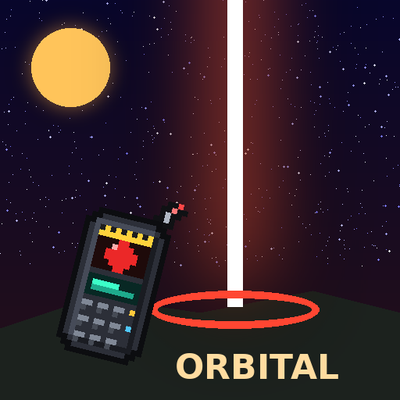
Call down cinematic orbital strikes with a remote: erase the world with a sun lance, drop a spike from Saturn, make Orion fall or tear the land into the sky!