Minecraft version
Back to mods 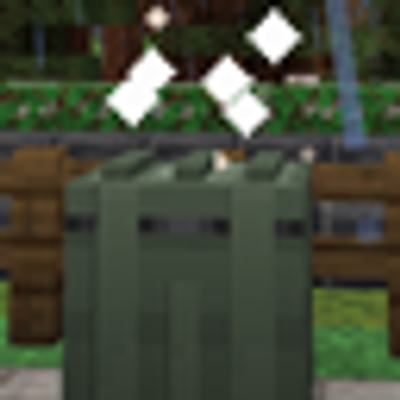
CurseForge · Minecraft mod
DeadDrops Core
A standalone server-side airdrop system with configurable loot, seven drop variants, global races, and no required client mod.
Choose a version Pick your version below, then grab the matching file.
Quick answer
Which DeadDrops Core release should I use?
beta file DeadDrop-Core-1.0-beta
Game version 1.20.1
Loader Forge
DeadDrops Core DeadDrop-Core-1.0-beta targets 1.20.1 with Forge. The project page does not say whether this file belongs on the client, dedicated server, or both. No extra mods listed for this file.
Where it goes
Is DeadDrops Core required on the client, server, or both?
The project page does not say whether this file belongs on the client, dedicated server, or both.
Client Source doesn’t say
Dedicated server Source doesn’t say
Loader for this release Forge
Required install it here Optional supported, not mandatory Not supported do not install here Source doesn’t say do not assume
The source does not explicitly classify this release as client-only or server-only.
What else does DeadDrops Core DeadDrop-Core-1.0-beta need?
DeadDrop-Core-1.0-beta. Change the file and its required mods may change too.
This file does not list any required mods. Do not add a library just because a different file uses it.
This file does not list any required or optional mods.
Before you install it
Add DeadDrops Core without breaking your instance.
Built for DeadDrops Core DeadDrop-Core-1.0-beta. Pick another file and the loader, install side or required mods may change.
- 01
Stick to this file
Use DeadDrop-Core-1.0-beta. It targets 1.20.1 with Forge; another release may have different loader, side or dependency requirements.
- 02
Bring the mods it needs
This file does not list any required mods. Do not add a library just because a different file uses it.
- 03
Put it on the correct side
The project page does not say whether this file belongs on the client, dedicated server, or both.
- 04
Pick the file you checked
Use the “Get this file” button beside DeadDrop-Core-1.0-beta. It opens that exact file at the source.
About this project
What does DeadDrops Core add?
DeadDrop Core
DeadDrop Core is a fully configurable, server-side airdrop system for Minecraft Forge. It creates competitive supply-drop events using safe, randomized locations and requires no DeadDrop installation on player clients.
It includes vanilla containers and loot by default, allowing it to run independently in almost any Forge 1.20.1 modpack.
A Global Race for Supplies
Automatic airdrops search for a safe location around every eligible online player.
By default, a drop can appear between 1,000 and 5,000 blocks from the nearest player. Every eligible player receives the same number of location-search attempts, helping distribute opportunities across servers where players live thousands of blocks apart.
The drop does not announce the name of the closest player. Everyone receives the same coordinates, making each airdrop a server-wide race.
Seven Airdrop Variants
Every drop randomly selects one of seven weighted variants:
- Common — general survival supplies
- Food — food, water, and emergency rations
- Medical — basic and advanced medical supplies
- Construction — repair supplies and building materials
- Weapons — weapons, ammunition, accessories, and explosives
- Military — balanced high-value equipment
- Rare — improved reward chances and distance-gated rare armor
Each variant has its own container, selection weight, and loot-category multipliers.
The default containers use a barrel and colored shulker boxes, so no additional content mods are required.
Distance-Based Rewards
Traveling farther produces better rewards:
- Under 2,500 blocks: normal loot
- 2,500–3,999 blocks: 1.5x loot
- 4,000 blocks or farther: 2x loot
The thresholds and multipliers are fully configurable.
armor has a separate 5% chance when the drop is at least 4,000 blocks from the nearest player. Only one armor piece is awarded per successful roll by default, preventing distance and weekend multipliers from flooding the server with endgame equipment.
Medical Supplies
The default medical settings are:
- Basic medical supplies: 50% chance with 10–15 items per stack
- Advanced medical supplies: 20% chance with 6–12 items per stack
- Maximum medical loot slots: 5
Medical chances, quantities, item pools, and the slot limit can all be changed.
Automatic Cleanup
Airdrops can automatically disappear after every item has been removed.
By default:
- Empty crates are removed after 5 seconds
- Unopened or partially looted crates expire after 20 minutes
- Floating labels and active-drop records are removed with the crate
- The server can announce when a crate has been completely looted
Failed Landing Handling
If DeadDrop Core cannot find a safe landing location, the server can use one of two configurable behaviors:
- Retry — the aircraft circles and attempts another landing after a delay
- Destroyed — the radio announces that the shipment was destroyed during landing, and the next normal drop is scheduled
This prevents the timer from remaining stuck when no suitable terrain can be found.
Weekend Events
DeadDrop Core includes an optional Saturday-and-Sunday event system.
During an active weekend event:
- Successful loot amounts can be multiplied
- Automatic drops can arrive more frequently
- Special event announcements can be enabled
- The event can be forced active for testing or community events
The time zone, multiplier, drop frequency, and announcements are configurable.
Fully Configurable
DeadDrop Core creates:
config/DeadDrop.toml
Server owners can configure:
- Automatic drop interval
- Warning time
- Minimum online players
- Minimum and maximum drop distances
- Search attempts per player
- Biome restrictions
- Drop lifetime
- Coordinates, labels, and particles
- Empty-crate cleanup
- Failed-drop behavior
- Distance reward thresholds
- Weekend events
- Variant weights and containers
- Category chances
- Item pools
- Stack quantities
- Medical supplies
- Weapons and ammunition.etc
- Food and survival supplies
- Armor and rare rewards
- Repair and building materials
- Explosives and bonus loot
Configured loot entries use this format:
item_id|minimum_count|maximum_count|weight
Any registered item from the running modpack can be added to the configuration. Missing item IDs are skipped safely.
Operator Commands
The primary command is:
/deaddrop
Available commands include:
- /deaddrop help
- /deaddrop summon
- /deaddrop summon <player>
- /deaddrop summon variant <type>
- /deaddrop summonat <x> <z> [type]
- /deaddrop status
- /deaddrop validate
- /deaddrop event
- /deaddrop list
- /deaddrop reset
- /deaddrop clear
- /deaddrop config show
- /deaddrop config paths [page]
- /deaddrop config get <path>
- /deaddrop config set <path> <value>
- /deaddrop config reset <path>
- /deaddrop config add <path> <entry>
- /deaddrop config remove <path> <entry>
The older /airdrop command remains available as an alias.
Operator permission level 2 is required.
Server-Side Installation
- Stop the server.
- Place the DeadDrop Core JAR in the server’s mods folder.
- Make sure only one version of DeadDrop is installed.
- Start the server.
- Configure the mod through config/DeadDrop.toml or the in-game operator commands.
Players do not need DeadDrop Core installed on their clients.
If the server owner adds items from another mod to the loot configuration, players must already have that content mod as part of the modpack.
Requirements
- Minecraft 1.20.1
- Minecraft Forge 47.4.0 or a compatible Forge 47.x release
- Dedicated or integrated Forge server
DeadDrop Core does not require a specific content mod, weapon system, world generator, equipment-slot API, or client-side companion mod.
Project description from CurseForge.
Pick your setup
DeadDrops Core by Minecraft version and loader
Choose the version and loader you play, then open the matching release.
Check the dependencies, then try the file in a copied instance before changing a world you care about.
Recent files
DeadDrops Core versions and loaders
DeadDrop-Core-1.0-beta
DeadDrop-Core-1.0-beta.jar
17 Aug 2026
Client Source doesn’t say Server Source doesn’t say Dependencies No extras listed Listed on Release listing
Check the 1.20.1 · Forge setup 1.20.1Forge beta
Looking for an older file? The official CurseForge project page is in Resources.
 mod
mod CurseForge · Minecraft
Customizable Records
Adds the ability to create data driven music discs and various other fun sound related items
 mod
mod CurseForge · Minecraft
MC Cards
Simple Card Mod
 mod
mod CurseForge · Minecraft
R.A.S.G.O — Resource Automation, Storage, Generation & Operations
Resource Automation, Storage, Generation & Operations