Minecraft version
Back to mods 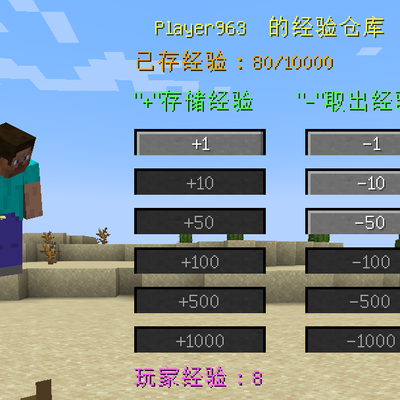
CurseForge · Minecraft mod
XPGui
Store your experience
Choose a version Pick your version below, then grab the matching file.
Quick answer
Which XPGui release matches 26.2 NeoForge?
Best match for your filters 1.0.2+mc26.3-neoforge
Game version 26.2, 26.3
Loader NeoForge
XPGui 1.0.2+mc26.3-neoforge targets 26.2, 26.3 with NeoForge. The project page does not say whether this file belongs on the client, dedicated server, or both. No extra mods listed for this file.
Where it goes
Is XPGui required on the client, server, or both?
The project page does not say whether this file belongs on the client, dedicated server, or both.
Client Source doesn’t say
Dedicated server Source doesn’t say
Loader for this release NeoForge
Required install it here Optional supported, not mandatory Not supported do not install here Source doesn’t say do not assume
The source does not explicitly classify this release as client-only or server-only.
What else does XPGui 1.0.2+mc26.3-neoforge need?
1.0.2+mc26.3-neoforge on 26.2 NeoForge. Every mod below is checked against that same setup.
This file does not list any required mods. Do not add a library just because a different file uses it.
This file does not list any required or optional mods.
Before you install it
Add XPGui without breaking your instance.
Built for XPGui 1.0.2+mc26.3-neoforge on 26.2 NeoForge. Pick another file and the loader, install side or required mods may change.
- 01
Stick to this file
Use 1.0.2+mc26.3-neoforge. It targets 26.2, 26.3 with NeoForge; another release may have different loader, side or dependency requirements.
- 02
Bring the mods it needs
This file does not list any required mods. Do not add a library just because a different file uses it.
- 03
Put it on the correct side
The project page does not say whether this file belongs on the client, dedicated server, or both.
- 04
Pick the file you checked
Use the “Get this file” button beside 1.0.2+mc26.3-neoforge. It opens that exact file at the source.
About this project
What does XPGui add?
A simple fabric mod: can store player experience
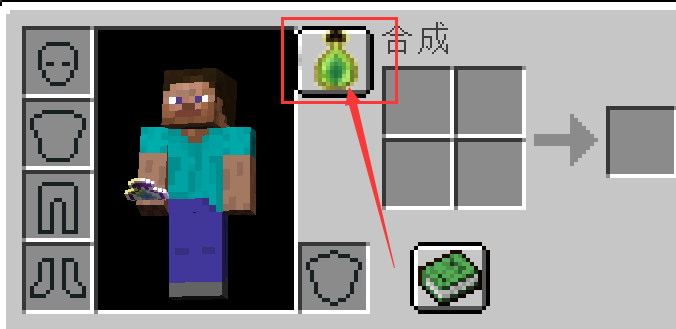
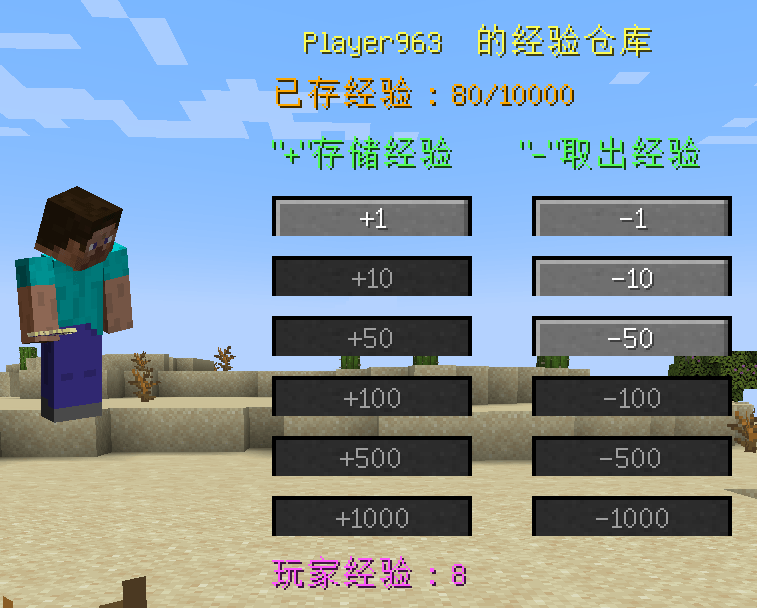
en_us: Open the Player Inventory and click the "Experience Bottle" button next to the character to open the screen for storing experiences. Click "+" or "-" to store the player's experience. Experience in the warehouse can be saved even if the player dies.
zh_cn: 打开背包,点击角色旁边的“体验瓶”按钮,打开储存体验的屏幕。 点击“+”或“-”存储玩家的经验。 即使玩家死亡,仓库中的经验也可以保存。
Project description from CurseForge.
Pick your setup
XPGui by Minecraft version and loader
Choose the version and loader you play, then open the matching release.
Minecraft version
26.2
2 loader buildsCheck the dependencies, then try the file in a copied instance before changing a world you care about.
Recent files
XPGui versions and loaders
1.0.2+mc26.3-neoforge
xpgui-1.0.2+mc26.3-neoforge.jar
25 Sept 2026
Client Source doesn’t say Server Source doesn’t say Dependencies No extras listed Listed on Release listing
Check the 26.2 · NeoForge setup NeoForge26.226.3 release
Looking for an older file? The official CurseForge project page is in Resources.
 mod
CurseForge · Minecraft
Ages Progression
Ages adds configurable progression with milestones to advance and gain access to selected equipment, items, and workstations
 mod
CurseForge · Minecraft
Fast Horse Potion and Breeding
Fast Horse , Breeding Horse, Horse Potion,Horse Zero Fall Damage
 mod
CurseForge · Minecraft
XP: RPG Damage Indicator
Real-time damage numbers with 5+ animated styles, fully customizable via resource packs