Minecraft version
Back to mods 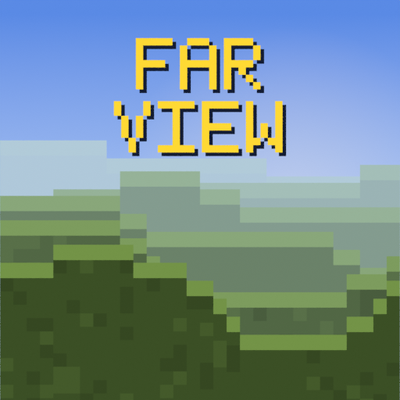
CurseForge · Minecraft mod
Far View
My take on distance horizon (not a fork)
Choose a version Pick your version below, then grab the matching file.
Quick answer
Which Far View release should I use?
Latest stable file FAR VIEW V1.5
Game version 1.21.4
Loader NeoForge
FAR VIEW V1.5 targets 1.21.4 with NeoForge. The project page does not say whether this file belongs on the client, dedicated server, or both. No extra mods listed for this file.
Where it goes
Is Far View required on the client, server, or both?
The project page does not say whether this file belongs on the client, dedicated server, or both.
Client Source doesn’t say
Dedicated server Source doesn’t say
Loader for this release NeoForge
Required install it here Optional supported, not mandatory Not supported do not install here Source doesn’t say do not assume
The source does not explicitly classify this release as client-only or server-only.
What else does FAR VIEW V1.5 need?
FAR VIEW V1.5. Change the file and its required mods may change too.
This file does not list any required mods. Do not add a library just because a different file uses it.
This file does not list any required or optional mods.
Before you install it
Add Far View without breaking your instance.
Built for FAR VIEW V1.5. Pick another file and the loader, install side or required mods may change.
- 01
Stick to this file
Use FAR VIEW V1.5. It targets 1.21.4 with NeoForge; another release may have different loader, side or dependency requirements.
- 02
Bring the mods it needs
This file does not list any required mods. Do not add a library just because a different file uses it.
- 03
Put it on the correct side
The project page does not say whether this file belongs on the client, dedicated server, or both.
- 04
Pick the file you checked
Use the “Get this file” button beside FAR VIEW V1.5. It opens that exact file at the source.
About this project
What does Far View add?
Nothing much to this much but it works like Distant horizons just a lot more cheaper and wont tank ur fps like distant horizons will.
Shader packs work
FarView hands its terrain to the game the same way Minecraft hands over its own, so a shader pack lights it, shadows it and fogs it exactly like everything else in the world. No separate settings, and no special support needed from the pack.
Settings
Press Ctrl + G in game, or find FarView under Video Settings. Start with a preset — Performance, Balanced or Quality — which sets view distance, detail and haze together. If you want to tune it yourself, the view reaches anywhere from 16 to 255 chunks, and every control applies immediately.
Project description from CurseForge.
Pick your setup
Far View by Minecraft version and loader
Choose the version and loader you play, then open the matching release.
Minecraft version
1.21.3
1 loader buildMinecraft version
1.21.1
1 loader buildMinecraft version
1.20.4
2 loader buildsMinecraft version
1.20.2
1 loader buildMinecraft version
1.20.1
1 loader buildCheck the dependencies, then try the file in a copied instance before changing a world you care about.
Recent files
Far View versions and loaders
FAR VIEW V1.5
farview-mc1.21.4-0.1.5.jar
29 Aug 2026
Client Source doesn’t say Server Source doesn’t say Dependencies No extras listed Listed on Release listing
Check the 1.21.4 · NeoForge setup 1.21.4NeoForge release
FAR VIEW V1.5
farview-mc1.21.3-0.1.5.jar
29 Aug 2026
Client Source doesn’t say Server Source doesn’t say Dependencies No extras listed Listed on Release listing
Check the 1.21.3 · NeoForge setup 1.21.3NeoForge release
FAR VIEW V1.5
farview-mc1.21.1-0.1.5.jar
29 Aug 2026
Client Source doesn’t say Server Source doesn’t say Dependencies No extras listed Listed on Release listing
Check the 1.21.1 · NeoForge setup 1.21.1NeoForge release
FAR VIEW V1.5
farview-mc1.20.4-0.1.5.jar
29 Aug 2026
Client Source doesn’t say Server Source doesn’t say Dependencies No extras listed Listed on Release listing
Check the 1.20.4 · Forge setup Forge1.20.4 release
FAR VIEW V1.5
farview-mc1.20.2-0.1.5.jar
29 Aug 2026
Client Source doesn’t say Server Source doesn’t say Dependencies No extras listed Listed on Release listing
Check the 1.20.2 · Forge setup 1.20.2Forge release
FAR VIEW V1.5
farview-0.1.5.jar
29 Aug 2026
Client Source doesn’t say Server Source doesn’t say Dependencies No extras listed Listed on Release listing
Check the 1.20.1 · Forge setup 1.20.1Forge release
FAR VIEW V1.3
farview-mc1.21.4-0.1.3.jar
22 Aug 2026
Client Source doesn’t say Server Source doesn’t say Dependencies No extras listed Listed on Release listing
Check the 1.21.4 · NeoForge setup 1.21.4NeoForge release
FAR VIEEW V1.3
farview-mc1.21.3-0.1.3.jar
22 Aug 2026
Client Source doesn’t say Server Source doesn’t say Dependencies No extras listed Listed on Release listing
Check the 1.21.3 · NeoForge setup 1.21.3NeoForge release
FAR VIEW V1.3
farview-mc1.21.1-0.1.3.jar
22 Aug 2026
Client Source doesn’t say Server Source doesn’t say Dependencies No extras listed Listed on Release listing
Check the 1.21.1 · NeoForge setup 1.21.1NeoForge release
FAR VIEW V1.3
farview-mc1.20.4-0.1.3.jar
22 Aug 2026
Client Source doesn’t say Server Source doesn’t say Dependencies No extras listed Listed on Release listing
Check the 1.20.4 · Forge setup Forge1.20.4 release
FAR VIEW V1.3
farview-mc1.20.2-0.1.3.jar
22 Aug 2026
Client Source doesn’t say Server Source doesn’t say Dependencies No extras listed Listed on Release listing
Check the 1.20.2 · Forge setup 1.20.2Forge release
FAR VIEW V1.3
farview-0.1.3.jar
22 Aug 2026
Client Source doesn’t say Server Source doesn’t say Dependencies No extras listed Listed on Release listing
Check the 1.20.1 · Forge setup 1.20.1Forge release
Looking for an older file? The official CurseForge project page is in Resources.
 mod
mod CurseForge · Minecraft
Aliens Vs Predator: Resurrection - Aliens
A continued project, cloned with permission, of the new alien vs predator mod.This module adds alien content.
 mod
mod CurseForge · Minecraft
Manual Labour Hammers
Adds More Hammers To Manual Labour Using Other Mods Materials
 mod
mod CurseForge + Modrinth · Minecraft
Down But Not Out
Revive downed players: instead of dying, players drop to half a heart and crawl. Inspired by Call of Duty Zombies. Fully server-side and compatible with vanilla and Geyser Bedrock clients.