Create Needed by Create: Railway Automation Railway-Automation-1.21.1-1.1.jar
requiredMatching file found Matched file: Create 6.0.10 for mc1.21.1
CurseForge · Minecraft mod
An easy way to place tracks
Quick answer
Create: Railway Automation Railway-Automation-1.21.1-1.1.jar targets 1.21.1 with NeoForge. The project page does not say whether this file belongs on the client, dedicated server, or both. All 1 required mods have matching files.
Where it goes
The project page does not say whether this file belongs on the client, dedicated server, or both.
The source does not explicitly classify this release as client-only or server-only.
Railway-Automation-1.21.1-1.1.jar. Change the file and its required mods may change too.
Install Create first. We found matching files for this game-version and loader setup.
We only count dependency files that match this setup. A file for another loader does not fill the gap.
Before you install it
Built for Create: Railway Automation Railway-Automation-1.21.1-1.1.jar. Pick another file and the loader, install side or required mods may change.
Use Railway-Automation-1.21.1-1.1.jar. It targets 1.21.1 with NeoForge; another release may have different loader, side or dependency requirements.
Install Create first. We found matching files for this game-version and loader setup.
The project page does not say whether this file belongs on the client, dedicated server, or both.
Use the “Get this file” button beside Railway-Automation-1.21.1-1.1.jar. It opens that exact file at the source.
About this project
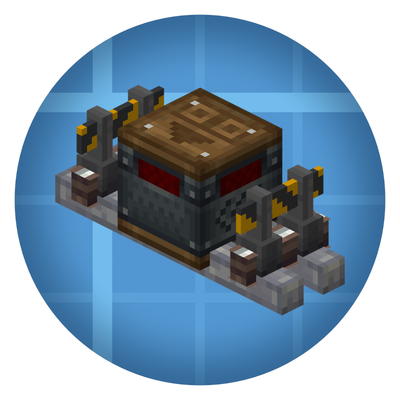
Added a Track Placer Block which can connect Create tracks to distant destinations Added a Map Locator Item to set the destination
Track Placer has 2 filter slots The right one can filter blocks that will be placed as the pavement The left one can filter tracks that will be placed as a Steam'n Rails compat Placing tracks will consume track items and pave block items from containers nearby.
新增方块: 铁路放置器, 可以将铁路连接到更加遥远的目的地 新增物品: 地图定位器, 用于为铁路放置器设定目的地
铁路放置器拥有两个过滤槽 右侧过滤槽用于设置铁路的地基方块, 将会在铁路被放置的同时放置地基 左侧过滤槽用于设置被放置的铁路方块, 作为机械动力: 汽鸣铁道mod的适配 放置轨道时, 铁路放置器将会调用邻近的容器, 并从中消耗铁轨方块与地基方块
Project description from CurseForge.
Pick your setup
Choose the version and loader you play, then open the matching release.
Check the dependencies, then try the file in a copied instance before changing a world you care about.
Recent files
16 Nov 2026
16 Nov 2026
18 Aug 2026
Looking for an older file? The official CurseForge project page is in Resources.
 mod
Adventure time inspired dungeon crawler on a train. Procedurally generated carriages on a infinite sable physics train. Rich narrative, with custom made mods for a completely unique experience.
 mod
A server-side patch that throttles the four redundant per-tick sublevel checks draining TPS in Create: Coasters Simulated 0.1.5, with no gameplay or client-side changes.
 mod
this mod adds a simple item into the game which can be used instead of a stick in litematica. (1.17)