Minecraft version
Back to mods 
CurseForge · Minecraft mod
Blueprint strings
Blueprint Strings adds a lightweight blueprint system to Minecraft. Select any area, export it into a JSON string, and recreate the entire structure later with a single command.
Choose a version Pick your version below, then grab the matching file.
Quick answer
Which Blueprint strings release should I use?
Latest stable file blueprint-strings-1.0.17.jar
Game version 26.3
Loader Fabric
Blueprint strings blueprint-strings-1.0.17.jar targets 26.3 with Fabric. The project page does not say whether this file belongs on the client, dedicated server, or both. No extra mods listed for this file.
Where it goes
Is Blueprint strings required on the client, server, or both?
The project page does not say whether this file belongs on the client, dedicated server, or both.
Client Source doesn’t say
Dedicated server Source doesn’t say
Loader for this release Fabric
Required install it here Optional supported, not mandatory Not supported do not install here Source doesn’t say do not assume
The source does not explicitly classify this release as client-only or server-only.
What else does Blueprint strings blueprint-strings-1.0.17.jar need?
blueprint-strings-1.0.17.jar. Change the file and its required mods may change too.
This file does not list any required mods. Do not add a library just because a different file uses it.
This file does not list any required or optional mods.
Before you install it
Add Blueprint strings without breaking your instance.
Built for Blueprint strings blueprint-strings-1.0.17.jar. Pick another file and the loader, install side or required mods may change.
- 01
Stick to this file
Use blueprint-strings-1.0.17.jar. It targets 26.3 with Fabric; another release may have different loader, side or dependency requirements.
- 02
Bring the mods it needs
This file does not list any required mods. Do not add a library just because a different file uses it.
- 03
Put it on the correct side
The project page does not say whether this file belongs on the client, dedicated server, or both.
- 04
Pick the file you checked
Use the “Get this file” button beside blueprint-strings-1.0.17.jar. It opens that exact file at the source.
About this project
What does Blueprint strings add?
Blueprint Strings
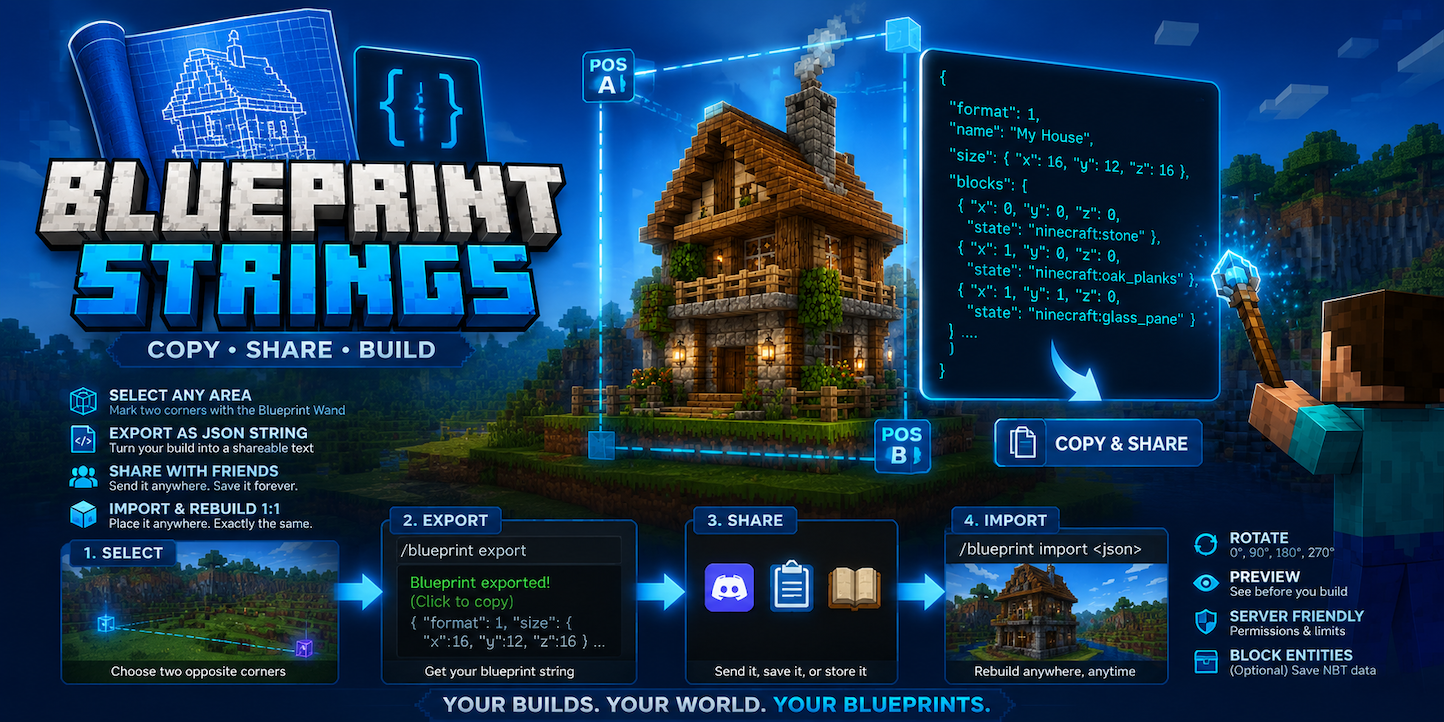
Ever wanted to copy a build and send it to a friend as simple text?
Blueprint Strings adds a lightweight blueprint system to Minecraft. Select any area, export it into a JSON string, and recreate the entire structure later with a single command.
Embed Removed: https://www.youtube-nocookie.com/embed/sfPcZltSlSQ
No complicated machines. No giant schematic files. Just copy, share, and build.
Features
Select Any Area
Use the Blueprint Wand to mark two opposite corners of a cuboid.
The mod automatically reads every block inside the selected area.
Export Structures as Text
Turn your selection into a JSON blueprint string containing:
- Block positions
- Block states
- Orientation and properties
- Structure dimensions
The blueprint can be copied directly from chat.
Share with Friends
Blueprints are plain text.
You can:
- Send them in chat
- Save them in notes
- Share them on Discord
- Store them in books or websites
- Exchange builds without world downloads
blueprint sharing site:
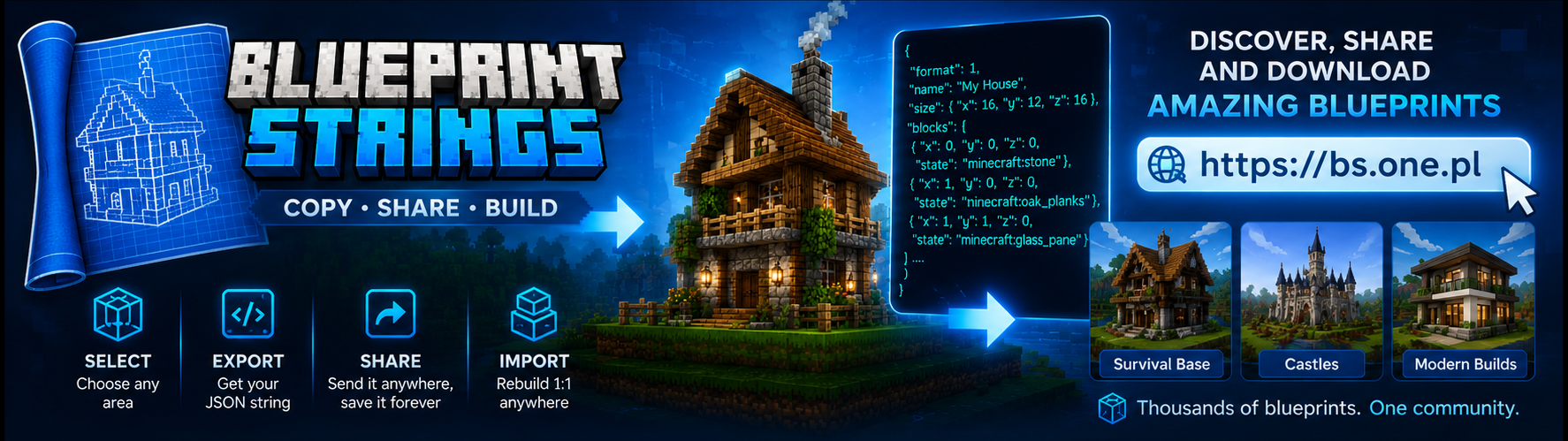
Rebuild Structures 1:1
Import the blueprint at any location and recreate the entire structure exactly as it was.
Stairs, slabs, doors and other block states are preserved.
Rotation Support
Instant Mode
/blueprint instant
Recreates the entire blueprint immediately.
All blocks are placed instantly, making this mode ideal for:
- Creative Mode
- Testing builds
- Sharing creations
- Fast prototyping
Chest Mode
/blueprint chest
Designed for Survival gameplay.
Instead of placing blocks immediately, the mod first generates one or more chests containing a complete list of every required item.
Once you fill the chests with the requested materials, the structure is automatically built according to the blueprint.
This creates a balanced survival experience:
- Verify exactly which materials are needed.
- Gather resources at your own pace.
- Build large structures without manually checking block counts.
- Complete the construction only after supplying all required items.
Perfect for adapting structures to your surroundings.
Preview Before Building
Preview the blueprint area before placing blocks.
Make sure everything fits before importing.
Multiplayer Friendly
- Everyone can export structures.
- Import permissions can be restricted to operators.
- Configurable size limits help prevent abuse.
Lightweight and Vanilla-Friendly
Blueprint Strings does not add complicated mechanics or machines.
It simply gives Minecraft a missing feature: the ability to turn builds into shareable strings.
Crafting
Craft the Blueprint Wand and select:
- First corner.
- Opposite corner.
- Export the blueprint.
- Copy the generated string.
- Import it anywhere to recreate the structure.
Perfect For
- Creative builders
- Survival bases
- Multiplayer servers
- Sharing houses with friends
- Backing up builds
- Creating building libraries
- Adventure maps
- Community projects
Commands
- /blueprint_strings:blueprint_wand
- /blueprint export
- /blueprint import
Why Blueprint Strings?
World downloads are huge.
Schematic files require external tools.
Blueprint Strings lets you share an entire Minecraft build as simple text.
Project description from CurseForge.
Pick your setup
Blueprint strings by Minecraft version and loader
Choose the version and loader you play, then open the matching release.
Minecraft version
26.2
1 loader buildCheck the dependencies, then try the file in a copied instance before changing a world you care about.
Recent files
Blueprint strings versions and loaders
blueprint-strings-1.0.17.jar
18 Sept 2026
Client Source doesn’t say Server Source doesn’t say Dependencies No extras listed Listed on Release listing
Check the 26.3 · Fabric setup Fabric26.3 release
blueprint-strings-1.0.14.jar
19 Aug 2026
Client Source doesn’t say Server Source doesn’t say Dependencies No extras listed Listed on Release listing
Check the 26.2 · Fabric setup Fabric26.2 release
Looking for an older file? The official CurseForge project page is in Resources.