Cloth Config API (Fabric/Forge/NeoForge) Optional for Ore Height Indicator 0.2.1 for Minecraft 26.2 (NeoForge)
optionalMatching file found Matched file: [NeoForge 26.2] v26.2.155
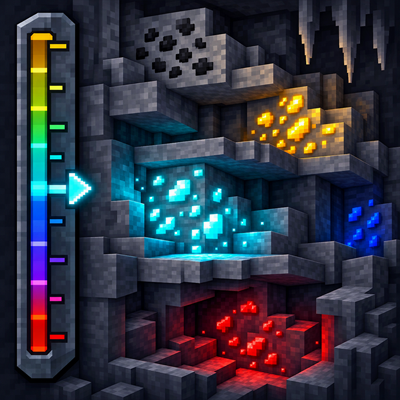
CurseForge · Minecraft mod
A compact in-game ore height guide that reads the world's active generation data and adapts to biomes, datapacks, and modpacks.
Quick answer
Ore Height Indicator 0.2.1 for Minecraft 26.2 (NeoForge) targets 26.2 with NeoForge. The project page does not say whether this file belongs on the client, dedicated server, or both. No extra mods listed for this file.
Where it goes
The project page does not say whether this file belongs on the client, dedicated server, or both.
The source does not explicitly classify this release as client-only or server-only.
Ore Height Indicator 0.2.1 for Minecraft 26.2 (NeoForge) on 26.2. Every mod below is checked against that same setup.
This file does not list any required mods. Do not add a library just because a different file uses it.
We only count dependency files that match this setup. A file for another loader does not fill the gap.
Before you install it
Built for Ore Height Indicator 0.2.1 for Minecraft 26.2 (NeoForge) on 26.2. Pick another file and the loader, install side or required mods may change.
Use Ore Height Indicator 0.2.1 for Minecraft 26.2 (NeoForge). It targets 26.2 with NeoForge; another release may have different loader, side or dependency requirements.
This file does not list any required mods. Do not add a library just because a different file uses it.
The project page does not say whether this file belongs on the client, dedicated server, or both.
Use the “Get this file” button beside Ore Height Indicator 0.2.1 for Minecraft 26.2 (NeoForge). It opens that exact file at the source.
About this project
Ore Height Indicator is a client-side Fabric mod that adds a compact ore guide to the top-right corner of the screen. It shows your current Y level and ranks the ores that best match your current height and biome.
Each HUD row contains the ore icon, its localized name and a small suitability bar. By default, the HUD displays up to four ores.
The bar shows how well your current height matches an ore's active distribution. It is not a block probability or a percentage of blocks around the player.
Ore Height Indicator does not rely on a fixed online chart.
In singleplayer, the mod reads the active world generation data from the integrated server. This includes vanilla generation, enabled datapacks and modded ore features that use Minecraft's standard ore generation format.
When no integrated server is available, the mod reads the world generation files installed on the client. This keeps the fallback matched to the installed Minecraft version and modpack.
Private datapacks used by a multiplayer server are not sent to clients and therefore cannot be detected by a client-only mod.
Press H to show or hide the HUD.
The configuration allows you to change:
Mod Menu and Cloth Config provide an in-game settings screen when both are installed. The JSON configuration file works without them.
Mod Menu and Cloth Config are optional.
The project logo is AI-generated artwork and is not an in-game screenshot.
Project description from CurseForge.
Pick your setup
Choose the version and loader you play, then open the matching release.
Check the dependencies, then try the file in a copied instance before changing a world you care about.
Recent files
ore-height-indicator-0.2.1+mc26.2-neoforge.jar
25 Aug 2026
ore-height-indicator-0.2.1+mc26.2.jar
25 Aug 2026
ore-height-indicator-0.2.0+mc26.2-neoforge.jar
25 Aug 2026
ore-height-indicator-0.2.0+mc26.2.jar
25 Aug 2026
ore-height-indicator-0.1.9+mc26.2-neoforge.jar
25 Aug 2026
ore-height-indicator-0.1.9+mc26.2.jar
25 Aug 2026
ore-height-indicator-0.1.8+mc26.2-neoforge.jar
25 Aug 2026
ore-height-indicator-0.1.8+mc26.2.jar
25 Aug 2026
ore-height-indicator-0.1.7+mc26.2-neoforge.jar
25 Aug 2026
ore-height-indicator-0.1.7+mc26.2.jar
25 Aug 2026
ore-height-indicator-0.1.6+mc26.2.jar
24 Aug 2026
ore-height-indicator-0.1.5+mc26.2.jar
20 Aug 2026
Looking for an older file? The official CurseForge project page is in Resources.
 mod
modTameable Ducks that form follow‑the‑leader lines, migrate, quack, dab and bring new drops & recipes. Configure their size and speed.
 mod
modAdds a chunk editor like MCASelector directly ingame! Select chunks by hand or rules (e.g. inhabit time), delete or extract them. Or just see your world in high speed!
 mod
modSee your world in the world & server list before joining! The panorama adapts to where you left. More panorama settings