Minecraft version
Back to mods 
CurseForge · Minecraft mod
Telemetry Monitors
Monitor your factories remotely over websocket. Password protected as well
Choose a version Pick your version below, then grab the matching file.
Quick answer
Which Telemetry Monitors release should I use?
Latest stable file telemetry_monitors 1.0.1.jar
Game version 1.21.1
Loader NeoForge
Telemetry Monitors telemetry_monitors 1.0.1.jar targets 1.21.1 with NeoForge. The project page does not say whether this file belongs on the client, dedicated server, or both. No extra mods listed for this file.
Where it goes
Is Telemetry Monitors required on the client, server, or both?
The project page does not say whether this file belongs on the client, dedicated server, or both.
Client Source doesn’t say
Dedicated server Source doesn’t say
Loader for this release NeoForge
Required install it here Optional supported, not mandatory Not supported do not install here Source doesn’t say do not assume
The source does not explicitly classify this release as client-only or server-only.
What else does Telemetry Monitors telemetry_monitors 1.0.1.jar need?
telemetry_monitors 1.0.1.jar. Change the file and its required mods may change too.
This file does not list any required mods. Do not add a library just because a different file uses it.
This file does not list any required or optional mods.
Before you install it
Add Telemetry Monitors without breaking your instance.
Built for Telemetry Monitors telemetry_monitors 1.0.1.jar. Pick another file and the loader, install side or required mods may change.
- 01
Stick to this file
Use telemetry_monitors 1.0.1.jar. It targets 1.21.1 with NeoForge; another release may have different loader, side or dependency requirements.
- 02
Bring the mods it needs
This file does not list any required mods. Do not add a library just because a different file uses it.
- 03
Put it on the correct side
The project page does not say whether this file belongs on the client, dedicated server, or both.
- 04
Pick the file you checked
Use the “Get this file” button beside telemetry_monitors 1.0.1.jar. It opens that exact file at the source.
About this project
What does Telemetry Monitors add?
This mod adds only 2 blocks to the game. One monitors whatever it's facing, the other can output redstone signals or change filters on create machines.
Usage
Windows curl is NOT the same as MacOS and Linux curl. Use WSL if you're testing on windows
for the blue block (the monitor), you can get a JSON output of whatever it's monitoring like this curl http://<IP>:<port|27100>/<ID>
or if it's password protected curl http://<IP>:<port|27100>/<ID>?password=<password>
This supports most mod's blocks that have NBT as well as FE electrics.
for the red one (the output), you can set a redstone signal, pulse, or set create filters.
set redstone strength curl -X POST http://<IP>:<port|27100>/<ID> -d '{"redstone":<0-15>}'
pulse the block … -d '{"pulse":}''
set a create machine's filter … -d '{"filter":""}'
or multiple (must have a create filter in the filter slot) ... -d '{"filter":["item ID 1","item ID 2"...]}'
clear filter ... -d '{"clearFilter":true}'
single-line address (typical for packagers) ... -d '{"sign":"warehouse/station1"}' up to 4 lines (Create joins non-blank lines with no separator) ... -d '{"sign":{"lines":["wh","station1"]}}' optional: pick which adjacent sign ... -d '{"sign":{"text":"addr","side":"up"}}' clear sign data .. -d '{"clearSign":true}'
OC2: Modern versions
Monitor
local d = require("devices")
local t = d:find("boiler")   -- or d:find("telemetry")
print(t:getJson())
Actuator
local a = require("devices"):find("gate")  -- your device name, or "telemetry_actuator"
a:setRedstone(15)
print(a:getRedstone())
a:pulse(20)
a:setFilter("minecraft:cobblestone")
-- multi-item needs a real Filter already in the machine:
a:setFilter('["minecraft:iron_ingot","minecraft:gold_ingot"]')
a:clearFilter()
a:setSign("warehouse/station1")
a:clearSign()
You can also run commands on OC2 computers from HTTP actuators
# run a shell command on the OC
curl -X POST http://127.0.0.1:27100/gate -d '{"run":"uptime"}'
# → {"ok":true,"jobId":"...","queued":true,...}
# wait for the daemon
curl 'http://127.0.0.1:27100/gate?job=<jobId>'
# → status DONE/ERROR + result
curl -X POST http://127.0.0.1:27100/gate \
  -d '{"writeFile":{"path":"/home/out.txt","content":"hello","encoding":"utf8"}}'
curl -X POST http://127.0.0.1:27100/gate \
  -d '{"readFile":{"path":"/home/out.txt"}}'
#OC2: Modern <-> CC: Tweaked bridge
uses a daemon on the client computer to run stuff sent to it by a host (experimental)
OC2 -> CC: Tweaked
local b = require("devices"):find("cc_oc_bridge")
local id = b:submitCc("return 2+2")
-- wait a tick or two
print(b:poll(id))
CC: Tweaked -> OC2
local b = peripheral.find("cc_oc_bridge")
-- enqueue (returns job id)
local id = b.submitOc("return 2+2")
you need the respective lua daemon on the client computer. OC2 has it on the filesystem, but CC: Tweaked you'll need either the daemon disk, or to extract the CC: Tweaked daemon from the jar and drag it onto the computer.
Considerations:
- The mod is pretty much useless in a singleplayer world
- A dedicated server with a chunkloading mod is recommended (even if singeplayer)
- for access outside of your LAN, consider using a mesh VPN, such as Tailscale, or port forwarding. For public servers hosted at your home, use IP shielding local to you
- while the attack surface on the hosting hardware should (in principal, I won't leave the possibility out) be very limited. There can be in-game infrastructure attacks if you leave your websocket outputs without a password and the ID gets leaked, if both get leaked, or if whatever interface you made is publicly accessible and someone fools with it. Guard the interface with Tailscale over using port forwarding.
- attack surface can increase if the HTTP actuator is used for an Open Computer, especially when they fix the internet card on dedicated servers. Treat those like you would Government infrastructure and make sure no one in game can read the NBT off the actuator after it's set.
- at current, the CC: Tweaked <-> OC2 bridge is rather experimental. But you should also take care if you have a bridge setup. I don't think chunk claiming, such as FTB land claim, prevents CC: Tweaked stuff from being linked to a different computer. Guard any wireless network port blocks you have in a bridge setup.
Project description from CurseForge.
Pick your setup
Telemetry Monitors by Minecraft version and loader
Choose the version and loader you play, then open the matching release.
Check the dependencies, then try the file in a copied instance before changing a world you care about.
Recent files
Telemetry Monitors versions and loaders
telemetry_monitors 1.0.1.jar
telemetry_monitors-1.0.0.jar
23 Aug 2026
Client Source doesn’t say Server Source doesn’t say Dependencies No extras listed Listed on Release listing
Check the 1.21.1 · NeoForge setup 1.21.1NeoForge release
telemetry_monitors 1.0.0.jar
telemetry_monitors-1.0.0.jar
20 Aug 2026
Client Source doesn’t say Server Source doesn’t say Dependencies No extras listed Listed on Release listing
Check the 1.21.1 · NeoForge setup 1.21.1NeoForge release
Looking for an older file? The official CurseForge project page is in Resources.
 mod
mod CurseForge · Minecraft
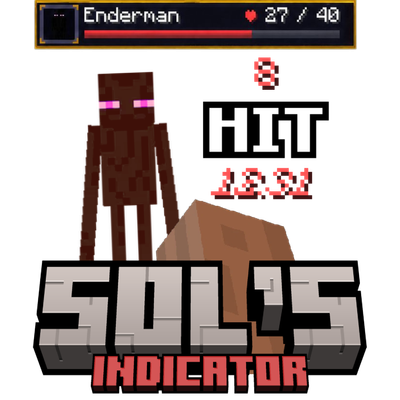
Sol's Indicator (Damage, Health, Custom Boss Bar HUD, and more!)
A lightweight mod that gives you real-time visual feedback on every hit you land. Know exactly how much damage you're dealing, with razor-sharp accuracy right as it happens.
 mod
mod CurseForge · Minecraft
Better Mount Steering
Free-look mount camera on horses and mounts; WASD steers where you look. Better Lockon mount smoothing, Shoulder Surfing Reloaded, Controllable. Forge, NeoForge, Fabric 1.20.1 and 1.21.1.
 mod
mod CurseForge · Minecraft
Savaru's Mana
Cast from a mana pool instead of a pouch of runes, with a mana cost you set per spell.