Minecraft version
Back to mods 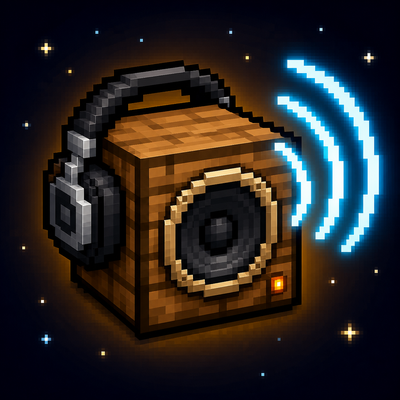
CurseForge · Minecraft mod
MusicBox Radio
Stream real internet radio in Minecraft. Place a music box, pick a station, and everyone nearby hears the same thing, or pair headphones and take it anywhere.
Choose a version Pick your version below, then grab the matching file.
Quick answer
Which MusicBox Radio release should I use?
Latest stable file MusicBox Radio 1.2.1 (MC 1.19.2 Fabric)
Game version 1.19.2
Loader Fabric
MusicBox Radio 1.2.1 (MC 1.19.2 Fabric) targets 1.19.2 with Fabric. The project page does not say whether this file belongs on the client, dedicated server, or both. No extra mods listed for this file.
Where it goes
Is MusicBox Radio required on the client, server, or both?
The project page does not say whether this file belongs on the client, dedicated server, or both.
Client Source doesn’t say
Dedicated server Source doesn’t say
Loader for this release Fabric
Required install it here Optional supported, not mandatory Not supported do not install here Source doesn’t say do not assume
The source does not explicitly classify this release as client-only or server-only.
What else does MusicBox Radio 1.2.1 (MC 1.19.2 Fabric) need?
MusicBox Radio 1.2.1 (MC 1.19.2 Fabric). Change the file and its required mods may change too.
This file does not list any required mods. Do not add a library just because a different file uses it.
This file does not list any required or optional mods.
Before you install it
Add MusicBox Radio without breaking your instance.
Built for MusicBox Radio 1.2.1 (MC 1.19.2 Fabric). Pick another file and the loader, install side or required mods may change.
- 01
Stick to this file
Use MusicBox Radio 1.2.1 (MC 1.19.2 Fabric). It targets 1.19.2 with Fabric; another release may have different loader, side or dependency requirements.
- 02
Bring the mods it needs
This file does not list any required mods. Do not add a library just because a different file uses it.
- 03
Put it on the correct side
The project page does not say whether this file belongs on the client, dedicated server, or both.
- 04
Pick the file you checked
Use the “Get this file” button beside MusicBox Radio 1.2.1 (MC 1.19.2 Fabric). It opens that exact file at the source.
About this project
What does MusicBox Radio add?
MusicBox Radio
Stream real internet radio in Minecraft. Place a music box, pick a station, and everyone nearby hears the same thing. Pair headphones to keep listening in full stereo anywhere you go.
MusicBox Radio plays live MP3 radio streams from the actual internet, not bundled music discs. The station list is fully configurable, so you can point it at whatever you like.
Features
- Live internet radio. Plays direct MP3 streams, including Shoutcast and Icecast servers. Links to
.m3uand.plsplaylists are followed automatically. - Server authoritative. The selected station, play state, and volume live on the block itself. When one player changes the station, everyone listening changes with them, in sync.
- Proximity audio by default. Music fades with distance like any other block sound, with a configurable range.
- Headphones for listening anywhere. Wear a pair and the audio follows you in full stereo, across any distance and even between dimensions.
- Pair headphones to a specific box. Running more than one music box is fine. Pair your headphones to the one you want and everyone paired to it stays on the same station together.
- Fully configurable stations. A simple JSON file of label and URL pairs. Supports up to 100 stations.
- Client side mute switch. Any player can disable streaming entirely on their own machine, which is useful while recording or streaming.
- Forge and Fabric. Both loaders are supported on Minecraft 1.19.2.
How it works
The Music Box
Place the block and right click it to open the interface. You will see your configured station list, a play and stop toggle, and a volume slider. Pick a station and it starts streaming for everyone in range.
Headphones
Headphones go in the helmet slot. If you have Curios installed on Forge, or Trinkets on Fabric, they will use a bauble slot instead so your helmet stays free. Neither mod is required.
While wearing headphones, audio no longer fades with distance. You get clean stereo playback wherever you are, including in another dimension or far outside render distance.
Pairing
Unpaired headphones simply follow the nearest playing music box. To lock onto a specific one, do either of the following:
- Sneak and right click the music box while wearing or holding the headphones.
- Open the music box and press the Pair button.
Repeat the action to unpair. Because pairing is resolved on the server, every player paired to the same box hears the same station at the same time.
Configuring stations
Stations are defined in config/musicboxradio/stations.json. The file is created with a set of working defaults the first time the mod runs. On a multiplayer server, this file is controlled by the server and applies to everyone.
{
  "proximityRange": 24.0,
  "maxConcurrentStreams": 3,
  "stations": {
    "SomaFM Groove Salad": "https://ice1.somafm.com/groovesalad-128-mp3",
    "Vaporwave Radio": "https://radio.plaza.one/mp3",
    "My Favourite Station": "https://example.com/stream.mp3"
  }
}
| Option | Default | Description |
|---|---|---|
proximityRange |
24.0 | How far the sound carries, in blocks, for players without headphones. |
maxConcurrentStreams |
3 | How many streams one client will play at once. Accepts 1 to 8. |
stations |
see file | Your station list, written as "Label": "url" pairs. Entries keep the order you write them in. |
Direct MP3 streams give the best results. AAC only streams are not supported.
Client settings
Personal playback settings live in config/musicboxradio/client.json. Set streamingEnabled to false to mute all internet radio on your own client without affecting anyone else, and use masterVolume to scale overall loudness.
Crafting
- Music Box: 7 planks of any type, 1 note block, and 1 redstone dust.
- Headphones: 1 iron ingot, 2 leather, and 2 wool of any colour.
Requirements and notes
- Minecraft 1.19.2 on Forge or Fabric. The Fabric version requires Fabric API.
- Curios and Trinkets are optional. Headphones work in the helmet slot without them.
- Each client connects to the radio station directly, so every listener needs working internet access. The server never relays audio.
- No music is bundled with the mod. All audio comes from third party radio stations, and those stations are responsible for their own content and licensing.
- Streaming uses bandwidth on each listening client, typically around 128 kbps per active stream.
Project description from CurseForge.
Pick your setup
MusicBox Radio by Minecraft version and loader
Choose the version and loader you play, then open the matching release.
Check the dependencies, then try the file in a copied instance before changing a world you care about.
Recent files
MusicBox Radio versions and loaders
MusicBox Radio 1.2.1 (MC 1.19.2 Fabric)
musicboxradio-1.19.2-fabric-1.2.1.jar
23 Aug 2026
Client Source doesn’t say Server Source doesn’t say Dependencies No extras listed Listed on Release listing
Check the 1.19.2 · Fabric setup Fabric1.19.2 release
MusicBox Radio 1.2.1 (MC 1.19.2 Forge)
musicboxradio-1.19.2-1.2.1.jar
23 Aug 2026
Client Source doesn’t say Server Source doesn’t say Dependencies No extras listed Listed on Release listing
Check the 1.19.2 · Forge setup Forge1.19.2 release
MusicBox Radio 1.2.0 (MC 1.19.2 Fabric)
musicboxradio-1.19.2-fabric-1.2.0.jar
21 Aug 2026
Client Source doesn’t say Server Source doesn’t say Dependencies No extras listed Listed on Release listing
Check the 1.19.2 · Fabric setup Fabric1.19.2 release
MusicBox Radio 1.2.0 (MC 1.19.2 Forge)
musicboxradio-1.19.2-1.2.0.jar
21 Aug 2026
Client Source doesn’t say Server Source doesn’t say Dependencies No extras listed Listed on Release listing
Check the 1.19.2 · Forge setup Forge1.19.2 release
MusicBox Radio 1.1.0 (MC 1.19.2 Fabric)
musicboxradio-1.19.2-fabric-1.1.0.jar
21 Aug 2026
Client Source doesn’t say Server Source doesn’t say Dependencies No extras listed Listed on Release listing
Check the 1.19.2 · Fabric setup Fabric1.19.2 release
MusicBox Radio 1.1.0 (MC 1.19.2 Forge)
musicboxradio-1.19.2-1.1.0.jar
21 Aug 2026
Client Source doesn’t say Server Source doesn’t say Dependencies No extras listed Listed on Release listing
Check the 1.19.2 · Forge setup Forge1.19.2 release
musicboxradio-1.19.2-fabric-1.0.1.jar
21 Aug 2026
Client Source doesn’t say Server Source doesn’t say Dependencies No extras listed Listed on Release listing
Check the 1.19.2 · Fabric setup Fabric1.19.2 release
musicboxradio-1.19.2-1.0.1.jar
21 Aug 2026
Client Source doesn’t say Server Source doesn’t say Dependencies No extras listed Listed on Release listing
Check the 1.19.2 · Forge setup Forge1.19.2 release
musicboxradio-1.19.2-fabric-1.0.0.jar
21 Aug 2026
Client Source doesn’t say Server Source doesn’t say Dependencies No extras listed Listed on Release listing
Check the 1.19.2 · Fabric setup Fabric1.19.2 release
musicboxradio-1.19.2-1.0.0.jar
21 Aug 2026
Client Source doesn’t say Server Source doesn’t say Dependencies No extras listed Listed on Release listing
Check the 1.19.2 · Forge setup Forge1.19.2 release
Looking for an older file? The official CurseForge project page is in Resources.
 mod
mod CurseForge + Modrinth · Minecraft
Sodium Chinese Localization Mod
A project can translate you sodium mod into Chinese
 mod
mod CurseForge + Modrinth · Minecraft
Fancy Toasts | Better Advancements
Overhauls the old advancement toast system, focusing on the presentation of advancements
 mod
mod CurseForge + Modrinth · Minecraft
Dio's Lib
Companion mod required by all mods created by AlasDiablo.