Minecraft version
Back to mods 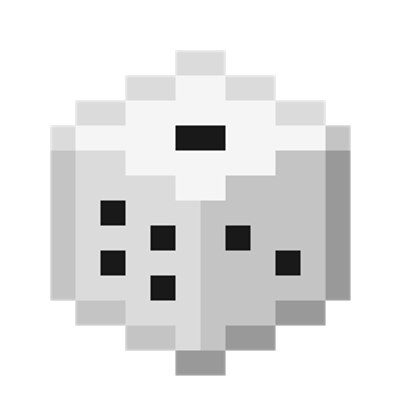
CurseForge · Minecraft mod
FW: Dice
A Mod that introduces rolling Dice to Minecraft!
Choose a version Pick your version below, then grab the matching file.
Quick answer
Which FW: Dice release should I use?
Latest stable file dice_mod-26.1-1.1.0.jar
Game version 26.1, 26.1.1, 26.1.2
Loader Fabric
FW: Dice dice_mod-26.1-1.1.0.jar targets 26.1, 26.1.1, 26.1.2 with Fabric. The project page does not say whether this file belongs on the client, dedicated server, or both. No extra mods listed for this file.
Where it goes
Is FW: Dice required on the client, server, or both?
The project page does not say whether this file belongs on the client, dedicated server, or both.
Client Source doesn’t say
Dedicated server Source doesn’t say
Loader for this release Fabric
Required install it here Optional supported, not mandatory Not supported do not install here Source doesn’t say do not assume
The source does not explicitly classify this release as client-only or server-only.
What else does FW: Dice dice_mod-26.1-1.1.0.jar need?
dice_mod-26.1-1.1.0.jar. Change the file and its required mods may change too.
This file does not list any required mods. Do not add a library just because a different file uses it.
This file does not list any required or optional mods.
Before you install it
Add FW: Dice without breaking your instance.
Built for FW: Dice dice_mod-26.1-1.1.0.jar. Pick another file and the loader, install side or required mods may change.
- 01
Stick to this file
Use dice_mod-26.1-1.1.0.jar. It targets 26.1, 26.1.1, 26.1.2 with Fabric; another release may have different loader, side or dependency requirements.
- 02
Bring the mods it needs
This file does not list any required mods. Do not add a library just because a different file uses it.
- 03
Put it on the correct side
The project page does not say whether this file belongs on the client, dedicated server, or both.
- 04
Pick the file you checked
Use the “Get this file” button beside dice_mod-26.1-1.1.0.jar. It opens that exact file at the source.
About this project
What does FW: Dice add?
Welcome to: Dice
Dice is a Mod that adds the ability to craft Dice in Minecraft!
Dice
Dice are crafted using a single Wool Block, and can then be right-clicked to be thrown There are also Big Dice, the Big Dice can be crafted by using 4 Wool Blocks in a 2x2 grid
The Dice can also be placed facing a random side by crouching and right-clicking
Once thrown, the player can punch the Dice (in Survival) in order for the item to drop or they can crouch + right- or left click in order to pick up the item directly
If the Dice has been thrown, you can right-click the Dice to spin again! There is also a local announcement to all players within 16 Blocks of the Dice that tells what player threw which number!
You can also dye the Dice using dyes (or by crafting them with colored Wool Blocks) to personalize them!
You can also craft multiple dice together (with a minimum of 2 and a maximum of 9 in a Crafting Grid) to 'combine' them into a Bundle of Dice, which allows the player to throw multiple Dice at once! This does not work for Big Dice, however
Big Dice have less gravity and can easily be right-clicked time and time again while in the air to combo the dice, when combo'ing the dice, you can rack up a score!
Lastly, you can craft Weighted Dice by using a Crafting Table and placing a Dice in Crafting Grid Slots 1 - 6 to indicate which number you want it to be weighted down upon (Grid Slot 1 = 1, Grid Slot 2 = 2, etc..) and placing an Iron Nugget in Crafting Grid Slots 7, 8 or 9!
Slingshot
There is also a Slingshot item called the "Die-Caster"! This slingshot can be crafted using 3 sticks, 1 leather and 1 string (check gallery for recipe layout!)
The Die-Caster uses regular Dice as ammo and does damage based on what you roll (1 being lowest, 6 being highest)!
The Die-Caster can also be enchanted with Unbreaking, Mending, Power, Knockback and Quick Charge, as well as two custom enchantments called Luck and Ricochet!
Die-Caster Enchantments
The Luck Enchantment can be found or enchanted at an Enchantment Table Setup at a maximum Level of II, two items or books of Luck II can make the max level, Luck III
For each Luck level, the player's chance to roll a higher number increases by 10% (with a maximum of 30% at Luck III)!
The Ricochet enchantment can be found in end-city loot only as Ricochet I with a maximum level of Ricochet II, only craftable by combining two Ricochet I items or enchantment books
Ricochet makes your Dice shot out by the Die-Caster bounce an additional time off of a surface for each level that it has (a minimum of 1 extra bounce with a maximum of 2 extra bounces)!
Dispensers
Dice, Big Dice and Bundles of Dice can also be placed into Dispensers to then be shot out and be announced anonymously to players within a 64-block radius
Dice Skeletons
Skeletons have a 1% chance to spawn with a Die-Caster instead of a Bow!
Config / Commands
The chat messages for the dice can be disabled using the config file, config in Mod Menu or using the command "/dice announcements disable" (or enable to enable them!)
The Die-Caster wielding skeletons can be disabled in using the config file, config in Mod Menu or using the command "/dice skeletons disable" (or enable to enable them!) in your world or server! (Note: You need to have operator permissions in order to do so!)
Credits
The mod including its assets were made by anne/kirbee/kirbdoublee! Make sure to credit me and/or link the mod if you're using it for a video, modpack or anything!
Project description from CurseForge.
Pick your setup
FW: Dice by Minecraft version and loader
Choose the version and loader you play, then open the matching release.
Minecraft version
26.1.1
1 loader buildMinecraft version
26.1
1 loader buildMinecraft version
1.21.1
1 loader buildCheck the dependencies, then try the file in a copied instance before changing a world you care about.
Recent files
FW: Dice versions and loaders
dice_mod-26.1-1.1.0.jar
21 Aug 2026
Client Source doesn’t say Server Source doesn’t say Dependencies No extras listed Listed on Release listing
Check the 26.1.2 · Fabric setup Fabric26.126.1.126.1.2 release
dice_mod-1.21.1-1.1.0.jar
21 Aug 2026
Client Source doesn’t say Server Source doesn’t say Dependencies No extras listed Listed on Release listing
Check the 1.21.1 · Fabric setup Fabric1.21.1 release
Looking for an older file? The official CurseForge project page is in Resources.
 mod
CurseForge + Modrinth · Minecraft
Experience Skills
Earn separate experience for each skill just by playing — walking, mining, fighting, swimming, fishing, etc. — and level them up for attribute bonuses that grow with every level.
 mod
CurseForge + Modrinth · Minecraft
Variants&Ventures
Adds multiple new mob variants seamlessly integrated into your Minecraft world.
 mod
CurseForge · Minecraft
leftrightautoclick
Hold to auto-click. Auto-repeat for both mouse buttons with configurable speed (1-20 CPS), independent hold thresholds and Creative mode fast clicking. Smart detection skips bows, shields and food. Client-side only: no packets, no server changes.