Fabric API Needed by PolyStorage 1.4.0 (Fabric)
requiredMatching file found Matched file: [26.2] Fabric API 0.158.0+26.2

CurseForge · Minecraft mod
Server-side storage network with search, tiered storage cells, cables, import/export buses, and pattern-based autocrafting, including furnace lines. Players join with vanilla Minecraft; no client mod required.
Quick answer
PolyStorage 1.4.0 (Fabric) targets 26.2 with Fabric. The project page does not say whether this file belongs on the client, dedicated server, or both. All 1 required mods have matching files.
Where it goes
The project page does not say whether this file belongs on the client, dedicated server, or both.
The source does not explicitly classify this release as client-only or server-only.
PolyStorage 1.4.0 (Fabric). Change the file and its required mods may change too.
Install Fabric API first. We found matching files for this game-version and loader setup.
We only count dependency files that match this setup. A file for another loader does not fill the gap.
Before you install it
Built for PolyStorage 1.4.0 (Fabric). Pick another file and the loader, install side or required mods may change.
Use PolyStorage 1.4.0 (Fabric). It targets 26.2 with Fabric; another release may have different loader, side or dependency requirements.
Install Fabric API first. We found matching files for this game-version and loader setup.
The project page does not say whether this file belongs on the client, dedicated server, or both.
Use the “Get this file” button beside PolyStorage 1.4.0 (Fabric). It opens that exact file at the source.
About this project
Server-side mass storage and autocrafting for Fabric. Build a searchable item network from a terminal, bulk storage cells, cables, and import/export buses. Encode recipes onto patterns and let the network craft on demand, including furnace and brewing lines. Your players join with vanilla Minecraft: no client mod, no manual resource pack install.
Built on Polymer. Every block, item, and GUI renders on vanilla clients as vanilla content, so anyone can connect and use it in singleplayer, on LAN, or on a public server.
@mod and #tag filters combine with plain words, count filters find anything above or below a number, and Q pins anything you want kept at the top.| Tier | Item types | Per type | Total capacity |
|---|---|---|---|
| 1 | 10 | 128 | 1,280 |
| 2 | 15 | 256 | 3,840 |
| 3 | 20 | 512 | 10,240 |
| 4 | 25 | 1,024 | 25,600 |
| 5 | 30 | 2,048 | 61,440 |
Upgrading a cell does not carry over its contents. Empty a cell before promoting it.
The planner uses your stored items for intermediates and crafts only the shortfall. If base resources are missing it refuses the whole request and lists exactly what is short, so you never get a half-finished mess.
Fuel is measured from real burn values, so coal, blaze rods, and planks all work. If a machine jams or the importer is missing, the job reports "check your machines" after five minutes instead of hanging.
Brewing has one extra rule. The stand keeps its bottles in the same slots the importer pulls from, so filter that importer to the finished potion or it grabs the bottles mid-brew. A chained brew (water to awkward to strength) needs one stand per step.
Click a recipe to open it.
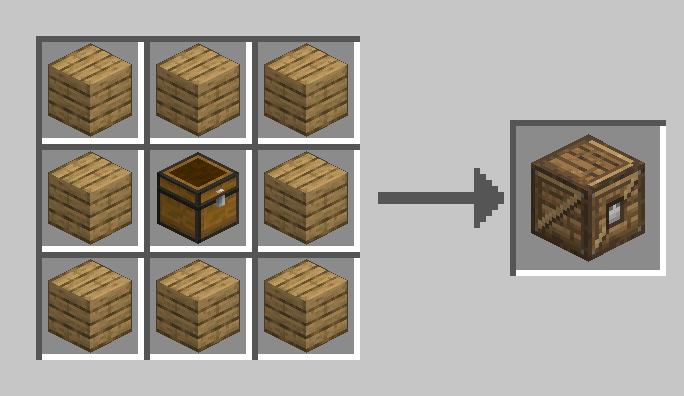
The single access point to your network.
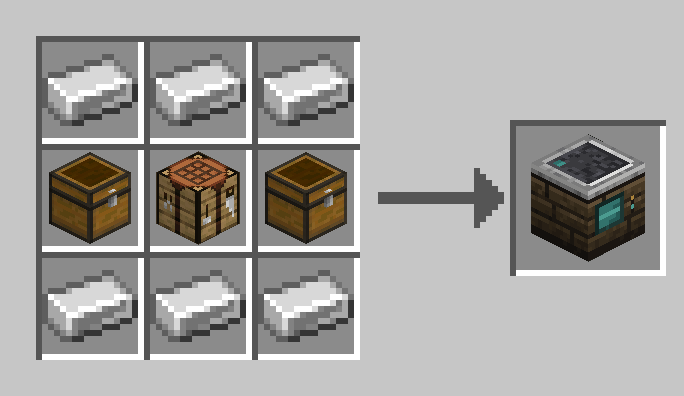
Holds up to 5 Storage Cells. Keeps its cells when broken.
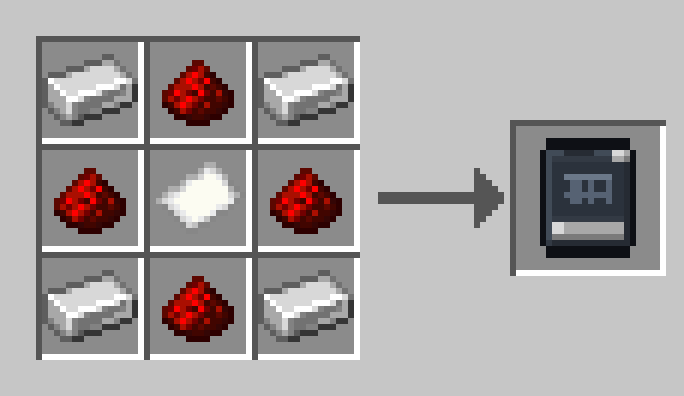
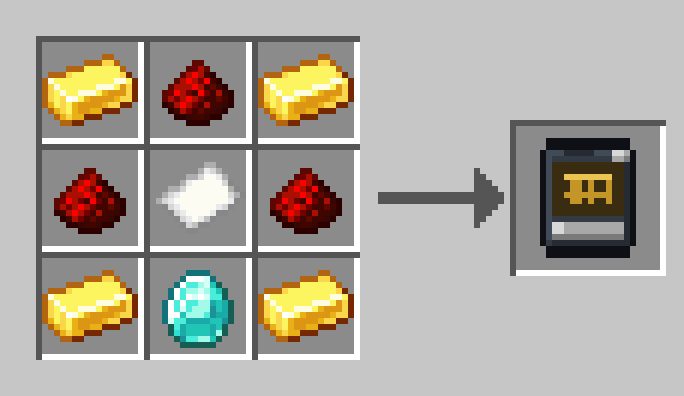
Iron and redstone around paper.
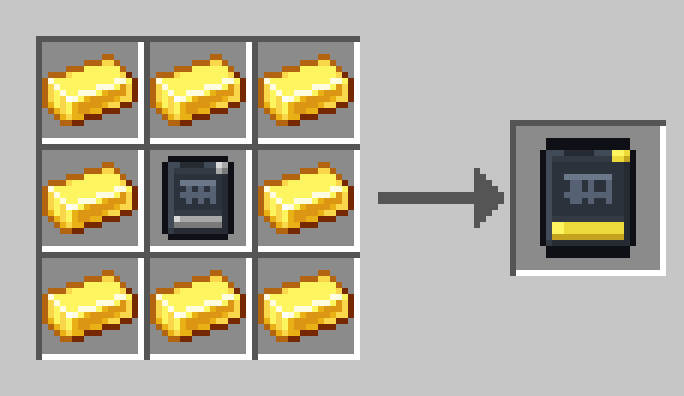
Gold around a Tier 1 cell.
Diamonds around a Tier 2 cell.
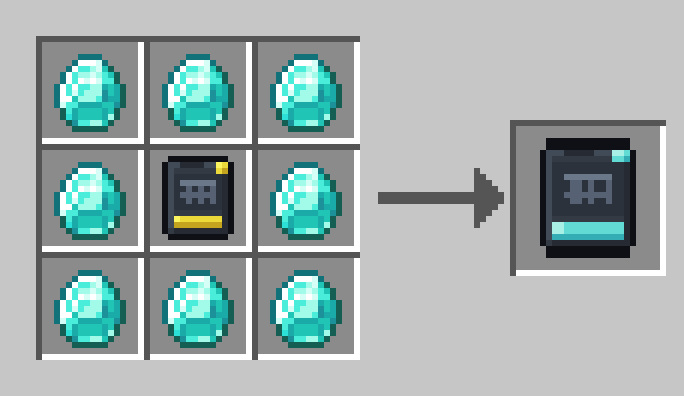
Emeralds around a Tier 3 cell.
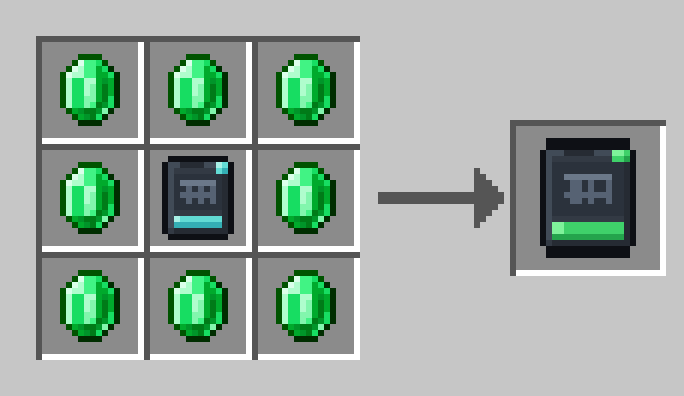
Netherite scrap and crying obsidian around a Tier 4 cell.
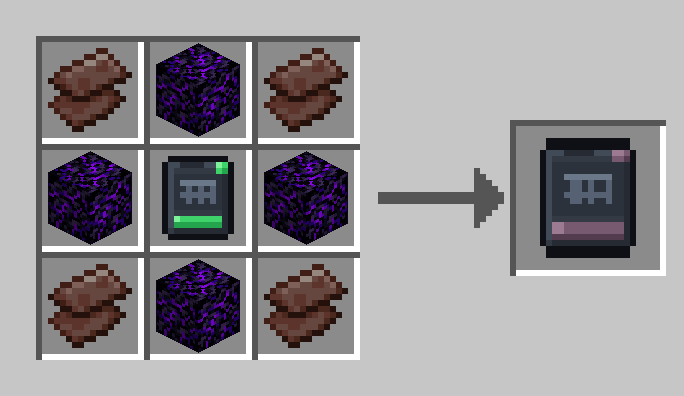
A cheap conductor that extends the network's reach. Crafts 6 at a time.
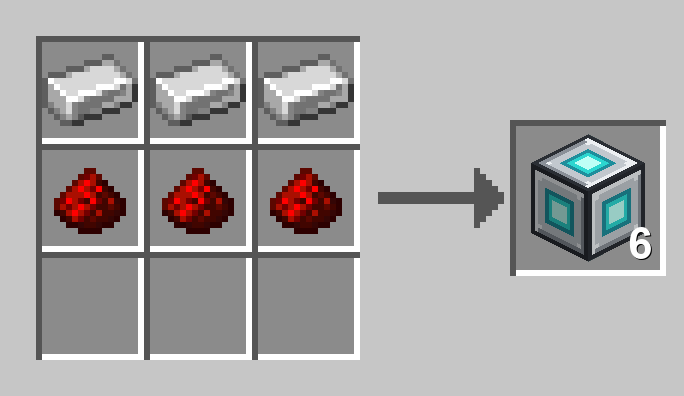
Right-click a network block's face to disconnect it; sneak-right-click to reconnect every side.
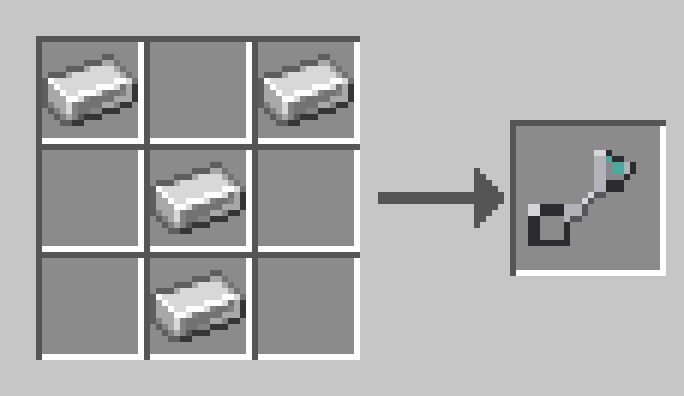
One filter serves both modes. Export pushes what you list; Import pulls what you list, or everything when the list is empty.
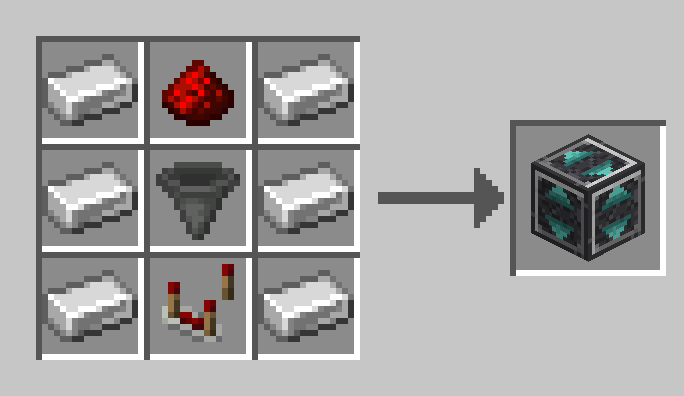
Sneak-click a terminal to bind it, then use it anywhere to open that network. Add furnace fuel to power it.
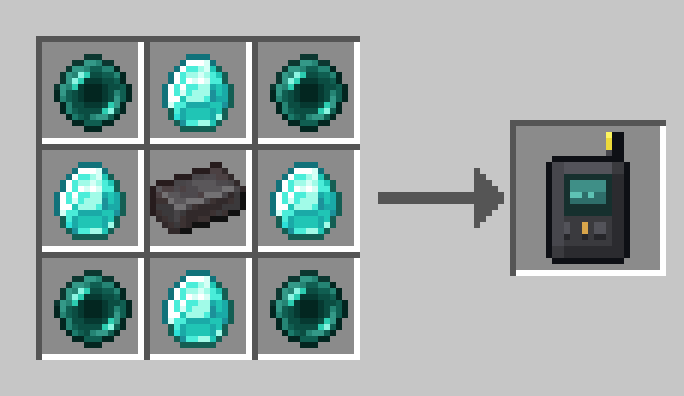
The raw material for encoding recipes. Crafts one per paper + redstone.
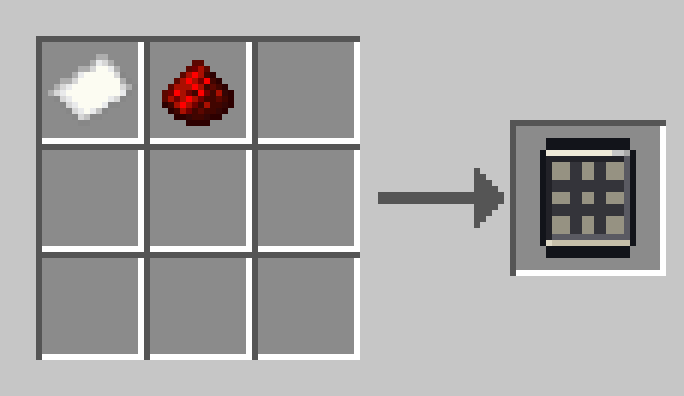
Holds up to 9 Crafting Patterns and runs the crafting queue.
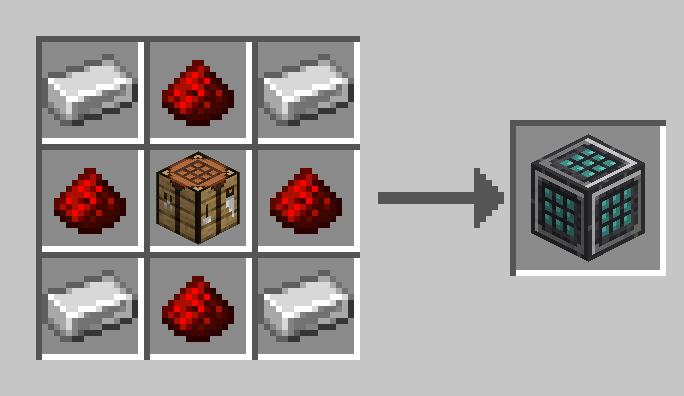
Holds up to 9 Process Patterns for the machine it sits against.
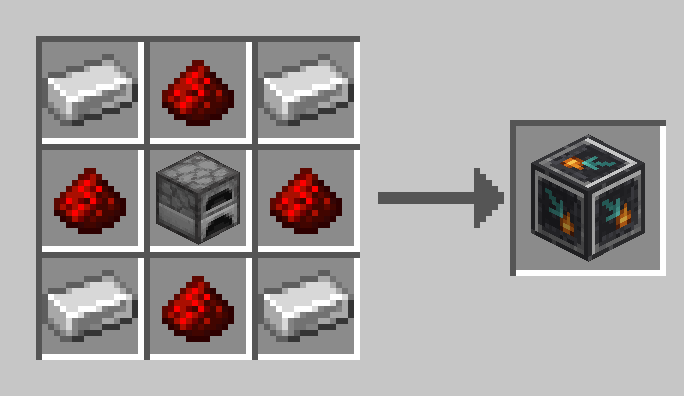
Shows one item's live network total in the world. Right-click with an item to bind it.
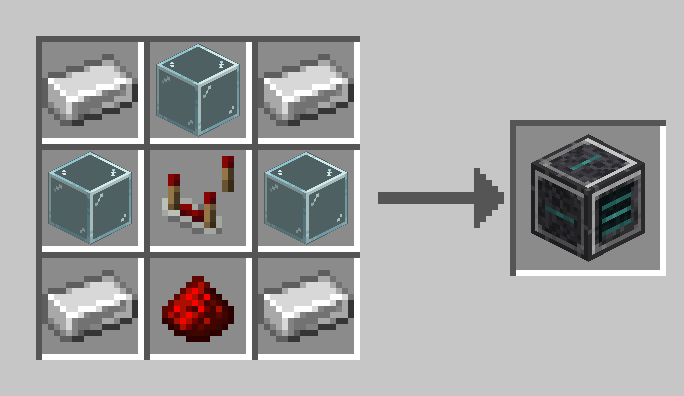
Holds one nugget/ingot/block family as a single pool and wears it on its face. Set the item in its screen.
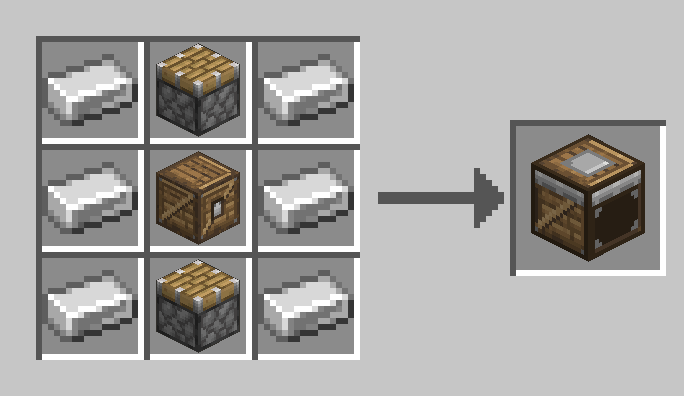
Slots into a Compactor. Each card doubles its capacity, up to four cards.
Polymer, sgui, and every other library are bundled inside the jar. Install PolyStorage on the server only; connecting players need nothing but vanilla Minecraft. Works in singleplayer and on LAN too.
Dedicated-server setup (one step): after the first start, open config/polymer/auto-host.json and set "enabled": true, then restart. Polymer then hosts the resource pack itself and sends it to joining players automatically. That pack is what gives the mod its custom look. Players without it (for example Bedrock players connecting through Geyser) still get clean vanilla stand-in visuals for every block, item, and menu, so the mod stays fully usable either way.
Bedrock players are detected automatically and get vanilla stand-in visuals that render correctly: real item icons in the terminal, clean titles, and count badges on entries. For the full custom look, install the optional Bedrock Support Pack (the extra file attached to each release). Put the mcpack in Geyser's packs folder and the mappings json in custom_mappings, set enable-custom-content: true in Geyser's config, and set "bedrock_item_visuals": "mapped" in config/polystorage.json. Bedrock players then see the mod's real item and menu icon textures.
PolyStorage is fully server-side. No client installation required.
Project description from CurseForge.
Pick your setup
Choose the version and loader you play, then open the matching release.
Check the dependencies, then try the file in a copied instance before changing a world you care about.
Recent files
polystorage-1.4.0.jar
29 Aug 2026
polystorage-1.3.0.jar
29 Aug 2026
polystorage-1.2.1.jar
29 Aug 2026
polystorage-1.2.0.jar
28 Aug 2026
polystorage-1.1.1.jar
28 Aug 2026
polystorage-1.1.0.jar
27 Aug 2026
22 Aug 2026
Looking for an older file? The official CurseForge project page is in Resources.
 mod
modSpeed up Hoppers and add classification function to it!
 mod
modA performant rendering optimization Mod for Minecraft. Evolving from a optimized VulkanMod fork for 26.1.2 into an independent mod for 26.2.
 mod
modCobbleGacha Expanded is a Cobblemon gacha mod featuring rotating limited banners, rate-up Pokémon, pity and 50/50 guarantees, pull history, and configurable server-side banner management.