MaLiLib Optional for Conflux Map v0.1.5 for MC 26.2
optionalMatching file found Matched file: malilib-fabric-26.2-0.29.3.jar

CurseForge · Minecraft mod
A multiplayer-ready minimap and world map with terrain autofill, waypoints, structure finding, entity radar, and optional server synchronization.
Quick answer
Conflux Map v0.1.5 for MC 26.2 targets 26.2 with Fabric. The project page does not say whether this file belongs on the client, dedicated server, or both. All 1 required mods have matching files.
Where it goes
The project page does not say whether this file belongs on the client, dedicated server, or both.
The source does not explicitly classify this release as client-only or server-only.
Conflux Map v0.1.5 for MC 26.2 on 26.2. Every mod below is checked against that same setup.
Install Fabric API first. We found matching files for this game-version and loader setup.
We only count dependency files that match this setup. A file for another loader does not fill the gap.
Before you install it
Built for Conflux Map v0.1.5 for MC 26.2 on 26.2. Pick another file and the loader, install side or required mods may change.
Use Conflux Map v0.1.5 for MC 26.2. It targets 26.2 with Fabric; another release may have different loader, side or dependency requirements.
Install Fabric API first. We found matching files for this game-version and loader setup.
The project page does not say whether this file belongs on the client, dedicated server, or both.
Use the “Get this file” button beside Conflux Map v0.1.5 for MC 26.2. It opens that exact file at the source.
About this project
Conflux Map is a feature-rich Fabric minimap and fullscreen world map built for both single-player exploration and multiplayer servers. It works as a client-only mod out of the box, while an optional Fabric or Paper server companion adds shared maps, public waypoints, terrain corrections, and a browser-based web map.
Terrain prediction only affects the map. Conflux Map does not change world generation.
Conflux Map does not require installation on the server. A client-only installation provides the minimap, fullscreen map, local waypoints, death points, drawings, entity radar, map export, local terrain caching, and chat coordinate sharing.
The optional server companion adds:
Server operators decide which companion features are available. Seed sharing, biome maps, structure search, entity radar, chunk load states, terrain corrections, shared waypoints, and player visibility on the web map can be controlled independently.
The Fabric companion is included in the matching Conflux Map mod JAR. A standalone Paper companion is available for Paper servers from Minecraft 1.21.1 through 26.2. Client and server versions can be upgraded independently within the supported protocol range.
mods folder.MaliLib is optional. When installed, it enables multi-key combinations and integrates Conflux Map with MaliLib's configuration interface on supported versions.
Place the matching Conflux Map mod JAR and Fabric API in the server's mods folder. Players without the client mod can still join the server normally.
Place the standalone confluxmap-paper-<version>.jar in the server's plugins folder. The Paper companion supports Paper 1.21.1 through 26.2; it does not support Spigot, CraftBukkit, or Folia.
Fabric builds are available for:
Check the Files page and select the file made for your exact Minecraft version. Conflux Map is a Fabric mod and does not support Forge or NeoForge.
All keybinds can be changed from Minecraft's Controls screen.
| Key | Action |
|---|---|
H |
Toggle the minimap |
[ / ] |
Zoom the minimap out / in |
M |
Open the fullscreen map |
Y |
Cycle the manual layer override |
U |
Open the waypoint list |
B |
Create a waypoint at your position |
J |
Toggle local waypoints |
, |
Open settings |
P |
Cycle map autofill visibility |
F9 |
Refresh map autofill tiles |
Project description from CurseForge.
Pick your setup
Choose the version and loader you play, then open the matching release.
Showing the newest 12 of 20 game versions. Older files are in the list below.
Check the dependencies, then try the file in a copied instance before changing a world you care about.
Recent files
confluxmap-26.2-0.1.5.jar
21 Sept 2026
confluxmap-26.2-0.1.5-beta.1.jar
6 Sept 2026
confluxmap-26.2-0.1.4.jar
2 Sept 2026
confluxmap-26.2-0.1.4-beta.13.jar
1 Sept 2026
Looking for an older file? The official CurseForge project page is in Resources.
 mod
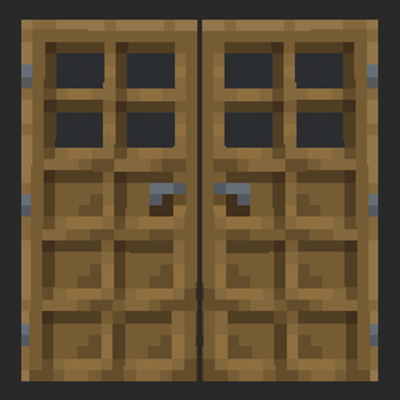
modThis is a lightweight mod which allows doors to open together when next to each other.
 mod
modDisplays FPS, coordinates, ping, time, days, and RAM usage – all in one informative HUD! Extensive customization and freedom of action.
 mod
modA cinematic, fully vector-drawn HUD: holographic terrain map, flight instruments, threat alerts, and ten switchable themes. Every element is geometry, not a texture.