Minecraft version
Back to mods 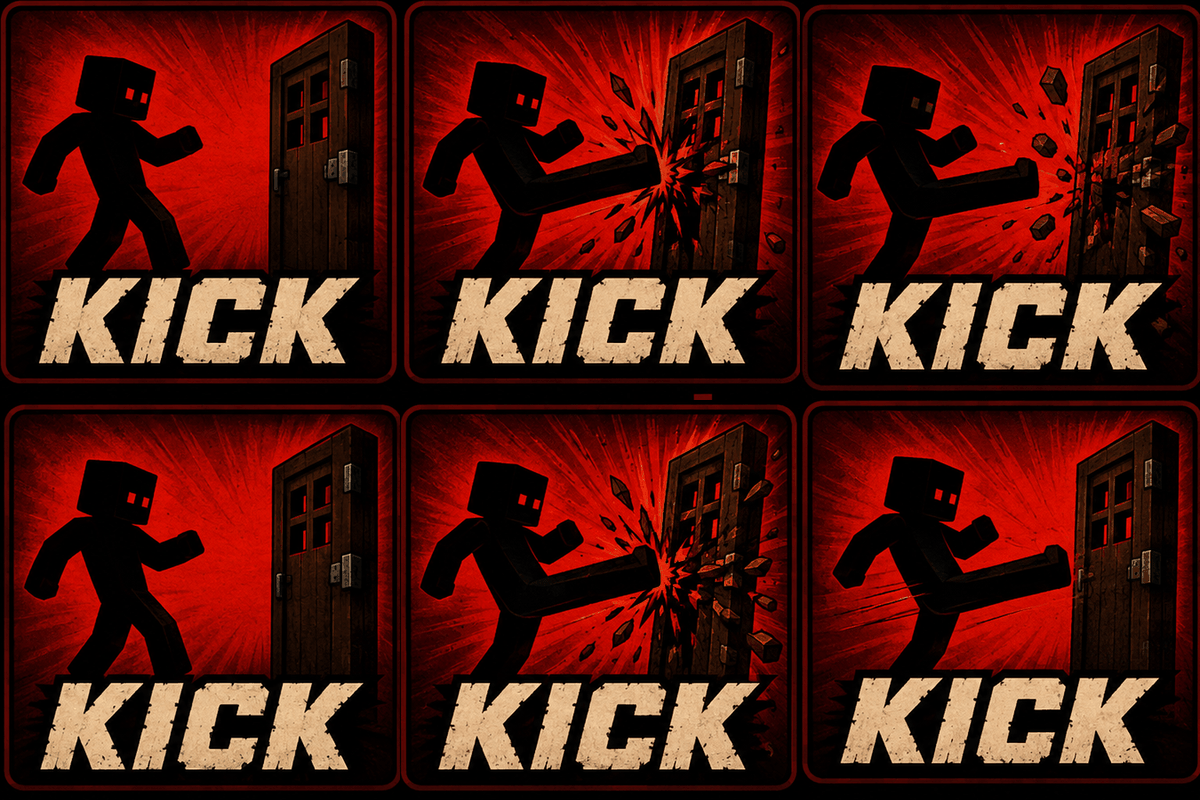
CurseForge · Minecraft mod
Kick!
KICK! Fully animated melee combat with jump kicks, dropkicks, slide kicks, shield bashes, knockback and door breaking.
Choose a version Pick your version below, then grab the matching file.
Quick answer
Which Kick! release should I use?
Latest stable file Kick-1.1.0.jar
Game version 1.20.1
Loader Forge
Kick! Kick-1.1.0.jar targets 1.20.1 with Forge. The project page does not say whether this file belongs on the client, dedicated server, or both. No extra mods listed for this file.
Where it goes
Is Kick! required on the client, server, or both?
The project page does not say whether this file belongs on the client, dedicated server, or both.
Client Source doesn’t say
Dedicated server Source doesn’t say
Loader for this release Forge
Required install it here Optional supported, not mandatory Not supported do not install here Source doesn’t say do not assume
The source does not explicitly classify this release as client-only or server-only.
What else does Kick! Kick-1.1.0.jar need?
Kick-1.1.0.jar. Change the file and its required mods may change too.
This file does not list any required mods. Do not add a library just because a different file uses it.
This file does not list any required or optional mods.
Before you install it
Add Kick! without breaking your instance.
Built for Kick! Kick-1.1.0.jar. Pick another file and the loader, install side or required mods may change.
- 01
Stick to this file
Use Kick-1.1.0.jar. It targets 1.20.1 with Forge; another release may have different loader, side or dependency requirements.
- 02
Bring the mods it needs
This file does not list any required mods. Do not add a library just because a different file uses it.
- 03
Put it on the correct side
The project page does not say whether this file belongs on the client, dedicated server, or both.
- 04
Pick the file you checked
Use the “Get this file” button beside Kick-1.1.0.jar. It opens that exact file at the source.
About this project
What does Kick! add?
🦵 Kick!
**Kick!** adds a simple but powerful melee kick system to Minecraft, giving you new ways to fight, control enemies, and interact with the world.
Instead of adding another complicated combat overhaul, Kick! focuses on making one mechanic feel satisfying, responsive, and useful.
🦵 Kick Types
Normal Kick
Perform a forward kick while standing or walking.
- Deals configurable damage
- Applies knockback
- Can be used against mobs and players
- Can interact with doors and other supported blocks
- Includes custom animation and sound effects
💥 Dropkick
Sprint, jump, and kick while airborne to perform a powerful two-legged dropkick.
- Uses a unique two-legged animation
- Deals increased configurable damage
- Applies increased knockback
- Launches the player forward
- Has an additional cooldown to prevent constant use
- Includes custom impact sounds
🦶 Slide Kick
Sprint, crouch, and kick to perform a low sweeping kick.
- Uses a unique sliding animation
- Applies knockback
- Applies Slowness to the target
- Useful for controlling fast enemies and groups
⚔️ Combat Features
Kick! includes several combat and impact features designed to make kicking feel more responsive and satisfying.
- Configurable kick damage
- Configurable knockback strength
- Configurable vertical knockback
- Shield stunning
- Enemy knockback and crowd control
- Custom kick animations
- Custom sound effects
- Configurable attack reach
- Separate cooldowns for different kick types
- Custom impact effects
🚪 Door Interaction
Kicks aren't limited to combat. You can also use them to interact with the world.
Wooden Doors
- Kick wooden doors open
- Break wooden doors with kicks
- Knock back enemies standing behind doors
Iron Doors
- Iron doors require **two kicks** to open
- Each kick provides additional impact feedback
- Camera shake makes heavy door interactions feel more powerful
Double Doors
- Kick and open **double doors**
- Both doors can be opened together through a single kick interaction
Kick! can also interact with other supported blocks such as trapdoors and fence gates.
🎥 Impact Feedback
Kicks are designed to feel physical rather than simply triggering an animation.
- Camera shake when kicking doors
- Different sound effects for kick interactions
- Stronger feedback for powerful kicks
- Visual impact effects
- Different interactions depending on the target
⚙️ Fully Configurable
Kick! provides an extensive configuration system, allowing you to customize the experience to fit your modpack.
You can adjust:
- Kick damage
- Knockback strength
- Vertical knockback
- Attack reach
- Cooldowns
- Dropkick damage and knockback
- Player launch strength
- Slide kick knockback
- Slowness duration and level
- Door interactions
- Shield interactions
- Cooldown HUD
The configuration can be accessed through the mod's configuration screen or edited through the generated configuration file.
🎮 Controls
**Default Kick Key:** V
Kick at a nearby target by pressing the kick key.
**Dropkick:** Sprint + Jump → Kick while airborne
**Slide Kick:** Sprint + Crouch → Kick
The keybind can be changed through Minecraft's normal controls menu.
🔄 Updating the Mod
If something doesn't work correctly after updating, please go to the **Files** section and make sure you have downloaded and installed the **latest version** of Kick!.
If you are still using an older version, some features or fixes may not be available.
Project description from CurseForge.
Pick your setup
Kick! by Minecraft version and loader
Choose the version and loader you play, then open the matching release.
Check the dependencies, then try the file in a copied instance before changing a world you care about.
Recent files
Kick! versions and loaders
Kick-1.1.0.jar
Kick1.1.0.jar
29 Aug 2026
Client Source doesn’t say Server Source doesn’t say Dependencies No extras listed Listed on Release listing
Check the 1.20.1 · Forge setup 1.20.1Forge release
Looking for an older file? The official CurseForge project page is in Resources.
 mod
mod CurseForge + Modrinth · Minecraft
Traveler's Backpack
Unique and upgradeable backpacks with customisation, Curios API/Trinkets integration and more!
 mod
mod CurseForge · Minecraft
Custom Races Framework
Races and origins no matter the need, you can create one with ease.
 mod
mod CurseForge + Modrinth · Minecraft
Inv View Forge/NeoForge
Allows you to open and manipulate the inventories and ender chests of online and offline players. Server Side