Minecraft version
Back to mods 
CurseForge · Minecraft mod
Async Screenshot
Asynchronous processing screenshot encoding and saving off the render thread to prevent F2 frame hitches.
Choose a version Pick your version below, then grab the matching file.
Quick answer
Which Async Screenshot release matches 26.1.2 Forge?
Best match for your filters 1.0.0 - Initial release
Game version 1.21, 1.18.1, 1.19.3
Loader Forge
Async Screenshot 1.0.0 - Initial release targets 1.21, 1.18.1, 1.19.3 with Forge. The project page does not say whether this file belongs on the client, dedicated server, or both. No extra mods listed for this file.
Where it goes
Is Async Screenshot required on the client, server, or both?
The project page does not say whether this file belongs on the client, dedicated server, or both.
Client Source doesn’t say
Dedicated server Source doesn’t say
Loader for this release Forge
Required install it here Optional supported, not mandatory Not supported do not install here Source doesn’t say do not assume
The source does not explicitly classify this release as client-only or server-only.
What else does Async Screenshot 1.0.0 - Initial release need?
1.0.0 - Initial release on 26.1.2 Forge. Every mod below is checked against that same setup.
This file does not list any required mods. Do not add a library just because a different file uses it.
This file does not list any required or optional mods.
Before you install it
Add Async Screenshot without breaking your instance.
Built for Async Screenshot 1.0.0 - Initial release on 26.1.2 Forge. Pick another file and the loader, install side or required mods may change.
- 01
Stick to this file
Use 1.0.0 - Initial release. It targets 1.21, 1.18.1, 1.19.3 with Forge; another release may have different loader, side or dependency requirements.
- 02
Bring the mods it needs
This file does not list any required mods. Do not add a library just because a different file uses it.
- 03
Put it on the correct side
The project page does not say whether this file belongs on the client, dedicated server, or both.
- 04
Pick the file you checked
Use the “Get this file” button beside 1.0.0 - Initial release. It opens that exact file at the source.
About this project
What does Async Screenshot add?
Async Screenshot
Taking a screenshot can freeze the game for a noticeable moment. This mod moves the heavy work — PNG encoding and writing the file to disk — off the render thread, so pressing F2 no longer causes a frame hitch.
Client-side only. Works on Fabric, Forge, and NeoForge. No config needed.
Why you might want this
When you press the screenshot key, vanilla Minecraft encodes the image to PNG and writes it to disk right on the render thread. That freezes the frame for tens of milliseconds. Taking screenshots in quick succession — burst capture, recording, or just mashing F2 — makes it worse, especially at high resolutions or with large resource packs.
How it works
The render thread grabs the pixels from the GPU (that part has to stay there), then hands everything else off to a background thread: generating a unique filename, encoding the PNG, and writing the file. A semaphore makes sure concurrent screenshots don't collide on the same filename. When the write finishes, the "Saved screenshot" message is delivered back on the main thread, just like vanilla.
If the mod can't hook into your game version, it disables itself and screenshots behave exactly like vanilla.
Install
- Install Fabric, Forge, or NeoForge for your Minecraft version.
- Put the jar file in your
modsfolder. - Launch the game. Nothing else to configure.
Classic Forge users: you also need MixinBooter installed, since classic Forge doesn't ship with a Mixin loader.
Requires Java 17 or later.
Compatibility
Tested on Minecraft 1.18 through 26.2 across Fabric, Forge, and NeoForge. If the mod can't hook into your specific version, it disables itself quietly — the game runs as if the mod weren't there.
Limitations
- The render thread still grabs the pixels from the GPU (that's required by OpenGL), so a tiny hitch can remain at very high resolutions.
- The "Saved screenshot" message appears after the background encoding finishes, so it may be slightly delayed.
- If a screenshot is still being saved when a new one is taken, the new one is dropped to prevent file collisions.
Project description from CurseForge.
Pick your setup
Async Screenshot by Minecraft version and loader
Choose the version and loader you play, then open the matching release.
Minecraft version
26.1.2
3 loader buildsMinecraft version
26.1.1
3 loader buildsMinecraft version
26.1
3 loader buildsMinecraft version
1.21.11
3 loader buildsMinecraft version
1.21.10
3 loader buildsMinecraft version
1.21.9
3 loader buildsMinecraft version
1.21.8
3 loader buildsMinecraft version
1.21.7
3 loader buildsMinecraft version
1.21.6
3 loader buildsMinecraft version
1.21.5
3 loader buildsMinecraft version
1.21.4
3 loader buildsShowing the newest 12 of 31 game versions. Older files are in the list below.
Check the dependencies, then try the file in a copied instance before changing a world you care about.
Recent files
Async Screenshot versions and loaders
1.0.0 - Initial release
AsyncScreenshot-1.0.0+forge.jar
23 Aug 2026
Client Source doesn’t say Server Source doesn’t say Dependencies No extras listed Listed on Release listing
Check the 26.1.2 · Forge setup 1.211.18.11.19.31.20.2 release
Looking for an older file? The official CurseForge project page is in Resources.
 mod
CurseForge · Minecraft
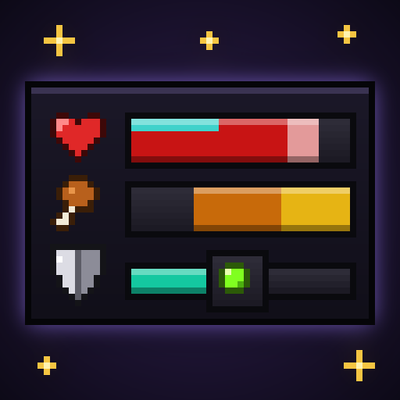
Better UX
Better User Experience, health bar, hunger bar, no more fire all over the screen, customize the HUD how ever you like and more.
 mod
CurseForge · Minecraft
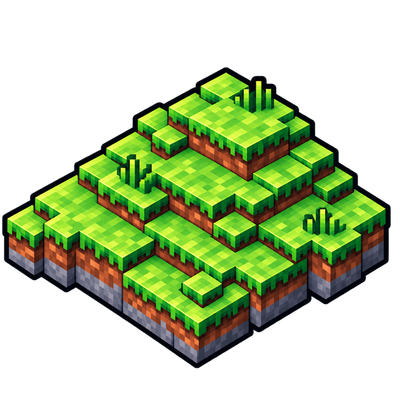
Sky’s Terrain Smoother
Smooth new terrain and cave floors with slabs, steps and corners, choose from three smoothing levels, with built in Mineralogy support.
 mod
CurseForge · Minecraft
OG'S Backpacks
Backpack mod on all versions