ChimericLib Needed by Next Update Now [NeoForge] 26.2-1.1.0
requiredMatching file found Matched file: [NeoForge] 26.2-6.7.0
CurseForge · Minecraft mod
Get content from the next update on the current version!
Quick answer
Next Update Now [NeoForge] 26.2-1.1.0 targets 26.2 with NeoForge. The project page does not say whether this file belongs on the client, dedicated server, or both. All 3 required mods have matching files.
Where it goes
The project page does not say whether this file belongs on the client, dedicated server, or both.
The source does not explicitly classify this release as client-only or server-only.
[NeoForge] 26.2-1.1.0 on 26.2. Every mod below is checked against that same setup.
Install ChimericLib, Architectury API, YetAnotherConfigLib first. We found matching files for this game-version and loader setup.
We only count dependency files that match this setup. A file for another loader does not fill the gap.
Before you install it
Built for Next Update Now [NeoForge] 26.2-1.1.0 on 26.2. Pick another file and the loader, install side or required mods may change.
Use [NeoForge] 26.2-1.1.0. It targets 26.2 with NeoForge; another release may have different loader, side or dependency requirements.
Install ChimericLib, Architectury API, YetAnotherConfigLib first. We found matching files for this game-version and loader setup.
The project page does not say whether this file belongs on the client, dedicated server, or both.
Use the “Get this file” button beside [NeoForge] 26.2-1.1.0. It opens that exact file at the source.
About this project




This mod brings early access to upcoming Minecraft content — pulled from snapshots and/or the latest release — to players who haven't upgraded yet (or can't). If you're stuck on an older version for modpack, server, or compatibility reasons, this mod lets you try out new blocks and other "easy" additions from the next version without leaving your current one.
The mod always targets the current stable version, while pulling content from the in-progress snapshot cycle. For example:
In short: the mod always lives one version behind the snapshot it's pulling from.
No. Once a snapshot cycle ends and the mod moves on to the next one, the previous version's build is considered final. There are no ongoing updates or backports to versions the mod has already moved past.
No. There are already other mods dedicated to fully backporting new content to old versions — this isn't one of them. This mod's goal is early access to some new content, not full parity with the upcoming release.
At minimum, new blocks and other "easy" additions land every cycle. Beyond that:
There's no guarantee of full feature parity with any given snapshot or release.
This mod is for players who are staying on an older version deliberately or by necessity — server operators, modpack maintainers, people waiting on other mod compatibility, etc. It's meant to bridge the gap, not replace upgrading.
It's built for Java Edition, targeting Fabric/NeoForge.
Compatibility isn't guaranteed with every mod, especially ones that touch the same blocks, entities, or world generation systems this mod modifies. Report conflicts through the issue tracker.
Since the mod tracks in-progress snapshots, there's a chance early-access content may not perfectly match the final released version. The mod will be updated to match the final release as part of that cycle's last update for the older version.
Please use the GitHub issue tracker to report any bugs you find or suggest new features.
Obviously this mod would not be possible if not for the people at Mojang making an awesome game. Thanks also go to the developers of the Fabric and NeoForge mod loaders and the Architectury API.
This mod is released under the MIT license. The full text of the license can be found here.
Project description from CurseForge.
Pick your setup
Choose the version and loader you play, then open the matching release.
Check the dependencies, then try the file in a copied instance before changing a world you care about.
Recent files
nextupdatenow-neoforge-26.2-1.1.0.jar
24 Nov 2026
nextupdatenow-fabric-26.2-1.1.0.jar
24 Nov 2026
nextupdatenow-fabric-26.2-1.0.1.jar
2 Sept 2026
nextupdatenow-neoforge-26.2-1.0.1.jar
2 Sept 2026
Looking for an older file? The official CurseForge project page is in Resources.
 mod
Bookshelves, crates, secret doors, and more! Simple, functional, decorative blocks for all your building and storage needs (some assembly required)
 mod
A Polymorph alternative for modern Minecraft. One set of ingredients, multiple results, you pick what you get.
 mod
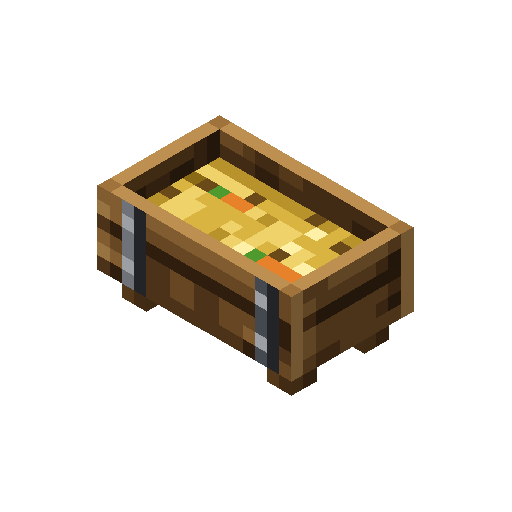
Auto-breeding feeding trough: fill it with food and grown animals walk over, eat and breed on their own. Babies grow faster near it.
