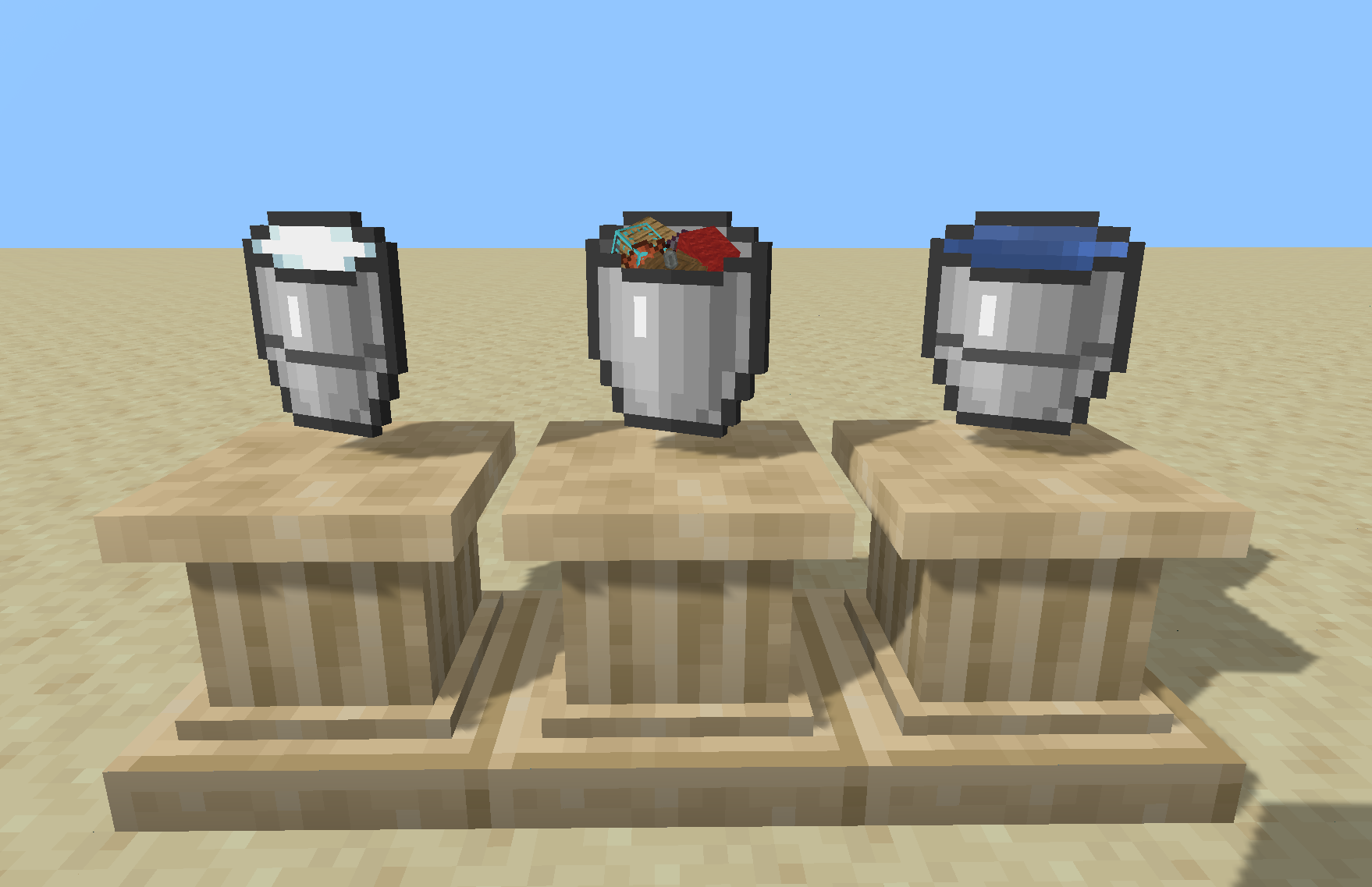

Some Buckets
An expansion of the_will_bl's Big Buckets. For 1.20.1, Forge and Fabric.
Need more than buckets that are big? How about buckets to hold mobs? Buckets to hold a random assortment of junk? Bottomless, item destroying buckets to help you clean up the place? Endless source buckets? You've come to the right place!
The buckets
| Item |
What it does |
| Big Bucket |
Holds 8 units of one fluid, milk, or powder snow |
| Huge Bucket |
Same as a Big Bucket, but holds 64 units |
| Source Bucket |
Infinite supply and sink for one allowed fluid or milk |
| Junk Bucket |
Stores up to 9 stacks of items, ejects one stack at a time, feeds mobs |
| Trash Bucket |
Stores 1 stack of items, destroying it when incoming items do not fit |
| Mob Bucket |
Stores 8 mobs of any one type |
Each bucket stacks like a vanilla bucket: up to 16 while empty and to 1 once it holds any content. Its contents stay attached when the bucket is moved, dropped, stored, or carried through death.
Crafting
Big/Huge Bucket — 8 vanilla/big buckets in a ring.
B B B
B   B
B B B
Junk Bucket — a chest with iron on both sides and below:
. . .
I C I
. I .
Trash Bucket — shapeless: Junk Bucket + Enderman Spawn Egg + Ender Eye
Source Bucket — shapeless: Trash Bucket + Netherite Block
Mob Bucket — shapeless: Source Bucket + any spawn egg
Spawn eggs are crafting ingredients only; they do not configure the resulting bucket.
Using the buckets
Big Bucket / Huge Bucket
The Big Bucket holds 8 units and the Huge Bucket holds 64. One unit is 1,000 mB of fluid, one powder-snow block, or one milking. A bucket holds only one content type at a time.
They can collect and place:
- Fluid source blocks, including water from waterlogged blocks
- Powder-snow blocks
- Water, lava, and powder snow in cauldrons
- Fluids in blocks that expose a Forge fluid tank or Fabric Transfer API storage
- Milk from adult cows
World, cauldron, and tank operations move one unit per use.
| Action |
Result |
| Use a source block, cauldron, tank, or adult cow |
Collect one unit |
| Use a placeable block, cauldron, or tank |
Place one unit |
| Use air while holding milk |
Drink one unit and clear potion effects |
| Sneak-use air |
Empty the whole bucket without confirmation |
An empty bucket tries to collect. A full bucket tries to place. A partially filled bucket first tries to collect compatible content and otherwise places one unit. Placement follows vanilla behavior for waterlogging, replaceable blocks, and water evaporation in ultra-warm dimensions.
Sneak-use on air resets the bucket (be careful not to lose your 64 buckets of lava!).
Powder snow follows the same order, except that sneaking while targeting an existing powder-snow block places another block instead of collecting it, so one can place powder snow on powder snow.
A lava-filled Big or Huge Bucket burns for 20,000 ticks in a furnace per bucket stored. Source buckets burn forever.
In a dispenser, the bucket stays in the dispenser and operates on the block directly in front. Fluid and cauldron operations move one unit per pulse. An empty Big or Huge Bucket can collect a powder-snow block, but a powder-snow-filled one places instead of collecting additional blocks and does not fill an empty cauldron from a dispenser.
Source Bucket
The Source Bucket is an infinite source and sink for one server-allowed fluid or for milk. The default allowlist is water, lava, and milk; server configuration can add and remove these.
An empty Source Bucket can be filled like a normal bucket. Once filled, it can place, supply, or accept that fluid indefinitely. Sneak-RC with a full source bucket will take.
Machines transfer up to one bucket unit per operation through Forge fluid capabilities or Fabric Transfer API storage. Hand-filling with a Source Bucket will fill the receiving container to capacity in one use.
Sneak-use on air resets the bucket.
In a dispenser, it places or collects world fluids, fills or empties supported cauldrons, and can milk an adult cow standing in front of it.
Junk Bucket
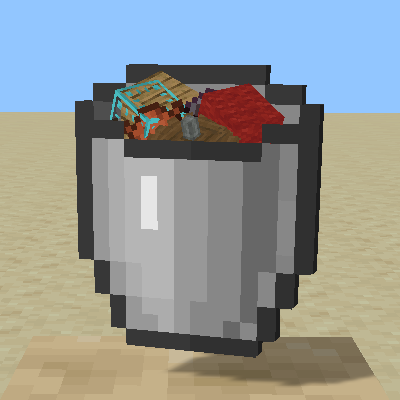
The Junk Bucket is a portable, first-in-first-out item container with nine stack slots. If you want the thing in the middle, you have to dump the older stacks first.
| Action |
Result |
| Use air |
Collect eligible nearby dropped items within 1.5 blocks |
| Sneak-use a block |
Eject the oldest stack beside that block |
| Sneak-use air |
Throw the oldest stack from the player; like Q |
| Use an animal |
Feed it a suitable stored food item |
| In an inventory screen |
Right-click between the bucket, cursor, and slots to insert or remove stacks |
Compatible stacks merge before using another entry. Freshly dropped items cannot be collected until their normal pickup delay expires. The tooltip and bar show the number of occupied stack entries. Collection and ejection each play a sound.
Stored items are rendered protruding from the bucket opening, with the oldest stack in front. Their layout is randomized whenever items are inserted, while their normal models, tint, and enchantment glint are preserved.
Sadly, no recursive Junk Buckets: Junk Buckets cannot store Junk Buckets, Trash Buckets, bundles, shulker boxes, or other items that opt out of container storage. They can store Big, Huge, Source, and Mob Buckets with their contents intact.
In a dispenser, the Junk Bucket first tries to feed one animal in front, then collects eligible item entities, and otherwise ejects its oldest stack. An animal or collectible item that cannot currently be processed prevents ejection.
Trash Bucket - Danger!
The Trash Bucket is a one-stack variant of the Junk Bucket. If incoming items fit the stored stack, they merge. Otherwise the stored stack is destroyed and replaced by the incoming item, up to that item's stack limit. Excess incoming items remain where they were.
| Action |
Result |
| Use near dropped items |
Collect one nearby eligible item entity |
| Sneak-use a block |
Eject the stored stack beside that block |
| Sneak-use air |
Throw the stored stack from the player |
| Use an animal |
Feed it if the stored item is suitable food |
| In an inventory screen |
Use/Sneak-use the bucket on a slot to add/eject |
The Trash Bucket has the Junk Bucket's storage restrictions.
In a dispenser, it follows the Junk Bucket's feed, collect, and eject priorities but processes only one dropped item entity per pulse.
Mob Bucket
The Mob Bucket holds up to eight mobs of one entity type.
| Action |
Result |
| Use an eligible mob |
Capture it with its state intact, including health, name, age, inventory, and UUID |
| Sneak-use a block |
Release the oldest stored mob into the adjacent space |
After the first capture, the bucket accepts only the same entity type until emptied. Players, non-mob entities, passengers, vehicles carrying passengers, and entity types in the somebuckets:mb_blacklist tag cannot be captured. The shipped blacklist contains the Ender Dragon and Wither.
Aquatic mobs require water at the release position. The bucket waterlogs a suitable block or places a water source where possible. Release fails if the mob does not fit or the destination cannot support the required water. In an ultra-warm dimension, the water evaporates, but the mob can still be released. The mob remains stored until it successfully enters the world. If its saved UUID is already used by a loaded entity, it receives a new one.
Capturing an aquatic mob also removes the water source block it occupies, so releasing and immediately recapturing one does not leave a free water block behind.
The tooltip shows the stored type and count, and the bucket is tinted with that entity's spawn-egg colors.
In a dispenser, the bucket first tries to capture an eligible mob in front. Any mob remaining in the target space prevents release. If the space contains no mob, the bucket releases its oldest stored mob.
Held-container transfers
Using a Big, Huge, or Source Bucket on air while holding a fluid container in the other hand transfers between them. A targeted block takes precedence. The other container may be a vanilla bucket, modded bucket, or tank item that exposes its loader's fluid storage API. Milk transfers only to or from a vanilla milk bucket.
Big and Huge Buckets transfer as much as the receiving container accepts. A Source Bucket can fill a compatible container without losing content, fill a Big or Huge Bucket to capacity, or accept compatible fluid without changing. An unassigned Source Bucket can be assigned by a transfer.
When a held stack contains multiple containers, the operation processes as many as possible. One legal result stack remains in the hand, and incompatible overflow is dropped at the player's feet.
Land claims
Some Buckets has direct Forge and Fabric integration with FTB Chunks. Player fluid, cauldron, milking, storage, and mob operations are checked as the acting player. Dispensers act as a stable fake player named [SomeBuckets], so the claim mod's fake-player and ally settings control automation.
Open Parties and Claims applies its normal interaction hooks and dispenser wrapper without a Some Buckets add-on. When more than one protection system checks an action, a denial from either prevents the operation.
Known limitation: FTB Chunks is the only claim mod with a dedicated Some Buckets adapter. With any other claim mod, a dispenser that feeds animals, captures or releases mobs, or vacuums or ejects item entities inside someone else's claim is not guaranteed to be stopped. Player-driven use still goes through vanilla protection.
Configuration and data packs
Forge worlds use serverconfig/somebuckets-server.toml:
allowedContents = ["minecraft:water", "minecraft:lava", "somebuckets:milk"]
Fabric uses config/somebuckets-server.json:
{
  "allowedContents": ["minecraft:water", "minecraft:lava", "somebuckets:milk"]
}
Registered fluid IDs may be added. somebuckets:milk represents milk, which is not a loader fluid. An empty list disables all Source Bucket contents. Unknown fluid IDs are ignored and logged. The allowlist does not affect Big or Huge Buckets.
Data packs can replace or remove all six recipes and extend the somebuckets:mb_blacklist entity tag. The mod also exposes somebuckets:empty_bucket and somebuckets:spawn_egg custom recipe ingredients.
Resource packs can replace the item models and textures. Both loaders clip the stored fluid's animated still texture to the bucket's content mask and apply its runtime color. NBT-dependent variant colors are preserved. There are no default advancements.
Creative mode behavior
In creative mode, some modded tanks may intercept a normal use and drain themselves without filling a Big Bucket.
Credits and license
A complete rewrite of the_will_bl's Big Buckets, with new kinds of buckets, for 1.20.1 Forge/Fabric .
License: GPL-3.0
Project description from CurseForge.