Fabric API Needed by Chat Alert chatalert-1.21.1-1.21.11.jar
requiredNo matching file
CurseForge · Minecraft mod
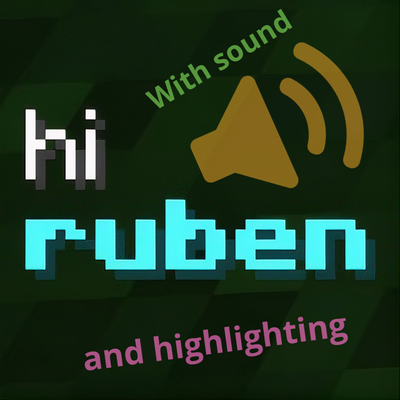
Highlights chosen words or phrases in chat and plays a custom sound when they appear
Quick answer
Chat Alert chatalert-1.21.1-1.21.11.jar targets 1.21.2-Snapshot, 1.21.6-snapshot, 1.21.8 with Fabric. The project page does not say whether this file belongs on the client, dedicated server, or both. 1 required mod needs a matching file.
Where it goes
The project page does not say whether this file belongs on the client, dedicated server, or both.
The source does not explicitly classify this release as client-only or server-only.
chatalert-1.21.1-1.21.11.jar on 1.21.2. Every mod below is checked against that same setup.
Install Fabric API first, but 1 required mod has no matching file for this setup. Do not mix loader builds to force a match.
We only count dependency files that match this setup. A file for another loader does not fill the gap.
Before you install it
Built for Chat Alert chatalert-1.21.1-1.21.11.jar on 1.21.2. Pick another file and the loader, install side or required mods may change.
Use chatalert-1.21.1-1.21.11.jar. It targets 1.21.2-Snapshot, 1.21.6-snapshot, 1.21.8 with Fabric; another release may have different loader, side or dependency requirements.
Install Fabric API first, but 1 required mod has no matching file for this setup. Do not mix loader builds to force a match.
The project page does not say whether this file belongs on the client, dedicated server, or both.
Use the “Get this file” button beside chatalert-1.21.1-1.21.11.jar. It opens that exact file at the source.
About this project
Never miss something said in chat again. Chat Alert watches for words or phrases you choose and, when they show up, can highlight them, play a custom sound from your PC, or both — configured separately for each word.
Everything lives under /chatalert: add, remove, list, sound, togglesound, togglehighlight, color, test.
Project description from CurseForge.
Pick your setup
Choose the version and loader you play, then open the matching release.
Showing the newest 12 of 17 game versions. Older files are in the list below.
Check the dependencies, then try the file in a copied instance before changing a world you care about.
Recent files
chatalert-1.21.1-1.0.0.jar
24 Aug 2026
Looking for an older file? The official CurseForge project page is in Resources.
 mod
A Minecraft mod that adds customizable timestamps to chat!
 mod
See any build as see-through ghost blocks in your world, with a materials list, layers and build copying.
 mod
Chalk allows you to draw marks for easier navigation in caves or structures, or as decoration