Minecraft version
Back to mods 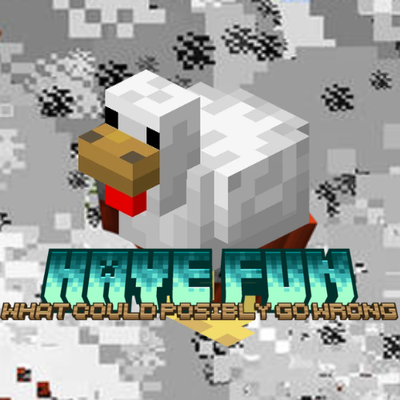
CurseForge · Minecraft mod
Have Fun - Editions Based
This mod adds a little variations to have a good time in minecraft. Use the Platyer Version if you're not a youtuber or don't find your edition.
Choose a version Pick your version below, then grab the matching file.
Quick answer
Which Have Fun - Editions Based release matches 26.1.2?
Best match for your filters have_fun-1.0.0-neoforge-26.1.2.jar
Game version 26.1.2
Loader NeoForge
Have Fun - Editions Based have_fun-1.0.0-neoforge-26.1.2.jar targets 26.1.2 with NeoForge. The project page does not say whether this file belongs on the client, dedicated server, or both. No extra mods listed for this file.
Where it goes
Is Have Fun - Editions Based required on the client, server, or both?
The project page does not say whether this file belongs on the client, dedicated server, or both.
Client Source doesn’t say
Dedicated server Source doesn’t say
Loader for this release NeoForge
Required install it here Optional supported, not mandatory Not supported do not install here Source doesn’t say do not assume
The source does not explicitly classify this release as client-only or server-only.
What else does Have Fun - Editions Based have_fun-1.0.0-neoforge-26.1.2.jar need?
have_fun-1.0.0-neoforge-26.1.2.jar on 26.1.2. Every mod below is checked against that same setup.
This file does not list any required mods. Do not add a library just because a different file uses it.
This file does not list any required or optional mods.
Before you install it
Add Have Fun - Editions Based without breaking your instance.
Built for Have Fun - Editions Based have_fun-1.0.0-neoforge-26.1.2.jar on 26.1.2. Pick another file and the loader, install side or required mods may change.
- 01
Stick to this file
Use have_fun-1.0.0-neoforge-26.1.2.jar. It targets 26.1.2 with NeoForge; another release may have different loader, side or dependency requirements.
- 02
Bring the mods it needs
This file does not list any required mods. Do not add a library just because a different file uses it.
- 03
Put it on the correct side
The project page does not say whether this file belongs on the client, dedicated server, or both.
- 04
Pick the file you checked
Use the “Get this file” button beside have_fun-1.0.0-neoforge-26.1.2.jar. It opens that exact file at the source.
About this project
What does Have Fun - Editions Based add?
Have Fun - Mod Edition Based
If you want to have a good time, I don't recommend reading this. Thanks.
Every version of the mod is a different edition. Don't install the latest one, because it may not have been made specifically for you.
Recommendation: Download the mod from the Changelog menu, not from the Versions menu. It's easier.
This project is uploaded to Modrinth to pass the security check.
What does this mod add?
This mod adds things to make vanilla Minecraft a little more fun, but it depends on the edition.
Casual Player Edition (Base Mod)
When you approach a mob, it explodes.
- Mobs that explode: Cow, Sheep, Pig, Iron Golem, Horse and Chicken.
- Bees automatically get mad at you and start attacking.
When you break blocks:
- Explosions: Planted Carrots, Planted Wheat, Planted Potatoes and Oak Logs.
- Multiplies: Crafting Table.
- Launches you far away: Furnace. (Vector: 10, 2, 10)
- Generates a creeper: Stone.
Current Editions
- Casual Player Edition
- EdaEsvila Edition (@edaesvila)
- This edition adds challenges to complete, related to the item Iron.
- Camman 18 Edition (@camman18)
- This edition references Camman 18 videos: his hate for birch wood, the "Big Guy", and the objective of getting diamonds.
Creator
- VoidyCat_
- YouTube: @trapsarefortraping
- Twitch: @voidycat_
- Discord Channel: In the YouTube and Twitch bios.
Extras
This mod was made with MCreator.
Sorry Forge Moderators, my mind collapsed ad deleted the first project and reupladed it with the changes. Thanks.
Project description from CurseForge.
Pick your setup
Have Fun - Editions Based by Minecraft version and loader
Choose the version and loader you play, then open the matching release.
Check the dependencies, then try the file in a copied instance before changing a world you care about.
Recent files
Have Fun - Editions Based versions and loaders
have_fun-1.0.0-neoforge-26.1.2.jar
26 Aug 2026
Client Source doesn’t say Server Source doesn’t say Dependencies No extras listed Listed on Release listing
Check the 26.1.2 · NeoForge setup NeoForge26.1.2 release
have_fun-eda_edition-1.1.0-neoforge-26.1.2.jar
have_fun-eda_edition-1.0.0-neoforge-26.1.2.jar
26 Aug 2026
Client Source doesn’t say Server Source doesn’t say Dependencies No extras listed Listed on Release listing
Check the 26.1.2 · NeoForge setup NeoForge26.1.2 release
have_fun-camman_18-1.0.0-neoforge-26.1.2.jar
24 Aug 2026
Client Source doesn’t say Server Source doesn’t say Dependencies No extras listed Listed on Release listing
Check the 26.1.2 · NeoForge setup NeoForge26.1.2 release
Looking for an older file? The official CurseForge project page is in Resources.
 mod
mod CurseForge + Modrinth · Minecraft
Handful
Make every item count! Present your stacks in your hand just like they'd appear dropped, giving them a fresh look.
 mod
mod CurseForge + Modrinth · Minecraft
PartialHearts
Exact health displayed with fractions of a heart.
 mod
mod CurseForge + Modrinth · Minecraft
Insta Grow
Instantly grow saplings into trees (even when they don't meet vanilla's requirements)