Create Needed by Create Container Tooltip createcontainertooltip-1.0.1+1.20.1-forge.jar
requiredMatching file found Matched file: Create 6.0.8 for mc1.20.1

CurseForge · Minecraft mod
A client-side addon for Create that provides improved visual tooltips for Packages and Toolboxes.
Quick answer
Create Container Tooltip createcontainertooltip-1.0.1+1.20.1-forge.jar targets 1.20.1 with Forge, NeoForge. The project page does not say whether this file belongs on the client, dedicated server, or both. All 3 required mods have matching files.
Where it goes
The project page does not say whether this file belongs on the client, dedicated server, or both.
The source does not explicitly classify this release as client-only or server-only.
createcontainertooltip-1.0.1+1.20.1-forge.jar on 1.20.1 Forge. Every mod below is checked against that same setup.
Install Create, Shulker Box Tooltip [Fabric/Forge/NeoForge], Cloth Config API (Fabric/Forge/NeoForge) first. We found matching files for this game-version and loader setup.
We only count dependency files that match this setup. A file for another loader does not fill the gap.
Before you install it
Built for Create Container Tooltip createcontainertooltip-1.0.1+1.20.1-forge.jar on 1.20.1 Forge. Pick another file and the loader, install side or required mods may change.
Use createcontainertooltip-1.0.1+1.20.1-forge.jar. It targets 1.20.1 with Forge, NeoForge; another release may have different loader, side or dependency requirements.
Install Create, Shulker Box Tooltip [Fabric/Forge/NeoForge], Cloth Config API (Fabric/Forge/NeoForge) first. We found matching files for this game-version and loader setup.
The project page does not say whether this file belongs on the client, dedicated server, or both.
Use the “Get this file” button beside createcontainertooltip-1.0.1+1.20.1-forge.jar. It opens that exact file at the source.
About this project
A client-side addon for Create that adds previews for Packages and Toolboxes directly in your inventory
Preview the contents of Create Packages directly from your inventory without opening them.
The preview automatically adapts to the contents of the Package and supports different layouts.
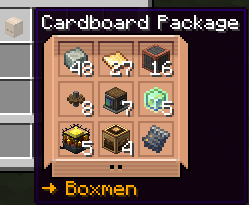
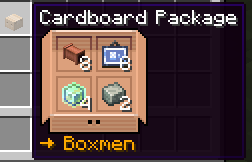
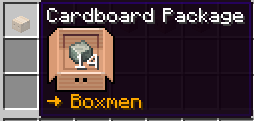
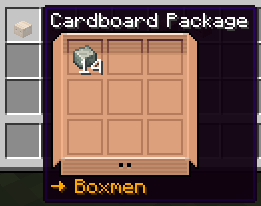
Hover over a Create Toolbox to preview its contents without opening it.
Toolbox previews support:
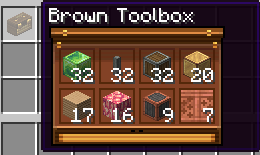
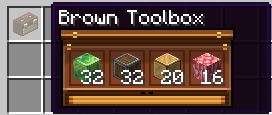
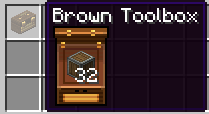
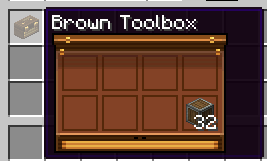
Toolbox previews automatically match the color of the Toolbox
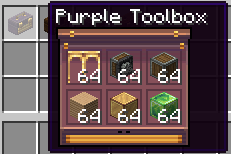
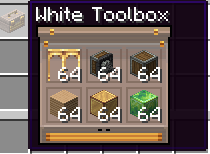
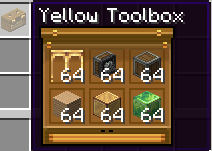
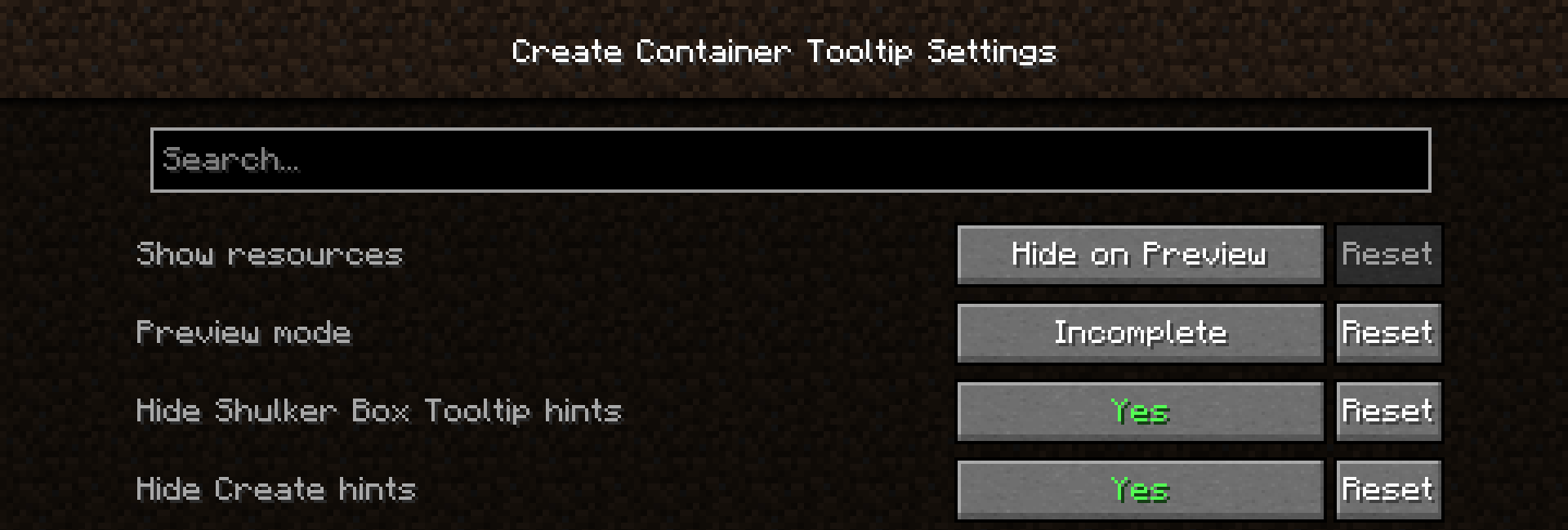
The mod provides several options for customizing the previews.
Controls how resource names are displayed below Package previews.
Choose how previews behave by default.
Base
Incomplete
Full
Hides the Shift, Shift + Alt and Ctrl hints for Package and Toolbox previews.
Hides Create's own Toolbox description and key hints.
Create Container Tooltip was built using ideas and code from:
Create Container Tooltip is a client-side mod. It does not need to be installed on the server.
Project description from CurseForge.
Pick your setup
Choose the version and loader you play, then open the matching release.
Check the dependencies, then try the file in a copied instance before changing a world you care about.
Recent files
29 Aug 2026
24 Aug 2026
Looking for an older file? The official CurseForge project page is in Resources.
 mod
modReduce MSPT spikes and server freezes caused by chunk generation and speed it up.
 mod
modProtect your lands using customizable gemstone wards with an intuitive GUI to manage players, flags, and visual borders.
 mod
modComplete physical economy system with tiered coins, functional wallets, lottery scratch-offs, and player-to-player auctions.