Minecraft version
Back to mods 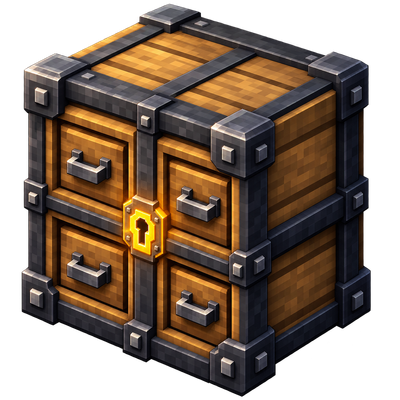
CurseForge · Minecraft mod
Vault Drawers
Port of Storage Drawers to Minecraft 26.2 / NeoForge 26.2.0.57. Interactive compartment storage blocks that display their contents, with capacity, void and speed upgrades, plus a controller network to manage entire storage walls from a single block.
Choose a version Pick your version below, then grab the matching file.
Quick answer
Which Vault Drawers release should I use?
beta file Vault Drawers (0.0.0-beta.8)
Game version 26.2
Loader NeoForge
Vault Drawers (0.0.0-beta.8) targets 26.2 with NeoForge. The project page does not say whether this file belongs on the client, dedicated server, or both. No extra mods listed for this file.
Where it goes
Is Vault Drawers required on the client, server, or both?
The project page does not say whether this file belongs on the client, dedicated server, or both.
Client Source doesn’t say
Dedicated server Source doesn’t say
Loader for this release NeoForge
Required install it here Optional supported, not mandatory Not supported do not install here Source doesn’t say do not assume
The source does not explicitly classify this release as client-only or server-only.
What else does Vault Drawers (0.0.0-beta.8) need?
Vault Drawers (0.0.0-beta.8). Change the file and its required mods may change too.
This file does not list any required mods. Do not add a library just because a different file uses it.
This file does not list any required or optional mods.
Before you install it
Add Vault Drawers without breaking your instance.
Built for Vault Drawers (0.0.0-beta.8). Pick another file and the loader, install side or required mods may change.
- 01
Stick to this file
Use Vault Drawers (0.0.0-beta.8). It targets 26.2 with NeoForge; another release may have different loader, side or dependency requirements.
- 02
Bring the mods it needs
This file does not list any required mods. Do not add a library just because a different file uses it.
- 03
Put it on the correct side
The project page does not say whether this file belongs on the client, dedicated server, or both.
- 04
Pick the file you checked
Use the “Get this file” button beside Vault Drawers (0.0.0-beta.8). It opens that exact file at the source.
About this project
What does Vault Drawers add?
🗃️ Vault Drawers
Interactive compartment storage for your workshops — NeoForge 26.2 port.
✨ Overview
Vault Drawers is a port of the classic Storage Drawers mod to Minecraft 26.2 (NeoForge 26.2.0.57). It adds interactive, compartmentalized storage blocks that visually display their contents and upgrade over time.
Every drawer shows its stored items on the front face. Upgrade drawers with capacity upgrades, void upgrades, trim, and controllers to build massive, automated storage walls.
🎯 Features
📦 Storage Drawers
- Basic Drawers — 1, 2, 4 compartment variants (Oak, Spruce, Birch, Jungle, Acacia, Dark Oak, Mangrove, Cherry, Bamboo, Crimson, Warped)
- Full Blocks — 1, 2, 4 compartment full-block variants
- Half Blocks — Slab-height drawers for compact builds
- Trim — Decorative wood/metal trim variants
⬆️ Upgrades
- Capacity Upgrade — Increases stack limit per slot (up to 64x)
- Void Upgrade — Deletes excess items when full
- Speed Upgrade — Faster insertion/extraction rates
- Upgrade Slots — 1–4 slots depending on drawer tier
🎮 Controller System
- Controller — Central block linking up to 512 drawers via Controller Slaves
- Controller Slave — Extends controller range
- Access via single block — Insert/extract from entire network
- Redstone modes — Disable, eject, round-robin, priority
🔧 Integration & Compat
- JEI — Recipe viewing for upgrades, trim, controllers
- JADE / The One Probe — Hover tooltips showing contents, upgrades, capacity
- FTB Chunks — Chunk claim integration (access control)
- FTB Teams — Team-based drawer access
- Architectury API — Cross-loader compatibility layer
⚙️ Configuration
All drawer capacities, upgrade limits, controller range, and integration toggles are configurable via config file.
📋 Requirements
| Minecraft | 26.2 |
|---|---|
| NeoForge | 26.2.0.57+ |
| Java | 21+ |
🎮 How to Use
- Install the mod (requires NeoForge 26.2.0.57+).
- Craft drawers using vanilla wood planks + chest.
- Place drawers — they face the player on placement.
- Insert items: right-click with item in hand, or use hoppers/pipes.
- Apply upgrades: right-click drawer with upgrade item.
- Build a controller network: place Controller, link Slaves, connect drawers.
🙏 Credits
Original Mod: Storage Drawers by Texelsaur (MIT License) — CurseForge page
Port & Maintenance: Stalking Dragons
This is an independent port for NeoForge 26.2. All original assets, code logic, and design belong to Texelsaur. This port adapts the 1.21.1 codebase to Minecraft 26.2 / NeoForge 26.2.0.57.

https://codex.skdragons.com/
Codex Stalking Dragons — Minecraft Modding
Project description from CurseForge.
Pick your setup
Vault Drawers by Minecraft version and loader
Choose the version and loader you play, then open the matching release.
Check the dependencies, then try the file in a copied instance before changing a world you care about.
Recent files
Vault Drawers versions and loaders
Vault Drawers (0.0.0-beta.8)
vault_drawers-26.2-neoforge-26.2.0.57-0.0.0-beta.8.jar
29 Aug 2026
Client Source doesn’t say Server Source doesn’t say Dependencies No extras listed Listed on Release listing
Check the 26.2 · NeoForge setup NeoForge26.2 beta
Vault Drawers (0.0.0-beta.7)
vault_drawers-26.2-neoforge-26.2.0.57-0.0.0-beta.7.jar
28 Aug 2026
Client Source doesn’t say Server Source doesn’t say Dependencies No extras listed Listed on Release listing
Check the 26.2 · NeoForge setup NeoForge26.2 beta
Vault Drawers (0.0.0-beta.6)
vault_drawers-26.2-neoforge-26.2.0.57-0.0.0-beta.6.jar
28 Aug 2026
Client Source doesn’t say Server Source doesn’t say Dependencies No extras listed Listed on Release listing
Check the 26.2 · NeoForge setup NeoForge26.2 beta
Vault Drawers (0.0.0-beta.5)
vault_drawers-26.2-neoforge-26.2.0.57-0.0.0-beta.5.jar
27 Aug 2026
Client Source doesn’t say Server Source doesn’t say Dependencies No extras listed Listed on Release listing
Check the 26.2 · NeoForge setup NeoForge26.2 beta
Vault Drawers (0.0.0-beta.4)
vault_drawers-26.2-neoforge-26.2.0.57-0.0.0-beta.4.jar
25 Aug 2026
Client Source doesn’t say Server Source doesn’t say Dependencies No extras listed Listed on Release listing
Check the 26.2 · NeoForge setup NeoForge26.2 beta
Vault Drawers (0.0.0-beta.3)
vault_drawers-26.2-neoforge-26.2.0.57-0.0.0-beta.3.jar
25 Aug 2026
Client Source doesn’t say Server Source doesn’t say Dependencies No extras listed Listed on Release listing
Check the 26.2 · NeoForge setup NeoForge26.2 beta
Vault Drawers (0.0.0-beta.2)
vault_drawers-26.2-neoforge-26.2.0.57-0.0.0-beta.2.jar
25 Aug 2026
Client Source doesn’t say Server Source doesn’t say Dependencies No extras listed Listed on Release listing
Check the 26.2 · NeoForge setup NeoForge26.2 beta
Vault Drawers (0.0.0-beta.1)
vault_drawers-26.2-neoforge-26.2.0.57-0.0.0-beta.1.jar
25 Aug 2026
Client Source doesn’t say Server Source doesn’t say Dependencies No extras listed Listed on Release listing
Check the 26.2 · NeoForge setup NeoForge26.2 beta
Looking for an older file? The official CurseForge project page is in Resources.
 mod
mod CurseForge + Modrinth · Minecraft
Mutant Monsters
The mutants are back! Face scary creatures and powerful beasts like never before.
 mod
mod CurseForge + Modrinth · Minecraft
Koreanify
Improves Korean chat and IME compatibility as a client-side utility. (mc26.1+)
 mod
mod CurseForge + Modrinth · Minecraft
LAN World Plug-n-Play
LAN World Plug-n-Play (mcwifipnp)