Minecraft version
Back to mods 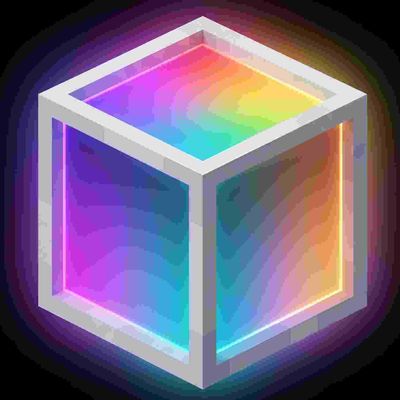
CurseForge · Minecraft mod
Beat Lamp
Real-time music visualizer lamps with equalizer modes, RGB effects, and particles.
Choose a version Pick your version below, then grab the matching file.
Quick answer
Which Beat Lamp release should I use?
Latest stable file beatlamp-neoforge-1.21.1-1.0.0.jar
Game version 1.21.1
Loader NeoForge
Beat Lamp beatlamp-neoforge-1.21.1-1.0.0.jar targets 1.21.1 with NeoForge. The project page does not say whether this file belongs on the client, dedicated server, or both. No extra mods listed for this file.
Where it goes
Is Beat Lamp required on the client, server, or both?
The project page does not say whether this file belongs on the client, dedicated server, or both.
Client Source doesn’t say
Dedicated server Source doesn’t say
Loader for this release NeoForge
Required install it here Optional supported, not mandatory Not supported do not install here Source doesn’t say do not assume
The source does not explicitly classify this release as client-only or server-only.
What else does Beat Lamp beatlamp-neoforge-1.21.1-1.0.0.jar need?
beatlamp-neoforge-1.21.1-1.0.0.jar. Change the file and its required mods may change too.
This file does not list any required mods. Do not add a library just because a different file uses it.
This file does not list any required or optional mods.
Before you install it
Add Beat Lamp without breaking your instance.
Built for Beat Lamp beatlamp-neoforge-1.21.1-1.0.0.jar. Pick another file and the loader, install side or required mods may change.
- 01
Stick to this file
Use beatlamp-neoforge-1.21.1-1.0.0.jar. It targets 1.21.1 with NeoForge; another release may have different loader, side or dependency requirements.
- 02
Bring the mods it needs
This file does not list any required mods. Do not add a library just because a different file uses it.
- 03
Put it on the correct side
The project page does not say whether this file belongs on the client, dedicated server, or both.
- 04
Pick the file you checked
Use the “Get this file” button beside beatlamp-neoforge-1.21.1-1.0.0.jar. It opens that exact file at the source.
About this project
What does Beat Lamp add?
Beat Lamp
Beat Lamp is a multi-loader mod for Minecraft 1.21.1 (Fabric, NeoForge, Forge) that brings a complete real-time stage lighting and concert visualizer ecosystem to your jukebox music using client-side FFT audio processing. It works seamlessly with vanilla discs, resource pack audio, and modded music discs.
Blocks & Items
Beat Lamp
An audio-reactive matrix lamp block that glows, pulses, and animates according to music playing from nearby jukeboxes.
- Modes: Pulse, RGB, Spectrum, VU Meter, Oscilloscope, Matrix Rain, Ripple, Wave, Scan.
- Colors: 16 vanilla dye colors, plus OLED mode (black when silent, rainbow when music plays).
- Appearance: Supports frameless style, seamless solid blackback OLED surface, and particle effects.
Stage Light
A concert spotlight fixture that projects dynamic dual-layer 3D volumetric light beams into the air.
- Modes: Sweep, Beat Step, Static, Strobe, Chase.
- Customization: Full RGB color palette, adjustable beam angle, length, and sweep speed.
RGB Laser Projector
A high-energy stage laser system projecting brilliant 3D multi-beam laser fans.
- Modes: Fan Sweep, Cone Spin, Static Fan, Beat Burst.
- Customization: 1 to 16 laser beams, RGB color selection, and adjustable rotation speed.
Beat Fountain
A musical particle fountain fixture that launches explosive firework and spark bursts on bass drops and drum kicks.
- Particle Styles: Flame, Soul Flame, Firework, Glow, Spark, Dust, Mixed.
- Triggers: Bass Kick, Drop Energy, or Constant Pulse with customizable height and sensitivity.
Stage Fog Generator
A ground fog machine that generates atmospheric, realistic low-lying stage fog.
- Densities: Low, Medium, High.
- Behavior: Naturally dissipates and hugs the floor for concert stage ambiance.
Beat Emitter
A redstone source block that outputs analog redstone signals (0 to 15) matching real-time music energy, frequency bands, and bass drops.
- Modes: Pulse, Drop, Energy, Kick, Snare, Hi-Hat.
- Settings: Adjustable sensitivity threshold, signal inversion, and instant block updates.
Master DMX Console
A central command desk for full stage lighting management.
- OLED Display: Real-time FFT audio waveform and frequency spectrum monitor.
- Master Overrides: Instant [BLACKOUT] (kill all lights) and [STROBE ALL] (blinding concert strobe).
- Faders: Master Dimmer (0–100%) and Master Speed (0.25x–3.0x).
- Stage Groups Manager: Monitor, rename, pin, and control multiple linked fixture groups from one desk.
Stage Props & Audio
- Stage Jukebox: Titan Obsidian and Neon styled jukebox that safely preserves music discs in Creative mode.
- DJ Deck: Glowing neon DJ mixing station with illuminated turntables and RGB pads (stage prop).
- Stage Speaker: Professional Line Array stage speaker cabinet with titanium horns (stage prop).
Tools
- Lamp Controller (
beatlamp:controller): Configure any fixture menu with right-click, and bind exclusive jukebox audio sources. - Group Linker (
beatlamp:linker): Box-select large areas to instantly link fixtures into synchronized groups with 3D laser boundary preview.
Crafting Recipes
- Beat Lamp (x4): 7 Glass surrounding 1 Redstone Lamp and 1 Note Block.
- Beat Emitter (x1): 1 Note Block + 4 Redstone Dust (shapeless).
- Stage Light (x1): 1 Sea Lantern + 1 Glass + 1 Redstone Dust (shapeless).
- Laser Projector (x1): 1 Amethyst Shard + 1 Glowstone Dust + 1 Iron Ingot + 1 Redstone Dust (shapeless).
- Beat Fountain (x1): 1 Dispenser + 1 Firework Rocket + 1 Redstone Dust (shapeless).
- Fog Generator (x1): 1 Campfire + 1 Smooth Stone + 1 Redstone Dust (shapeless).
- Master DMX Console (x1): 1 Redstone Comparator + 1 Iron Ingot + 1 Smooth Stone + 1 Redstone Dust (shapeless).
- Stage Jukebox (x1): 1 Jukebox + 1 Obsidian + 1 Amethyst Shard + 1 Redstone Dust (shapeless).
- DJ Deck (x1): 1 Iron Bars + 1 Obsidian + 1 Redstone Dust + 1 Glowstone Dust (shapeless).
- Stage Speaker (x1): 1 Note Block + 1 Iron Ingot + 1 Oak Planks + 1 Redstone Dust (shapeless).
- Lamp Controller (x1): 5 Iron Ingots, 1 Beat Lamp, 1 Redstone Dust (shaped).
- Group Linker (x1): 3 Iron Ingots, 2 Gold Ingots, 1 Redstone Dust (shaped).
How to Use
Basic Controls
- Right-click fixture: Cycle through primary modes or toggle state.
- Sneak + right-click with dye: Apply that dye color directly to lamps and lights.
- Hold Shift on items: View detailed in-game usage guide tooltips.
Using the Lamp Controller
- Open Configuration GUI: Right-click any stage fixture with the controller to open its dedicated dark-mode settings screen.
- Bind a specific jukebox: Sneak + right-click a jukebox with the controller to select the audio source, then right-click any fixture to bind it exclusively to that jukebox.
Using the Group Linker
- Link a group of fixtures: Right-click block 1 at one corner of your setup, then right-click block 2 at the opposite diagonal corner. All matching fixtures within the 3D laser box will link into a synchronized group.
- Cancel selection: Sneak + right-click the air to clear the current selection.
Using the Master DMX Console
- Master Stage Controls: Place the console within 64 blocks of your fixtures. Toggle Blackout or Strobe All, and slide Master Dimmer or Master Speed to control all DMX-linked fixtures simultaneously in real-time.
Requirements
- Minecraft 1.21.1
- Fabric (Fabric Loader >= 0.16.0 + Fabric API), NeoForge (1.21.1), or Forge (1.21.1)
- Java 21
Project description from CurseForge.
Pick your setup
Beat Lamp by Minecraft version and loader
Choose the version and loader you play, then open the matching release.
Check the dependencies, then try the file in a copied instance before changing a world you care about.
Recent files
Beat Lamp versions and loaders
beatlamp-neoforge-1.21.1-1.0.0.jar
31 Aug 2026
Client Source doesn’t say Server Source doesn’t say Dependencies No extras listed Listed on Release listing
Check the 1.21.1 · NeoForge setup 1.21.1NeoForge release
beatlamp-forge-1.21.1-1.0.0.jar
31 Aug 2026
Client Source doesn’t say Server Source doesn’t say Dependencies No extras listed Listed on Release listing
Check the 1.21.1 · Forge setup Forge1.21.1 release
beatlamp-fabric-1.21.1-1.0.0.jar
31 Aug 2026
Client Source doesn’t say Server Source doesn’t say Dependencies 1 required · 1 unchecked Listed on Release listing
Check the 1.21.1 · Fabric setup Fabric1.21.1 release
beatlamp-0.1.0-beta.1.jar
25 Aug 2026
Client Source doesn’t say Server Source doesn’t say Dependencies 1 required · 1 unchecked Listed on Release listing
Check the 1.21.1 · Fabric setup Fabric1.21.1 release
Looking for an older file? The official CurseForge project page is in Resources.
 mod
mod CurseForge + Modrinth · Minecraft
Chef's Workbench
Build a functional Minecraft kitchen to cook, fry, bake, steam, and boil food with specialized cooking stations.
 mod
mod CurseForge + Modrinth · Minecraft
Red Bits
Vanilla style redstone additions and improvements
 mod
mod CurseForge · Minecraft
Ad Astra
Live long and prosper, Ad Astra!