Minecraft version
Back to mods 
CurseForge · Minecraft mod
StreamShield
Keeps your stream safe: anonymizes player names, normalizes item names, redacts sensitive keywords, and hides HUD elements via an OBS overlay.
Choose a version Pick your version below, then grab the matching file.
Quick answer
Which StreamShield release matches 26.1.2?
Best match for your filters [26.1.2]StreamShield-1.1.1-neoforge.jar
Game version 26.1.2
Loader NeoForge
StreamShield [26.1.2]StreamShield-1.1.1-neoforge.jar targets 26.1.2 with NeoForge. The project page does not say whether this file belongs on the client, dedicated server, or both. No extra mods listed for this file.
Where it goes
Is StreamShield required on the client, server, or both?
The project page does not say whether this file belongs on the client, dedicated server, or both.
Client Source doesn’t say
Dedicated server Source doesn’t say
Loader for this release NeoForge
Required install it here Optional supported, not mandatory Not supported do not install here Source doesn’t say do not assume
The source does not explicitly classify this release as client-only or server-only.
What else does StreamShield [26.1.2]StreamShield-1.1.1-neoforge.jar need?
[26.1.2]StreamShield-1.1.1-neoforge.jar on 26.1.2. Every mod below is checked against that same setup.
This file does not list any required mods. Do not add a library just because a different file uses it.
This file does not list any required or optional mods.
Before you install it
Add StreamShield without breaking your instance.
Built for StreamShield [26.1.2]StreamShield-1.1.1-neoforge.jar on 26.1.2. Pick another file and the loader, install side or required mods may change.
- 01
Stick to this file
Use [26.1.2]StreamShield-1.1.1-neoforge.jar. It targets 26.1.2 with NeoForge; another release may have different loader, side or dependency requirements.
- 02
Bring the mods it needs
This file does not list any required mods. Do not add a library just because a different file uses it.
- 03
Put it on the correct side
The project page does not say whether this file belongs on the client, dedicated server, or both.
- 04
Pick the file you checked
Use the “Get this file” button beside [26.1.2]StreamShield-1.1.1-neoforge.jar. It opens that exact file at the source.
About this project
What does StreamShield add?
StreamShield
StreamShield is a client-side privacy mod for Minecraft streaming. It rewrites sensitive text only on your client and can keep selected HUD elements out of OBS Game Capture while they remain visible in-game.
Available for Fabric and NeoForge on Minecraft 1.21.11 and 26.1.x (tested on 26.1.2).
Features
- Player-name privacy — replaces other player names with stable, per-session aliases across name tags, TAB, chat, and scoreboards.
- Self-name modes — hide your own name, use a custom formatted nickname, keep your real name, or use a random alias. Your chosen self-name mode takes priority everywhere.
- Chat-input sanitization — optionally hides known player names while you type without changing the message actually sent to the server.
- Text redaction — hides configured words, server addresses, server names, and optional strict safety-list terms in rendered text.
- Scoreboard rules — create ordered match-and-replace rules with enable, add, delete, and move controls.
- Localized item-name normalization — renamed items display their normal localized Minecraft name on your client only; item data, anvil input, and server behavior are unchanged.
- Skin obfuscation — render players with Steve, or assign configurable substitute skins from a Mojang-account ID pool.
- OBS overlay — redirects selected HUD components, including chat, TAB, scoreboards, titles, effects, hotbar, health, armor, hunger, air, vehicle health, and experience, away from OBS capture while keeping them visible to you. Windows only.
Screenshots
| Original | Name anonymization |
|---|---|
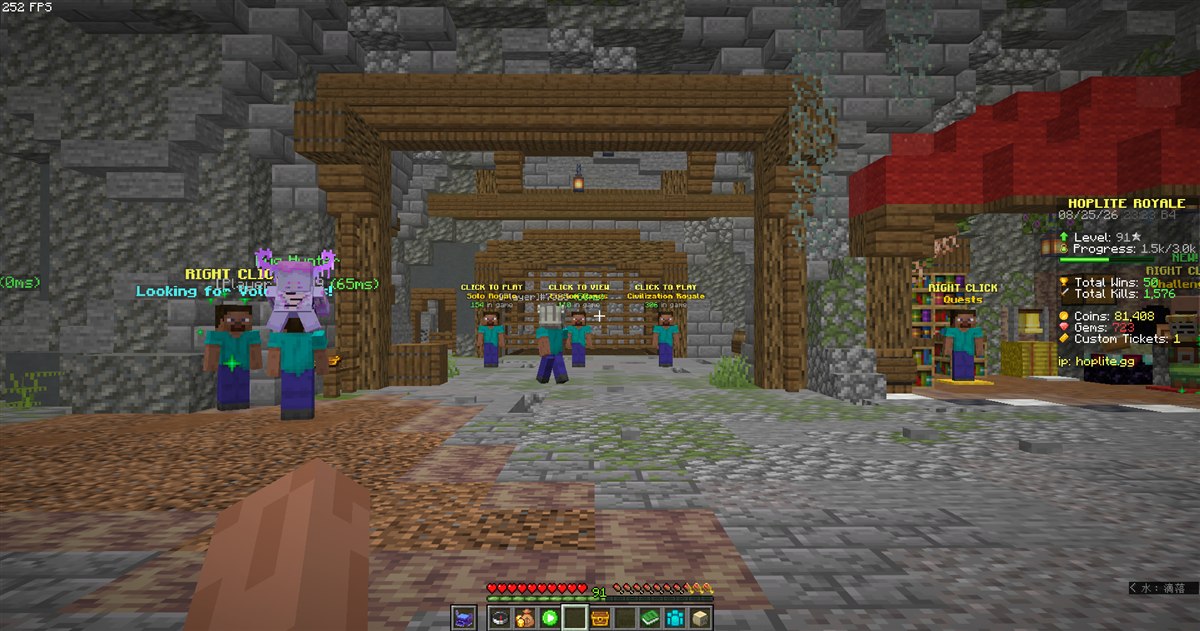 |
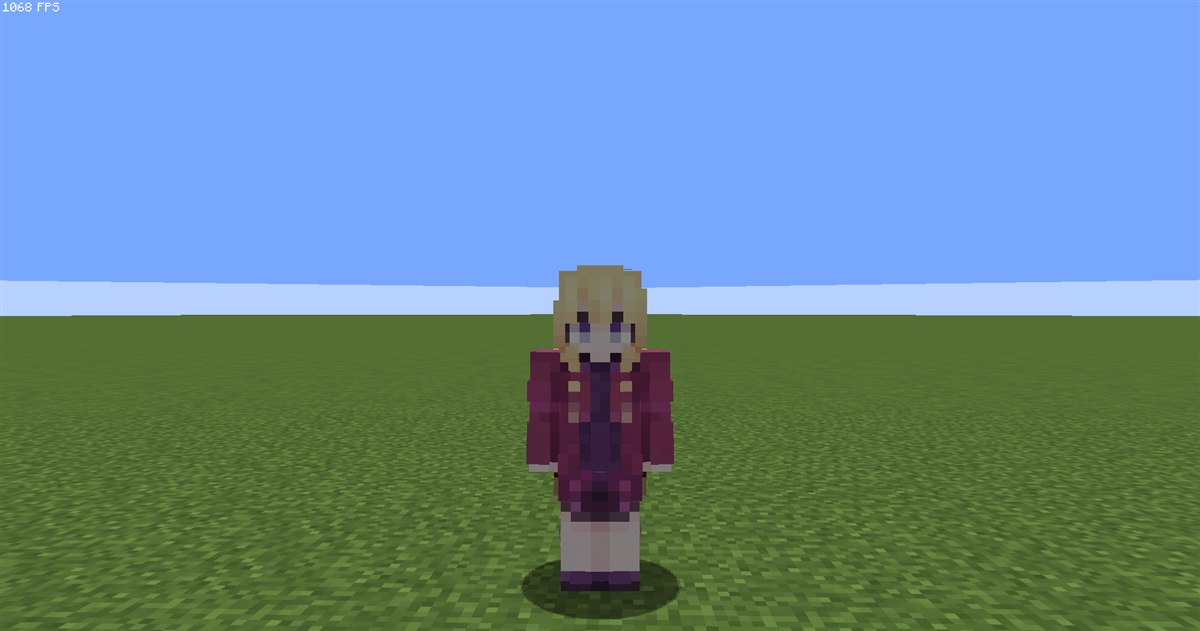 |
| Skin obfuscation (Steve) | Custom scoreboard |
|---|---|
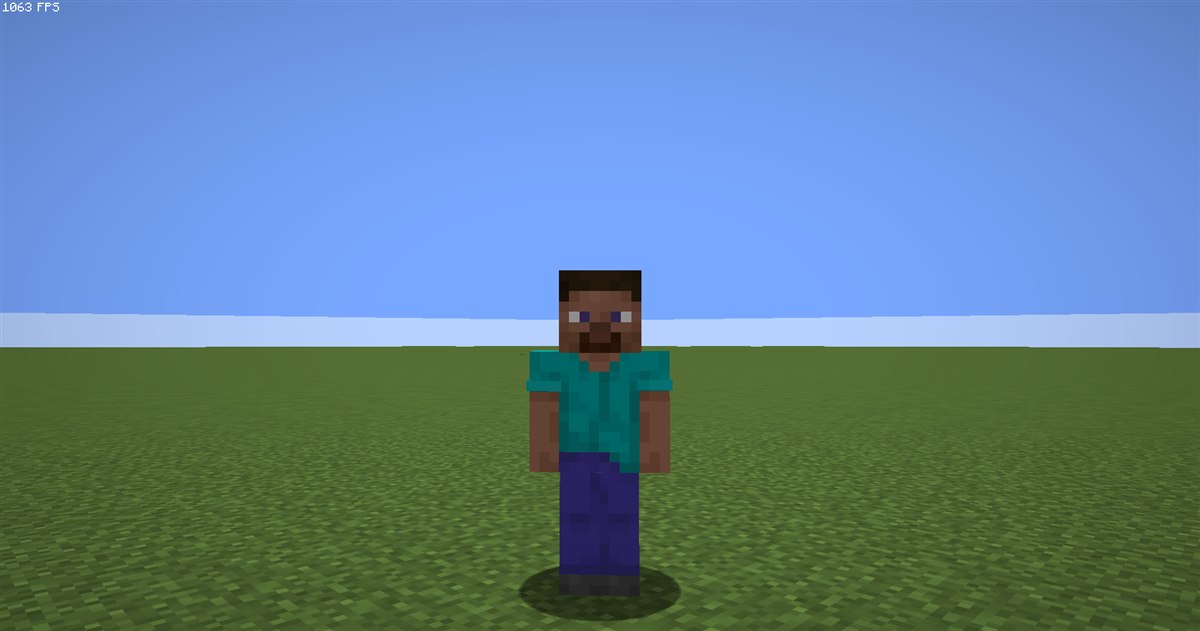 |
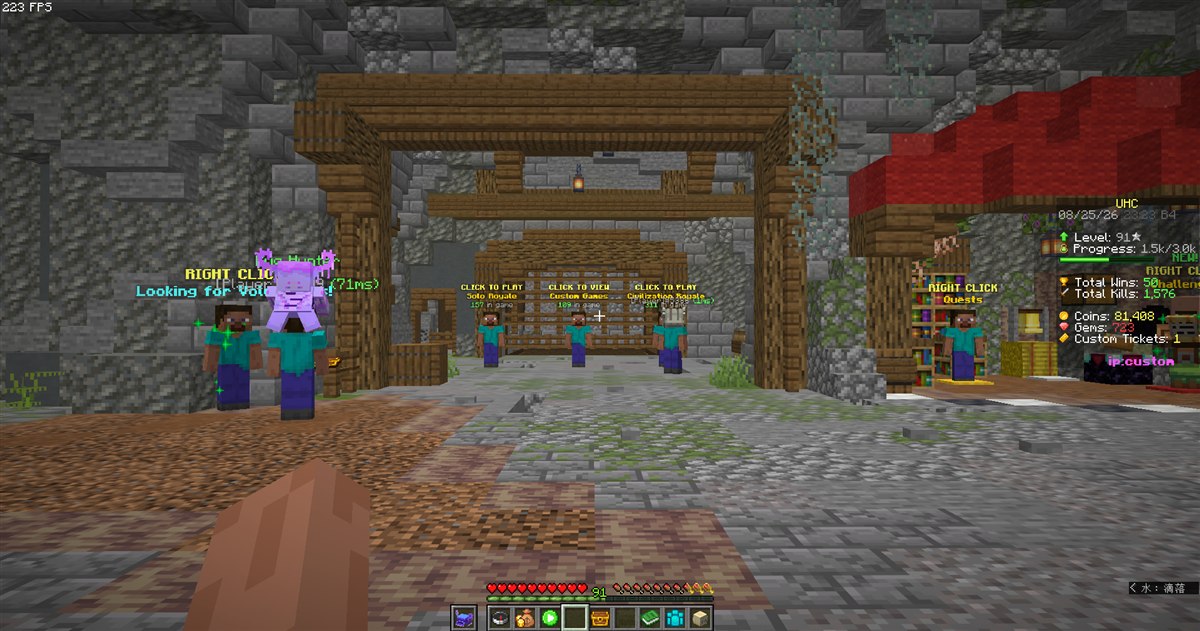 |
| Item name normalization | OBS overlay (full) |
|---|---|
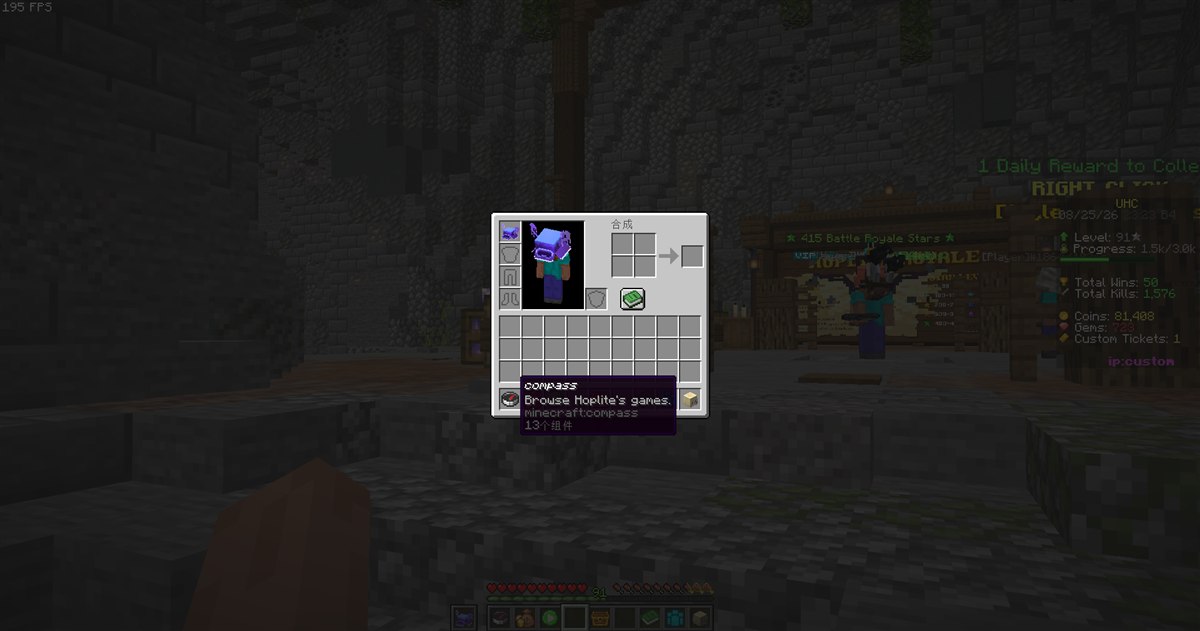 |
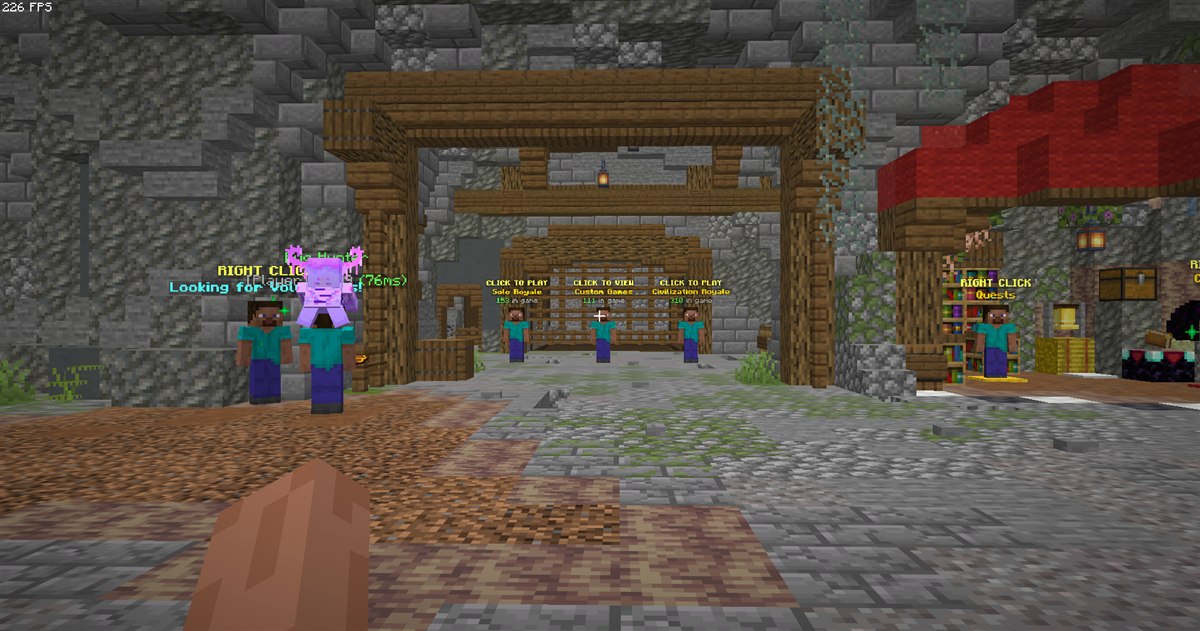 |
Requirements
Choose the jar matching both your Minecraft version and mod loader.
| Loader | Required dependencies |
|---|---|
| Fabric | Fabric Loader, Fabric API, Architectury API, Cloth Config API |
| NeoForge | NeoForge, Architectury API (NeoForge), Cloth Config API (NeoForge) |
| Minecraft | Java |
|---|---|
| 1.21.11 | 21+ |
| 26.1.x | 25+ |
Mod Menu is optional on Fabric and provides a convenient Configure button. The OBS overlay is Windows-only and is intended for OBS Game Capture; test your capture setup before streaming.
Important notes
- StreamShield changes client-side presentation only. It does not alter server data or outgoing chat messages.
- Custom self names support Minecraft legacy formatting codes such as
§d§l, plus&aliases such as&d&l. Use&&for a literal ampersand. - Some server-rendered scoreboards use unusual rendering paths and may not be fully rewriteable.
License and attribution
StreamShield is released under the MIT License. Its OBS overlay implementation is ported from obs-overlay by zziger / Artem Dzhemesiuk, also under MIT. The required notice and license are bundled with the mod.
Project description from CurseForge.
Pick your setup
StreamShield by Minecraft version and loader
Choose the version and loader you play, then open the matching release.
Minecraft version
26.1.1
1 loader buildMinecraft version
26.1
1 loader buildMinecraft version
1.21.11
2 loader buildsCheck the dependencies, then try the file in a copied instance before changing a world you care about.
Recent files
StreamShield versions and loaders
[26.1.2]StreamShield-1.1.1-neoforge.jar
4 Sept 2026
Client Source doesn’t say Server Source doesn’t say Dependencies No extras listed Listed on Release listing
Check the 26.1.2 · NeoForge setup NeoForge26.1.2 release
[26.1.2]StreamShield-1.1.1-fabric.jar
4 Sept 2026
Client Source doesn’t say Server Source doesn’t say Dependencies No extras listed Listed on Release listing
Check the 26.1.2 · Fabric setup Fabric26.1.2 release
[26.1.2]StreamShield-1.1.0.jar
27 Aug 2026
Client Source doesn’t say Server Source doesn’t say Dependencies No extras listed Listed on Release listing
Check the 26.1.2 · Fabric setup Fabric26.126.1.126.1.2 release
Looking for an older file? The official CurseForge project page is in Resources.