Minecraft version
Back to mods 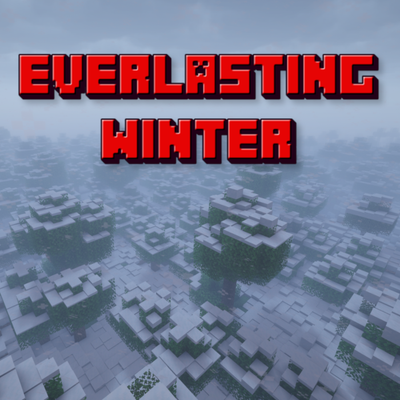
CurseForge · Minecraft mod
Everlasting Winter - Eternal Snow
Everlasting Winter creates continuous snowfall for a configurable list of biomes.
Choose a version Pick your version below, then grab the matching file.
Quick answer
Which Everlasting Winter - Eternal Snow release should I use?
Latest stable file 1.1.0 (NeoForge 26.3)
Game version 26.3
Loader NeoForge
Everlasting Winter - Eternal Snow 1.1.0 (NeoForge 26.3) targets 26.3 with NeoForge. The project page does not say whether this file belongs on the client, dedicated server, or both. No extra mods listed for this file.
Where it goes
Is Everlasting Winter - Eternal Snow required on the client, server, or both?
The project page does not say whether this file belongs on the client, dedicated server, or both.
Client Source doesn’t say
Dedicated server Source doesn’t say
Loader for this release NeoForge
Required install it here Optional supported, not mandatory Not supported do not install here Source doesn’t say do not assume
The source does not explicitly classify this release as client-only or server-only.
What else does Everlasting Winter - Eternal Snow 1.1.0 (NeoForge 26.3) need?
1.1.0 (NeoForge 26.3). Change the file and its required mods may change too.
This file does not list any required mods. Do not add a library just because a different file uses it.
This file does not list any required or optional mods.
Before you install it
Add Everlasting Winter - Eternal Snow without breaking your instance.
Built for Everlasting Winter - Eternal Snow 1.1.0 (NeoForge 26.3). Pick another file and the loader, install side or required mods may change.
- 01
Stick to this file
Use 1.1.0 (NeoForge 26.3). It targets 26.3 with NeoForge; another release may have different loader, side or dependency requirements.
- 02
Bring the mods it needs
This file does not list any required mods. Do not add a library just because a different file uses it.
- 03
Put it on the correct side
The project page does not say whether this file belongs on the client, dedicated server, or both.
- 04
Pick the file you checked
Use the “Get this file” button beside 1.1.0 (NeoForge 26.3). It opens that exact file at the source.
About this project
What does Everlasting Winter - Eternal Snow add?
Everlasting Winter
Everlasting Winter creates continuous snowfall for a configurable list of biomes.
Features
- Custom Biome Selection: Choose exactly which biomes receive snowfall via a simple list of biome IDs.
- Persistent Snow: Keeps the weather in a continuous snowing state.
- Temperature Override: Adjust biome temperatures to make them cold enough for snow to form.
- Dynamic Snow Stacking: Snow builds up layer by layer (1–8 layers, configurable max depth). Once 8 layers are reached, it forms a full snow block and keeps stacking.
- Snow below Trees: Snow collects under trees instead of being blocked by leaves.
- Plant Replacements: Automatically replaces crops, short grass, tall grass, small mushrooms, small flowers, and tall flowers with snow layers (individually configurable).
- Torch Replacement: Replaces torches on the ground with snow layers (individually configurable).
- Path and Farmland Replacements: Breaks pathways and farmland (individually configurable)
- Powder Snow: Turn snow to powder snow (configurable)
- Custom Command: Use command to control snowing
Configuration
The Fabric config file is located at config/everlastingwinter.json.
Project description from CurseForge.
Pick your setup
Everlasting Winter - Eternal Snow by Minecraft version and loader
Choose the version and loader you play, then open the matching release.
Minecraft version
26.2
2 loader buildsMinecraft version
26.1.2
2 loader buildsMinecraft version
26.1.1
2 loader buildsMinecraft version
26.1
2 loader buildsMinecraft version
1.21.11
1 loader buildMinecraft version
1.21.1
2 loader buildsMinecraft version
1.21
1 loader buildMinecraft version
1.20.1
2 loader buildsMinecraft version
1.20
1 loader buildMinecraft version
1.19.2
1 loader buildCheck the dependencies, then try the file in a copied instance before changing a world you care about.
Recent files
Everlasting Winter - Eternal Snow versions and loaders
1.1.0 (NeoForge 26.3)
EverlastingWinter-1.1.0-NeoForge-mc26.3.jar
4 Nov 2026
Client Source doesn’t say Server Source doesn’t say Dependencies No extras listed Listed on Release listing
Check the 26.3 · NeoForge setup NeoForge26.3 release
1.1.0 (NeoForge 26.1.2)
EverlastingWinter-1.1.0-NeoForge-mc26.1.2.jar
4 Nov 2026
Client Source doesn’t say Server Source doesn’t say Dependencies No extras listed Listed on Release listing
Check the 26.2 · NeoForge setup NeoForge26.126.1.126.1.2 release
1.1.0 (Fabric 26.1.2)
EverlastingWinter-1.1.0-Fabric-mc26.1.2.jar
3 Nov 2026
Client Source doesn’t say Server Source doesn’t say Dependencies No extras listed Listed on Release listing
Check the 26.3 · Fabric setup Fabric26.126.1.126.1.2 release
1.1.0 (Fabric 1.21.11)
EverlastingWinter-1.1.0-Fabric-mc1.21.11.jar
3 Nov 2026
Client Source doesn’t say Server Source doesn’t say Dependencies No extras listed Listed on Release listing
Check the 1.21.11 · Fabric setup Fabric1.21.11 release
1.1.0 (NeoForge 1.21.1)
EverlastingWinter-1.1.0-NeoForge-mc1.21.1.jar
3 Nov 2026
Client Source doesn’t say Server Source doesn’t say Dependencies No extras listed Listed on Release listing
Check the 1.21.1 · NeoForge setup 1.21.1NeoForge release
1.1.0 (Fabric 1.21.1)
EverlastingWinter-1.1.0-Fabric-mc1.21.1.jar
3 Nov 2026
Client Source doesn’t say Server Source doesn’t say Dependencies No extras listed Listed on Release listing
Check the 1.21.1 · Fabric setup Fabric1.21.1 release
1.1.0 (Fabric 1.20.1)
EverlastingWinter-1.1.0-Fabric-mc1.20.1.jar
2 Nov 2026
Client Source doesn’t say Server Source doesn’t say Dependencies No extras listed Listed on Release listing
Check the 1.20.1 · Fabric setup Fabric1.20.1 release
1.1.0 (Forge 1.20.1)
EverlastingWinter-1.1.0-Forge-mc1.20.1.jar
2 Nov 2026
Client Source doesn’t say Server Source doesn’t say Dependencies No extras listed Listed on Release listing
Check the 1.20.1 · Forge setup 1.20.1Forge release
1.1.0 (Forge 1.19.2)
EverlastingWinter-1.1.0-Forge-mc1.19.2.jar
2 Nov 2026
Client Source doesn’t say Server Source doesn’t say Dependencies No extras listed Listed on Release listing
Check the 1.19.2 · Forge setup Forge1.19.2 release
1.0.1 (NeoForge 1.21.1)
EverlastingWinter-1.0.1-NeoForge-mc1.21.1.jar
10 Oct 2026
Client Source doesn’t say Server Source doesn’t say Dependencies No extras listed Listed on Release listing
Check the 1.21.1 · NeoForge setup 1.211.21.1NeoForge release
1.0.1 (Forge 1.20.1)
EverlastingWinter-1.0.1-Forge-mc1.20.1.jar
9 Oct 2026
Client Source doesn’t say Server Source doesn’t say Dependencies No extras listed Listed on Release listing
Check the 1.20.1 · Forge setup 1.20.1Forge release
1.0.1 (Fabric 1.20.1)
EverlastingWinter-1.0.1-Fabric-mc1.20.1.jar
9 Oct 2026
Client Source doesn’t say Server Source doesn’t say Dependencies No extras listed Listed on Release listing
Check the 1.20.1 · Fabric setup Fabric1.20.11.20 release
Looking for an older file? The official CurseForge project page is in Resources.
 mod
CurseForge + Modrinth · Minecraft
Tiered More
Fork of Globox_Z's TieredZ that adds some QoL things & Accessories Modifiers!
 mod
CurseForge · Minecraft
Blacksmith 404's Ruby Hearts
A mod that let's you increase your heart count with a crystalline heart made of rubies.
 mod
CurseForge · Minecraft
Monstrous World: Play as Almost Any Monster!
Get infected by a mysterious darkness and play as almost any type of Halloween monster, and survive in a spooky world filled with other monsters and hunters