GeckoLib Needed by Beyond The Curve beyond-the-curve-2.1.0.jar
requiredMatching file found Matched file: geckolib-forge-1.20.4-4.4.4.jar
CurseForge · Minecraft mod
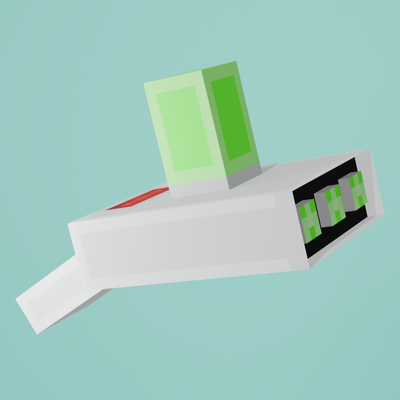
A Rick and Morty-inspired technology mod featuring a functional Portal Gun, cross-dimensional travel, dynamic portals, specialized machines, and complete survival progression.
Quick answer
Beyond The Curve beyond-the-curve-2.1.0.jar targets 1.20.4 with Forge. The project page does not say whether this file belongs on the client, dedicated server, or both. All 1 required mods have matching files.
Where it goes
The project page does not say whether this file belongs on the client, dedicated server, or both.
The source does not explicitly classify this release as client-only or server-only.
beyond-the-curve-2.1.0.jar. Change the file and its required mods may change too.
Install GeckoLib first. We found matching files for this game-version and loader setup.
We only count dependency files that match this setup. A file for another loader does not fill the gap.
Before you install it
Built for Beyond The Curve beyond-the-curve-2.1.0.jar. Pick another file and the loader, install side or required mods may change.
Use beyond-the-curve-2.1.0.jar. It targets 1.20.4 with Forge; another release may have different loader, side or dependency requirements.
Install GeckoLib first. We found matching files for this game-version and loader setup.
The project page does not say whether this file belongs on the client, dedicated server, or both.
Use the “Get this file” button beside beyond-the-curve-2.1.0.jar. It opens that exact file at the source.
About this project
Beyond the Curve is a Minecraft mod inspired by the animated series Rick and Morty. The mod introduces portal technology through a complete survival progression system involving specialized machinery, advanced components, Portal Fluid production, and the construction of a functional Portal Gun.
The current release includes one fully functional Portal Gun capable of:
-Saving and managing up to 64 destinations
-Traveling across long distances
-Traveling between dimensions
-Saving exact coordinates
-Renaming, editing, and color-coding destinations
-Creating portals on floors, walls, and ceilings
-Operating underwater and beneath lava
-Displaying the installed Portal Flask and remaining fluid level
-Damaging and temporarily poisoning mobs with direct shots
Portal Fluid is consumed whenever the Portal Gun is fired in Survival Mode. The installed Portal Flask can be removed, refilled, and reinstalled through the mod’s machine progression.
Additional Portal Gun models, variants, upgrades, and related technologies are planned for future updates.
Portals are animated and react according to the surface on which they are created. They can form horizontally, vertically, or upside down depending on whether they are placed on a floor, wall, or ceiling.
Connected portals can transport:
-Players
-Mobs
-Arrows
-Thrown items
-Projectiles
-Primed TNT
-Falling blocks
-Water
-Lava
Portal orientation affects the position and direction from which entities emerge. The system also prevents fall damage during portal-assisted movement.
Portals can be created underwater or beneath lava without being destroyed. Liquids can pass through a connected portal and create temporary flows at the destination. Once the portal closes, these flows naturally drain.
Both connected portals use synchronized opening, active, and closing animations.
A specialized assembly station used to construct the Portal Gun and install or remove its Portal Flask. Two workbenches placed beside each other can connect visually to form a larger workstation.
Processes advanced materials through concentrated particle energy. The machine changes appearance while operating and produces visible aqua particles during processing.
Combines quantum materials, stabilizing substances, coolant, and an Empty Glass Ampoule to produce a Quantum Travel Ampoule. Used Coolant Canisters are returned as Empty Coolant Canisters so they can be refilled.
Produces Portal Fluid using processed quantum materials and dimensional components. The machine changes through multiple visual processing stages before filling an Empty Portal Flask.
The current version includes the following items:
-Coordinate Cartridge
-Portal Flask
-Portal Emitter
-Stabilization Coil
-Dimensional Targeting Array
-Fluid Injection Assembly
-Reinforced Gun Casing
-Quantum Travel Base
-Quantum Travel Ampoule
-Glass Ampoule
-Stabilizer Gel
-Dimensional Catalyst
-Dark Matter Trace
-Empty Coolant Canister
-Coolant Canister
-Copper Wire
-Insulated Quantum Cable
-Basic Circuit Board
-Quantum Control Board
-Flux Regulator
-Dark Matter Sensor
-Amethyst Focusing Crystal
-Synthetic Polymer
-Reinforced Metal Plate
-Precision Gear
-Pressure Valve
These materials and components form the complete manufacturing progression required to construct the machines, produce Portal Fluid, and assemble the Portal Gun.
Firing directly at a living entity does not create a portal on the nearest surface. Instead, the energy ray damages the target and applies temporary portal poisoning.
Affected entities produce smoke and portal-energy particles for the duration of the effect. Smaller creatures may be eliminated immediately, while larger entities receive controlled damage and remain poisoned temporarily.
The Portal Gun cannot be produced through a single basic recipe. Players must:
Manufacture mechanical and electronic components.
Construct the required processing machines.
Produce and stabilize quantum materials.
Create Quantum Travel Ampoules.
Synthesize Portal Fluid.
Assemble the Portal Gun using the Portal Gun Workbench.
Install a filled Portal Flask before using the device.
This progression is designed to make portal technology a significant survival achievement rather than an immediately available transportation item.
-Minecraft 1.20.1
-Forge 47.4.10 or newer
-Java 17
-Single-player and multiplayer
-Client and dedicated server
Operation Phoenix introduces a complete biological cloning system to Beyond the Curve, including human and animal cloning, clone storage, remote control, new machinery, redesigned interfaces, custom sounds, and major visual improvements.
-Added fully functional player cloning.
-Player clones preserve the original player’s skin and slim/wide model type.
-Clones correctly stand on the internal vat platform.
-Added inventories for player clones.
-Added the ability to name clones through their interface.
-Clone names appear in selection menus, but not as floating name tags.
-Clones can be stored inside and released from Clone Vats.
Added support for cloning:
-Rabbits
-Pigs
-Cows
-Sheep
-Tamed wolves
Cloned animals preserve important characteristics from the original animal, including:
-Sheep color
-Rabbit variant
-Wolf collar color and ownership
-Wolf sitting state
-Pig saddle state
Animal clones behave like normal Minecraft animals and cannot use identification chips or player inventories.
-Added a complete multi-machine cloning workflow:
-Extract blood samples using the Empty Syringe.
-Process samples into Genetic Biomass.
-Synthesize viable embryos using the Embryonic Synthesizer.
-Insert embryos and Phoenix Growth Fluid into the Growth Vat.
-Activate the Cellular Development Ray to grow the clone.
-Release the fully developed clone when growth reaches 100%.
Each subject requires the correct synthesis duration:
-Rabbit: 20 seconds
-Tamed wolf: 30 seconds
-Pig or sheep: 40 seconds
-Cow: 50 seconds
-Player: 60 seconds
Using the wrong duration creates a Failed Embryo.
Added:
-Biological Replication Mixer
-Embryonic Synthesizer
-Phoenix Growth Vat
-Cellular Development Ray
-Clone Vat
-Empty Syringe
-Blood Sample
-Bio-Gel
-Genetic Biomass
-Viable Embryo
-Failed Embryo
-Phoenix Growth Fluid
-Clone Identification Chip
Operation Phoenix items and blocks now have their own dedicated Creative Mode tabs.
-Added the ability to remotely control stored clones.
-Both the player and clone require correctly paired identification chips.
-Available clones must be stored inside Clone Vats.
-Selecting a clone stores the player’s original body and inventory inside the current vat.
-The player then exits the selected vat using the clone’s body.
-Experience is transferred between bodies.
-Dying while controlling a clone returns the player to their original body.
-Controlled clones can voluntarily return to their original vat.
-Closing the selection menu without choosing a clone safely cancels the process.
Future versions of Beyond the Curve are planned to expand the mod with additional Portal Gun variants, new technologies, more machines, further crafting components, additional visual effects, and improvements to portal behavior.
GeckoLib is required to run Beyond the Curve.
Install the appropriate GeckoLib version for Minecraft 1.20.1 and Forge.
Just Enough Items (JEI) is strongly recommended.
JEI provides an accessible way to view the mod’s recipes and follow its machine and crafting progression.
Developed by RiftCraft Studios.
Project description from CurseForge.
Pick your setup
Choose the version and loader you play, then open the matching release.
Check the dependencies, then try the file in a copied instance before changing a world you care about.
Recent files
beyond-the-curve-forge-1.20.4-2.0.0-forge-1.20.4.jar
1 Oct 2026
beyond-the-curve-forge-1.20.3-2.0.0-forge-1.20.3.jar
1 Oct 2026
beyond-the-curve-forge-1.20.2.jar
1 Oct 2026
13 Sept 2026
12 Sept 2026
5 Sept 2026
30 Aug 2026
Looking for an older file? The official CurseForge project page is in Resources.
 mod
Euphoria Patches is an add-on for Complementary Shaders, extending it with more optional features and settings.
 mod
Tintorería, el poder combativo del Overworld, almacenamiento mejorado, misterios del pantano y mecánicas únicas. Practicamente Colonias_DC sin dependencias, todo para ustedes.
 mod
Mod that reproduces Limbus Company