
Minecraft version
Back to mods 
CurseForge · Minecraft mod
The Levelling
Level up every weapon and armor piece through combat. Grow stronger, preserve broken gear, and configure the progression your way.
Choose a version Pick your version below, then grab the matching file.
Quick answer
Which The Levelling release should I use?
Latest stable file weaponleveling-neoforge-1.21.1-1.0.0.jar
Game version 1.21.1
Loader NeoForge
The Levelling weaponleveling-neoforge-1.21.1-1.0.0.jar targets 1.21.1 with NeoForge. The project page does not say whether this file belongs on the client, dedicated server, or both. No extra mods listed for this file.
Where it goes
Is The Levelling required on the client, server, or both?
The project page does not say whether this file belongs on the client, dedicated server, or both.
Client Source doesn’t say
Dedicated server Source doesn’t say
Loader for this release NeoForge
Required install it here Optional supported, not mandatory Not supported do not install here Source doesn’t say do not assume
The source does not explicitly classify this release as client-only or server-only.
What else does The Levelling weaponleveling-neoforge-1.21.1-1.0.0.jar need?
weaponleveling-neoforge-1.21.1-1.0.0.jar. Change the file and its required mods may change too.
This file does not list any required mods. Do not add a library just because a different file uses it.
This file does not list any required or optional mods.
Before you install it
Add The Levelling without breaking your instance.
Built for The Levelling weaponleveling-neoforge-1.21.1-1.0.0.jar. Pick another file and the loader, install side or required mods may change.
- 01
Stick to this file
Use weaponleveling-neoforge-1.21.1-1.0.0.jar. It targets 1.21.1 with NeoForge; another release may have different loader, side or dependency requirements.
- 02
Bring the mods it needs
This file does not list any required mods. Do not add a library just because a different file uses it.
- 03
Put it on the correct side
The project page does not say whether this file belongs on the client, dedicated server, or both.
- 04
Pick the file you checked
Use the “Get this file” button beside weaponleveling-neoforge-1.21.1-1.0.0.jar. It opens that exact file at the source.
About this project
What does The Levelling add?


Credits
- Design help: IkBlox
The Levelling
Your equipment should feel earned, not disposable. The Levelling gives every eligible weapon and armor piece its own persistent XP, level, and history, allowing the gear you actually use to grow alongside you.
Level Equipment Through Play
- Weapons earn item XP only when they kill a creature. Damage dealt and repeated hits do not award XP.
- Equipped armor earns XP when you take damage, including damage reduced by enchantments or Resistance.
- Every item progresses independently and begins at level 0.
- The default curve supports 500 levels and can be changed by the server owner.
- Creative-mode progression and PvP rewards are separately configurable.
Rewards That Match the Fight
A zombie and a Warden should not be worth the same amount of XP. Vanilla enemies use balanced rewards, while creatures added by other mods are detected automatically and scaled from their maximum health. Server owners can override individual entities and cap rewards through the server configuration.
Weapons Keep Their Identity
Level damage scales from each weapon's original strength. A powerful modded weapon remains stronger than a vanilla sword at the same level instead of both receiving one identical flat bonus.
Supported equipment includes swords, axes, maces, tridents, bows, crossbows, compatible spears, conventional modded melee and ranged weapons, and armor. Mace smash damage, thrown tridents, projectiles, enchantments, and supported special weapon behavior are included in the final calculation.
Relic and Legacy Equipment
Long-used equipment can permanently earn Relic and Legacy identity. By default, Relic is reached at 25% of the configured maximum level and Legacy at the maximum level. Once earned, the identity remains even if the item's level is later reduced.
Relic and Legacy status appears in item information, Jade panels, chat sharing, and dedicated notifications. Thresholds and presentation can be configured.
Broken Gear Stays With You
When eligible equipment reaches zero durability, it becomes Broken instead of disappearing.
- Broken weapons cannot deal damage.
- Broken armor provides no protection and is moved safely into the player's inventory.
- The item's level, XP, name, and enchantments are preserved.
- One valid repair material in an anvil restores one durability point and makes the item usable again.
- Broken items receive a visible cracked icon and red slot border.
Legacy Transfer
Move part of an item's history to another compatible item at a real cost:
- Find a non-craftable Legacy Transfer Template in End City or Bastion chests.
- Mine End Amber Ore in newly generated End chunks and smelt it into End Amber Ingots.
- Craft a Legacy Transfer Table with two ingots and any four wooden planks.
- Transfer 50% of the source item's total XP to a compatible target.
- The source item remains but its progression is reset; the template is consumed.
- Existing target XP, enchantments, custom names, durability, and other components are preserved.
- Weapons transfer to weapons; armor requires a matching equipment slot.
Templates can be duplicated from one existing template, seven End Amber Ingots, and one End Stone, producing two templates.
Clear, Configurable Presentation
- Custom item-level panel with a smooth XP bar
- Live total damage, ranged multiplier, or Armor value
Compact,Standard, andDetailedtooltip modes- Maximum-level accent colors and Broken-item effects
- Item-icon level-up notifications and small kill-XP notices
- Hoverable item sharing with
Shift + Middle Click - A compact
WLbutton in the pause menu - Optional Jade integration for levelled equipment in the world
Client visuals can be disabled independently. Shared progression and balance settings are controlled by the server.
Multiplayer and Configuration
Progression, damage, XP rewards, commands, Legacy Transfer, and gameplay settings are server-authoritative. World hosts and permitted server operators can edit shared options in-game. Other players can view protected settings, but they appear locked and cannot be changed.
Install the same version of The Levelling on the server and every connecting client.
Compatibility
The Levelling includes data-driven detection for compatible modded equipment and has compatibility foundations for Simply Swords, Spartan Weaponry Unofficial, and ArmorPlus. Item tags and server allow/exclude lists are available for modpacks that need manual control.
Combat overhauls that completely replace Minecraft attack or projectile events, including Epic Fight and Better Combat, may require separate compatibility add-ons.
Requirements
- Minecraft Java Edition
1.21.1 - NeoForge
21.1.248or a newer compatible 21.1.x build - Java
21
Jade is optional and is not required to run the mod.
Reporting an Issue
Include your Minecraft and NeoForge versions, full mod list, latest.log, reproduction steps, and a screenshot or video when possible.
Project description from CurseForge.
Pick your setup
The Levelling by Minecraft version and loader
Choose the version and loader you play, then open the matching release.
Check the dependencies, then try the file in a copied instance before changing a world you care about.
Recent files
The Levelling versions and loaders
weaponleveling-neoforge-1.21.1-1.0.0.jar
17 Sept 2026
Client Source doesn’t say Server Source doesn’t say Dependencies No extras listed Listed on Release listing
Check the 1.21.1 · NeoForge setup 1.21.1NeoForge release
weaponleveling-neoforge-1.21.1-0.1.1-beta.jar
3 Sept 2026
Client Source doesn’t say Server Source doesn’t say Dependencies No extras listed Listed on Release listing
Check the 1.21.1 · NeoForge setup 1.21.1NeoForge beta
weaponleveling-neoforge-1.21.1-0.1.0-beta.jar
29 Aug 2026
Client Source doesn’t say Server Source doesn’t say Dependencies No extras listed Listed on Release listing
Check the 1.21.1 · NeoForge setup 1.21.1NeoForge beta
Looking for an older file? The official CurseForge project page is in Resources.
 mod
mod CurseForge · Minecraft
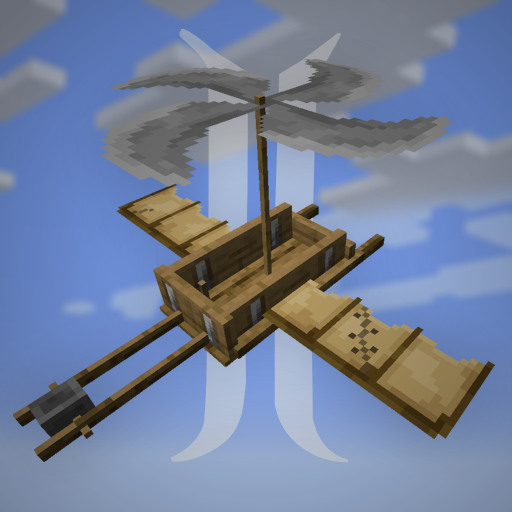
Immersive Aircraft
A set of vanilla style, customizable and upgradable aircraft, from biplanes to airships
 mod
mod CurseForge · Minecraft
Ancestral Archetypes
A fabric server-side Origins-inspired mod that gives players mob-like abilities!
 mod
mod CurseForge · Minecraft
Celestial Radiance
Novice Modder makes an Egyptian Revival/Art Deco styled Magic Mod