Minecraft version
Back to mods 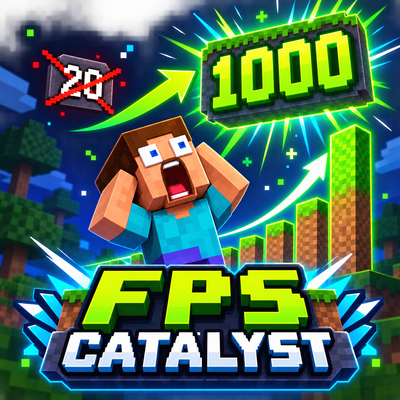
CurseForge · Minecraft mod
FPS Catalyst
FPS Catalyst is a powerful client-side performance optimization mod for Minecraft. It provides customizable FPS profiles, advanced rendering controls, a maximum-performance “Potato Mode,” real-time FPS monitoring, and a modern, easy-to-use interface.
Choose a version Pick your version below, then grab the matching file.
Quick answer
Which FPS Catalyst release should I use?
Latest stable file FPS-Catalyst-1.0.0-Fabric.jar
Game version 1.20.1
Loader Fabric
FPS Catalyst FPS-Catalyst-1.0.0-Fabric.jar targets 1.20.1 with Fabric. The project page does not say whether this file belongs on the client, dedicated server, or both. No extra mods listed for this file.
Where it goes
Is FPS Catalyst required on the client, server, or both?
The project page does not say whether this file belongs on the client, dedicated server, or both.
Client Source doesn’t say
Dedicated server Source doesn’t say
Loader for this release Fabric
Required install it here Optional supported, not mandatory Not supported do not install here Source doesn’t say do not assume
The source does not explicitly classify this release as client-only or server-only.
What else does FPS Catalyst FPS-Catalyst-1.0.0-Fabric.jar need?
FPS-Catalyst-1.0.0-Fabric.jar. Change the file and its required mods may change too.
This file does not list any required mods. Do not add a library just because a different file uses it.
This file does not list any required or optional mods.
Before you install it
Add FPS Catalyst without breaking your instance.
Built for FPS Catalyst FPS-Catalyst-1.0.0-Fabric.jar. Pick another file and the loader, install side or required mods may change.
- 01
Stick to this file
Use FPS-Catalyst-1.0.0-Fabric.jar. It targets 1.20.1 with Fabric; another release may have different loader, side or dependency requirements.
- 02
Bring the mods it needs
This file does not list any required mods. Do not add a library just because a different file uses it.
- 03
Put it on the correct side
The project page does not say whether this file belongs on the client, dedicated server, or both.
- 04
Pick the file you checked
Use the “Get this file” button beside FPS-Catalyst-1.0.0-Fabric.jar. It opens that exact file at the source.
About this project
What does FPS Catalyst add?
FPS Catalyst
FPS Catalyst is a client-side performance optimization mod designed to improve FPS and provide detailed control over Minecraft’s rendering and visual effects.
Features
- Multiple performance profiles for different hardware
- Powerful Potato Mode for maximum FPS
- Advanced rendering and visibility settings
- Entity, particle, animation, weather, fog, and effect controls
- Custom render-distance and performance limits
- Unlimited FPS enabled by default
- Real-time in-game FPS monitor
- Modern and compact configuration interface
- English and Russian localization
- Helpful descriptions showing the expected FPS impact of each option
Press N while playing to open the FPS Catalyst menu. A reminder containing the currently assigned key is displayed in chat when you enter a world.
FPS Catalyst is entirely client-side and does not need to be installed on the server.
Current compatibility: Minecraft 1.20.1, Fabric Loader and Fabric API.
Project description from CurseForge.
Pick your setup
FPS Catalyst by Minecraft version and loader
Choose the version and loader you play, then open the matching release.
Check the dependencies, then try the file in a copied instance before changing a world you care about.
Recent files
FPS Catalyst versions and loaders
FPS-Catalyst-1.0.0-Fabric.jar
30 Aug 2026
Client Source doesn’t say Server Source doesn’t say Dependencies No extras listed Listed on Release listing
Check the 1.20.1 · Fabric setup Fabric1.20.1 release
Looking for an older file? The official CurseForge project page is in Resources.
 mod
mod CurseForge + Modrinth · Minecraft
Dim's Fancy Time
A mod that lets you see the in-game time as a clean HUD element!
 mod
mod CurseForge + Modrinth · Minecraft
Cobbleworkers
Pasture block can now be used as a utility block that gives Pokémon jobs!
 mod
mod CurseForge · Minecraft
Dodge Roll
Allows you to roll when falling to reduce damage.