Back to mods
Petrified project artwork

CurseForge · Minecraft mod

Petrified

Deep underground, the Minotaur and Terracotta Army await...

Choose a version Pick your version below, then grab the matching file.

Quick answer

Which Petrified release matches 26.1.2?

Updated 2 months ago
Best match for your filters petrified-1.0.1-mc26.1.2-neo.jar
Game version 26.1.2
Loader Forge, NeoForge

petrified-1.0.1-mc26.1.2-neo.jar targets 26.1.2 with Forge, NeoForge. The project page does not say whether this file belongs on the client, dedicated server, or both. All 4 required mods have matching files.

Where it goes

Is Petrified required on the client, server, or both?

The project page does not say whether this file belongs on the client, dedicated server, or both.

Client Source doesn’t say
Dedicated server Source doesn’t say
Loader for this release Forge, NeoForge
Required install it here Optional supported, not mandatory Not supported do not install here Source doesn’t say do not assume

The source does not explicitly classify this release as client-only or server-only.

What else does petrified-1.0.1-mc26.1.2-neo.jar need?

petrified-1.0.1-mc26.1.2-neo.jar on 26.1.2. Every mod below is checked against that same setup.

All 4 required mods have matching files

Install GeckoLib, Sinytra Connector, Forgified Fabric API, Launchpad first. We found matching files for this game-version and loader setup. 12 come through another mod in the chain.

3 listed on this file 12 pulled in by those mods
GeckoLib Needed by petrified-1.0.1-mc26.1.2-neo.jar
required
Matching file found Matched file: NeoForge 5.5.2
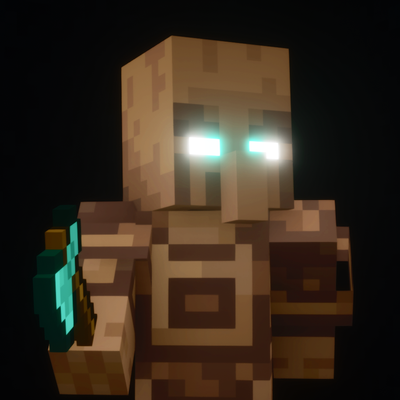
Sinytra Connector Needed by petrified-1.0.1-mc26.1.2-neo.jar
required
Matching file found Matched file: Connector 3.0.0 beta 7
Forgified Fabric API Needed by petrified-1.0.1-mc26.1.2-neo.jar
required
Matching file found Matched file: [26.1.2] Forgified Fabric API 0.155.3+26.1.2+3.5.10
Connector Extras Needed by Sinytra Connector
pulled in
Matching file found Matched file: ConnectorExtras 2.0.4+26.1.2
Launchpad Needed by Sinytra Connector
pulled in
Matching file found Matched file: [26.1.2] Launchpad 1.10.2+26.1.2
Just Enough Items (JEI) Needed by Connector Extras
pulled in
Matching file found Matched file: 29.53.0.115 for NeoForge 26.1.2
Forge Config API Port Needed by Connector Extras
pulled in
Matching file found Matched file: [FORGE] [26.1.x] v26.1.5
Mod Menu Needed by Connector Extras
pulled in
No matching file
Architectury API Needed by Roughly Enough Items Fabric/Forge/NeoForge (REI)
pulled in
Matching file found Matched file: [NeoForge 26.1.2] v20.1.17
MezzConfigGUI Needed by Just Enough Items (JEI)
pulled in
Matching file found Matched file: MezzConfig GUI mc26.1.2-0.5.10 for NeoForge
MezzConfig Needed by Just Enough Items (JEI)
pulled in
Matching file found Matched file: MezzConfig 0.7.1 for NeoForge 26.1.2

12 extra mods were pulled in by other dependencies. Indented rows show who needs each one. We only count dependency files that match this setup. A file for another loader does not fill the gap.

Before you install it

Add Petrified without breaking your instance.

Built for petrified-1.0.1-mc26.1.2-neo.jar on 26.1.2. Pick another file and the loader, install side or required mods may change.

  1. 01

    Stick to this file

    Use petrified-1.0.1-mc26.1.2-neo.jar. It targets 26.1.2 with Forge, NeoForge; another release may have different loader, side or dependency requirements.

  2. 02

    Bring the mods it needs

    Install GeckoLib, Sinytra Connector, Forgified Fabric API, Launchpad first. We found matching files for this game-version and loader setup. 12 come through another mod in the chain.

  3. 03

    Put it on the correct side

    The project page does not say whether this file belongs on the client, dedicated server, or both.

  4. 04

    Pick the file you checked

    Use the “Get this file” button beside petrified-1.0.1-mc26.1.2-neo.jar. It opens that exact file at the source.

About this project

What does Petrified add?

Links

Youtube Discord Twitter/X

Information

This mod was made for the Minecraft ModJam 2026: Echoes of the Past competition.

The Minotaur is a terrifying half-man, half-bull creature in ancient Greek mythology that was trapped deep underground to protect civilians.

The Terracotta Army is a real collection of thousands of life-sized clay soldiers in China, buried with the emperor in 210–209 BCE.

This mod adds an ancient Minotaur Tomb structure, mobs, and mechanics inspired by both of these historical topics. The tomb holds valuable loot, but be very careful not to disturb the Minotaur or the Terracotta Soldiers…

Features with Historical Inspirations

  • The Minotaur was trapped in a labyrinth, which is said to be based off the Knossos Palace in the Greek island of Crete. For this reason, the tomb structure only spawns deep underground under oceans or beaches.
  • The Terracotta Army contains thousands of unique soldiers. For this reason, the soldiers in the mod all have randomized poses and weapons.
  • To hint that the army is protecting the tomb, their eyes will come alive and glow blue when players are not looking.

Mechanics & Tips (Spoilers)

  • The terracotta soldier statues are always listening. Don't accidentally step on them, place, or break blocks in their view nearby, or they will come to life.
  • If you have a silk touch enchanted pickaxe, you can safely remove and collect the statues to place elsewhere in your world.
  • Opening chests also awakens the terracotta soldiers. Some of the tomb's chests may not be worth opening.

Public Usage

if you'd like to use assets/modified versions of this mod in your own projects and publicly share them, credit me and link this page or my YouTube video.

  • as long as you credit me, you may use this mod or assets from this mod in your own public social media posts, mod packs, resource packs, and bedrock ports
  • please do not create new showcase webpages, download links, or claim credit for making this mod or assets from this mod.
  • if you are unsure, message me on discord (L33tfox) for permission

Project description from CurseForge.

Pick your setup

Petrified by Minecraft version and loader

Choose the version and loader you play, then open the matching release.

4 available setups

Check the dependencies, then try the file in a copied instance before changing a world you care about.

Recent files

Petrified versions and loaders

4 of 6 releases match
Clear filters

Looking for an older file? The official CurseForge project page is in Resources.