Minecraft version
Back to mods 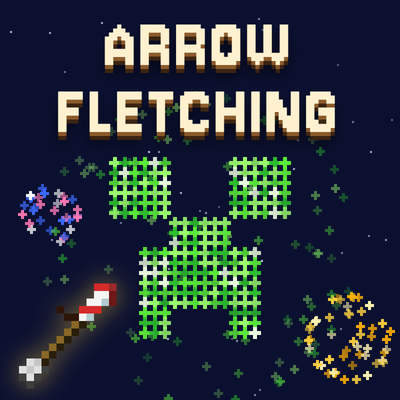
CurseForge · Minecraft mod
Arrow Fletching
Firework Update! Adds a new firework arrow to celebrate 300 downloads on Curseforge! Base mod adds 31 craftable arrows — each with custom art and its own effect — from TNT to summoning bees.
Choose a version Pick your version below, then grab the matching file.
Quick answer
Which Arrow Fletching release should I use?
Latest stable file arrow_fletching-1.3.1.jar
Game version 26.3
Loader NeoForge
Arrow Fletching arrow_fletching-1.3.1.jar targets 26.3 with NeoForge. The project page does not say whether this file belongs on the client, dedicated server, or both. No extra mods listed for this file.
Where it goes
Is Arrow Fletching required on the client, server, or both?
The project page does not say whether this file belongs on the client, dedicated server, or both.
Client Source doesn’t say
Dedicated server Source doesn’t say
Loader for this release NeoForge
Required install it here Optional supported, not mandatory Not supported do not install here Source doesn’t say do not assume
The source does not explicitly classify this release as client-only or server-only.
What else does Arrow Fletching arrow_fletching-1.3.1.jar need?
arrow_fletching-1.3.1.jar. Change the file and its required mods may change too.
This file does not list any required mods. Do not add a library just because a different file uses it.
This file does not list any required or optional mods.
Before you install it
Add Arrow Fletching without breaking your instance.
Built for Arrow Fletching arrow_fletching-1.3.1.jar. Pick another file and the loader, install side or required mods may change.
- 01
Stick to this file
Use arrow_fletching-1.3.1.jar. It targets 26.3 with NeoForge; another release may have different loader, side or dependency requirements.
- 02
Bring the mods it needs
This file does not list any required mods. Do not add a library just because a different file uses it.
- 03
Put it on the correct side
The project page does not say whether this file belongs on the client, dedicated server, or both.
- 04
Pick the file you checked
Use the “Get this file” button beside arrow_fletching-1.3.1.jar. It opens that exact file at the source.
About this project
What does Arrow Fletching add?
Arrow Fletching
A NeoForge mod that adds 31 craftable arrows, each with custom art and its own effect. Fire any of them from a bow or crossbow.
- Minecraft: Java Edition 26.2
- Loader: NeoForge 26.2.0.69
- Version: 1.2.0
Arrows
Effect arrows
| Arrow | Recipe | Effect |
|---|---|---|
| TNT | 8 arrows + TNT | Small explosion (radius 2.0) on impact |
| Water | 8 arrows + water bucket | Places a water source where it lands |
| Lava | 8 arrows + lava bucket | Places a lava source where it lands |
| Ender | 8 arrows + ender pearl | Teleports the shooter to the landing spot |
| Bee | 8 arrows + honeycomb | Spawns 3 bees; if it hit a mob, they swarm it |
| Wind | 8 arrows + wind charge | Launches nearby entities ~10 blocks up |
| Lightning | 8 arrows + lightning rod | Calls a lightning strike |
| Dripstone | 8 arrows + pointed dripstone | Drops a 5×5 volley of falling, damaging stalactites from 20 blocks up |
| Cage | 8 arrows + iron bars | Boxes the struck mob in a 3×3 iron-bar cage |
| Slime | 8 arrows + slime ball | Slowness VI for 5s |
| Fishing Rod | 8 arrows + fishing rod | Reels nearby items and mobs back toward you |
| Lichen | 8 arrows + glow lichen | Grows glow lichen + a bright hidden light (removed if the lichen is broken) |
| Membrane | 8 arrows + phantom membrane | Homing: keeps its launch speed and curves toward the nearest mob |
| Firework | 8 arrows + firework | Creates firework effect upon landing |
Ore damage tiers (8 arrows + material → 8)
Stone (cobblestone) → Flint → Copper ingot → Iron ingot → Gold ingot → Diamond → Netherite ingot, each hitting harder than the last.
Fish tiers (8 arrows + fish → 8)
Cod → Salmon → Pufferfish. These fly through water with no slowdown.
Mining tiers (8 arrows + the matching pickaxe → 8)
Excavate an N×N×N cube and respect that pickaxe's harvest level (won't break ores it's too weak for — those are left floating). Heavier tiers also cost more bow durability per shot.
| Tier | Cube | Harvests up to | Extra bow wear |
|---|---|---|---|
| Wooden | 1³ | wood level | +0 |
| Stone | 2³ | stone level | +1 |
| Copper | 3³ | copper level | +2 |
| Iron | 4³ | iron level | +3 |
| Gold | 5³ | iron level (bumped to match cost) | +4 |
| Diamond | 7³ | diamond level | +6 |
| Netherite | 11³ | all harvestable blocks | +10 |
Fletching Table
Right-click a vanilla fletching table to open an arrow upgrade station. Every arrow shares one recipe: 8 arrows + 1 modifier. Crafted at a regular crafting table that yields 8; crafted at the fletching table it yields 16 for the same modifier cost (1), making the table the efficient parallel path. A plain minecraft:arrow craft now yields 8, so one batch feeds one upgrade.
Recipes unlock (with a toast) once you hold both a plain arrow and that arrow's modifier. JEI integration shows the Fletching Table category and its recipes (display populates in singleplayer this MC version; the table itself works in multiplayer).
Installing
- Install NeoForge 26.2.0.69 (https://neoforged.net) and run the game once.
- Put
arrow_fletching-1.2.0.jarin yourmods/folder (%appdata%\.minecraft\modson Windows). - Launch the NeoForge profile. Arrows appear in the Combat creative tab and craft in survival.
On servers, both the server and every player need the mod.
Issues?
Report them on the GitHub page: https://github.com/Ty10y/Arrow-Fletching/issues
Versions
Targets Minecraft 26.2 / NeoForge 26.2.0.69, built with ModDevGradle 2.0.144. All version strings live in gradle.properties.
Project description from CurseForge.
Pick your setup
Arrow Fletching by Minecraft version and loader
Choose the version and loader you play, then open the matching release.
Minecraft version
26.2
1 loader buildCheck the dependencies, then try the file in a copied instance before changing a world you care about.
Recent files
Arrow Fletching versions and loaders
arrow_fletching-1.3.1.jar
10 Oct 2026
Client Source doesn’t say Server Source doesn’t say Dependencies No extras listed Listed on Release listing
Check the 26.3 · NeoForge setup NeoForge26.3 release
arrow_fletching-1.3.0.jar
10 Oct 2026
Client Source doesn’t say Server Source doesn’t say Dependencies No extras listed Listed on Release listing
Check the 26.3 · NeoForge setup NeoForge26.3 release
arrow_fletching-1.2.1.jar
19 Sept 2026
Client Source doesn’t say Server Source doesn’t say Dependencies No extras listed Listed on Release listing
Check the 26.3 · NeoForge setup NeoForge26.3 release
arrow_fletching-1.2.0.jar
19 Sept 2026
Client Source doesn’t say Server Source doesn’t say Dependencies No extras listed Listed on Release listing
Check the 26.2 · NeoForge setup NeoForge26.2 release
arrow_fletching-1.1.0.jar
30 Aug 2026
Client Source doesn’t say Server Source doesn’t say Dependencies No extras listed Listed on Release listing
Check the 26.2 · NeoForge setup NeoForge26.2 release
Looking for an older file? The official CurseForge project page is in Resources.
 mod
CurseForge · Minecraft
Workling
Workling traz novas formas de fazer as coisas em Minecraft, combinando mecânicas úteis, novas possibilidades e pequenos ajudantes para o seu mundo.
 mod
CurseForge + Modrinth · Minecraft
AnvilCraft: PigsPlus
This mod is an addon for AnvilCraft, with main content including production-friendly machines
 mod
CurseForge · Minecraft
Mazu's Furnaces
Fire is something you earn. Start with a hole in the ground and work your way up a ladder of real furnaces until you can melt netherite.