Fabric API Needed by Smart Resource Multiplier 1.4.0 - NeoForge
requiredNo matching file
CurseForge · Minecraft mod
Smart Resource Multiplier is a configurable mod that multiplies block, mobs, and drops while using smart anti-duplication protection to keep gameplay balanced and reliable.
Quick answer
Smart Resource Multiplier 1.4.0 - NeoForge targets 26.3 with NeoForge. The project page does not say whether this file belongs on the client, dedicated server, or both. 1 required mod needs a matching file.
Where it goes
The project page does not say whether this file belongs on the client, dedicated server, or both.
The source does not explicitly classify this release as client-only or server-only.
Smart Resource Multiplier 1.4.0 - NeoForge. Change the file and its required mods may change too.
Install Fabric API first, but 1 required mod has no matching file for this setup. Do not mix loader builds to force a match.
We only count dependency files that match this setup. A file for another loader does not fill the gap.
Before you install it
Built for Smart Resource Multiplier 1.4.0 - NeoForge. Pick another file and the loader, install side or required mods may change.
Use Smart Resource Multiplier 1.4.0 - NeoForge. It targets 26.3 with NeoForge; another release may have different loader, side or dependency requirements.
Install Fabric API first, but 1 required mod has no matching file for this setup. Do not mix loader builds to force a match.
The project page does not say whether this file belongs on the client, dedicated server, or both.
Use the “Get this file” button beside Smart Resource Multiplier 1.4.0 - NeoForge. It opens that exact file at the source.
About this project
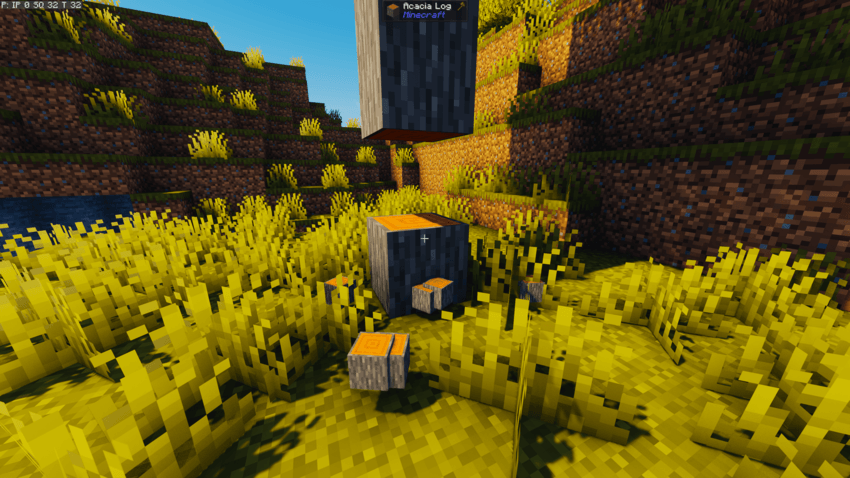
Vanilla Minecraft:

With Mod:
⛏️ Smart Resource Multiplier is a lightweight and highly configurable mod designed to reduce repetitive resource grinding while keeping Minecraft's normal loot mechanics intact.
Instead of replacing loot tables or changing how blocks and mobs work, Smart Resource Multiplier waits for Minecraft to calculate the normal result first and then safely multiplies that final output.
This means features such as Fortune, Silk Touch, Looting, cooked meat, random drop amounts, item components, NBT, and compatible modded loot tables continue to work normally.
Smart Resource Multiplier does not automatically mine extra blocks or change mining speed. It simply gives you more of the resources you already earned.
Configurable Multipliers:
Choose how much qualifying loot should be multiplied.
The default block multiplier is 2x, but you can raise, lower, or completely customize it depending on your world, server, or modpack.
Smart Placement Protection:
Player-placed blocks can be kept at their normal vanilla drop amount to prevent simple duplication loops.
For example:
Placement protection is persistent and is designed to follow supported piston movement, falling blocks, beds, doors, and other multi-block placements.
🧠 Pro tip: You can disable Smart Placement Protection or change the eligible block mode if you intentionally want placed blocks to use multipliers.
Fortune and Silk Touch Support:
Smart Resource Multiplier multiplies the loot Minecraft already calculated.
If Fortune produces four diamonds and your multiplier is 3x, you receive twelve diamonds. If Silk Touch produces an ore block, the resulting ore block is multiplied instead.
Block Categories:
Configure broad groups of blocks without editing every block individually.
Built-in categories include:
Individual Block Overrides:
Need one specific block to behave differently? Search for it by name or registry ID and give it its own multiplier.
For example:
Dimension Multipliers:
Different dimensions can use different block multipliers.
You can keep the Overworld at 2x, increase Nether resources to 3x, or configure compatible modded dimensions independently.
Block Filters:
Use blacklist or whitelist mode to control which blocks are allowed to receive multiplied drops.
Filters support both individual block IDs and block tags, making them useful for modpacks with large amounts of custom content.
Smart Resource Multiplier can optionally multiply the normal death loot produced by qualifying mobs and animals.
Entity death loot is disabled by default, so installing or updating the mod will not suddenly multiply the output of existing mob farms.
When enabled, entity loot can be configured by:
Entity categories include:
Safe Final-Loot Multiplication:
The standard mob loot table is evaluated once, including Looting and other conditions, and the final result is then multiplied.
Smart Resource Multiplier does not blindly duplicate:
Boss Protection:
Boss loot remains at vanilla quantity by default. Server owners can deliberately enable boss multiplication, but unique or special outputs are never multiplied through a broad item-spawn hook.
Kill Requirements:
Choose whether entity multipliers apply to player-attributed kills, player or tamed-creature kills, or all qualifying standard death-loot events.
The default is Player Kills Only, helping prevent automatic mob farms from receiving multiplied output unless the server owner chooses otherwise.
Smart Resource Multiplier can also multiply normal shearing resources from supported entities.
On a fresh configuration:
Normal player shearing therefore feels consistent with the rest of the mod, while automated wool farms remain unchanged until automation is deliberately enabled.
The shearing action itself still occurs only once:
Modded Shearing Safety:
Unknown modded shearables remain at vanilla 1x until a modpack author deliberately marks them as compatible through a datapack.
This prevents unusual modded creatures from accidentally duplicating equipment, rare progression items, inventories, or permanent transformation rewards.
Block Entity Protection:
Blocks containing inventories or special data remain at vanilla 1x by default.
This helps protect:
Compatible block entities can be allowlisted by a server owner after their behavior has been tested.
Special Block Protection:
Technical, unobtainable, portal, spawner, and unique blocks are excluded by default.
Output Safety Limits:
Smart Resource Multiplier includes safety budgets to prevent a badly behaved modded loot table combined with a high multiplier from generating an extreme number of items at once.
If a result would exceed the safety limit, the complete event falls back to its original vanilla output instead of partially multiplying or crashing the server.
Legal Stack Handling:
Compatible items are combined into valid stack sizes to reduce unnecessary item entities.
For example, 256 cobblestone is emitted as four stacks of 64 instead of hundreds of individual items.
Smart Resource Multiplier discovers blocks and entity types through Minecraft's runtime registries, allowing vanilla and modded content to appear in the configuration interface automatically.
Most mods using Minecraft's normal systems should work without special support, including mods that add:
Blocks using standard Minecraft or common tags can automatically receive the appropriate category multiplier.
Untagged modded blocks can still use:
Highly custom systems that directly create items, insert loot into inventories, or bypass Minecraft's normal placement and loot pathways may remain unchanged. This conservative behavior helps prevent unrelated items from being duplicated.
Smart Resource Multiplier includes a structured in-game configuration interface.
Open it with:
/smartdropsgui
Fabric users can optionally install Mod Menu to access the same configuration screen from the Mods menu.
The configuration includes dedicated sections for:
Changes are staged while you navigate the configuration screens and are committed using Apply Changes on the main page.
Configuration location:
.minecraft/config/smart_resource_drops.json
The file keeps its original internal name for compatibility with worlds and configurations created before the mod was renamed to Smart Resource Multiplier.
Smart Resource Multiplier includes read-only diagnostic tools for understanding how it will treat a block or entity.
/smartdrops status — View the current configuration summary/smartdrops inspect — Inspect the block you are looking at/smartdrops inspect verbose — View the complete block rule-resolution details/smartdrops inspect entity — Inspect the entity you are looking at/smartdrops inspect entity verbose — View detailed entity and shearing information/smartdrops validate — Check configured IDs, tags, filters, and safety-sensitive settingsInspection and validation do not break blocks, damage entities, generate loot, or modify configuration.
Server-Authoritative:
The server controls all gameplay multipliers and safety rules.
For multiplayer:
Mod Menu is optional and is not required on dedicated servers.
Current Minecraft 26.2 requirements:
Check the requirements for the specific file you are downloading, as support may vary between Minecraft versions and loaders.
Smart Resource Multiplier is intentionally focused on multiplying final resource output.
It does not add:
The goal is simple: reduce repetitive resource grinding while preserving Minecraft's normal mechanics, progression, and server control.
Smart Resource Multiplier is open-source and available under the MIT License.
Feel free to:
Source Code: GitHub
Issues and Compatibility Reports: GitHub Issues
If you enjoy Smart Resource Multiplier, please consider sharing it, including it in your modpack, or leaving feedback!
Project description from CurseForge.
Pick your setup
Choose the version and loader you play, then open the matching release.
Showing the newest 12 of 23 game versions. Older files are in the list below.
Check the dependencies, then try the file in a copied instance before changing a world you care about.
Recent files
smart-resource-multiplier-neoforge-1.4.0.jar
18 Sept 2026
smart-resource-multiplier-1.4.0.jar
18 Sept 2026
smart-resource-multiplier-forge-1.3.2+mc1.19.2.jar
6 Sept 2026
smart-resource-multiplier-forge-1.3.2+mc1.12.2.jar
6 Sept 2026
smart-resource-multiplier-forge-1.3.2+mc1.7.10.jar
6 Sept 2026
smart-resource-multiplier-neoforge-1.3.2+mc1.20.6.jar
6 Sept 2026
smart-resource-multiplier-neoforge-1.3.2+mc1.20.5.jar
6 Sept 2026
smart-resource-multiplier-neoforge-1.3.2+mc1.20.4.jar
6 Sept 2026
smart-resource-multiplier-fabric-1.3.2+mc1.20.5-1.20.6.jar
6 Sept 2026
smart-resource-multiplier-fabric-1.3.2+mc1.20.4.jar
6 Sept 2026
smart-resource-multiplier-fabric-1.3.2+mc1.19.2.jar
6 Sept 2026
smart-resource-multiplier-neoforge-1.3.2+mc26.1.2.jar
5 Sept 2026
Looking for an older file? The official CurseForge project page is in Resources.