Minecraft version
Back to mods 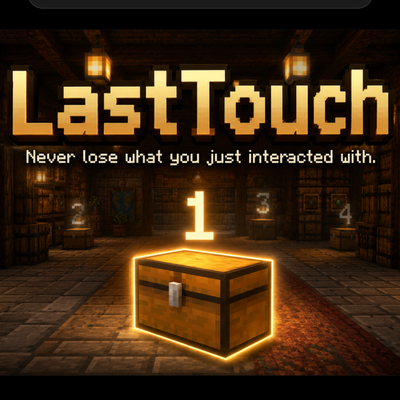
CurseForge · Minecraft mod
Last Touch
Never lose track of what you just interacted with. LastTouch highlights your recent chests, villagers, workstations and other interactions with numbered markers.
Choose a version Pick your version below, then grab the matching file.
Quick answer
Which Last Touch release should I use?
Latest stable file lasttouch-forge-1.20.1-1.0.0.jar
Game version 1.20.1
Loader Forge
Last Touch lasttouch-forge-1.20.1-1.0.0.jar targets 1.20.1 with Forge. The project page does not say whether this file belongs on the client, dedicated server, or both. No extra mods listed for this file.
Where it goes
Is Last Touch required on the client, server, or both?
The project page does not say whether this file belongs on the client, dedicated server, or both.
Client Source doesn’t say
Dedicated server Source doesn’t say
Loader for this release Forge
Required install it here Optional supported, not mandatory Not supported do not install here Source doesn’t say do not assume
The source does not explicitly classify this release as client-only or server-only.
What else does Last Touch lasttouch-forge-1.20.1-1.0.0.jar need?
lasttouch-forge-1.20.1-1.0.0.jar. Change the file and its required mods may change too.
This file does not list any required mods. Do not add a library just because a different file uses it.
This file does not list any required or optional mods.
Before you install it
Add Last Touch without breaking your instance.
Built for Last Touch lasttouch-forge-1.20.1-1.0.0.jar. Pick another file and the loader, install side or required mods may change.
- 01
Stick to this file
Use lasttouch-forge-1.20.1-1.0.0.jar. It targets 1.20.1 with Forge; another release may have different loader, side or dependency requirements.
- 02
Bring the mods it needs
This file does not list any required mods. Do not add a library just because a different file uses it.
- 03
Put it on the correct side
The project page does not say whether this file belongs on the client, dedicated server, or both.
- 04
Pick the file you checked
Use the “Get this file” button beside lasttouch-forge-1.20.1-1.0.0.jar. It opens that exact file at the source.
About this project
What does Last Touch add?
LastTouch
Never lose track of what you just interacted with.
LastTouch is a lightweight Minecraft utility mod that keeps track of your recent interactions and highlights them directly in the world.
Ever opened a chest in a large storage room and immediately forgot which one it was? LastTouch solves exactly that.
Your most recent interaction is marked as #1, the one before that as #2, then #3, and so on. This makes it easy to retrace your recent actions without searching through dozens of identical chests, villagers, workstations, or other interactable objects.
Features
Highlights recently interacted blocks and entities
Shows numbered markers based on interaction order
Tracks up to 50 recent interactions
Adjustable history duration
Optional through-wall markers
Optional distance display
Smart duplicate handling
Configurable keybinds
Lightweight and performance-friendly
Designed to work client-side
Default Controls
Z — Toggle interaction markers
X — Change how many recent interactions are shown
Cycles through:
1 → 5 → 10 → 20 → 50
C — Change how long interactions are remembered
Cycles through:
30s → 60s → 2m → 5m → 10m → 30m → 60m
All keybinds can be changed through Minecraft's normal Controls menu.
Smart Interaction History
LastTouch does not create duplicate entries when you interact with the same object multiple times.
For example, if you interact with:
Chest A → Chest B → Chest C
your history becomes:
#1 Chest C
#2 Chest B
#3 Chest A
If you interact with Chest A again, it moves back to the top instead of creating another entry.
Useful For
LastTouch is especially useful in:
Large storage rooms
Villager trading halls
Redstone builds
Survival bases
Technical builds
Modpacks
Multiplayer servers
Areas with many identical containers or workstations
Lightweight
LastTouch does not scan the entire world or constantly search through chunks.
It only stores a small history of your recent interactions, making it lightweight and suitable for normal gameplay.
Client-Side
LastTouch is designed as a client-side utility mod where supported, meaning it can be used without requiring every player on a server to install it.
Your interaction history is local to you.
Open it. Leave it. Find it again.
Project description from CurseForge.
Pick your setup
Last Touch by Minecraft version and loader
Choose the version and loader you play, then open the matching release.
Check the dependencies, then try the file in a copied instance before changing a world you care about.
Recent files
Last Touch versions and loaders
lasttouch-forge-1.20.1-1.0.0.jar
1 Sept 2026
Client Source doesn’t say Server Source doesn’t say Dependencies No extras listed Listed on Release listing
Check the 1.20.1 · Forge setup 1.20.1Forge release
Looking for an older file? The official CurseForge project page is in Resources.