Fabric API Needed by Spatial GUI 1.1-26.2
requiredMatching file found Matched file: 0.160.0+26.2
CurseForge · Minecraft mod
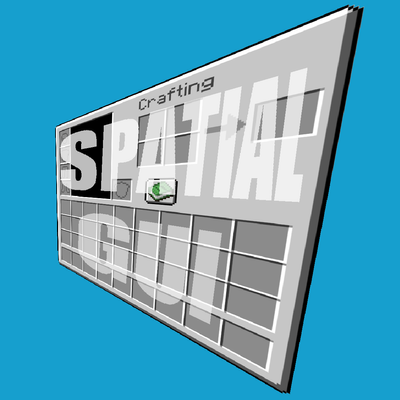
A client-side mod that renders inventory & container screens as a 3D plane.
Quick answer
Spatial GUI 1.1-26.2 targets 26.2 with Fabric. It must be installed on the client. Do not install it on the dedicated server. All 2 required mods have matching files.
Where it goes
It must be installed on the client. Do not install it on the dedicated server.
This file is marked client-only.
1.1-26.2 on 26.2 Fabric. Every mod below is checked against that same setup.
Install Fabric API, Cloth Config API first. We found matching files for this game-version and loader setup. 1 comes through another mod in the chain.
1 extra mod was pulled in by another dependency. Indented rows show who needs each one. We only count dependency files that match this setup. A file for another loader does not fill the gap.
Before you install it
Built for Spatial GUI 1.1-26.2 on 26.2 Fabric. Pick another file and the loader, install side or required mods may change.
Use 1.1-26.2. It targets 26.2 with Fabric; another release may have different loader, side or dependency requirements.
Install Fabric API, Cloth Config API first. We found matching files for this game-version and loader setup. 1 comes through another mod in the chain.
It must be installed on the client. Do not install it on the dedicated server.
Use the “Get this file” button beside 1.1-26.2. It opens that exact file at the source.
About this project
Fabric API, Cloth Config, Mod Menu
Access config via Mod Menu or edit the config file.
This mod is purely visual and tries not provide any gameplay advantages. It only changes how inventory screens are rendered and does not modify game mechanics, however it can modify your cameras position within reasonable limits.
Server Disclaimer: While this mod is client-side only and tries to be fair to use, please check with your server administrators before using it on multiplayer servers, as some servers may have specific rules about client-side mods, especially ones that can modify your camera.
Project description from CurseForge.
Pick your setup
Choose the version and loader you play, then open the matching release.
Check the dependencies, then try the file in a copied instance before changing a world you care about.
Recent files
spatial-gui-1.1.jar
16 Sept 2026
spatial-gui-1.1.jar
4 Sept 2026
spatial-gui-1.0.jar
1 Sept 2026
spatial-gui-0.1.jar
31 Aug 2026
Looking for an older file? The official CurseForge project page is in Resources.