Minecraft version
Back to mods 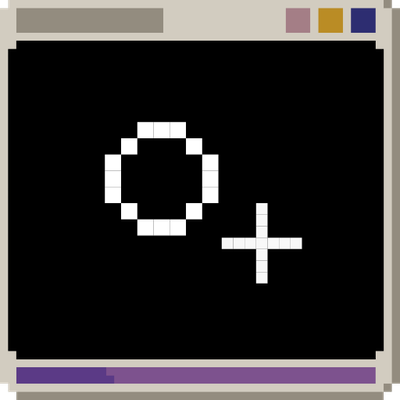
CurseForge · Minecraft mod
ThirdCross
ThirdCross is a lightweight, client-side crosshair utility for Minecraft. It provides configurable first- and third-person crosshairs, including an Aim mode that follows the point your player is actually targeting.
Choose a version Pick your version below, then grab the matching file.
Quick answer
Which ThirdCross release should I use?
Latest stable file ThirdCross 1.0.0 – NeoForge 1.21.1
Game version 1.21.1
Loader NeoForge
ThirdCross 1.0.0 – NeoForge 1.21.1 targets 1.21.1 with NeoForge. The project page does not say whether this file belongs on the client, dedicated server, or both. No extra mods listed for this file.
Where it goes
Is ThirdCross required on the client, server, or both?
The project page does not say whether this file belongs on the client, dedicated server, or both.
Client Source doesn’t say
Dedicated server Source doesn’t say
Loader for this release NeoForge
Required install it here Optional supported, not mandatory Not supported do not install here Source doesn’t say do not assume
The source does not explicitly classify this release as client-only or server-only.
What else does ThirdCross 1.0.0 – NeoForge 1.21.1 need?
ThirdCross 1.0.0 – NeoForge 1.21.1. Change the file and its required mods may change too.
This file does not list any required mods. Do not add a library just because a different file uses it.
This file does not list any required or optional mods.
Before you install it
Add ThirdCross without breaking your instance.
Built for ThirdCross 1.0.0 – NeoForge 1.21.1. Pick another file and the loader, install side or required mods may change.
- 01
Stick to this file
Use ThirdCross 1.0.0 – NeoForge 1.21.1. It targets 1.21.1 with NeoForge; another release may have different loader, side or dependency requirements.
- 02
Bring the mods it needs
This file does not list any required mods. Do not add a library just because a different file uses it.
- 03
Put it on the correct side
The project page does not say whether this file belongs on the client, dedicated server, or both.
- 04
Pick the file you checked
Use the “Get this file” button beside ThirdCross 1.0.0 – NeoForge 1.21.1. It opens that exact file at the source.
About this project
What does ThirdCross add?
ThirdCross: Third-Person Utilities
See where you're actually aiming.
Third-person Minecraft normally gives you a crosshair centered on the camera, but your player's actual aim can be somewhere else — especially when using a third-person camera mod.
ThirdCross adds a configurable Aim crosshair that shows where your player is actually aiming, while giving you full control over how crosshairs behave in both first- and third-person.
✦ Features
- Actual Aim Crosshair — Shows where your player is actually aiming at blocks and entities.
- First- & Third-Person Support — Configure each perspective independently.
- Static + Aim — See both your camera direction and actual aim point at the same time.
- Distance-Based Sizing — Optionally scale the Aim crosshair based on target distance and your interaction range.
- Aim Smoothing — Choose between Off, Low, Medium, or High smoothing.
- Crosshair Customization — Choose between a traditional cross or a circle for the Static crosshair.
- Resource-Pack Compatible — Static crosshairs use Minecraft's vanilla crosshair artwork, allowing resource packs to customize them.
- Vanilla-Style Tinting — Optionally use Minecraft's contextual/invert-style crosshair tint.
- Skip Back-Facing View — Optionally skip Minecraft's front-facing third-person camera when cycling perspectives.
- Client-Side — ThirdCross is a client-side utility mod.
🎯 Crosshair Modes
Each perspective has its own crosshair setting:
OFF
Disables the crosshair for that perspective.
STATIC
Displays a traditional Minecraft crosshair in the center of the screen.
AIM
Displays a crosshair at the point your player is actually aiming at.
The Aim crosshair can target both blocks and entities, and is particularly useful when playing in third person with a camera that is offset from your player's actual aim.
STATIC + AIM
Displays both crosshairs:
- Static — Shows the camera/forward direction.
- Aim — Shows your player's actual aim point.
This makes it easy to see the difference between where your camera is pointing and where your player is actually aiming.
👁 First- & Third-Person
First-person and third-person crosshairs can be configured separately.
For example, you can use:
- First person: Static
- Third person: Static + Aim
Or use Aim exclusively in third person.
The same Aim system is used in both perspectives, so its behavior remains consistent when switching between camera modes.
📏 Distance-Based Aim Size
When enabled, the Aim crosshair changes size based on the distance to your target.
Closer targets appear larger, while targets farther away become smaller.
The size is based on your player's actual interaction range, rather than a hard-coded reach value. This allows the behavior to adapt to mods that change player reach.
Targets beyond interaction range remain visible at the minimum size.
When Distance-Based Aim Size is enabled and you aren't aiming at a target, the Aim crosshair is hidden.
🌊 Aim Smoothing
Aim movement can be smoothed to make the crosshair less sensitive to small changes in the target position.
Choose from:
- OFF
- LOW
- MEDIUM
- HIGH
A large sudden movement automatically resets the crosshair position instead of causing it to slowly drift across the screen.
🎨 Customization
Static Crosshair Style
When using Static + Aim, you can choose between:
- CROSS — Traditional Minecraft-style crosshair.
- CIRCLE — A thin circular reticle designed to visually distinguish the camera direction from the Aim crosshair.
Crosshair Tint
ThirdCross can reproduce Minecraft's vanilla contextual/invert-style crosshair tint.
Tinting is available for individual Static or Aim crosshairs. It is automatically disabled when using Static + Aim to prevent the two overlapping tinted crosshairs from interfering with each other.
🧩 Compatibility
ThirdCross is designed to work alongside:
- Better Third Person
- Sable
- Create Aeronautics / Simulated
- Resource packs that replace Minecraft's vanilla crosshair
- Mods that modify player interaction/reach distance
Sable & Physics Objects
ThirdCross uses Sable Companion as its compatibility bridge for Sable-based physics objects and moving sub-levels.
This allows the Aim crosshair to correctly follow targets on:
- Stationary physics objects
- Moving physics objects
- Rotating physics objects
- Falling physics objects
Create Aeronautics itself is not required by ThirdCross.
📦 Installation
- Install Minecraft 1.21.1.
- Install NeoForge 21.1.x.
- Place the ThirdCross
.jarfile in yourmodsfolder. - Launch Minecraft.
ThirdCross is a client-side mod.
For Sable-based physics-object compatibility, install Sable Companion as well.
⚙️ Configuration
ThirdCross provides the following configuration options:
- First-Person Crosshair
- Third-Person Crosshair
- Aim Smoothing
- Distance-Based Aim Size
- Crosshair Tint
- Skip Back-Facing View
- Crosshair in Back-Facing View
- Static Crosshair Style
Settings that aren't relevant to your current configuration are automatically disabled in the configuration screen.
🐛 Issues & Suggestions
Found a bug or have an idea?
Please report it on the project's issue tracker and include:
- Minecraft version
- NeoForge version
- ThirdCross version
- Relevant mods
- Steps to reproduce the issue
- Crash logs or screenshots when applicable
🔗 Links
Source Code:
GitHub
Issue Tracker:
GitHub Issues
ThirdCross 1.0.0
Minecraft 1.21.1 · NeoForge · Client-side
Project description from CurseForge.
Pick your setup
ThirdCross by Minecraft version and loader
Choose the version and loader you play, then open the matching release.
Check the dependencies, then try the file in a copied instance before changing a world you care about.
Recent files
ThirdCross versions and loaders
ThirdCross 1.0.0 – NeoForge 1.21.1
thirdcross-1.0.0.jar
1 Sept 2026
Client Source doesn’t say Server Source doesn’t say Dependencies No extras listed Listed on Release listing
Check the 1.21.1 · NeoForge setup 1.21.1NeoForge release
Looking for an older file? The official CurseForge project page is in Resources.