Minecraft version
Back to mods 
CurseForge · Minecraft mod
Real Time Days
A Minecraft day lasts twenty four real hours and follows your computer's clock. When it is dark outside your window, it is dark in the game. Comes with an alarm clock.
Choose a version Pick your version below, then grab the matching file.
Quick answer
Which Real Time Days release should I use?
Latest stable file realtime-1.1.0-forge-neoforge-1.20.1.jar
Game version 1.20.1
Loader Forge, NeoForge
Real Time Days realtime-1.1.0-forge-neoforge-1.20.1.jar targets 1.20.1 with Forge, NeoForge. The project page does not say whether this file belongs on the client, dedicated server, or both. No extra mods listed for this file.
Where it goes
Is Real Time Days required on the client, server, or both?
The project page does not say whether this file belongs on the client, dedicated server, or both.
Client Source doesn’t say
Dedicated server Source doesn’t say
Loader for this release Forge, NeoForge
Required install it here Optional supported, not mandatory Not supported do not install here Source doesn’t say do not assume
The source does not explicitly classify this release as client-only or server-only.
What else does Real Time Days realtime-1.1.0-forge-neoforge-1.20.1.jar need?
realtime-1.1.0-forge-neoforge-1.20.1.jar. Change the file and its required mods may change too.
This file does not list any required mods. Do not add a library just because a different file uses it.
This file does not list any required or optional mods.
Before you install it
Add Real Time Days without breaking your instance.
Built for Real Time Days realtime-1.1.0-forge-neoforge-1.20.1.jar. Pick another file and the loader, install side or required mods may change.
- 01
Stick to this file
Use realtime-1.1.0-forge-neoforge-1.20.1.jar. It targets 1.20.1 with Forge, NeoForge; another release may have different loader, side or dependency requirements.
- 02
Bring the mods it needs
This file does not list any required mods. Do not add a library just because a different file uses it.
- 03
Put it on the correct side
The project page does not say whether this file belongs on the client, dedicated server, or both.
- 04
Pick the file you checked
Use the “Get this file” button beside realtime-1.1.0-forge-neoforge-1.20.1.jar. It opens that exact file at the source.
About this project
What does Real Time Days add?
Minecraft runs a day in twenty minutes. This mod makes it run in twenty four real hours, lined up with the clock on the computer the world is running on.
When it is dark outside your window, it is dark in the game. The sun comes up around the time you have breakfast, and midnight is midnight.
HOW IT WORKS
The mod reads the clock of the machine the world runs on, in that machine's own time zone: your computer in single player, the host in multiplayer. It then slows the world clock so that one Minecraft day takes one real day, and nudges it back into line every few seconds if it has drifted.
That matters more than it sounds. Forcing the time every tick works too, and makes the sun stutter. Setting a rate and correcting rarely looks like a day.
The day count of the world is kept intact, so anything that counts days still works.
Midday is midday and midnight is midnight, which means nights are long. That is the point of the mod, but dayLengthHours is in the config if it turns out to be too much. Set it to 12 and you get two Minecraft days per real day, still lined up with real morning and evening.
THE ALARM CLOCK
Crafted from iron, redstone and a vanilla clock.
Right click shows the time, and your alarm if you have set one. Crouch and right click moves the alarm on by half an hour, round the clock and then off again: one button, no screen, nothing to explain. While the clock is in your hand the time sits at the top of the screen. It rings once, at the time you set, if you are carrying it.
The time it reports is read from the sky rather than from your own computer. On a server in another country that is the difference between a clock that agrees with the sunset in front of you and one that argues with it.
CONFIGURATION
config/realtime.json, written on first launch: whether the sky follows the clock at all, which time zone to follow, how long a day lasts, how often the sky is corrected and by how much, whether the alarm may ring, whether the readout appears, and 24 hour or AM/PM.
COMMANDS
/realtime shows the time in the world, the time on the clock, and your alarm. /realtime alarm 7 30 sets it exactly, /realtime alarm off turns it off. /realtime sync, /realtime timezone and /realtime reload need operator, because they change how the world behaves for everybody.
INSTALLING
Fabric Loader 0.19.3 or later for Minecraft 26.2, Fabric API, Java 25.
On a server, only the server needs the mod for the sky to follow the clock. The readout on screen and the alarm want it on the client too.
CREDITS
No third party assets. The item texture and the icon are drawn in code, and both sounds are synthesised from square waves. MIT licensed.
Project description from CurseForge.
Pick your setup
Real Time Days by Minecraft version and loader
Choose the version and loader you play, then open the matching release.
Minecraft version
1.21.1
3 loader buildsMinecraft version
1.20.1
3 loader buildsCheck the dependencies, then try the file in a copied instance before changing a world you care about.
Recent files
Real Time Days versions and loaders
realtime-1.1.0-forge-neoforge-1.20.1.jar
3 Sept 2026
Client Source doesn’t say Server Source doesn’t say Dependencies No extras listed Listed on Release listing
Check the 1.20.1 · Forge setup 1.20.1ForgeNeoForge release
realtime-1.1.0-fabric-1.20.1.jar
3 Sept 2026
Client Source doesn’t say Server Source doesn’t say Dependencies No extras listed Listed on Release listing
Check the 1.20.1 · Fabric setup Fabric1.20.1 release
realtime-1.1.0-forge-1.21.1.jar
3 Sept 2026
Client Source doesn’t say Server Source doesn’t say Dependencies No extras listed Listed on Release listing
Check the 1.21.1 · Forge setup Forge1.21.1 release
realtime-1.1.0-neoforge-1.21.1.jar
3 Sept 2026
Client Source doesn’t say Server Source doesn’t say Dependencies No extras listed Listed on Release listing
Check the 1.21.1 · NeoForge setup 1.21.1NeoForge release
realtime-1.1.0-fabric-1.21.1.jar
3 Sept 2026
Client Source doesn’t say Server Source doesn’t say Dependencies No extras listed Listed on Release listing
Check the 1.21.1 · Fabric setup Fabric1.21.1 release
realtime-1.1.0-forge-26.2.jar
3 Sept 2026
Client Source doesn’t say Server Source doesn’t say Dependencies No extras listed Listed on Release listing
Check the 26.2 · Forge setup Forge26.2 release
realtime-1.1.0-neoforge-26.2.jar
3 Sept 2026
Client Source doesn’t say Server Source doesn’t say Dependencies No extras listed Listed on Release listing
Check the 26.2 · NeoForge setup NeoForge26.2 release
realtime-1.1.0.jar
2 Sept 2026
Client Source doesn’t say Server Source doesn’t say Dependencies No extras listed Listed on Release listing
Check the 26.2 · Fabric setup Fabric26.2 release
realtime-1.0.0.jar
2 Sept 2026
Client Source doesn’t say Server Source doesn’t say Dependencies No extras listed Listed on Release listing
Check the 26.2 · Fabric setup Fabric26.2 release
Looking for an older file? The official CurseForge project page is in Resources.
 mod
mod CurseForge + Modrinth · Minecraft
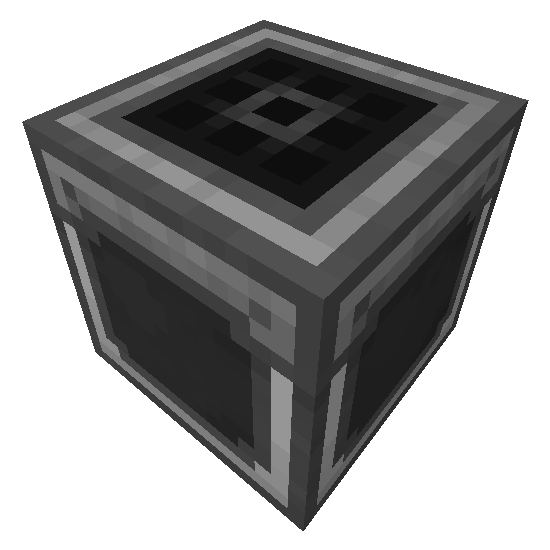
Universal Mod Core
Core Library for version agnostic Minecraft Mods
 mod
mod CurseForge + Modrinth · Minecraft
Step Crafter
Adds a Step Crafter and Step Requester which allows recursive crafting and keeping items in-stock to Refined Storage
 mod
mod CurseForge + Modrinth · Minecraft
IMBlocker
A mod for Minecraft helping control input method