Minecraft version
Back to mods 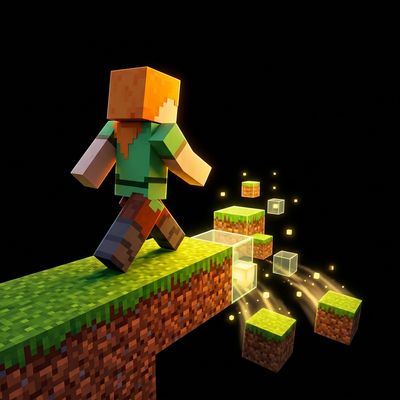
CurseForge · Minecraft mod
Walk To Generate
The world starts empty. Terrain is saved, cleared to air, and physically restored under your feet as you walk, so nothing can spawn until you get there.
Choose a version Pick your version below, then grab the matching file.
Quick answer
Which Walk To Generate release should I use?
Latest stable file explored-1.0.0-forge-neoforge-1.20.1.jar
Game version 1.20.1
Loader Forge, NeoForge
Walk To Generate explored-1.0.0-forge-neoforge-1.20.1.jar targets 1.20.1 with Forge, NeoForge. The project page does not say whether this file belongs on the client, dedicated server, or both. No extra mods listed for this file.
Where it goes
Is Walk To Generate required on the client, server, or both?
The project page does not say whether this file belongs on the client, dedicated server, or both.
Client Source doesn’t say
Dedicated server Source doesn’t say
Loader for this release Forge, NeoForge
Required install it here Optional supported, not mandatory Not supported do not install here Source doesn’t say do not assume
The source does not explicitly classify this release as client-only or server-only.
What else does Walk To Generate explored-1.0.0-forge-neoforge-1.20.1.jar need?
explored-1.0.0-forge-neoforge-1.20.1.jar. Change the file and its required mods may change too.
This file does not list any required mods. Do not add a library just because a different file uses it.
This file does not list any required or optional mods.
Before you install it
Add Walk To Generate without breaking your instance.
Built for Walk To Generate explored-1.0.0-forge-neoforge-1.20.1.jar. Pick another file and the loader, install side or required mods may change.
- 01
Stick to this file
Use explored-1.0.0-forge-neoforge-1.20.1.jar. It targets 1.20.1 with Forge, NeoForge; another release may have different loader, side or dependency requirements.
- 02
Bring the mods it needs
This file does not list any required mods. Do not add a library just because a different file uses it.
- 03
Put it on the correct side
The project page does not say whether this file belongs on the client, dedicated server, or both.
- 04
Pick the file you checked
Use the “Get this file” button beside explored-1.0.0-forge-neoforge-1.20.1.jar. It opens that exact file at the source.
About this project
What does Walk To Generate add?
Walk To Generate empties the world and gives it back to you one step at a time.
When the mod is on, every chunk the server loads is saved to disk and then cleared to air. Nothing is deleted and nothing is lost: the terrain is put away, not destroyed. As you walk, the columns under your feet are restored from that store, block for block, exactly as the world generator made them.
This happens on the server, not in your eyes. The world really is empty. That means no mobs spawn ahead of you, no water flows toward you, no lava pools wait in the dark, because none of it exists yet. It arrives when you do.
FEATURES
The world is genuinely emptied and genuinely restored. Server side, not a rendering trick, so it works the same in single player and in multiplayer.
What you have uncovered stays uncovered, forever. The record is saved with the world.
Choose how much appears: from a single column to a 50x50 square.
Ground is revealed slightly ahead of you along the way you are walking, so a hillside is there before you reach it.
A one block step up is hopped for you automatically. You cannot see a rise coming in a world this dark, so the mod does what you would have done if you could.
You are placed on top of the ground when you join or respawn, never inside it.
SETTINGS
On 1.21.1 and 26.2 there is a Walk To Generate button on the ordinary Options screen. Changing the numbers there asks the server, so the setting means the same thing for everyone on the world.
On every version, operators can use commands:
/explored set size 1-50
/explored set lookahead 0-16
VERSIONS
Minecraft 26.2, 1.21.1 and 1.20.1, each for Fabric, NeoForge and Forge. On 1.20.1 a single file covers Forge and NeoForge, because NeoForge 47 still identifies itself as Forge.
Every build was started on a real server before release.
Project description from CurseForge.
Pick your setup
Walk To Generate by Minecraft version and loader
Choose the version and loader you play, then open the matching release.
Minecraft version
1.21.1
3 loader buildsMinecraft version
1.20.1
3 loader buildsCheck the dependencies, then try the file in a copied instance before changing a world you care about.
Recent files
Walk To Generate versions and loaders
explored-1.0.0-forge-neoforge-1.20.1.jar
2 Sept 2026
Client Source doesn’t say Server Source doesn’t say Dependencies No extras listed Listed on Release listing
Check the 1.20.1 · Forge setup 1.20.1ForgeNeoForge release
explored-1.0.0-fabric-1.20.1.jar
2 Sept 2026
Client Source doesn’t say Server Source doesn’t say Dependencies No extras listed Listed on Release listing
Check the 1.20.1 · Fabric setup Fabric1.20.1 release
explored-1.0.0-forge-1.21.1.jar
2 Sept 2026
Client Source doesn’t say Server Source doesn’t say Dependencies No extras listed Listed on Release listing
Check the 1.21.1 · Forge setup Forge1.21.1 release
explored-1.0.0-neoforge-1.21.1.jar
2 Sept 2026
Client Source doesn’t say Server Source doesn’t say Dependencies No extras listed Listed on Release listing
Check the 1.21.1 · NeoForge setup 1.21.1NeoForge release
explored-1.0.0-fabric-1.21.1.jar
2 Sept 2026
Client Source doesn’t say Server Source doesn’t say Dependencies No extras listed Listed on Release listing
Check the 1.21.1 · Fabric setup Fabric1.21.1 release
explored-1.0.0-forge-26.2.jar
2 Sept 2026
Client Source doesn’t say Server Source doesn’t say Dependencies No extras listed Listed on Release listing
Check the 26.2 · Forge setup Forge26.2 release
explored-1.0.0-neoforge-26.2.jar
2 Sept 2026
Client Source doesn’t say Server Source doesn’t say Dependencies No extras listed Listed on Release listing
Check the 26.2 · NeoForge setup NeoForge26.2 release
explored-1.0.0-fabric-26.2.jar
2 Sept 2026
Client Source doesn’t say Server Source doesn’t say Dependencies No extras listed Listed on Release listing
Check the 26.2 · Fabric setup Fabric26.2 release
Looking for an older file? The official CurseForge project page is in Resources.
 mod
CurseForge · Minecraft
Upgrade Arid - Desert & Badlands Overhaul
Breathe life into the wastes. Overhauls forgotten deserts and badlands with unique hazards, beautiful flora, and vanilla-style mechanics
 mod
CurseForge + Modrinth · Minecraft
Lychee (Fabric)
Define in-world crafting & interactions using JSON recipes. item interaction, burning, touching fluid, anvil, crushing, lightning, exploding...
 mod
GitHub · Minecraft
modpacks-ch-github-test
Disposable public fixture for testing the Modpacks.ch GitHub catalogue flow