Fabric API Needed by Nyxa Client nyxa-client-2.5.0.jar
requiredMatching file found Matched file: [1.20.1] Fabric API 0.92.12+1.20.1

CurseForge · Minecraft mod
Nyxa Client is a Minecraft 1.20.1 client mod featuring a yellow and black theme, cinematic zoom, tons of customizable crosshairs, and 21 modules designed to enhance your gameplay while keeping everything clean and simple.
Quick answer
Nyxa Client nyxa-client-2.5.0.jar targets 1.20.1 with Fabric. The project page does not say whether this file belongs on the client, dedicated server, or both. All 1 required mods have matching files.
Where it goes
The project page does not say whether this file belongs on the client, dedicated server, or both.
The source does not explicitly classify this release as client-only or server-only.
nyxa-client-2.5.0.jar. Change the file and its required mods may change too.
Install Fabric API first. We found matching files for this game-version and loader setup.
We only count dependency files that match this setup. A file for another loader does not fill the gap.
Before you install it
Built for Nyxa Client nyxa-client-2.5.0.jar. Pick another file and the loader, install side or required mods may change.
Use nyxa-client-2.5.0.jar. It targets 1.20.1 with Fabric; another release may have different loader, side or dependency requirements.
Install Fabric API first. We found matching files for this game-version and loader setup.
The project page does not say whether this file belongs on the client, dedicated server, or both.
Use the “Get this file” button beside nyxa-client-2.5.0.jar. It opens that exact file at the source.
About this project
Nyxa Client is a Minecraft 1.20.1 client mod focused on keeping things simple, clean, and customizable.
It currently includes 21 modules in the latest version, a cinematic zoom feature, and a large selection of customizable crosshairs. The client uses a yellow and black theme to give everything its own look while keeping the interface easy to use.
Nyxa Client is still being developed, with more modules and features planned for future updates.
Nyxa client 2.4.1 (latest version) all modules:
HUD
Visual
Misc
Project description from CurseForge.
Pick your setup
Choose the version and loader you play, then open the matching release.
Check the dependencies, then try the file in a copied instance before changing a world you care about.
Recent files
nyxa-client-2.4.2 (3).jar
10 Sept 2026
nyxa-client-2.4.1 (1) (1).jar
9 Sept 2026
4 Sept 2026
Looking for an older file? The official CurseForge project page is in Resources.
 mod
modCityLink is our optional companion mod for the 4blocks.gg roleplay server. Adds a full in-game smartphone, an agency tablet, a G interaction menu, a live city map and a sleek HUD. Completely optional.
 mod
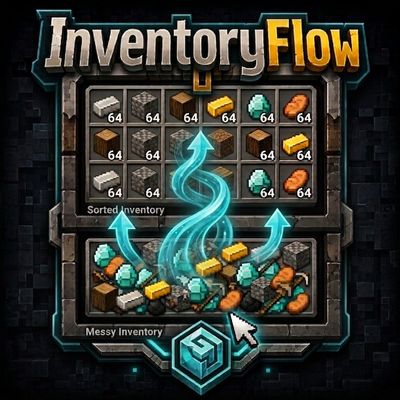
modInventoryFlow improves Minecraft inventory management with fast item transfers, mouse drag actions, scroll-based transfers, stack controls, and one-click inventory sorting.
 mod
modMadoku Craft is an interconnected overhaul mod that modifies vanilla Minecraft. This mod adds seasons, an ecosystem, pets, and a leveling system. It also modifies items, attributes, recipes, loot, smithing, enchanting and mobs.