Minecraft version
Back to mods 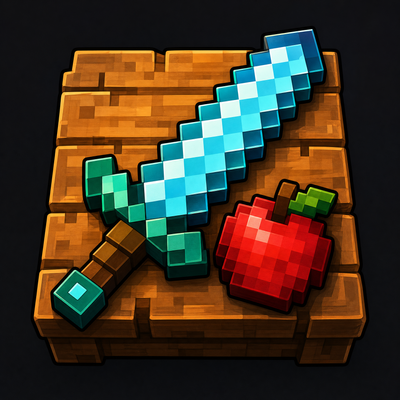
CurseForge · Minecraft mod
FlatPlaced
Place swords, tools, food, books, ores and other items flat on top of blocks without item frames.
Choose a version Pick your version below, then grab the matching file.
Quick answer
Which FlatPlaced release matches 1.21.1 Forge?
Best match for your filters FlatPlaced-2.0.1-forge-1.21.1.jar
Game version 1.21.1
Loader Forge
FlatPlaced-2.0.1-forge-1.21.1.jar targets 1.21.1 with Forge. The project page does not say whether this file belongs on the client, dedicated server, or both. No extra mods listed for this file.
Where it goes
Is FlatPlaced required on the client, server, or both?
The project page does not say whether this file belongs on the client, dedicated server, or both.
Client Source doesn’t say
Dedicated server Source doesn’t say
Loader for this release Forge
Required install it here Optional supported, not mandatory Not supported do not install here Source doesn’t say do not assume
The source does not explicitly classify this release as client-only or server-only.
What else does FlatPlaced-2.0.1-forge-1.21.1.jar need?
FlatPlaced-2.0.1-forge-1.21.1.jar on 1.21.1 Forge. Every mod below is checked against that same setup.
This file does not list any required mods. Do not add a library just because a different file uses it.
This file does not list any required or optional mods.
Before you install it
Add FlatPlaced without breaking your instance.
Built for FlatPlaced-2.0.1-forge-1.21.1.jar on 1.21.1 Forge. Pick another file and the loader, install side or required mods may change.
- 01
Stick to this file
Use FlatPlaced-2.0.1-forge-1.21.1.jar. It targets 1.21.1 with Forge; another release may have different loader, side or dependency requirements.
- 02
Bring the mods it needs
This file does not list any required mods. Do not add a library just because a different file uses it.
- 03
Put it on the correct side
The project page does not say whether this file belongs on the client, dedicated server, or both.
- 04
Pick the file you checked
Use the “Get this file” button beside FlatPlaced-2.0.1-forge-1.21.1.jar. It opens that exact file at the source.
About this project
What does FlatPlaced add?
FlatPlaced lets you place ordinary Minecraft items directly on top of blocks as 3D objects without using item frames. Display swords, pickaxes, axes, food, books, ores, ingots, gems, redstone and many other non-block items on tables, storage rooms, workshops, shops and museums. Features - Place swords, pickaxes, axes and other tools directly on blocks. - Display food, books, ores, ingots, gems, redstone and other resources. - Items lie flat on the block surface like objects placed on a table. - Items use Minecraft's existing 3D item models. - No item frames are required. - Works in Survival and Creative mode. - Right-click the top of a block to place an item. - Right-click the same spot again to pick the item back up. - Blocks are not affected and keep their normal Minecraft behavior. - Hold Shift while right-clicking to keep the normal Minecraft interaction. How to use 1. Hold a non-block item in your hand. 2. Right-click the top surface of a solid block. 3. The item will be placed flat on the block. 4. Right-click the same spot again to pick it up. Supported version - Minecraft Java Edition 1.20.1 - Minecraft Forge 47.2.0 Installation 1. Install Minecraft Forge 1.20.1. 2. Download the FlatPlaced jar file. 3. Put the jar file into your .minecraft/mods folder. 4. Launch Minecraft using the Forge profile. Blocks are intentionally excluded from the placement system and continue to behave normally.
Project description from CurseForge.
Pick your setup
FlatPlaced by Minecraft version and loader
Choose the version and loader you play, then open the matching release.
Minecraft version
1.20.1
1 loader buildCheck the dependencies, then try the file in a copied instance before changing a world you care about.
Recent files
FlatPlaced versions and loaders
FlatPlaced-2.0.1-forge-1.21.1.jar
5 Sept 2026
Client Source doesn’t say Server Source doesn’t say Dependencies No extras listed Listed on Release listing
Check the 1.21.1 · Forge setup Forge1.21.1 release
Looking for an older file? The official CurseForge project page is in Resources.
 mod
CurseForge · Minecraft
RemoveEnchantmentIncompatibility
Сombine any enchantments on one item at the enchanting table and anvil
 mod
CurseForge · Minecraft
OP Insecurities (gamemode) (commands)
Configurable OP command restrictions with custom access levels and command exceptions.
 mod
CurseForge · Minecraft
Keep On Chance (keepinventory)
Keeps players inventories on death if given chance succeeds.