Fabric API Needed by myskins-1.0.4.jar
requiredMatching file found Matched file: [1.21.1] Fabric API 0.116.17+1.21.1
CurseForge · Minecraft mod
Manage and change your skins, capes, 3D body proportions, and cosmetic armor visibility directly in-game with multiplayer sync.
Quick answer
myskins-1.0.4.jar targets 1.21, 1.21.1 with Fabric. The project page does not say whether this file belongs on the client, dedicated server, or both. All 1 required mods have matching files.
Where it goes
The project page does not say whether this file belongs on the client, dedicated server, or both.
The source does not explicitly classify this release as client-only or server-only.
myskins-1.0.4.jar. Change the file and its required mods may change too.
Install Fabric API first. We found matching files for this game-version and loader setup.
We only count dependency files that match this setup. A file for another loader does not fill the gap.
Before you install it
Built for myskins-1.0.4.jar. Pick another file and the loader, install side or required mods may change.
Use myskins-1.0.4.jar. It targets 1.21, 1.21.1 with Fabric; another release may have different loader, side or dependency requirements.
Install Fabric API first. We found matching files for this game-version and loader setup.
The project page does not say whether this file belongs on the client, dedicated server, or both.
Use the “Get this file” button beside myskins-1.0.4.jar. It opens that exact file at the source.
About this project
MySkins is a client and server mod for Fabric that allows managing skins, capes, body proportions, and armor visibility directly in-game.
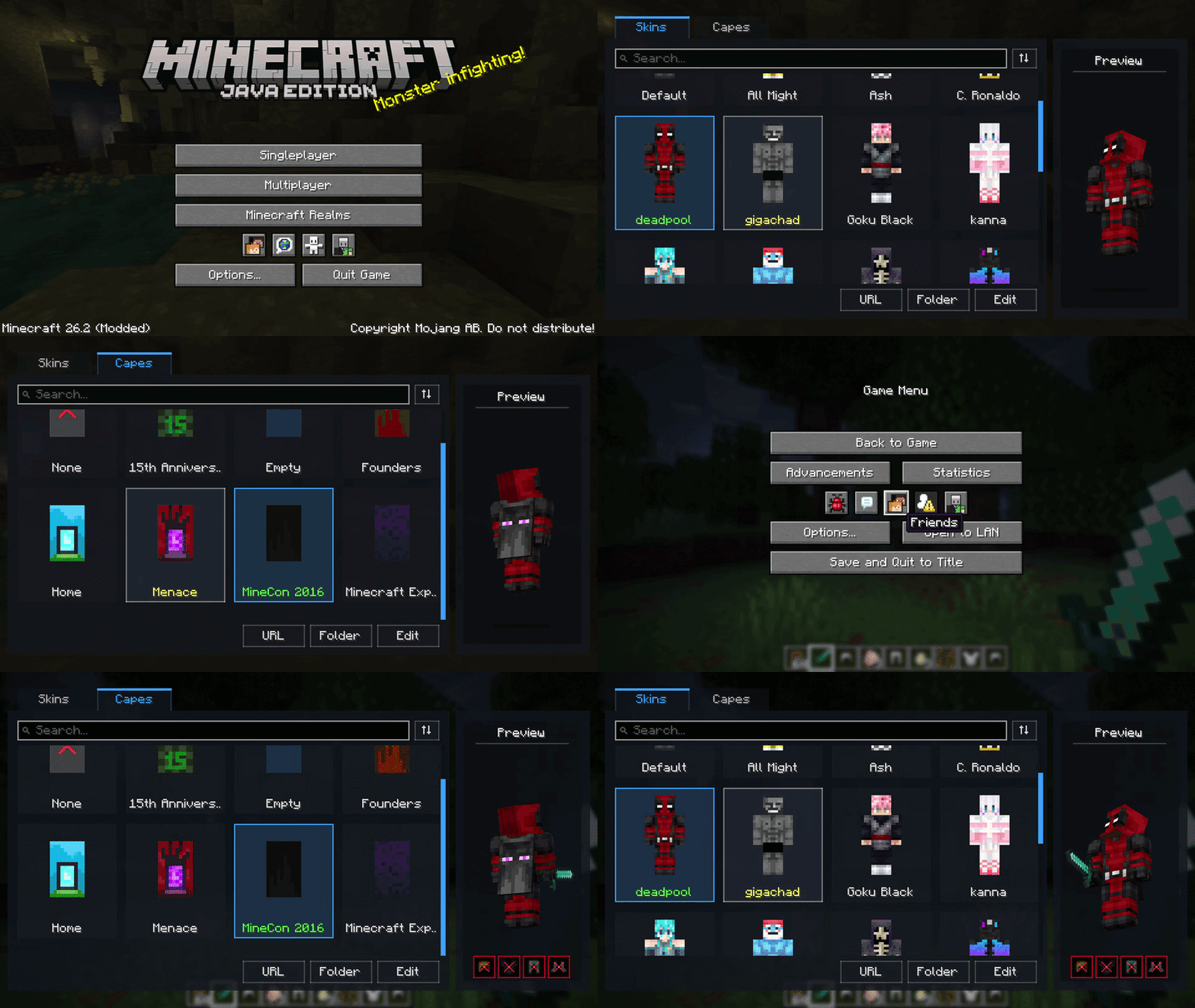
You can open the management screen using the dedicated button on the main title screen, through the pause menu (Esc), or by setting a custom keybind in the controls menu.
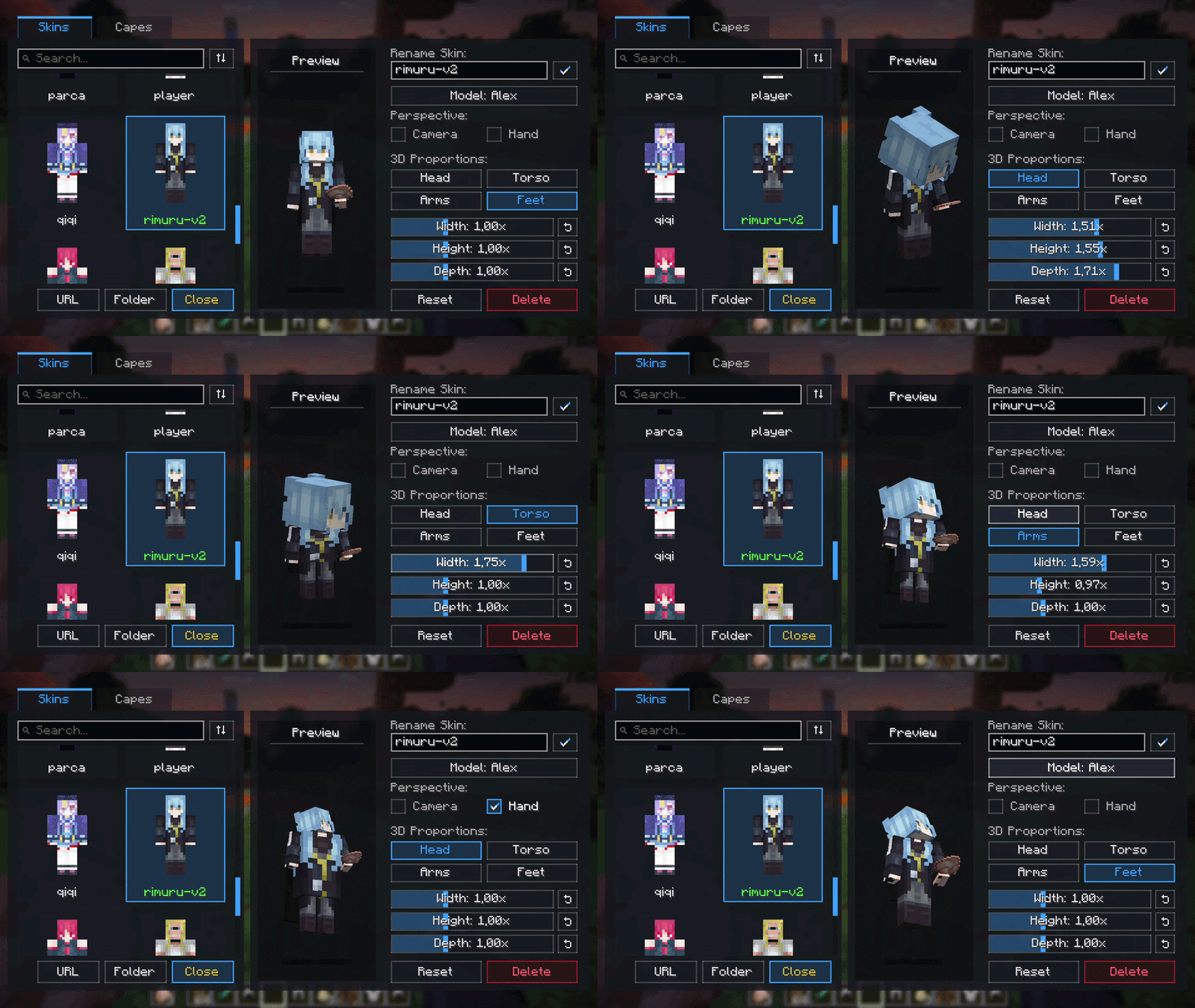
The editor panel allows configuring the width, height, and depth of individual body parts:
It also includes two perspective settings:
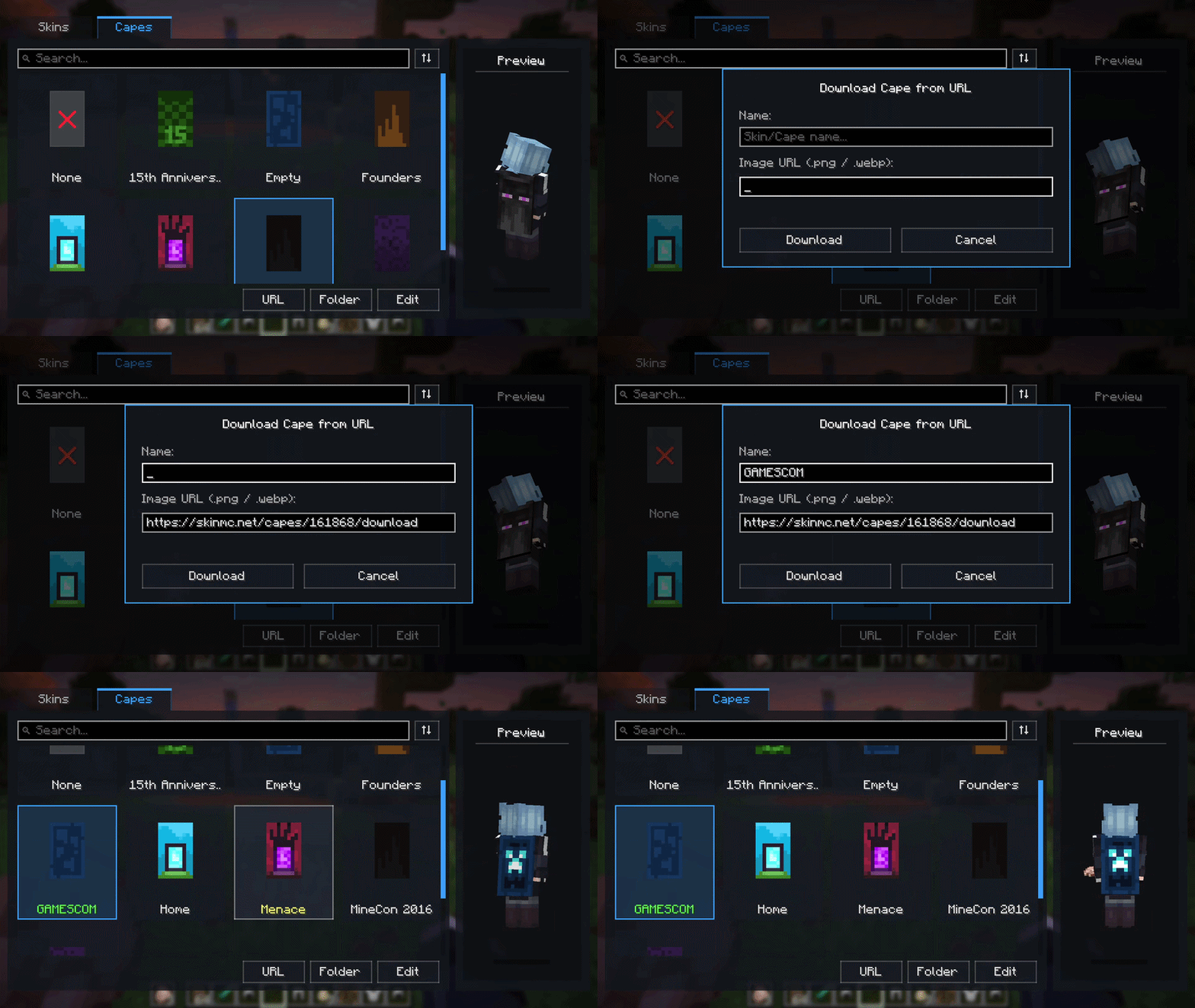
You can import skins and capes without opening your file explorer. Paste a direct link to an image (.png or .webp), give it a name, and the mod downloads and stores it into the mod directory.
Each equipped armor piece (helmet, chestplate, leggings, boots) can be hidden visually by clicking the icons below the 3D model. Armor values, durability, and enchantments remain completely functional.
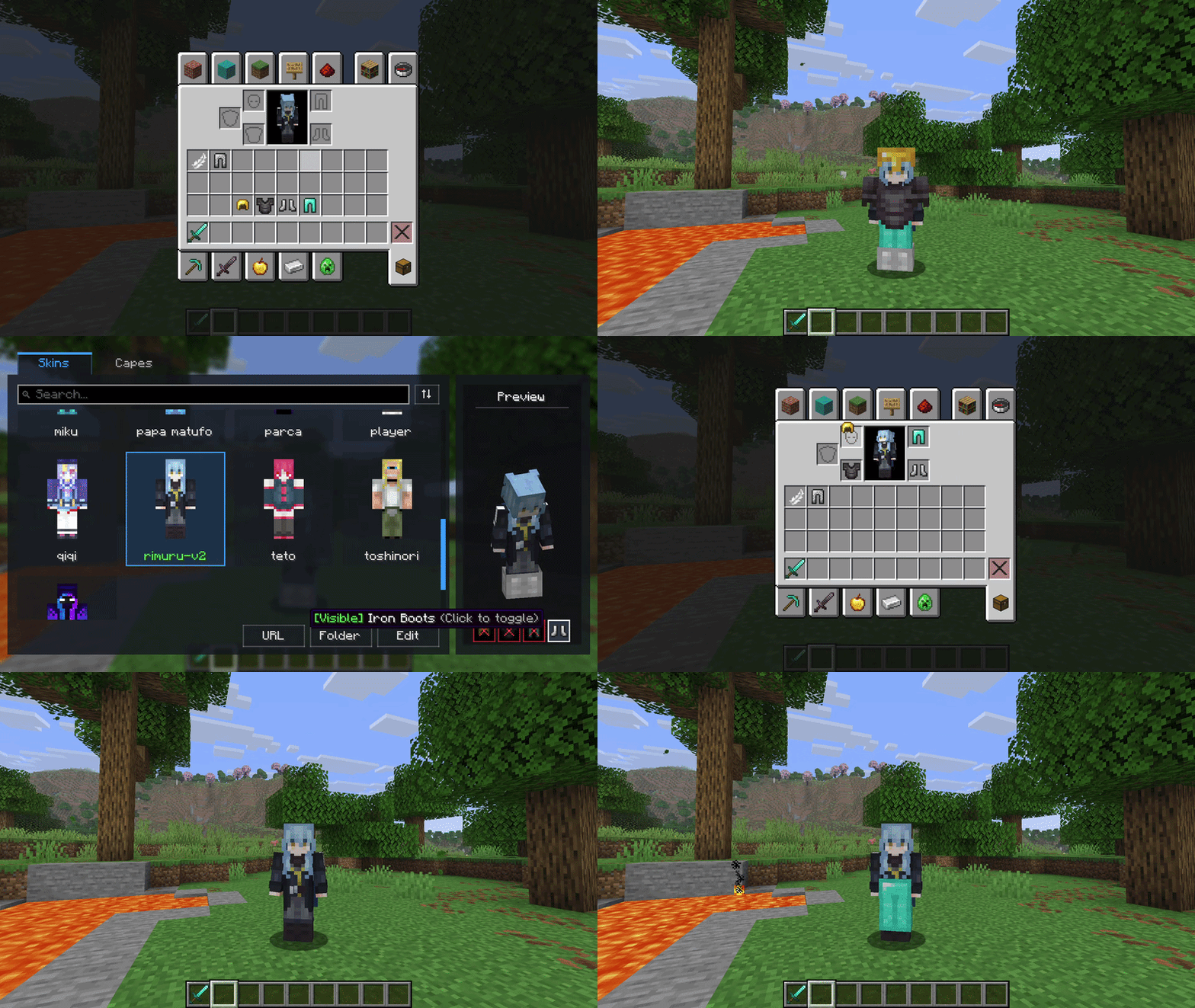
The mod works fully in singleplayer and on vanilla servers (client-side only).
If installed on both client and server, your skins, capes, custom body scales, and hidden armor states are synchronized over the network so other players with the mod can see them. Vanilla players without the mod can still connect to the server without issues.
All images and configuration profiles are stored inside:
.minecraft/myskins/
├── skins/
├── capes/
└── config/
This self-contained structure makes backups and instance transfers straightforward.
This project is licensed under All Rights Reserved. You are free to include MySkins in any public or private modpack as long as downloads go through Modrinth. Reuploading the mod binary to other websites is not permitted.
If you enjoy the mod and want to support its development:
Project description from CurseForge.
Pick your setup
Choose the version and loader you play, then open the matching release.
Check the dependencies, then try the file in a copied instance before changing a world you care about.
Recent files
13 Sept 2026
13 Sept 2026
6 Sept 2026
4 Sept 2026
Looking for an older file? The official CurseForge project page is in Resources.
 mod
modPredicts and visualizes the trajectory and explosive impact of fireballs, wither skulls and wind charges in real-time.
 mod
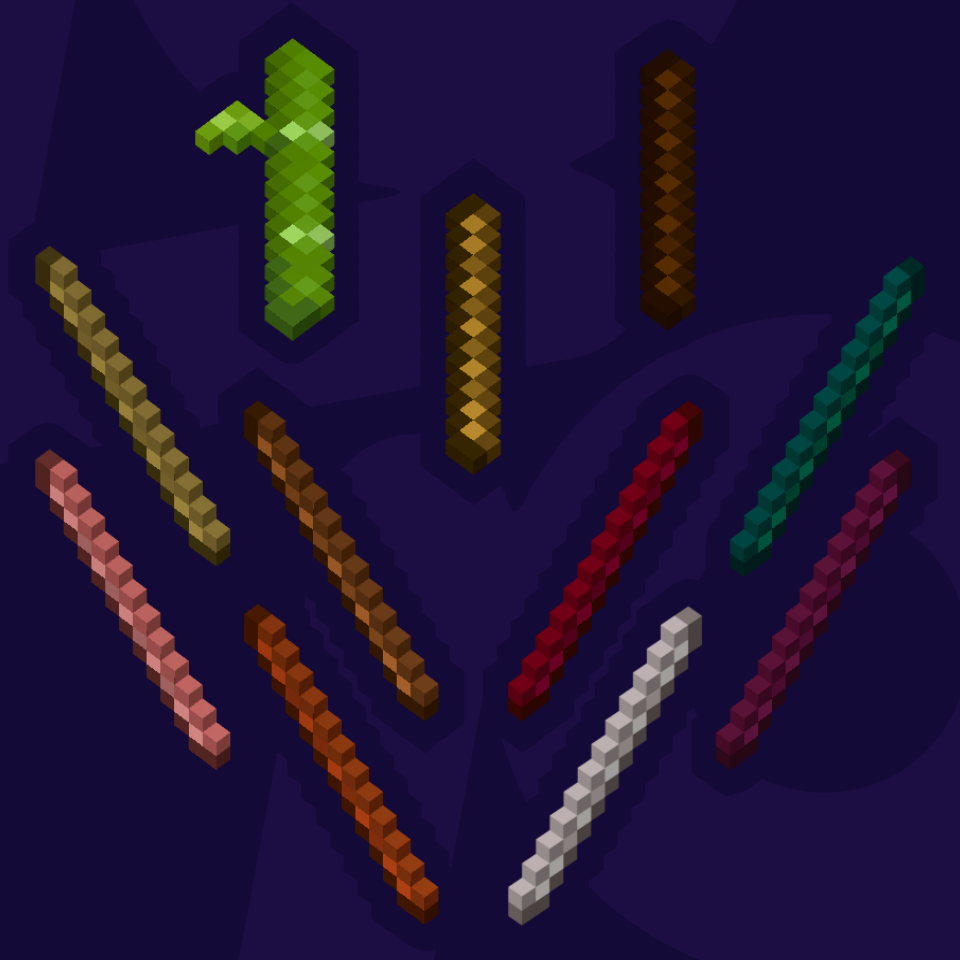
modSticks for every kind of wood. A base mod for other Variant Mods using Sticks as crafting ingredients.
 mod
modA random assortment of tools to add to your Minecraft world.