Cloth Config API (Fabric/Forge/NeoForge) Optional for Do an Over Roll do-an-over-roll-1.0
optionalMatching file found Matched file: [NeoForge 26.1] v26.1.154
CurseForge · Minecraft mod
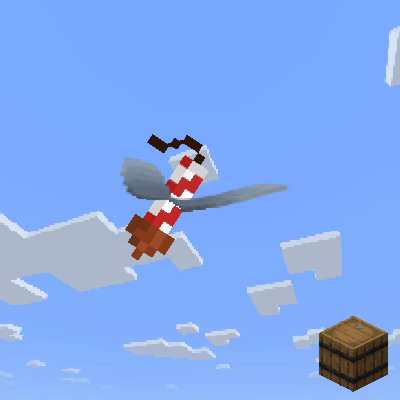
Smooth cinematic elytra flight: banking. Inertia and soft camera smoothing. Works on client and server.
Quick answer
Do an Over Roll do-an-over-roll-1.0 targets 26.1.2 with NeoForge. The project page does not say whether this file belongs on the client, dedicated server, or both. No extra mods listed for this file.
Where it goes
The project page does not say whether this file belongs on the client, dedicated server, or both.
The source does not explicitly classify this release as client-only or server-only.
do-an-over-roll-1.0. Change the file and its required mods may change too.
This file does not list any required mods. Do not add a library just because a different file uses it.
We only count dependency files that match this setup. A file for another loader does not fill the gap.
Before you install it
Built for Do an Over Roll do-an-over-roll-1.0. Pick another file and the loader, install side or required mods may change.
Use do-an-over-roll-1.0. It targets 26.1.2 with NeoForge; another release may have different loader, side or dependency requirements.
This file does not list any required mods. Do not add a library just because a different file uses it.
The project page does not say whether this file belongs on the client, dedicated server, or both.
Use the “Get this file” button beside do-an-over-roll-1.0. It opens that exact file at the source.
About this project
You can customize this mod via the mod menu.
An advanced elytra control mod focused on realistic flight physics. Its core feature: full directional freedom independent from camera angle, allowing rolls and loops in any axis. Built‑in motion filters ensure smooth view transitions, with roll‑offset effects mimicking real aircraft behavior.
The mod offers full in-game configuration through ModMenu and Cloth Config API. After installing both, simply locate the mod in your mods list and hit the config button to open the settings panel.
A broad set of tweaks is up for grabs, covering custom mouse handling, flight activation limits, and adjustable parameters such as tilt intensity, response speed, and various other fine-tuning sliders.
Both server and client running the mod — visual effects are fully synchronized.
Server has the mod, client does not — the client can still join and play without any problems, but will not see any visual cues from the mod.
Server lacks the mod, client has it — the client can join and play normally, but visual feedback will only be visible to that player alone
This mod doesn't actually alter the underlying flight physics, so in most situations it won't set off anticheat systems. That said, performing stunts like rapid vertical loops may appear to the server as erratic camera movements and could potentially trigger a flag. Use with caution and at your own discretion.
Support for versions 1.21.11, 26.2, and 26.3 will be included.
Project description from CurseForge.
Pick your setup
Choose the version and loader you play, then open the matching release.
Check the dependencies, then try the file in a copied instance before changing a world you care about.
Recent files
do-an-over-roll-1.0+26.1.2.jar
12 Sept 2026
do-an-over-roll-1.0+26.1.jar
5 Sept 2026
Looking for an older file? The official CurseForge project page is in Resources.
 mod
modRidable, Trainable Chocobos. Chocobos are found in the wild. All 16 Minecraft colors to pick from. Chocobos can run, fly, and Attack your enemies!
 mod
modA mod that adds a search bar to Apothic Attributes and add some useful attributes and tools