Minecraft version
Back to mods 
CurseForge · Minecraft mod
Hitchhiker
Befriend a living backpack, carry it on your adventures, and unlock new forms through the supplies it holds.
Choose a version Pick your version below, then grab the matching file.
Quick answer
Which Hitchhiker release should I use?
Latest stable file hitchhiker-1.2.1.jar
Game version 1.21.1
Loader NeoForge
hitchhiker-1.2.1.jar targets 1.21.1 with NeoForge. The project page does not say whether this file belongs on the client, dedicated server, or both. No extra mods listed for this file.
Where it goes
Is Hitchhiker required on the client, server, or both?
The project page does not say whether this file belongs on the client, dedicated server, or both.
Client Source doesn’t say
Dedicated server Source doesn’t say
Loader for this release NeoForge
Required install it here Optional supported, not mandatory Not supported do not install here Source doesn’t say do not assume
The source does not explicitly classify this release as client-only or server-only.
What else does hitchhiker-1.2.1.jar need?
hitchhiker-1.2.1.jar. Change the file and its required mods may change too.
This file does not list any required mods. Do not add a library just because a different file uses it.
This file does not list any required or optional mods.
Before you install it
Add Hitchhiker without breaking your instance.
Built for hitchhiker-1.2.1.jar. Pick another file and the loader, install side or required mods may change.
- 01
Stick to this file
Use hitchhiker-1.2.1.jar. It targets 1.21.1 with NeoForge; another release may have different loader, side or dependency requirements.
- 02
Bring the mods it needs
This file does not list any required mods. Do not add a library just because a different file uses it.
- 03
Put it on the correct side
The project page does not say whether this file belongs on the client, dedicated server, or both.
- 04
Pick the file you checked
Use the “Get this file” button beside hitchhiker-1.2.1.jar. It opens that exact file at the source.
About this project
What does Hitchhiker add?
Hitchhiker
Your backpack has a life of its own.
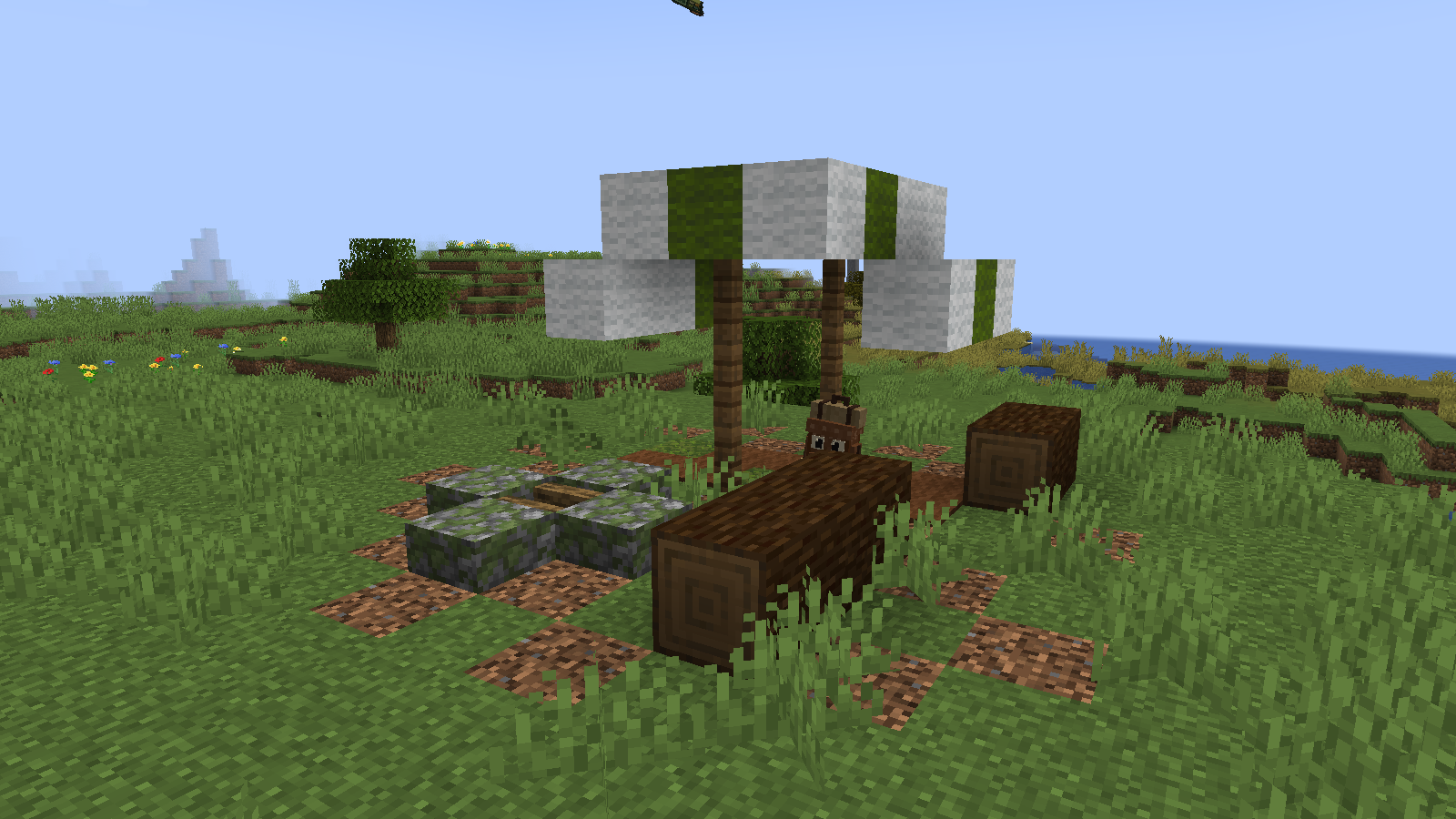
Find a little living backpack at an abandoned campsite, earn its trust with sweet berries, and take it on your next adventure. Hitchhiker follows you, carries your supplies, picks up useful drops, and rides on your back. What you put inside can even change what it becomes.
New in 1.2.1
- Smart collection: choose mining supplies, crops and flowers, or mob drops. Your companion walks to nearby items and munches them into its inventory.
- Useful crystal storage: 18 extra mineral slots, available only while crystal form and its supporting contents qualify.
- Form locking in the controller: keep your favourite appearance without bypassing crystal-storage requirements.
- More personality: curious sniffing, sleepy dozing, affectionate approaches, and brave reactions to danger.
- Gifts from your travels: occasionally discover a small biome-themed gift in your companion's inventory.
- A cleaner inventory: ordinary forms have 36 slots, with only the collection-filter button below them.
Find your first companion
- Explore newly generated plains, forests, birch forests, flower forests, or taigas for an abandoned campsite.
- Feed the waiting Hitchhiker three sweet berries to tame it.
- Right-click with an empty hand to open its inventory. Sneak + right-click with an empty hand to carry it on your back.
Campsites appear through world generation. In an existing world, explore new chunks to find them.
Four forms, shaped by what you carry
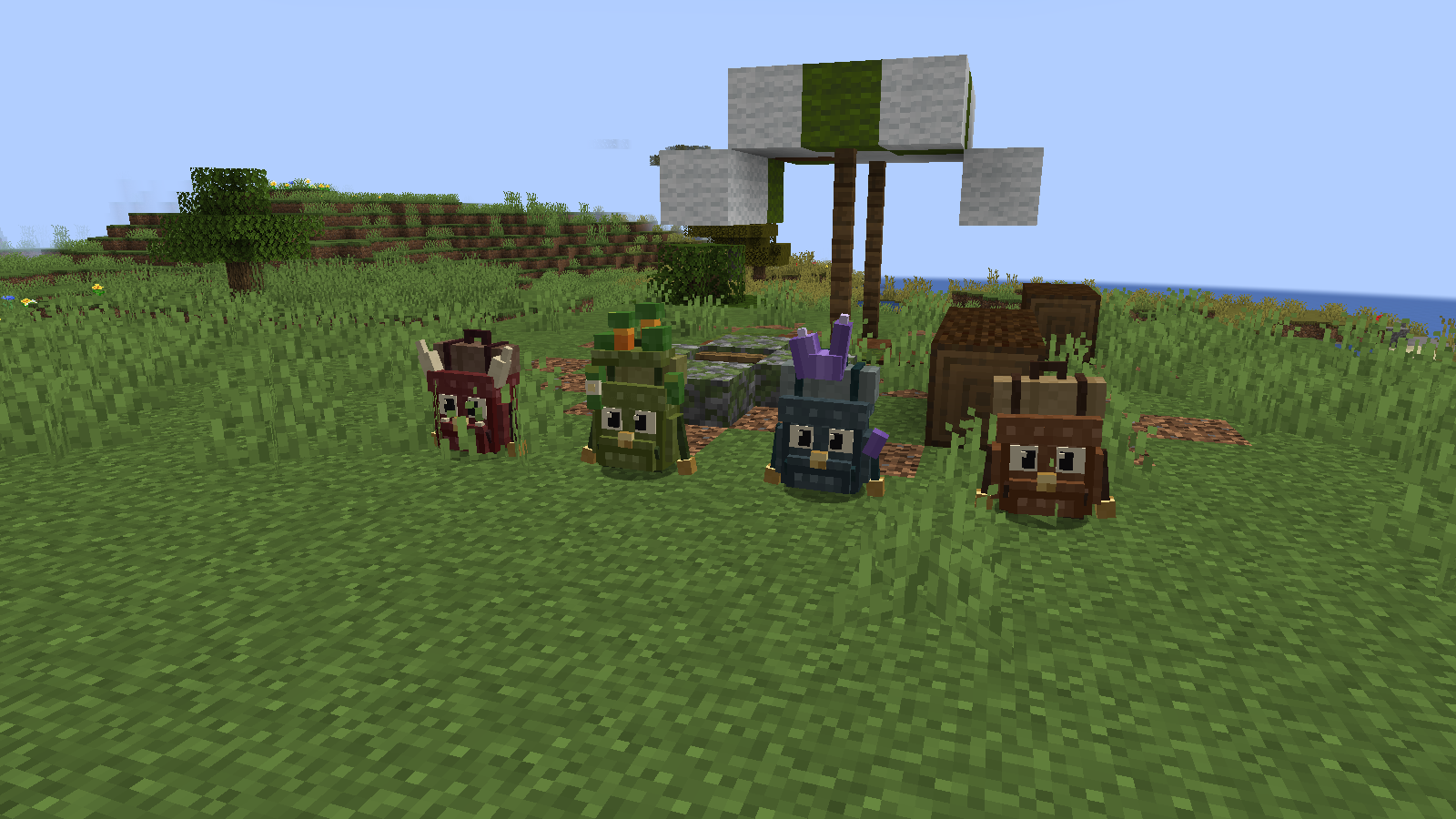
Every companion has 36 regular inventory slots. Keep at least 16 items from one affinity group inside for about a minute to encourage a transformation. The items are not consumed.
- Trail Companion: the original living backpack, ready to travel with you.
- Crystal Keeper: encouraged by ores, raw iron/gold/copper, coal, or amethyst. Gains conditional mineral storage and can remember an ore location marked with the controller.
- Pocket Garden: encouraged by flowers, wheat seeds, carrots, potatoes, or moss. Produces crops over time and helps nearby crops grow while staying in place.
- Little Guardian: encouraged by rotten flesh, bones, spider eyes, or gunpowder. Helps defend its owner against attackers.
How crystal storage works
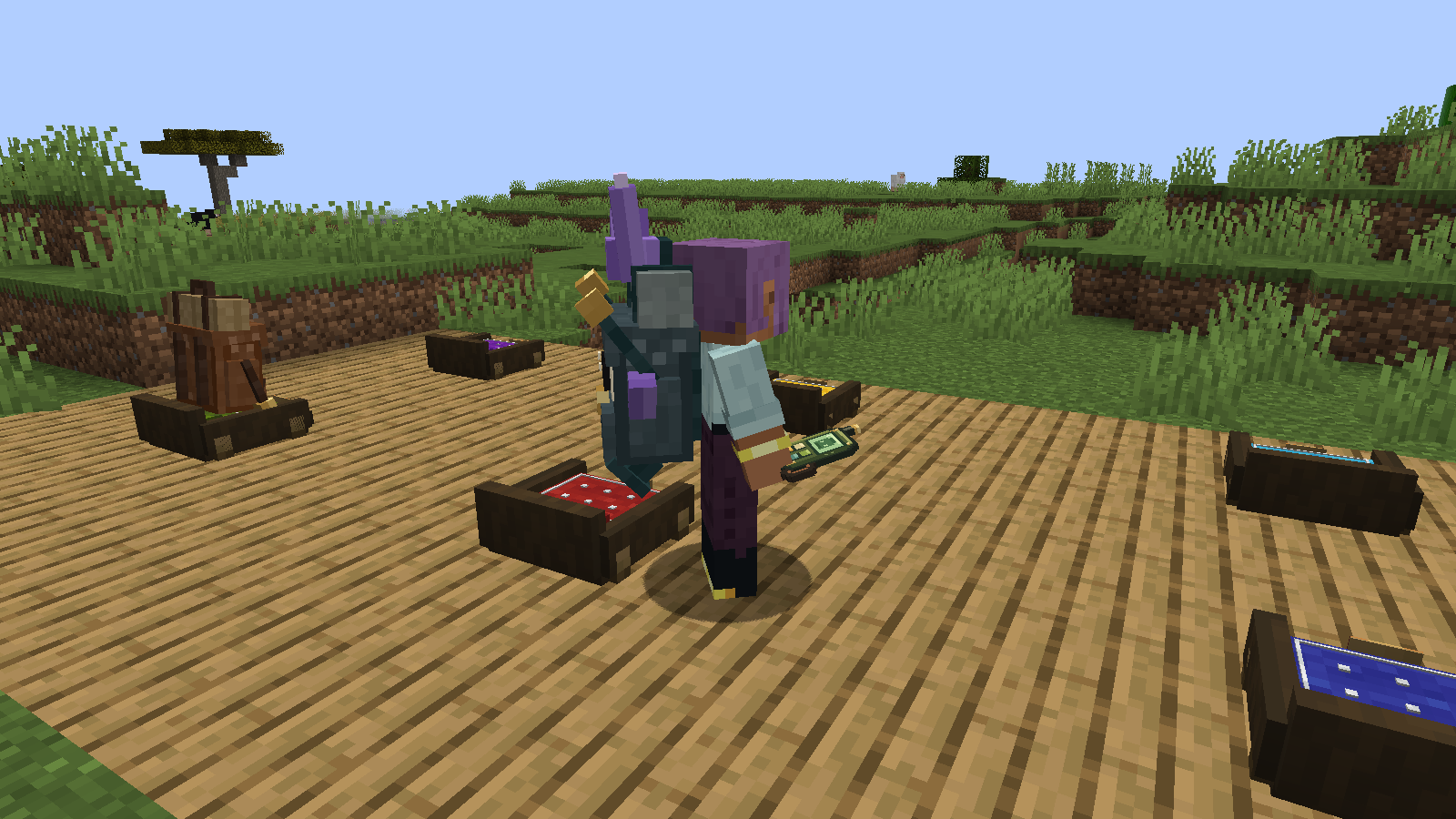
The blue slots are a benefit of real crystal affinity, not simply a locked appearance. They require crystal form, at least 16 crystal-affinity items, and a crystal item count at least as large as either of the other affinity groups. Items in both regular and mineral slots count toward affinity.
The 18 extra slots accept mining supplies such as ores, raw metals, ingots, gems, coal, redstone, and quartz. They use normal stack sizes. Shift-click and automatic collection fill mineral slots first when eligible.
Other forms never show blue slots. A locked crystal without the required contents also has only 36 slots. If crystal capacity is lost, stored items move into the regular inventory. Anything that does not fit is placed beside the companion, reserved for its owner and without timed despawn. The inventory resizes automatically; nothing remains hidden in unusable slots.
Choose what your companion collects
The inventory button cycles through Off → Mining supplies → Crops and flowers → Mob drops. Collection starts switched off.
Your companion collects reachable drops within 5 blocks while following near its owner. It yields to combat and owner commands, and stops when carried, sent home, told to stay, or viewed through its inventory. It respects pickup delays, full inventories, and items reserved for other players.
Your crew, one controller
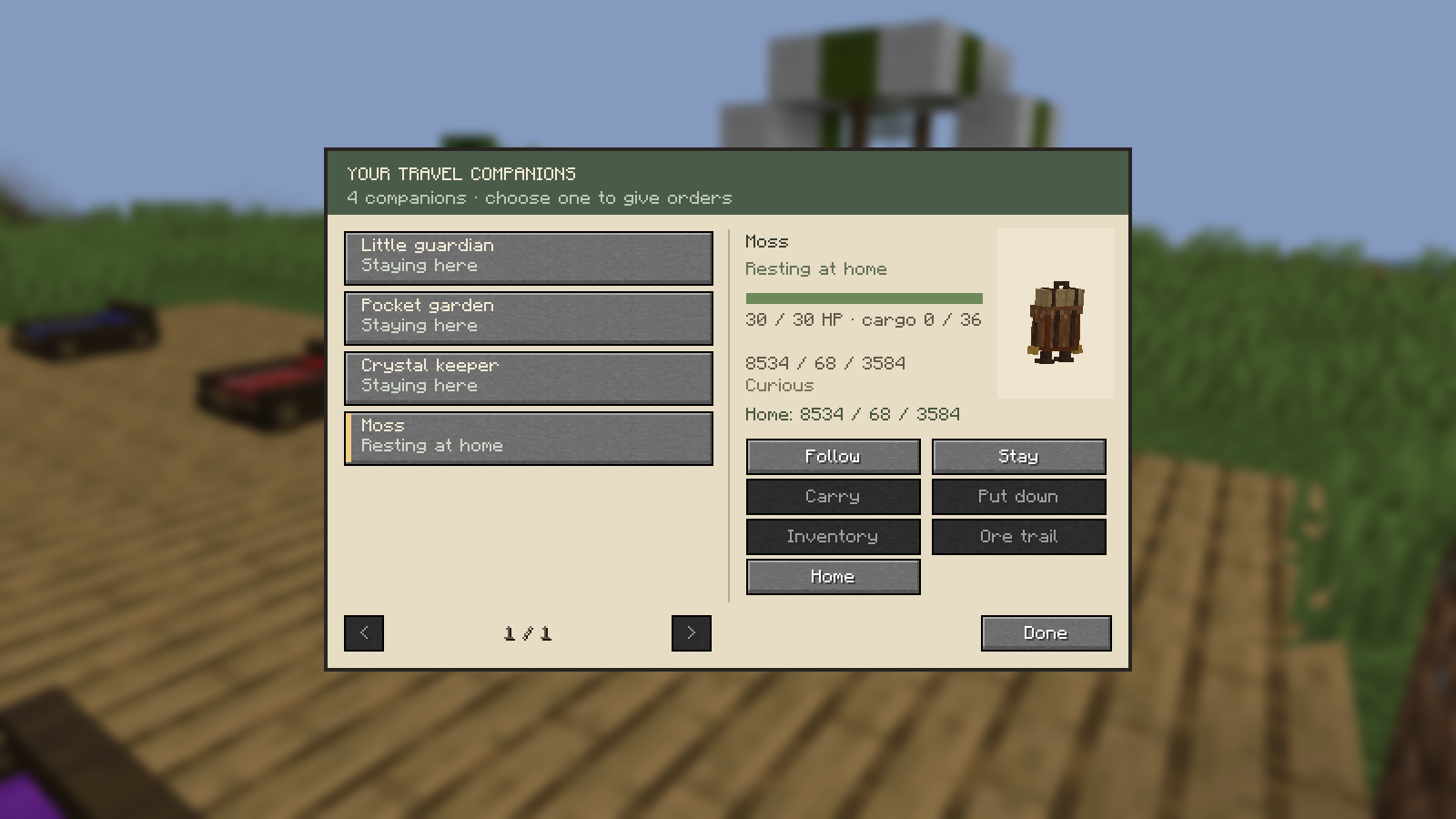
Craft a Companion Controller using a gold ingot in the upper-right and string in the lower-left of a 2×2 crafting area. Choose a companion and use:
Follow · Stay · Carry · Put down · Inventory · Ore trail · Home · Lock / Unlock form
The controller shows your companion's position, health, personality, and assigned home. Carrying and opening inventory require a distance of 4 blocks; other remote commands work within 64 blocks in the same dimension.
Form locking preserves the current appearance. It does not replace the supplies required for crystal storage.
A place to call home
Craft a Companion Bed from four planks, three matching wool blocks, and a hay bale. Choose from 16 colours.
Select your companion in the controller, then use the controller on its bed. The Home command sends it back to rest and slowly recover health. The bed must be reachable, loaded, in the same dimension, and within 64 blocks of the companion. Sneak and use the controller on a bed to release its assignment.
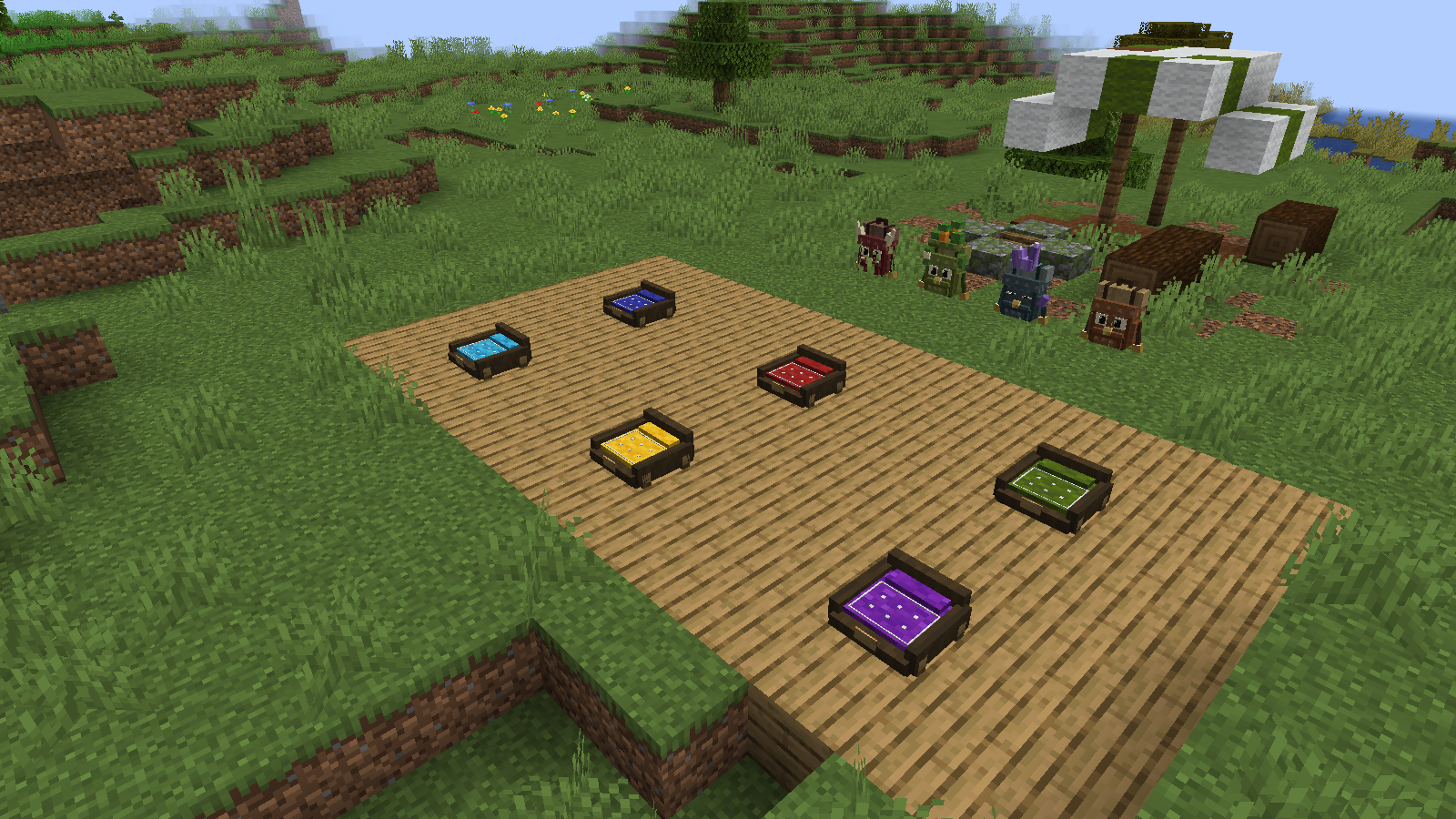
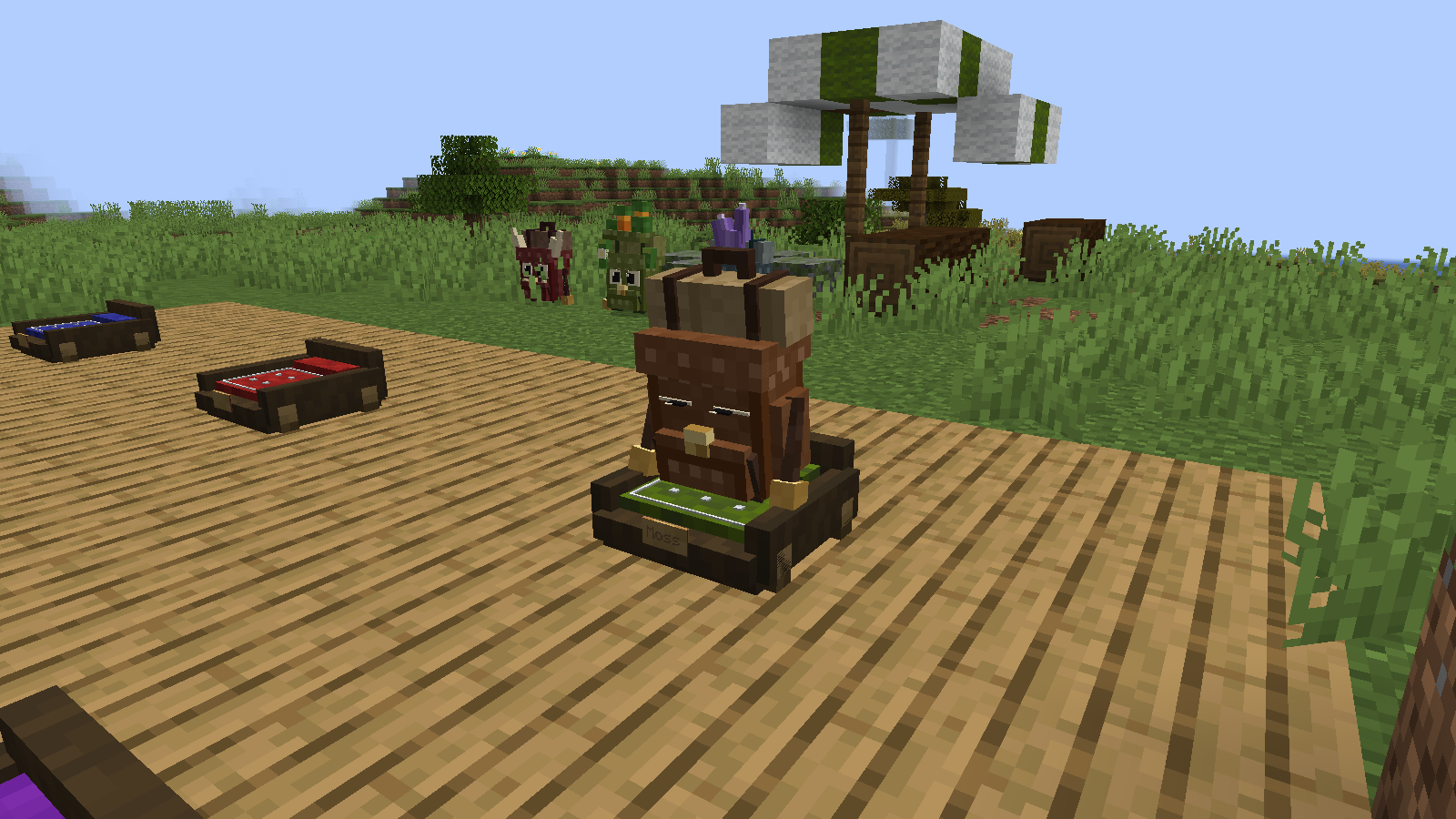
A personality of their own
Every companion has a persistent Curious, Sleepy, Brave, or Affectionate personality. Brief idle behaviours make each one feel different, while following, combat, and your commands take priority. Personality stays with a companion through its transformations.
After at least 20 minutes together and 512 blocks of ordinary travel, your companion can find a small local biome gift. It needs room in its inventory and a suitable opportunity near you. Cooldowns and the last 256 rewarded regions, each 128×128 blocks, prevent repeated gifts from the same recent locations. Large teleport jumps do not count as travel.
If your companion falls
A tamed Hitchhiker drops a Sleeping Hitchhiker containing its saved cargo when it dies. Recover the item and use it on the ground to bring your companion back.
Installation and compatibility
- Minecraft Java 1.21.1 · NeoForge · Java 21. Tested with NeoForge 21.1.249.
- Install Hitchhiker 1.2.1 on both the server and every client for multiplayer.
- No additional library mods are required. This build is for NeoForge, not Forge, Fabric, or Bedrock.
- Back up an existing world before upgrading. Replace the older Hitchhiker JAR rather than keeping both versions.
- Older versions cannot preserve the new mineral slots. Do not downgrade a world using them.
Report a bug or suggest an idea
Hitchhiker — by stofiiis
Project description from CurseForge.
Pick your setup
Hitchhiker by Minecraft version and loader
Choose the version and loader you play, then open the matching release.
Check the dependencies, then try the file in a copied instance before changing a world you care about.
Recent files
Hitchhiker versions and loaders
hitchhiker-1.2.1.jar
11 Sept 2026
Client Source doesn’t say Server Source doesn’t say Dependencies No extras listed Listed on Release listing
Check the 1.21.1 · NeoForge setup 1.21.1NeoForge release
hitchhiker-1.1.0.jar
7 Sept 2026
Client Source doesn’t say Server Source doesn’t say Dependencies No extras listed Listed on Release listing
Check the 1.21.1 · NeoForge setup 1.21.1NeoForge release
hitchhiker-1.0.0.jar
6 Sept 2026
Client Source doesn’t say Server Source doesn’t say Dependencies No extras listed Listed on Release listing
Check the 1.21.1 · NeoForge setup 1.21.1NeoForge release
Looking for an older file? The official CurseForge project page is in Resources.
 mod
mod CurseForge + Modrinth · Minecraft
Zombie Improvements
Improves zombie leader and reinforcement mechanics and fixes a few bugs
 mod
mod CurseForge · Minecraft
Moderately Enough Effect Descriptions (MEED)
JEED/Emiffect addon with support for over 100 mods and 600 status effects!
 mod
mod CurseForge · Minecraft
HubExtended
An extension mod for the hub server