Create Aeronautics Needed by Create Aeronautics : Easy Assembly create_aeronautics_easy_assembly-1.1.0.jar
requiredMatching file found Matched file: Create Aeronautics 1.3.2 for mc1.21.1

CurseForge · Minecraft mod
Lightweight Create Aeronautics add‑on: a versatile Chisel for assembly/disassembly, plus commands and Deployer support.
Quick answer
Create Aeronautics : Easy Assembly create_aeronautics_easy_assembly-1.1.0.jar targets 1.21.1 with NeoForge. The project page does not say whether this file belongs on the client, dedicated server, or both. All 3 required mods have matching files.
Where it goes
The project page does not say whether this file belongs on the client, dedicated server, or both.
The source does not explicitly classify this release as client-only or server-only.
create_aeronautics_easy_assembly-1.1.0.jar. Change the file and its required mods may change too.
Install Create Aeronautics, Create, Sable first. We found matching files for this game-version and loader setup. 1 comes through another mod in the chain.
1 extra mod was pulled in by another dependency. Indented rows show who needs each one. We only count dependency files that match this setup. A file for another loader does not fill the gap.
Before you install it
Built for Create Aeronautics : Easy Assembly create_aeronautics_easy_assembly-1.1.0.jar. Pick another file and the loader, install side or required mods may change.
Use create_aeronautics_easy_assembly-1.1.0.jar. It targets 1.21.1 with NeoForge; another release may have different loader, side or dependency requirements.
Install Create Aeronautics, Create, Sable first. We found matching files for this game-version and loader setup. 1 comes through another mod in the chain.
The project page does not say whether this file belongs on the client, dedicated server, or both.
Use the “Get this file” button beside create_aeronautics_easy_assembly-1.1.0.jar. It opens that exact file at the source.
About this project
A lightweight add-on for Create Aeronautics that adds a versatile Chisel for assembling and disassembling physics structures.
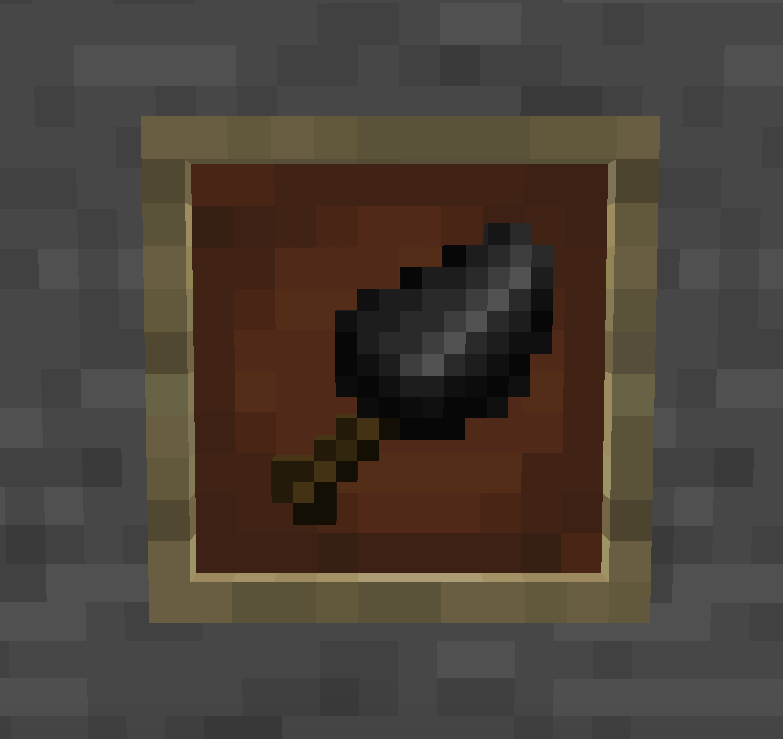
This mod adds a single, powerful tool: the Chisel. It functions as a portable physical assembler — turning any block structure into a physics entity, or breaking it back down, with just a click.
| Action | Mode | Effect |
|---|---|---|
| Left Click | Assemble | Turns a block structure into a physics entity |
| Right Click | Disassemble | Instantly breaks a physics entity back into blocks (⚠️ Disassembly will fail on fast-moving entities) |
The Chisel has 64 durability. Both left-click and right-click consume 1 durability per use. It also accepts the same enchantments as the vanilla Brush — Unbreaking, Mending, and Curse of Vanishing — applied via anvil.
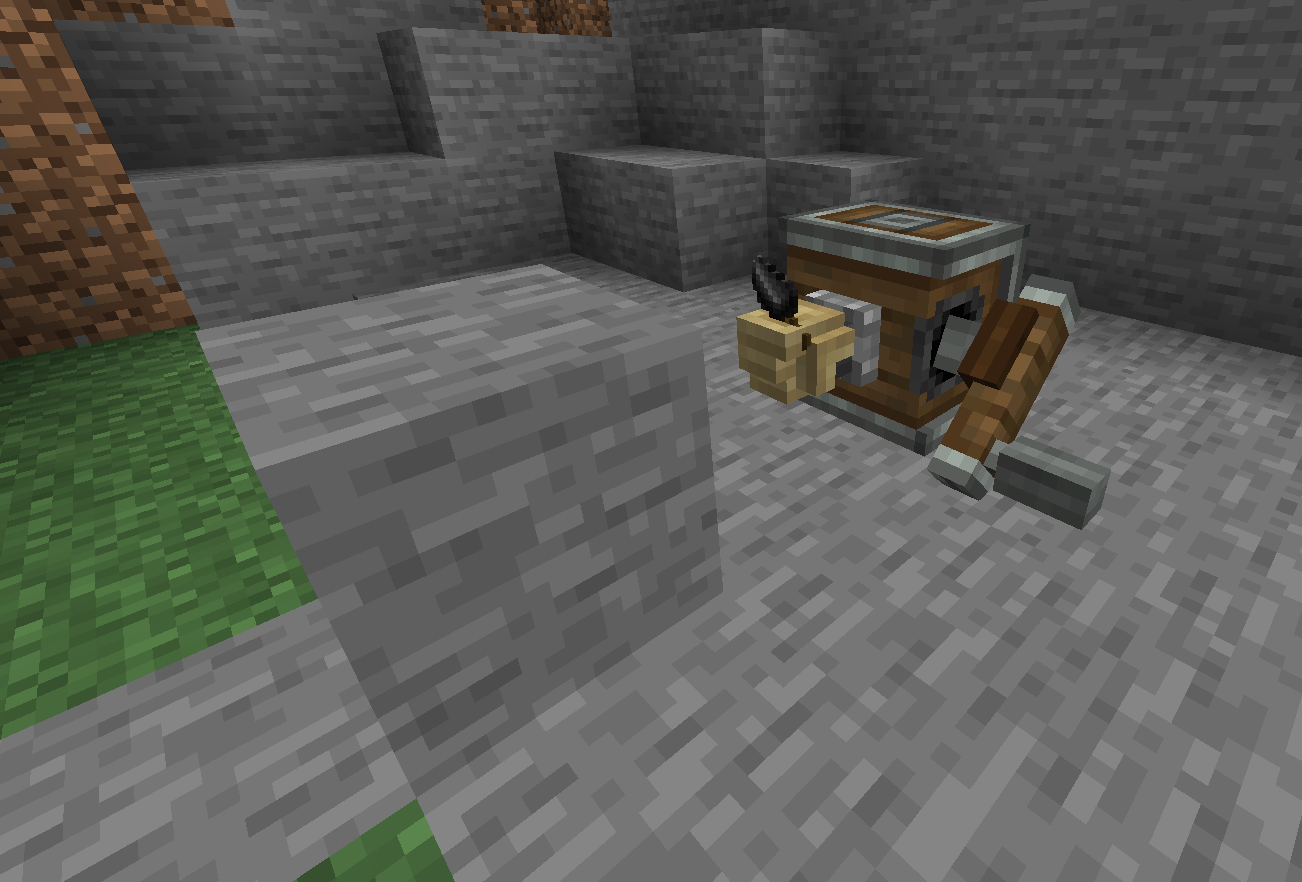
Place a Chisel in a Deployer and it will automatically assemble/disassemble structures in your contraptions.
/caea assemble <x> <y> <z> [dimension] — Assemble at a specific position/caea disassemble <x> <y> <z> [dimension] — Disassemble at a specific position/caea disassemble all — Disassemble all loaded physics structures in the current dimension/caea delete <x> <y> <z> [dimension] — Delete a physics structure without returning blocks/caea delete all — Delete all loaded physics structures in the current dimension⚠️
disassemble allanddelete allonly affect loaded structures. Unloaded structures are not processed.
The mod exposes a common config file (config/create_aeronautics_easy_assembly-common.toml):
chiselDisassemblySpeedCheck (default: true) — If enabled, the Chisel cannot disassemble structures that are moving too fast. Disable this to clean up stuck vehicles, at the risk of physics engine instability.This mod requires the following to run:
| Mod | Version |
|---|---|
| Create | ≥ 6.0.10 |
| Sable | ≥ 1.1.3 |
| Create Aeronautics | ≥ 1.1.0 |
💡 Create Aeronautics typically bundles the Simulated module, so you don't need to download it separately.
💡 It might work on earlier versions, but we haven't tested it.
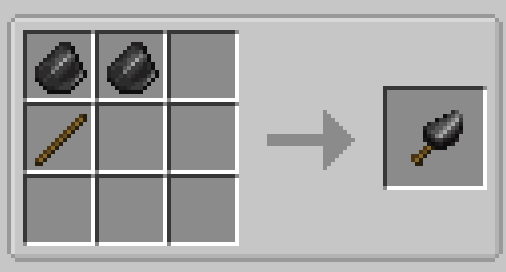
Simple and early-game friendly:
This mod is licensed under MIT — feel free to fork, modify, and include it in your modpacks!
Compatible with Minecraft 1.21.1 on NeoForge. Use the Download button above to get the latest version.
Project description from CurseForge.
Pick your setup
Choose the version and loader you play, then open the matching release.
Check the dependencies, then try the file in a copied instance before changing a world you care about.
Recent files
12 Sept 2026
7 Sept 2026
Looking for an older file? The official CurseForge project page is in Resources.
 mod
modMulti-platform Minecraft web chat with map/standalone UI, DM & groups, secure server relay, moderation/content filters, rich media, notifications, and optional ImageEmojis-Bero/SimpleNicks-Bero integration.
 mod
modPort of MrCrayFish's Furniture Mod (Legacy) to newer versions of Minecraft. Formerly an addon that readded missing furniture to CFM.
 mod
modConfigure Mekanism machine speed and energy upgrade caps beyond the default 8, with matching performance scaling, tooltip display, config file support, and in-game commands.