Minecraft version
Back to mods 
CurseForge · Minecraft mod
Rememory
In a world bleached white by a great forgetting, paint one of each kind — block, item, creature, fluid, sun and moon — and every match everywhere comes alive wearing your memory.
Choose a version Pick your version below, then grab the matching file.
Quick answer
Which Rememory release should I use?
Latest stable file memory_canvas-1.0.7+1.21.11.jar
Game version 1.21.11
Loader Fabric
Rememory memory_canvas-1.0.7+1.21.11.jar targets 1.21.11 with Fabric. The project page does not say whether this file belongs on the client, dedicated server, or both. No extra mods listed for this file.
Where it goes
Is Rememory required on the client, server, or both?
The project page does not say whether this file belongs on the client, dedicated server, or both.
Client Source doesn’t say
Dedicated server Source doesn’t say
Loader for this release Fabric
Required install it here Optional supported, not mandatory Not supported do not install here Source doesn’t say do not assume
The source does not explicitly classify this release as client-only or server-only.
What else does Rememory memory_canvas-1.0.7+1.21.11.jar need?
memory_canvas-1.0.7+1.21.11.jar. Change the file and its required mods may change too.
This file does not list any required mods. Do not add a library just because a different file uses it.
This file does not list any required or optional mods.
Before you install it
Add Rememory without breaking your instance.
Built for Rememory memory_canvas-1.0.7+1.21.11.jar. Pick another file and the loader, install side or required mods may change.
- 01
Stick to this file
Use memory_canvas-1.0.7+1.21.11.jar. It targets 1.21.11 with Fabric; another release may have different loader, side or dependency requirements.
- 02
Bring the mods it needs
This file does not list any required mods. Do not add a library just because a different file uses it.
- 03
Put it on the correct side
The project page does not say whether this file belongs on the client, dedicated server, or both.
- 04
Pick the file you checked
Use the “Get this file” button beside memory_canvas-1.0.7+1.21.11.jar. It opens that exact file at the source.
About this project
What does Rememory add?
Rememory — A World You Paint Back Into Existence
The world has been struck by a great forgetting. Every block, item, creature, fluid, and even the sun and moon have lost their shape and color, fading into seamless white. Nothing can be mined, opened, or used — the world stands frozen, waiting to be remembered.
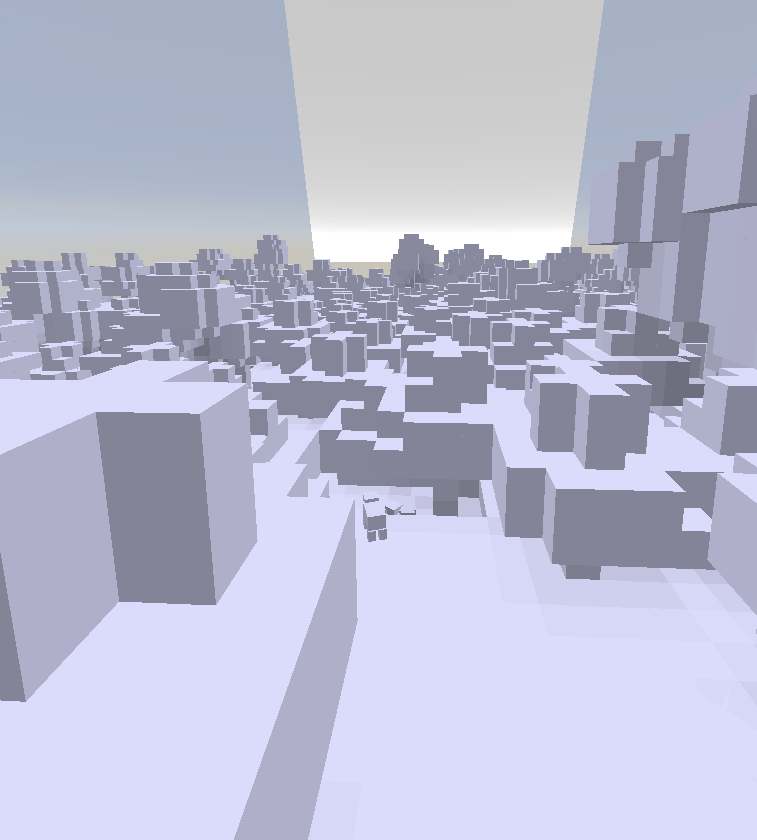
You carry a single Memory Brush. Aim it at anything — a block, an item in your other hand, water, lava, a cow, or even the sky itself — and a canvas opens where you paint, pixel by pixel, what that thing should look like. Choose from a full palette of hues and light-to-dark gradients, fine-tune brush size, and draw with left-click or drag.
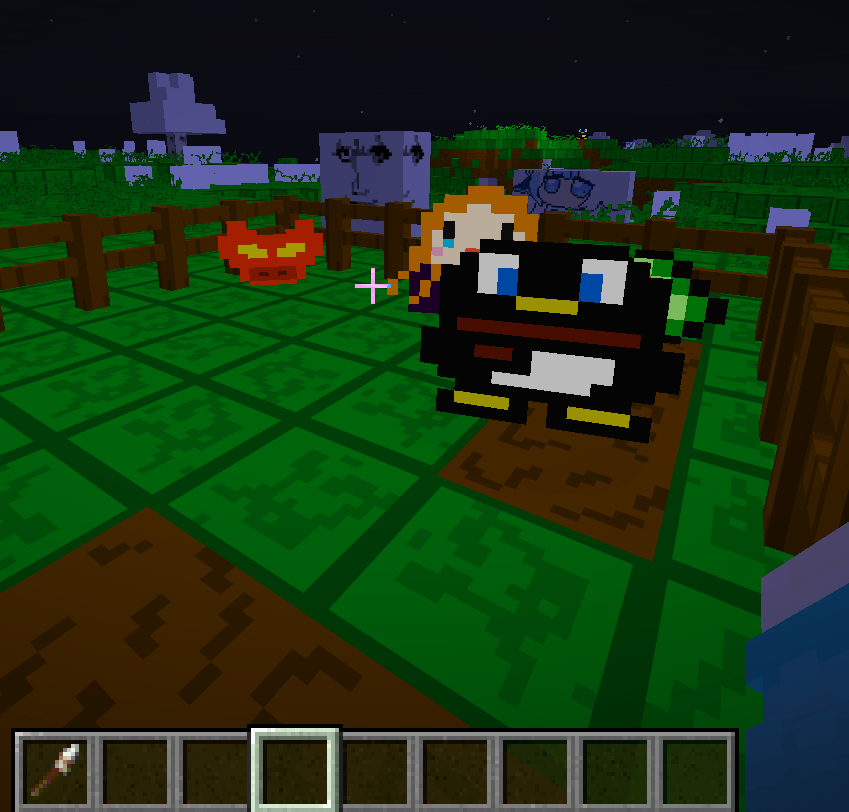
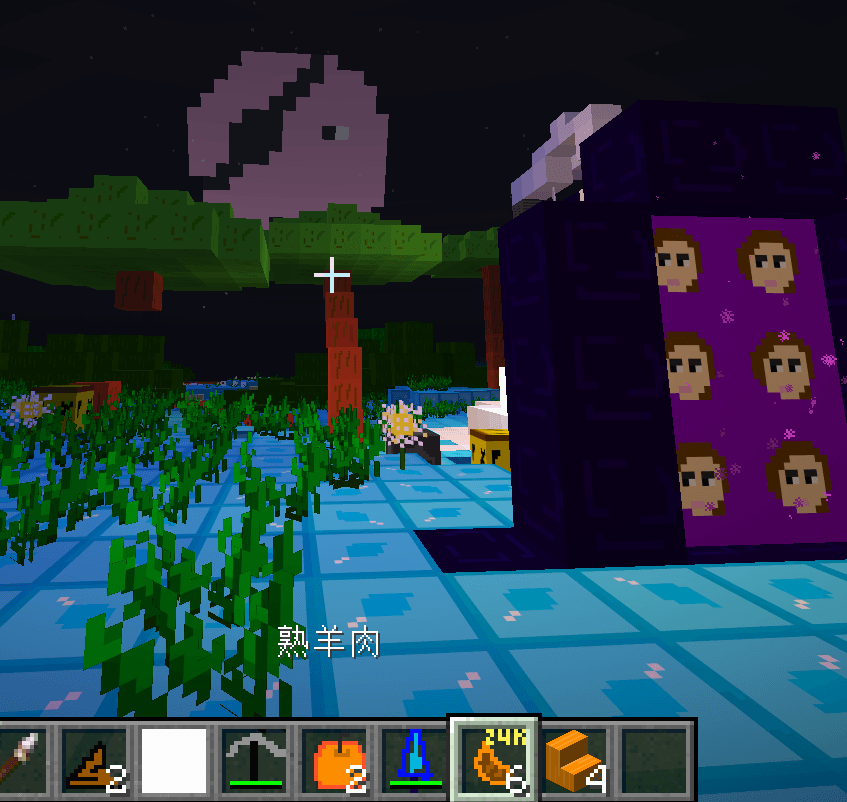
But you don't paint just one thing. You paint a kind. Finish a painting of oak planks, and every oak plank in the world wears your drawing — along with every related block that shares its material: buttons, pressure plates, fences, fence gates, stairs, and slabs all awaken together. Remember a cow, and cows everywhere stop standing like white statues and come alive with your art. Paint water and it no longer runs pure white but mirrors your design; paint the moon and it keeps your picture through every phase of the night.
Each painting is a memory restored — one per kind, shared across the whole world, persisted on the server, and synchronized for every player. Unremembered creatures remain frozen and unremembered blocks stay locked, so every stroke you make genuinely rebuilds the world around you.
Your own skin and the Ender Dragon remain untouched — the player is never one of the forgotten, and the dragon keeps its true form.
When you're ready to share, /zphoto export packs every memory you've restored into a resource pack you can take anywhere.
The world has forgotten itself. Pick up your brush, and remember it.
Project description from CurseForge.
Pick your setup
Rememory by Minecraft version and loader
Choose the version and loader you play, then open the matching release.
Check the dependencies, then try the file in a copied instance before changing a world you care about.
Recent files
Rememory versions and loaders
memory_canvas-1.0.7+1.21.11.jar
12 Sept 2026
Client Source doesn’t say Server Source doesn’t say Dependencies No extras listed Listed on Release listing
Check the 1.21.11 · Fabric setup Fabric1.21.11 release
memory_canvas-1.0.6+1.21.11.jar
11 Sept 2026
Client Source doesn’t say Server Source doesn’t say Dependencies No extras listed Listed on Release listing
Check the 1.21.11 · Fabric setup Fabric1.21.11 release
memory_canvas-1.0.4+1.21.11.jar
9 Sept 2026
Client Source doesn’t say Server Source doesn’t say Dependencies No extras listed Listed on Release listing
Check the 1.21.11 · Fabric setup Fabric1.21.11 release
memory_canvas-1.0.3+1.21.11.jar
memory_canvas-1.0.0-r10.jar
8 Sept 2026
Client Source doesn’t say Server Source doesn’t say Dependencies No extras listed Listed on Release listing
Check the 1.21.11 · Fabric setup Fabric1.21.11 release
memory_canvas-1.0.2+1.21.11.jar
memory_canvas-1.0.0-r10.jar
8 Sept 2026
Client Source doesn’t say Server Source doesn’t say Dependencies No extras listed Listed on Release listing
Check the 1.21.11 · Fabric setup Fabric1.21.11 release
memory_canvas-1.0.1+1.21.11.jar
8 Sept 2026
Client Source doesn’t say Server Source doesn’t say Dependencies No extras listed Listed on Release listing
Check the 1.21.11 · Fabric setup Fabric1.21.11 release
memory_canvas-1.0.0-r10.jar
7 Sept 2026
Client Source doesn’t say Server Source doesn’t say Dependencies No extras listed Listed on Release listing
Check the 1.21.11 · Fabric setup Fabric1.21.11 release
Looking for an older file? The official CurseForge project page is in Resources.
 mod
mod CurseForge · Minecraft
Forgotten Golems
Discover rare elemental golems with custom animations and mechanics across Fabric and NeoForge.
 mod
mod CurseForge + Modrinth · Minecraft
KOKOTO WebChat (Fabric, Forge, NeoForge)
Multi-platform Minecraft web chat with map/standalone UI, DM & groups, secure server relay, moderation/content filters, rich media, notifications, and optional ImageEmojis-Bero/SimpleNicks-Bero integration.
 mod
mod CurseForge · Minecraft
Ember's Underground Rooms | Ancient Dungeons
New underground dungeons with varied rooms, treasure and enemies! LIBRARY UPDATE!