Minecraft version
Back to mods 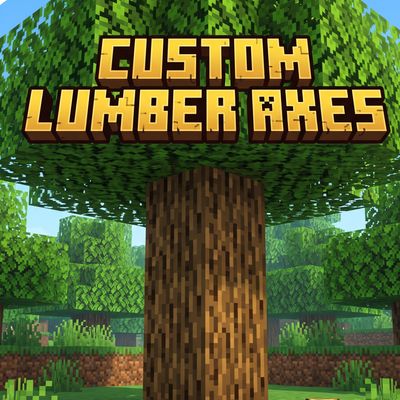
CurseForge · Minecraft mod
Custom Lumber Axes
Craft powerful new lumber axes including custom Titanium tiers, and interact with unique millionaire and bodyguard NPCs!
Choose a version Pick your version below, then grab the matching file.
Quick answer
Which Custom Lumber Axes release should I use?
Latest stable file customlumberaxes-0.0.2-1.21.1.jar
Game version 1.21.1
Loader Forge
Custom Lumber Axes customlumberaxes-0.0.2-1.21.1.jar targets 1.21.1 with Forge. The project page does not say whether this file belongs on the client, dedicated server, or both. No extra mods listed for this file.
Where it goes
Is Custom Lumber Axes required on the client, server, or both?
The project page does not say whether this file belongs on the client, dedicated server, or both.
Client Source doesn’t say
Dedicated server Source doesn’t say
Loader for this release Forge
Required install it here Optional supported, not mandatory Not supported do not install here Source doesn’t say do not assume
The source does not explicitly classify this release as client-only or server-only.
What else does Custom Lumber Axes customlumberaxes-0.0.2-1.21.1.jar need?
customlumberaxes-0.0.2-1.21.1.jar. Change the file and its required mods may change too.
This file does not list any required mods. Do not add a library just because a different file uses it.
This file does not list any required or optional mods.
Before you install it
Add Custom Lumber Axes without breaking your instance.
Built for Custom Lumber Axes customlumberaxes-0.0.2-1.21.1.jar. Pick another file and the loader, install side or required mods may change.
- 01
Stick to this file
Use customlumberaxes-0.0.2-1.21.1.jar. It targets 1.21.1 with Forge; another release may have different loader, side or dependency requirements.
- 02
Bring the mods it needs
This file does not list any required mods. Do not add a library just because a different file uses it.
- 03
Put it on the correct side
The project page does not say whether this file belongs on the client, dedicated server, or both.
- 04
Pick the file you checked
Use the “Get this file” button beside customlumberaxes-0.0.2-1.21.1.jar. It opens that exact file at the source.
About this project
What does Custom Lumber Axes add?
Powerful New Tools & Ores
Titanium Tier: Explore the depths to find new Titanium Ore and Deepslate Titanium Ore. Smelt Raw Titanium into ingots to unlock high-end crafting.
Advanced Lumber Axes: Craft incredibly durable and efficient Lumber Axes in Diamond, Netherite, and the exclusive Titanium tier.
Smithing Upgrades: Discover and utilize custom Lumber Axe Upgrade Templates to forge your Netherite and Titanium gear.
Unique NPC Encounters
The Elite: Cross paths with newly added Businessman and Millionaire entities wandering the overworld.
Hired Muscle: Think twice before attacking the elite! They are protected by tough Bodyguard and Millionaire Bodyguard mobs equipped with custom AI to defend their bosses against hostile players and threats.
 Seamless Progression
- Fully integrated with custom crafting recipes, smelting mechanics, and unique advancements (like "Bu Titanyum mu?") to guide you through the mod's content.
Project description from CurseForge.
Pick your setup
Custom Lumber Axes by Minecraft version and loader
Choose the version and loader you play, then open the matching release.
Minecraft version
1.20.1
1 loader buildCheck the dependencies, then try the file in a copied instance before changing a world you care about.
Recent files
Custom Lumber Axes versions and loaders
customlumberaxes-0.0.2-1.21.1.jar
11 Sept 2026
Client Source doesn’t say Server Source doesn’t say Dependencies No extras listed Listed on Release listing
Check the 1.21.1 · Forge setup Forge1.21.1 release
customlumberaxes-0.0.2 (1).jar
7 Sept 2026
Client Source doesn’t say Server Source doesn’t say Dependencies No extras listed Listed on Release listing
Check the 1.20.1 · Forge setup 1.20.1Forge release
customlumberaxes-0.0.1 (1).jar
7 Sept 2026
Client Source doesn’t say Server Source doesn’t say Dependencies No extras listed Listed on Release listing
Check the 1.20.1 · Forge setup 1.20.1Forge release
Looking for an older file? The official CurseForge project page is in Resources.
 mod
mod CurseForge · Minecraft
SCP: Facility
Build your own SCP Foundation with a lot of new blocks, systems and even personnel!
 mod
mod CurseForge · Minecraft
Ofon's Delight
A Farmer’s Delight expansion adding premium high-capacity cutting boards, Culinary Mastery, rapid bulk chopping, and some uniquely questionable Ofon-based cuisine.
 mod
mod CurseForge · Minecraft
Relics & Regalia
Four powerful armor sets and twelve Relics with unique abilities, full-set bonuses, and configurable crafting and loot.