Refined Storage Needed by RS1+ | Panels & Backports for Refined Storage 1 rs1plus-1.0.0.jar
requiredMatching file found Matched file: v1.12.4

CurseForge · Minecraft mod
Backports some RS2 features to RS1 and adds panel variations of RS1 blocks/grids.
Quick answer
RS1+ | Panels & Backports for Refined Storage 1 rs1plus-1.0.0.jar targets 1.20.1 with Forge. The project page does not say whether this file belongs on the client, dedicated server, or both. All 1 required mods have matching files.
Where it goes
The project page does not say whether this file belongs on the client, dedicated server, or both.
The source does not explicitly classify this release as client-only or server-only.
rs1plus-1.0.0.jar. Change the file and its required mods may change too.
Install Refined Storage first. We found matching files for this game-version and loader setup.
We only count dependency files that match this setup. A file for another loader does not fill the gap.
Before you install it
Built for RS1+ | Panels & Backports for Refined Storage 1 rs1plus-1.0.0.jar. Pick another file and the loader, install side or required mods may change.
Use rs1plus-1.0.0.jar. It targets 1.20.1 with Forge; another release may have different loader, side or dependency requirements.
Install Refined Storage first. We found matching files for this game-version and loader setup.
The project page does not say whether this file belongs on the client, dedicated server, or both.
Use the “Get this file” button beside rs1plus-1.0.0.jar. It opens that exact file at the source.
About this project
RS1+ backports some features from Refined Storage 2 to Refined Storage 1 v1.12.4 and adds panel variants of RS1's core grids or blocks.
#forge:wrenches or #forge:tools/wrench tag.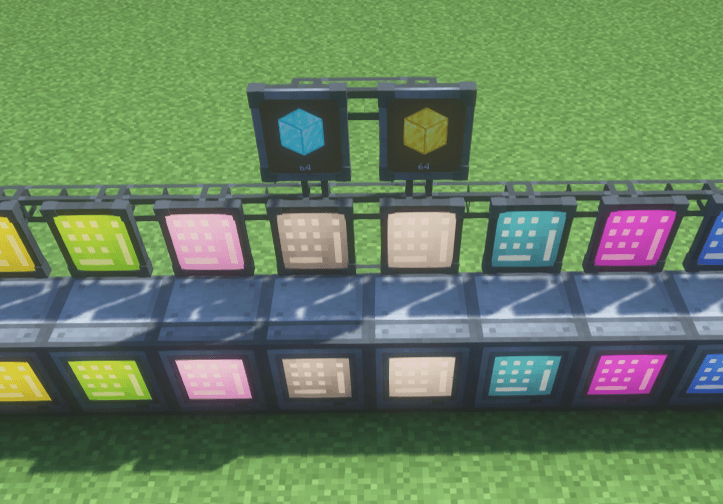
Panel variants of Refined Storage 1's blocks that sit almost flat against any surface, including ceilings and floors.
The following panels are currently available:
For aesthetic reasons, panels only connect to cables through their back face. However, they can connect normally to other Refined Storage blocks from any side.
Except for the Storage Monitor Panel, all panels are available in all 16 dye colors. Right-click a panel with a dye to recolor it.
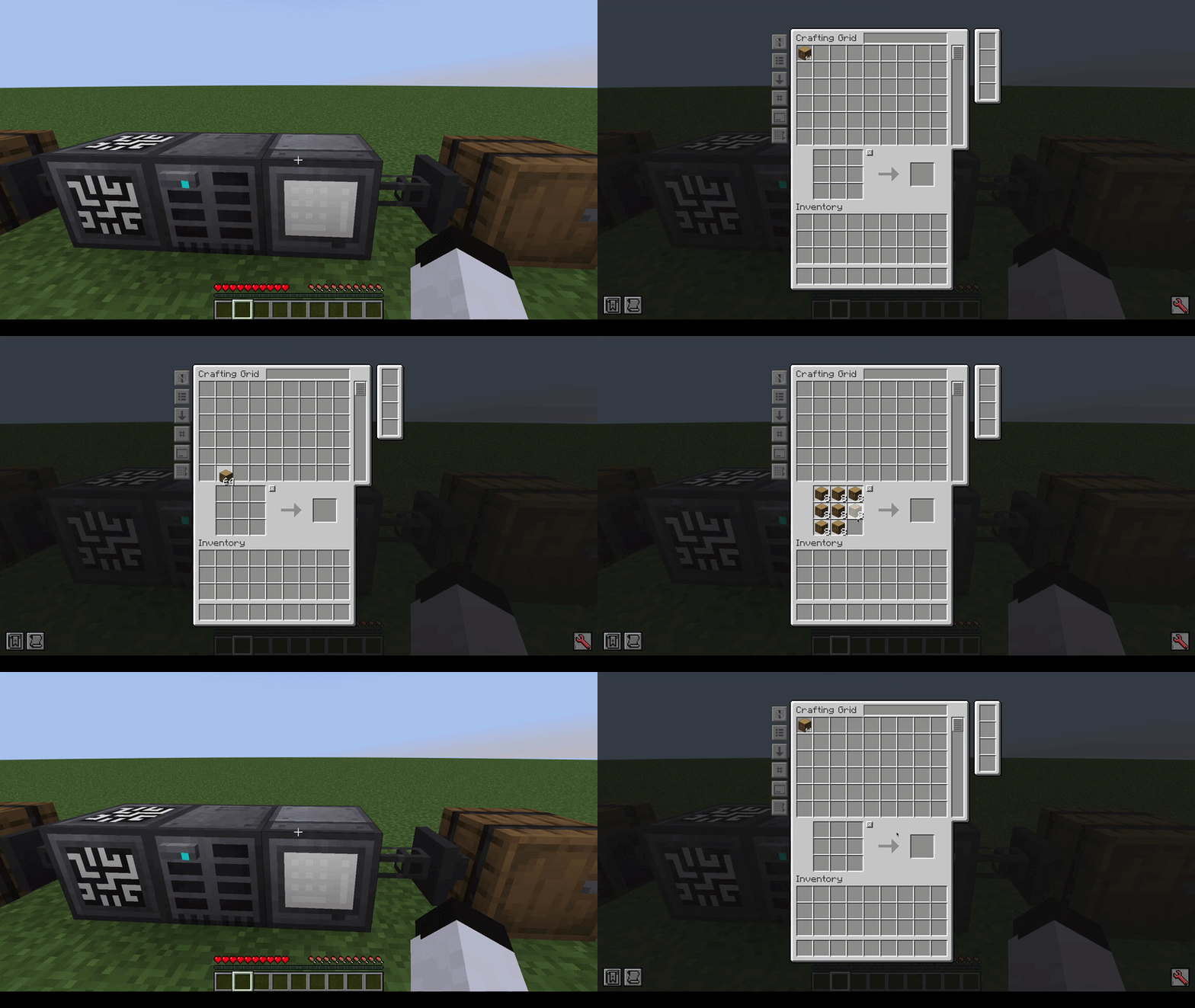
You can switch between the panel and regular models at any time using a crafting table.
Shift + RMB to copy, RMB to paste:
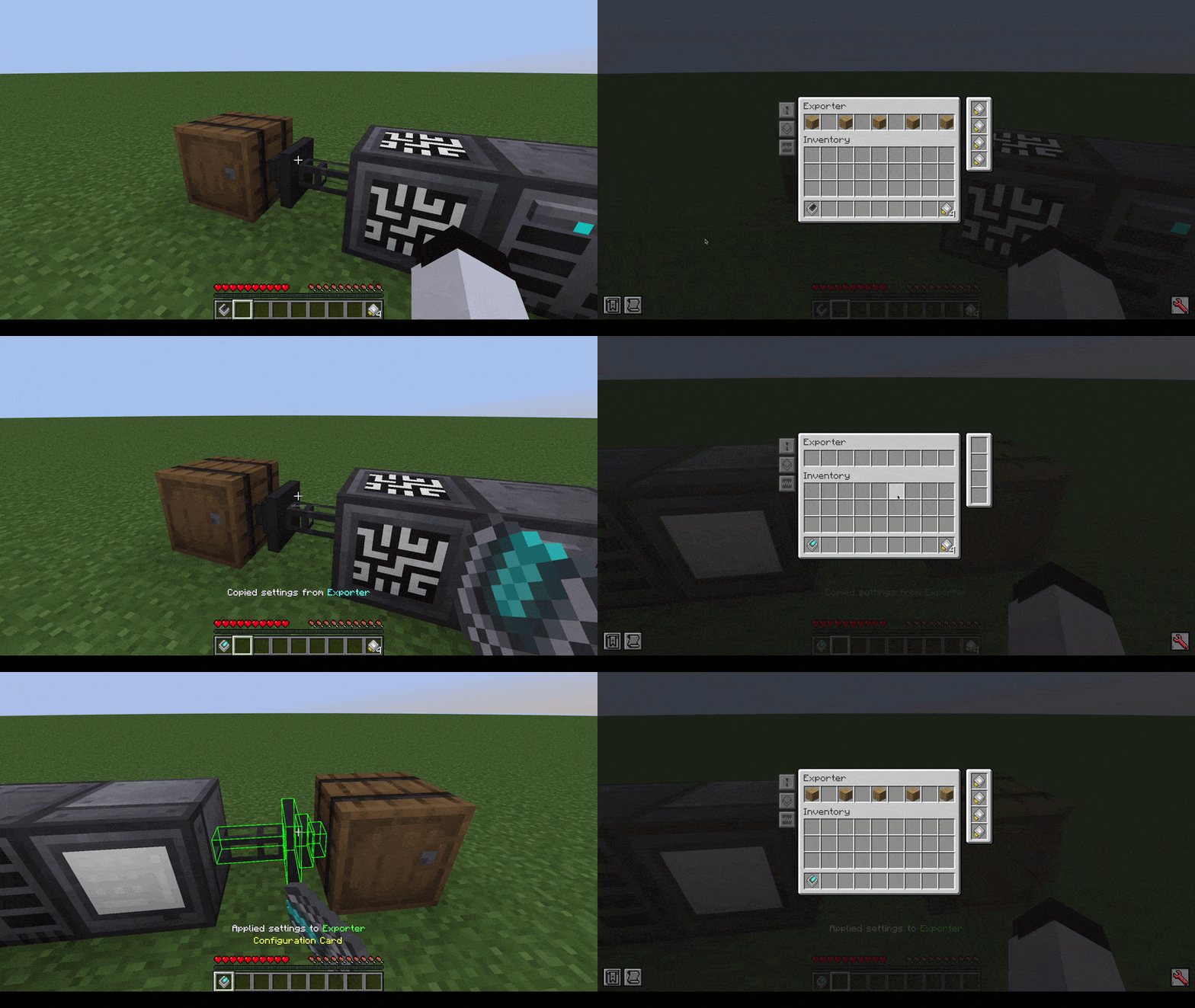
*Shift + RMB looking at non-RS block/air to clear*
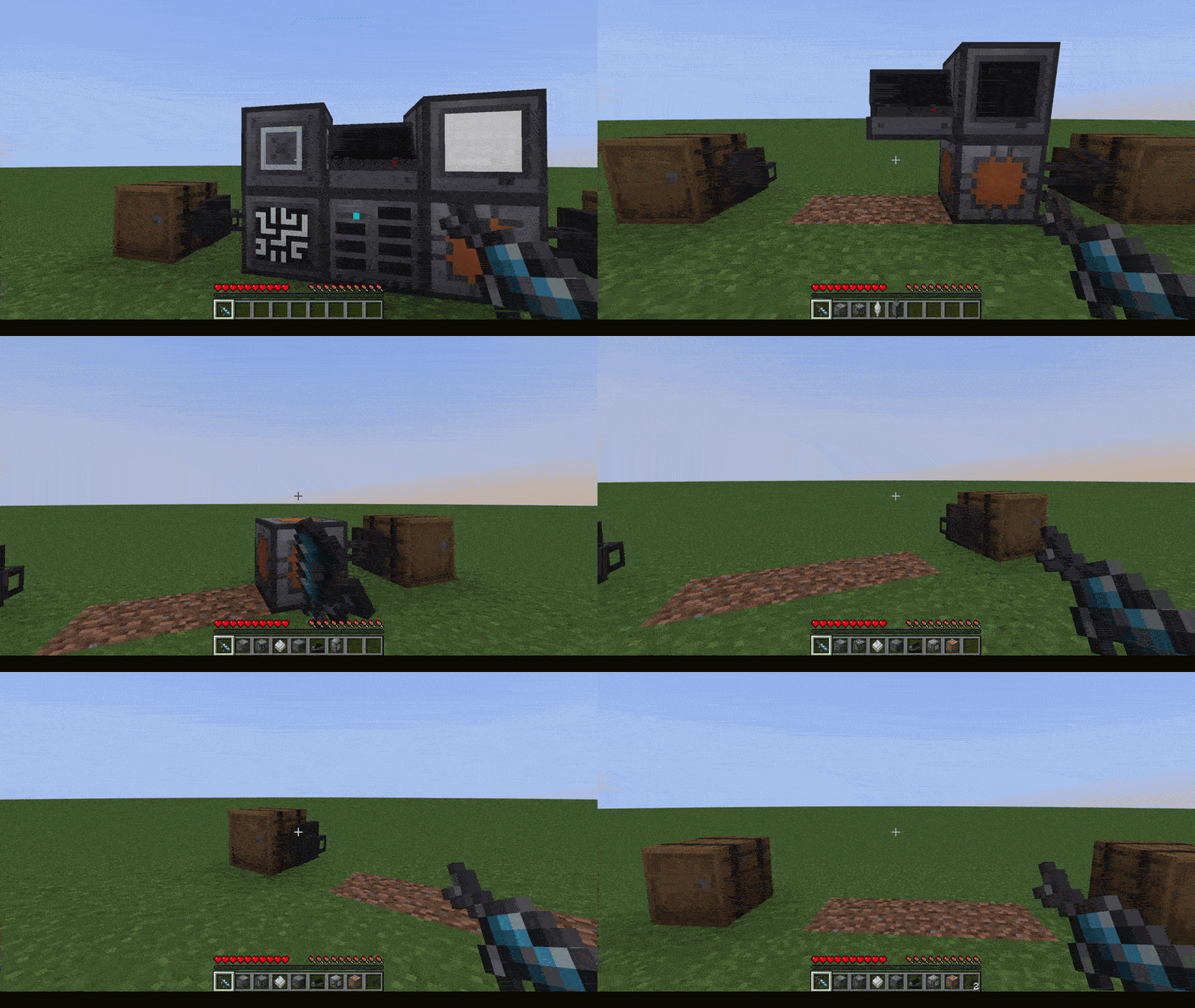
Shift + RMB to dismantle:
Thanks to SuperMartijn642 for kindly allowing me to adapt parts of his rendering code from SuperMartijn642's Core Lib!
Project description from CurseForge.
Pick your setup
Choose the version and loader you play, then open the matching release.
Check the dependencies, then try the file in a copied instance before changing a world you care about.
Recent files
11 Sept 2026
Looking for an older file? The official CurseForge project page is in Resources.
 mod
modCustomizable personal and team waypoints for players who want navigation without a minimap or world map.
 mod
modOre Processing with Real Processes using Multiblock Machines in the style of Immersive Engineering (add-on mod for IE)
 mod
modPower your SuperbWarfare vehicles with real fuel.