
Minecraft version
Back to mods 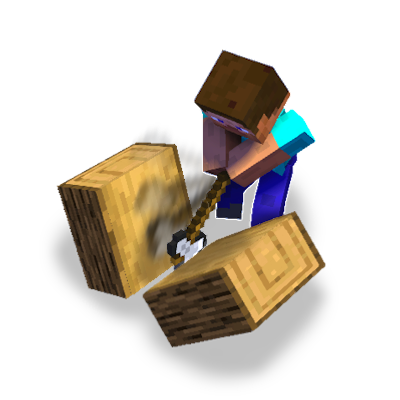
CurseForge · Minecraft mod
Split Up!
Turn your axe into a splitting machine!
Choose a version Pick your version below, then grab the matching file.
Quick answer
Which Split Up! release should I use?
beta file split_up-1.0.0-neoforge-1.21.8.jar
Game version 1.21.8
Loader NeoForge
Split Up! split_up-1.0.0-neoforge-1.21.8.jar targets 1.21.8 with NeoForge. The project page does not say whether this file belongs on the client, dedicated server, or both. No extra mods listed for this file.
Where it goes
Is Split Up! required on the client, server, or both?
The project page does not say whether this file belongs on the client, dedicated server, or both.
Client Source doesn’t say
Dedicated server Source doesn’t say
Loader for this release NeoForge
Required install it here Optional supported, not mandatory Not supported do not install here Source doesn’t say do not assume
The source does not explicitly classify this release as client-only or server-only.
What else does Split Up! split_up-1.0.0-neoforge-1.21.8.jar need?
split_up-1.0.0-neoforge-1.21.8.jar. Change the file and its required mods may change too.
This file does not list any required mods. Do not add a library just because a different file uses it.
This file does not list any required or optional mods.
Before you install it
Add Split Up! without breaking your instance.
Built for Split Up! split_up-1.0.0-neoforge-1.21.8.jar. Pick another file and the loader, install side or required mods may change.
- 01
Stick to this file
Use split_up-1.0.0-neoforge-1.21.8.jar. It targets 1.21.8 with NeoForge; another release may have different loader, side or dependency requirements.
- 02
Bring the mods it needs
This file does not list any required mods. Do not add a library just because a different file uses it.
- 03
Put it on the correct side
The project page does not say whether this file belongs on the client, dedicated server, or both.
- 04
Pick the file you checked
Use the “Get this file” button beside split_up-1.0.0-neoforge-1.21.8.jar. It opens that exact file at the source.
About this project
What does Split Up! add?
Split Up!
is a mod that simply gives all axes the ability to split any log/wood, vanilla or modded. With a simple maneuver, anyone can learn to split wood! All logs/wood animate to their perspective texture.

How it works:
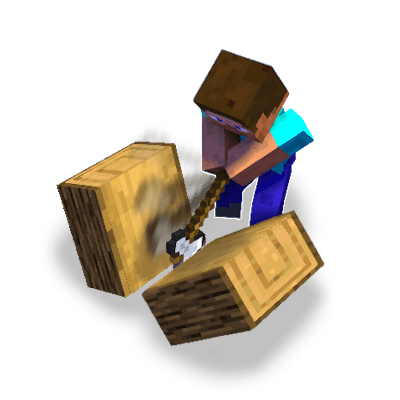
- Log/wood must have block below it
- Equip any axe in hand
- Jump up in the air
- While falling down, aim at top side of log/wood
- Then Left Click to split the block
- Items then drop

Some special features are:
- All split logs/wood drop 4 planks and have a chance to drop: 4-5 planks, 1-3 sticks, 0-3 XP.
- All logs/wood animate to their perspective texture, including any modded versions.
- Achievements after splitting logs at 100, 1,000, 10,000 etc.
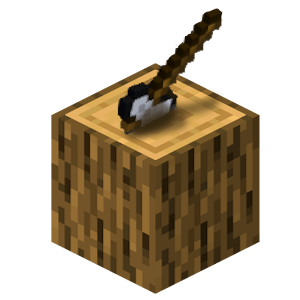
- Extras -
- With only a slight delay between each log split, you can use the maneuver to help chop trees down faster by climbing to the top and splitting down.
- Splitting logs are beneficial because as you chop, slowly extra items will drop such as planks, sticks, and xp.
- %50 drop 1 stick | %30 chance drop 2 sticks + 1 XP | %20 chance drop 1 extra plank + 3 sticks + 3 XP.
- Distribution -
*** Please do not copy, claim, or redistribute anything from my mod as your own. ***
- You are absolutely welcome to making Videos, Commentary, Tutorials, Blogs, etc.
- And you are most welcome to include it in your mod-packs!
- Credits -
All content and features were created by me, Conborg.
Project description from CurseForge.
Pick your setup
Split Up! by Minecraft version and loader
Choose the version and loader you play, then open the matching release.
Check the dependencies, then try the file in a copied instance before changing a world you care about.
Recent files
Split Up! versions and loaders
split_up-1.0.0-neoforge-1.21.8.jar
7 Sept 2026
Client Source doesn’t say Server Source doesn’t say Dependencies No extras listed Listed on Release listing
Check the 1.21.8 · NeoForge setup 1.21.8NeoForge beta
Looking for an older file? The official CurseForge project page is in Resources.
 mod
mod CurseForge + Modrinth · Minecraft
Repair Station
Adds a new repair station functional block: consumes flint - repairs tools/armor.
 mod
mod CurseForge · Minecraft
Tukitas
Economy Mod
 mod
mod CurseForge · Minecraft
Better Removal
Sneak + right-click (empty hand) any supported container to extract its output items directly into your inventory — without opening the GUI.