Minecraft version
Back to mods 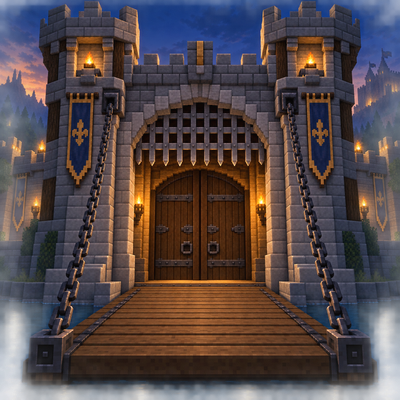
CurseForge · Minecraft mod
MinoCraft Medieval Gates
Functional medieval portcullises, drawbridges and large castle doors with multiple wood and metal variants.
Choose a version Pick your version below, then grab the matching file.
Quick answer
Which MinoCraft Medieval Gates release should I use?
beta file minocraft-medieval-gates-0.10.8
Game version 26.2
Loader Fabric
MinoCraft Medieval Gates minocraft-medieval-gates-0.10.8 targets 26.2 with Fabric. The project page does not say whether this file belongs on the client, dedicated server, or both. No extra mods listed for this file.
Where it goes
Is MinoCraft Medieval Gates required on the client, server, or both?
The project page does not say whether this file belongs on the client, dedicated server, or both.
Client Source doesn’t say
Dedicated server Source doesn’t say
Loader for this release Fabric
Required install it here Optional supported, not mandatory Not supported do not install here Source doesn’t say do not assume
The source does not explicitly classify this release as client-only or server-only.
What else does MinoCraft Medieval Gates minocraft-medieval-gates-0.10.8 need?
minocraft-medieval-gates-0.10.8. Change the file and its required mods may change too.
This file does not list any required mods. Do not add a library just because a different file uses it.
This file does not list any required or optional mods.
Before you install it
Add MinoCraft Medieval Gates without breaking your instance.
Built for MinoCraft Medieval Gates minocraft-medieval-gates-0.10.8. Pick another file and the loader, install side or required mods may change.
- 01
Stick to this file
Use minocraft-medieval-gates-0.10.8. It targets 26.2 with Fabric; another release may have different loader, side or dependency requirements.
- 02
Bring the mods it needs
This file does not list any required mods. Do not add a library just because a different file uses it.
- 03
Put it on the correct side
The project page does not say whether this file belongs on the client, dedicated server, or both.
- 04
Pick the file you checked
Use the “Get this file” button beside minocraft-medieval-gates-0.10.8. It opens that exact file at the source.
About this project
What does MinoCraft Medieval Gates add?
MinoCraft Medieval Gates
Bring your castles to life with fully functional medieval gates, portcullises and drawbridges!
MinoCraft Medieval Gates adds a collection of large, animated medieval mechanisms designed for castles, fortresses, villages and role-playing servers.
Features
Functional portcullises that rise vertically
Iron, copper, gold and netherite portcullis variants
Functional drawbridges that raise and lower from one anchored side
Drawbridges available in multiple wood variants
Automatic decorative supports and chains
Large 4×5 double castle doors
Castle doors that open realistically from the center
Numerous wood and metal combinations
Redstone-controlled opening and closing
Dedicated Creative Mode inventory tab
English, Italian and German translations
Multiplayer and dedicated-server support
How It Works
All mechanisms are operated using a redstone signal. Connect a lever, button or another redstone device to open and close them.
Portcullises rise into the structure above them, castle doors split into two separate leaves and open laterally, while drawbridges raise from their anchored side with visible supporting chains.
Requirements
Minecraft Java Edition 26.2
Fabric Loader 0.19.3 or newer
Fabric API 0.159.0 or newer
Java 25
The mod must be installed on both the server and every connecting client.
Installation
Install Fabric Loader for Minecraft 26.2.
Download and install Fabric API.
Place the MinoCraft Medieval Gates
.jarfile inside yourmodsfolder.Launch the game and start building your fortress!
Feedback and Bug Reports
This is the first public version of the mod. If you encounter a bug or have an idea for a new medieval mechanism, please leave a comment on the project page.
Created by PeppeMinoMods.
Project description from CurseForge.
Pick your setup
MinoCraft Medieval Gates by Minecraft version and loader
Choose the version and loader you play, then open the matching release.
Check the dependencies, then try the file in a copied instance before changing a world you care about.
Recent files
MinoCraft Medieval Gates versions and loaders
minocraft-medieval-gates-0.10.8
minocraft-medieval-gates-0.10.8.jar
8 Sept 2026
Client Source doesn’t say Server Source doesn’t say Dependencies No extras listed Listed on Release listing
Check the 26.2 · Fabric setup Fabric26.2 beta
Looking for an older file? The official CurseForge project page is in Resources.
 mod
CurseForge · Minecraft
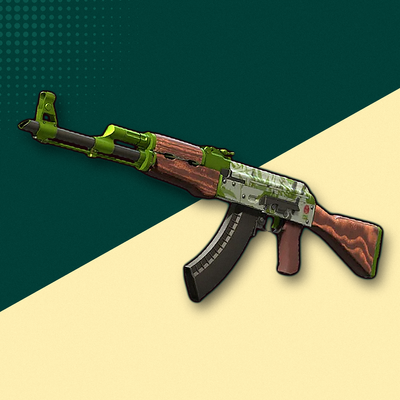
CS2 - Weapons
A mod designed to add all the weapons from Counter-Strike 2
 mod
CurseForge · Minecraft
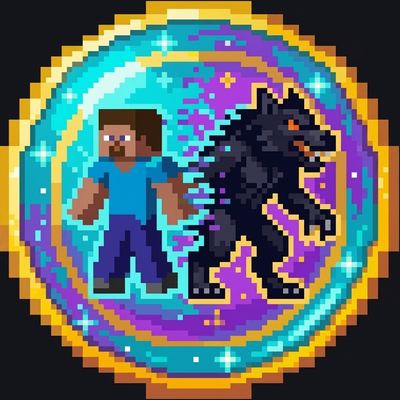
Custom Races Framework
Races and origins no matter the need, you can create one with ease.
 mod
CurseForge · Minecraft
Novaris
A technic mod with energy production, machinery and more!