Minecraft version
Back to mods 
CurseForge · Minecraft mod
Random Everything
Every recipe result and drop becomes a fresh random item, with optional random mobs, structures, enchantments, and lucky tools.
Choose a version Pick your version below, then grab the matching file.
Quick answer
Which Random Everything release should I use?
Latest stable file Random Everything 1.2.0
Game version 26.3
Loader Fabric
Random Everything 1.2.0 targets 26.3 with Fabric. The project page does not say whether this file belongs on the client, dedicated server, or both. No extra mods listed for this file.
Where it goes
Is Random Everything required on the client, server, or both?
The project page does not say whether this file belongs on the client, dedicated server, or both.
Client Source doesn’t say
Dedicated server Source doesn’t say
Loader for this release Fabric
Required install it here Optional supported, not mandatory Not supported do not install here Source doesn’t say do not assume
The source does not explicitly classify this release as client-only or server-only.
What else does Random Everything 1.2.0 need?
Random Everything 1.2.0. Change the file and its required mods may change too.
This file does not list any required mods. Do not add a library just because a different file uses it.
This file does not list any required or optional mods.
Before you install it
Add Random Everything without breaking your instance.
Built for Random Everything 1.2.0. Pick another file and the loader, install side or required mods may change.
- 01
Stick to this file
Use Random Everything 1.2.0. It targets 26.3 with Fabric; another release may have different loader, side or dependency requirements.
- 02
Bring the mods it needs
This file does not list any required mods. Do not add a library just because a different file uses it.
- 03
Put it on the correct side
The project page does not say whether this file belongs on the client, dedicated server, or both.
- 04
Pick the file you checked
Use the “Get this file” button beside Random Everything 1.2.0. It opens that exact file at the source.
About this project
What does Random Everything add?
Random Everything turns Minecraft into a fresh chaos run every time you play. Recipe results, loot-table rewards, block and mob drops, fishing loot, container loot, and physical item drops are re-randomized using the live item registry, so items from other Fabric mods are included automatically.
Features:
• Fresh random results instead of a fixed item-to-item mapping
• Support for registered items, mobs, structures, and enchantments from other mods
• Compatible random enchantments, with a configurable chance to exceed the normal maximum level
• Every 100th physical random drop can spawn one random mob, with a five-mob safety cap
• Player-triggered mob randomization for spawn eggs, commands, and buckets
• Optional random structure placement in newly generated chunks
• Unbreakable Lucky Sword and Lucky Pickaxe with generated spark textures
• Lucky Sword has a 10% chance to gain or improve a compatible non-curse enchantment after each kill
• Lucky Pickaxe has the same 10% upgrade chance after mining a block
Configuration:
The first launch creates config/random_everything.json. Drops, recipes, mobs, structures, enchantment chances, over-level limits, milestone interval, and mob cap can be adjusted there.
Requirements:
• Minecraft 26.2
• Fabric Loader
• Fabric API
• Java 25
Randomized structures affect only newly generated chunks. Existing chunks and entities are not rewritten.
Project description from CurseForge.
Pick your setup
Random Everything by Minecraft version and loader
Choose the version and loader you play, then open the matching release.
Minecraft version
26.2
1 loader buildCheck the dependencies, then try the file in a copied instance before changing a world you care about.
Recent files
Random Everything versions and loaders
Random Everything 1.2.0
random-everything-1.2.0.jar
19 Sept 2026
Client Source doesn’t say Server Source doesn’t say Dependencies No extras listed Listed on Release listing
Check the 26.3 · Fabric setup Fabric26.3 release
Random Everything 1.1.0
random-everything-1.1.0.jar
8 Sept 2026
Client Source doesn’t say Server Source doesn’t say Dependencies No extras listed Listed on Release listing
Check the 26.2 · Fabric setup Fabric26.2 release
Looking for an older file? The official CurseForge project page is in Resources.
 mod
mod CurseForge + Modrinth · Minecraft
Drippy Loading Screen
Addon for FancyMenu to customize the loading screen.
 mod
mod CurseForge + Modrinth · Minecraft
Drippy Early Loading Module
This is a module for Drippy Loading Screen to add support for NeoForge's early loading screen.
 mod
mod CurseForge + Modrinth · Minecraft
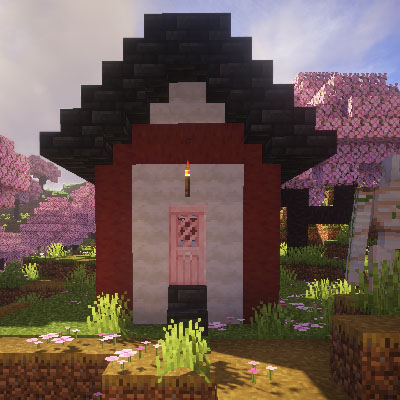
CherryVillage
Add Cherry Village for cherry grove.