Minecraft version
Back to mods 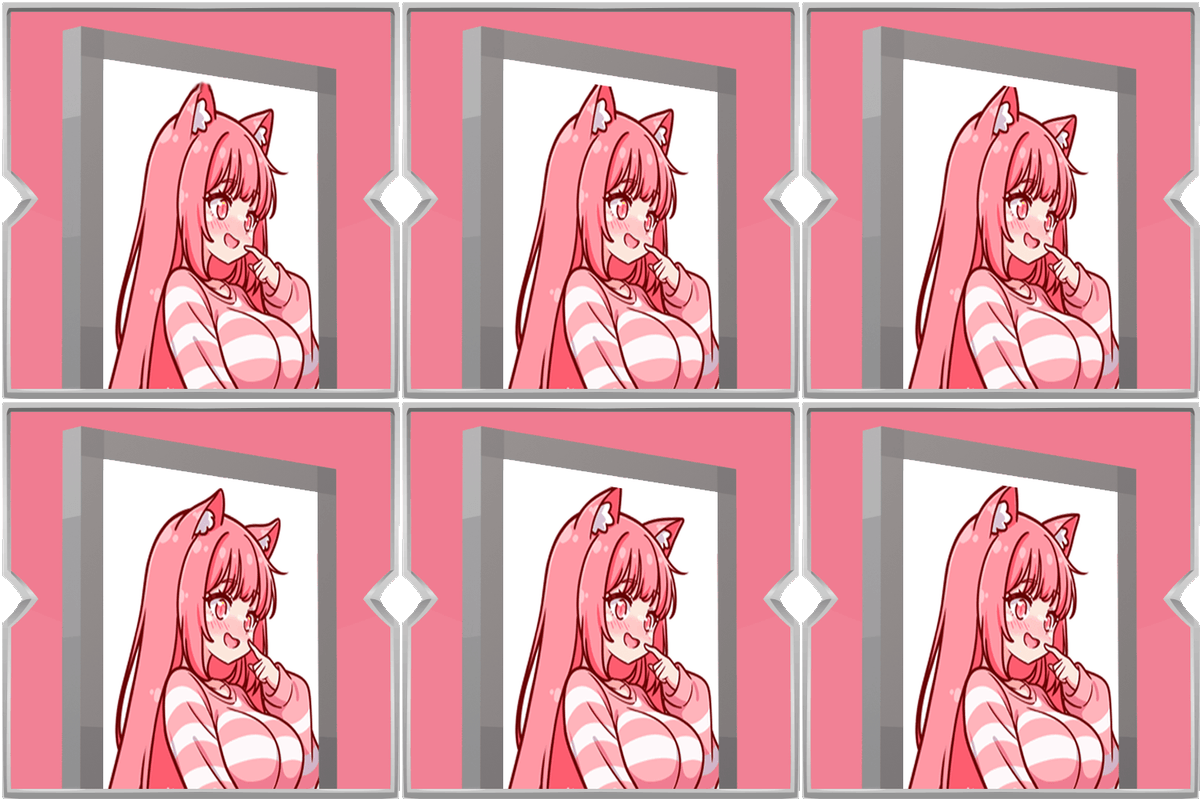
CurseForge · Minecraft mod
Animated Shields
Bring your shield to life with your own animated GIF. Pick an image from a simple in-game gallery, adjust the speed, and show it off in singleplayer or with friends.
Choose a version Pick your version below, then grab the matching file.
Quick answer
Which Animated Shields release should I use?
Latest stable file Animated Shields 1.0.3
Game version 1.20.1
Loader Forge
Animated Shields 1.0.3 targets 1.20.1 with Forge. The project page does not say whether this file belongs on the client, dedicated server, or both. No extra mods listed for this file.
Where it goes
Is Animated Shields required on the client, server, or both?
The project page does not say whether this file belongs on the client, dedicated server, or both.
Client Source doesn’t say
Dedicated server Source doesn’t say
Loader for this release Forge
Required install it here Optional supported, not mandatory Not supported do not install here Source doesn’t say do not assume
The source does not explicitly classify this release as client-only or server-only.
What else does Animated Shields 1.0.3 need?
Animated Shields 1.0.3. Change the file and its required mods may change too.
This file does not list any required mods. Do not add a library just because a different file uses it.
This file does not list any required or optional mods.
Before you install it
Add Animated Shields without breaking your instance.
Built for Animated Shields 1.0.3. Pick another file and the loader, install side or required mods may change.
- 01
Stick to this file
Use Animated Shields 1.0.3. It targets 1.20.1 with Forge; another release may have different loader, side or dependency requirements.
- 02
Bring the mods it needs
This file does not list any required mods. Do not add a library just because a different file uses it.
- 03
Put it on the correct side
The project page does not say whether this file belongs on the client, dedicated server, or both.
- 04
Pick the file you checked
Use the “Get this file” button beside Animated Shields 1.0.3. It opens that exact file at the source.
About this project
What does Animated Shields add?
Animated Shields lets you put a moving picture on your shield. Instead of a plain shield, you can show a GIF or image that plays while you hold or block.
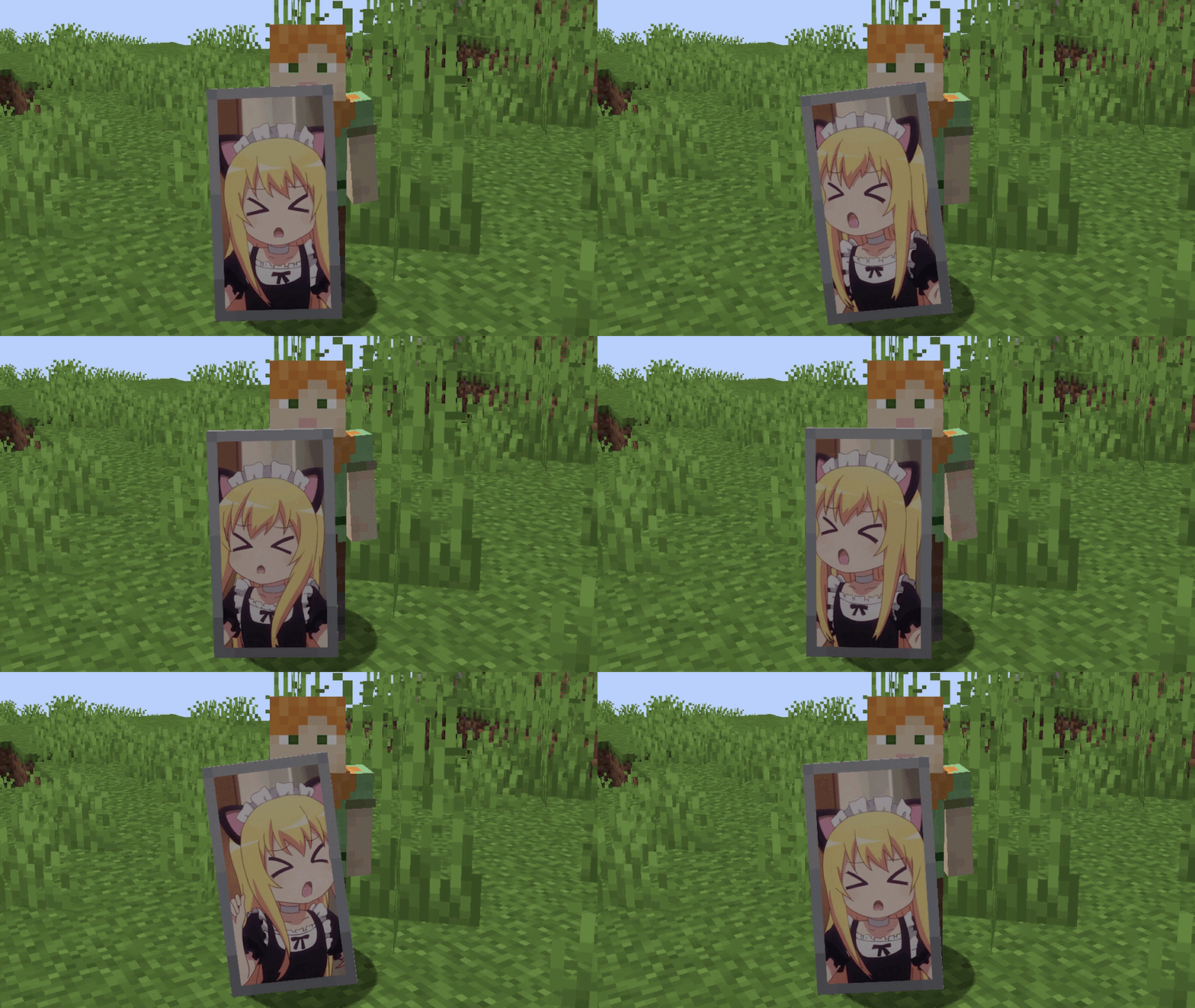
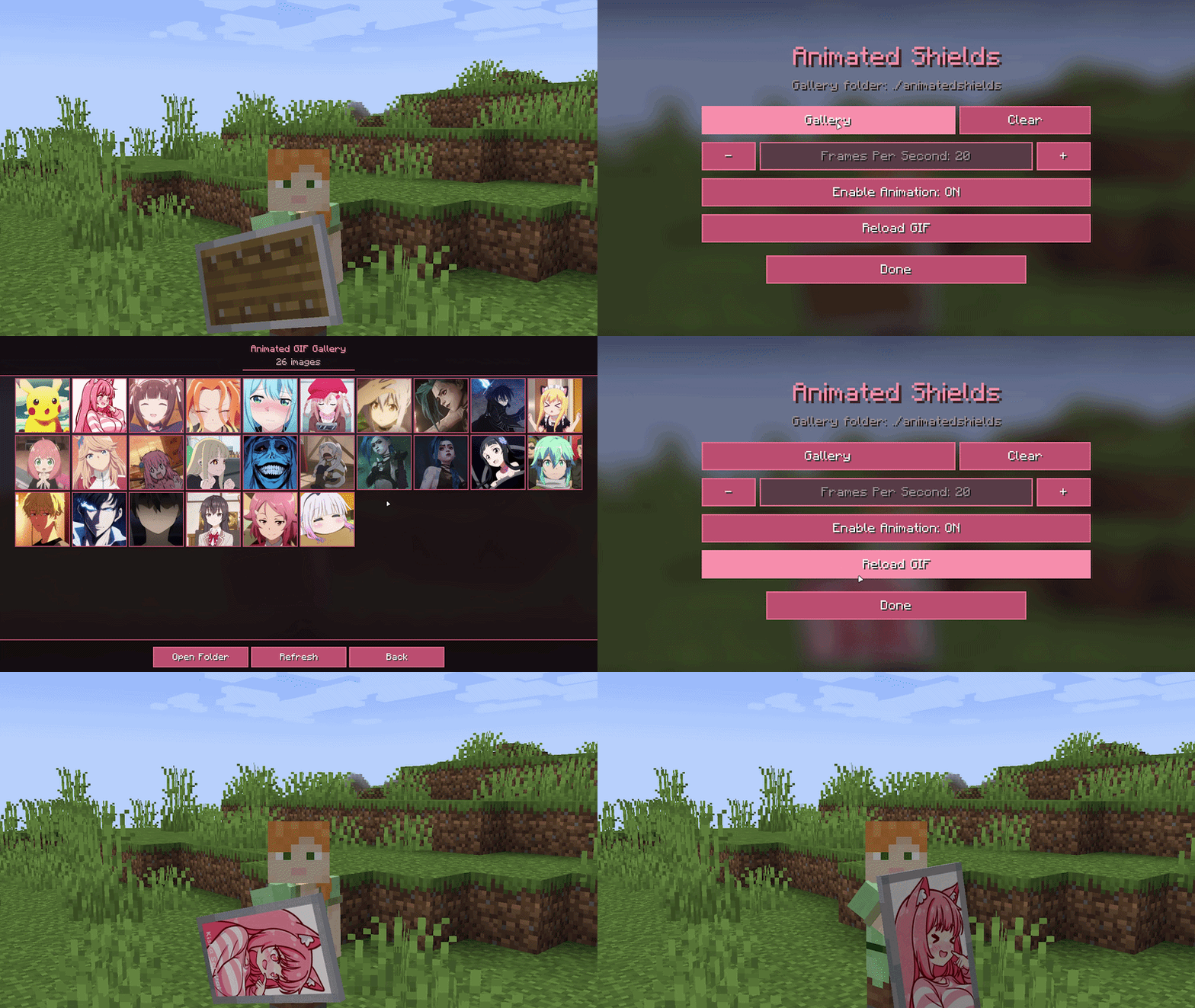
Open the mod menu with the default key K, or change that key in Controls under Animated Shields. From there you can browse a gallery of images, clear your current design, change how fast the animation runs, turn the effect on or off, and reload after you add new files.To add images, place GIF or picture files in the animatedshields folder inside your game folder. The menu tells you where that folder is, and the gallery can open it for you. Choose a file in the gallery and it appears on the red face of the shield.
In multiplayer, your design is shared with other players who also have the mod installed, so everyone sees each shield the way its owner chose it. The mod must be on the server and on each player’s game for that to work. You will also need Architectury API installed.Simple to set up, fun to customize, and made for showing a bit of personality on the battlefield.
Project description from CurseForge.
Pick your setup
Animated Shields by Minecraft version and loader
Choose the version and loader you play, then open the matching release.
Check the dependencies, then try the file in a copied instance before changing a world you care about.
Recent files
Animated Shields versions and loaders
Animated Shields 1.0.3
animated_shields-forge-1.20.1-1.0.3.jar
15 Sept 2026
Client Source doesn’t say Server Source doesn’t say Dependencies No extras listed Listed on Release listing
Check the 1.20.1 · Forge setup 1.20.1Forge release
Animated Shields 1.0.2
animated_shields-forge-1.20.1-1.0.2.jar
15 Sept 2026
Client Source doesn’t say Server Source doesn’t say Dependencies No extras listed Listed on Release listing
Check the 1.20.1 · Forge setup 1.20.1Forge release
Animated Shields 1.0.1
animated_shields-fabric-1.20.1-1.0.0.jar
9 Sept 2026
Client Source doesn’t say Server Source doesn’t say Dependencies No extras listed Listed on Release listing
Check the 1.20.1 · Fabric setup Fabric1.20.1 release
Animated Shields 1.0.1
animated_shields-forge-1.20.1-1.0.0.jar
9 Sept 2026
Client Source doesn’t say Server Source doesn’t say Dependencies No extras listed Listed on Release listing
Check the 1.20.1 · Forge setup 1.20.1Forge release
Animated Shields 1.0.0
animated_shields-forge-1.20.1-1.0.0.jar
9 Sept 2026
Client Source doesn’t say Server Source doesn’t say Dependencies No extras listed Listed on Release listing
Check the 1.20.1 · Forge setup 1.20.1Forge beta
Animated Shields 1.0.0
animated_shields-fabric-1.20.1-1.0.0.jar
9 Sept 2026
Client Source doesn’t say Server Source doesn’t say Dependencies No extras listed Listed on Release listing
Check the 1.20.1 · Fabric setup Fabric1.20.1 beta
Looking for an older file? The official CurseForge project page is in Resources.
 mod
mod CurseForge + Modrinth · Minecraft
Command Aliases (Fabric)
Alternate short commands for complex commands (with tab completion)
 mod
mod CurseForge · Minecraft
Auto Torch skr
[1.7.10~26.3] Automatically places torches in selected areas or near the player, with a client-side light level overlay for identifying mob-spawnable blocks. 在选定区域或玩家附近自动放置火把,并提供客户端光照等级显示,快速定位可能刷怪的位置。(AutoTorch、自动插火把、自动火把)
 mod
mod Modrinth · Minecraft
TerminalCraft
A bash-powered computer and networking mod for programmable automation, storage control, redstone systems, and technology integration.